
Tomado TAF3202B
Tomado TAF3202B Airfryer Instruction Manual
Model: TAF3202B
Important Safety Instructions
Please read this manual carefully before using the appliance and keep it for future reference. Incorrect operation may cause damage to the appliance or injury to the user.
- Always ensure the appliance is placed on a stable, heat-resistant surface.
- Do not immerse the appliance, cord, or plug in water or any other liquid.
- Keep the appliance out of reach of children.
- Do not block the air inlet or outlet vents during operation.
- Unplug the appliance from the power outlet when not in use and before cleaning.
- Do not operate the appliance if the cord or plug is damaged.
- The outer surfaces may become hot during use. Avoid touching hot surfaces.
Product Overview
The Tomado TAF3202B Airfryer uses rapid hot air circulation to cook food, offering a healthier alternative to traditional deep frying. It features a digital display and multiple automatic programs for ease of use.
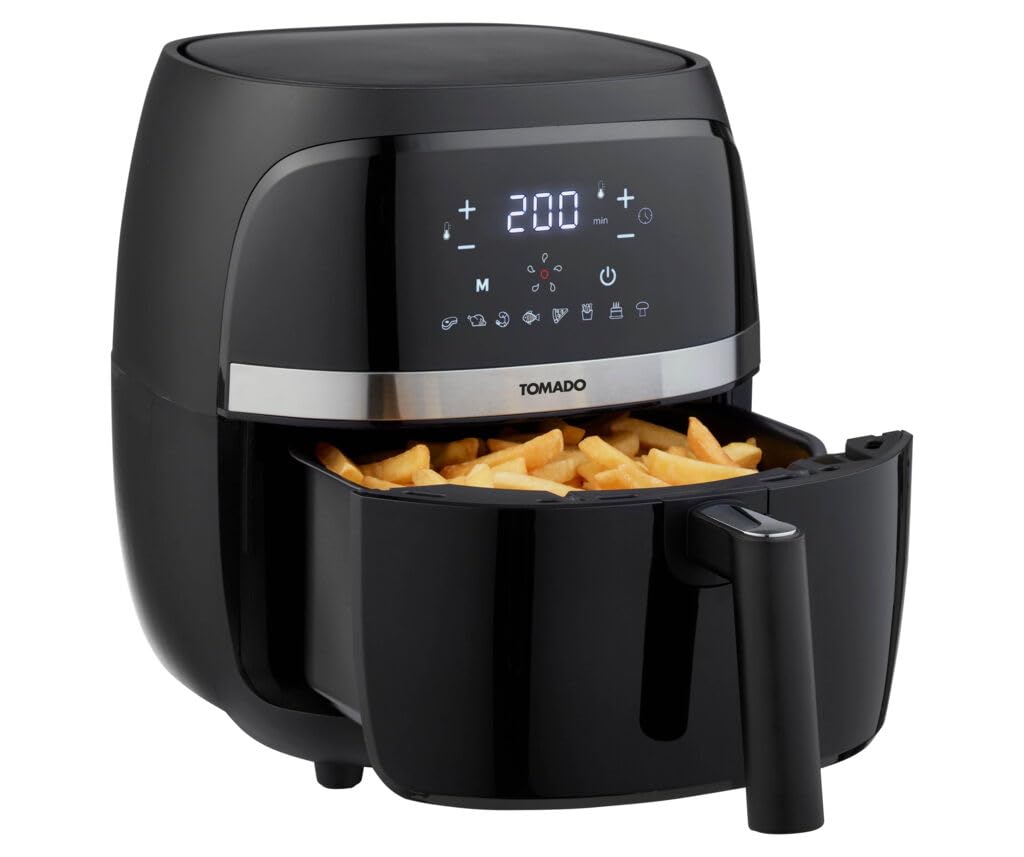
Image: The Tomado TAF3202B Airfryer in a kitchen setting, showcasing its compact design and a basket filled with fries, with a plate of cooked fries nearby.
Setup
-
Unpacking
Carefully remove the airfryer and all packaging materials from the box. Retain the packaging for future storage or transport if needed.
-
Initial Cleaning
Before first use, clean the frying basket and pan with hot water, dish soap, and a non-abrasive sponge. Wipe the interior and exterior of the appliance with a damp cloth. Ensure all parts are completely dry before use.
-
Placement
Place the airfryer on a stable, level, and heat-resistant surface. Ensure there is at least 10 cm of free space around the appliance to allow for proper air circulation. Do not place the appliance near flammable materials or heat sources.
Operating Instructions
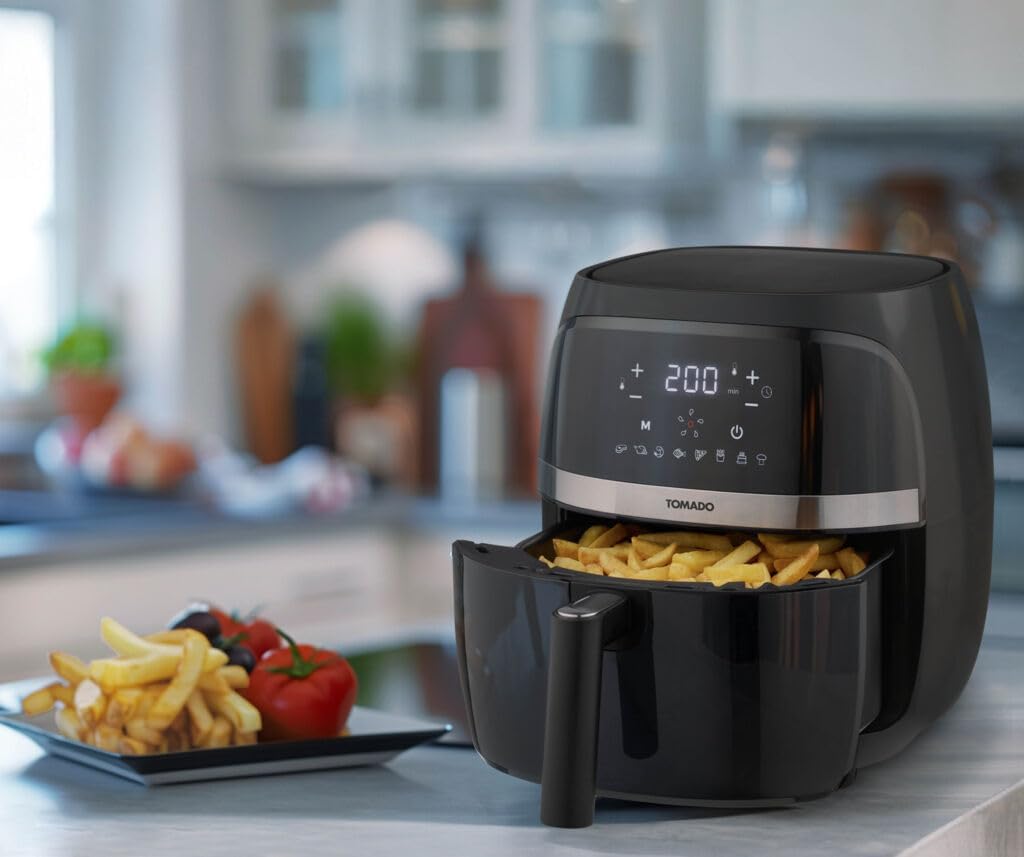
Image: Close-up of the Tomado TAF3202B Airfryer's digital control panel, displaying temperature, time, and various cooking program icons.
-
Power On
Plug the power cord into a grounded wall outlet. The digital display will illuminate briefly.
-
Preheating (Optional)
For best results, preheat the airfryer. Set the desired temperature and time (e.g., 3-5 minutes) and press the start button. The appliance will begin heating.
-
Loading Food
Pull out the frying basket by the handle. Place your ingredients into the basket. Do not overfill; ensure there is enough space for air to circulate. Slide the basket back into the appliance until it clicks into place.
-
Selecting a Program
The airfryer features 8 automatic programs. Press the 'M' button to cycle through the preset programs (e.g., fries, chicken, fish, cake). Each program has a default temperature and time setting.
-
Manual Temperature and Time Adjustment
Alternatively, you can manually set the temperature and time. Use the '+' and '-' buttons next to the temperature icon to adjust the temperature (80°C - 200°C). Use the '+' and '-' buttons next to the timer icon to adjust the cooking time (1 - 60 minutes).
-
Starting the Cooking Process
Once the desired program or manual settings are selected, press the power/start button to begin cooking. The fan and heating element will activate.
-
Shaking the Basket (Recommended)
For even cooking, especially with smaller items like fries, it is recommended to shake the basket halfway through the cooking time. Carefully pull out the basket, shake the contents, and reinsert it. The appliance will resume cooking automatically.
-
Completion
When the cooking time is complete, the airfryer will beep. Carefully pull out the basket and empty the cooked food onto a plate. Use heat-resistant tongs to remove food items.
Maintenance
-
Cleaning After Each Use
Always unplug the airfryer and allow it to cool completely before cleaning. The frying basket and pan are non-stick and can be washed with hot water, dish soap, and a soft sponge. They are also dishwasher safe.
-
Cleaning the Interior
Wipe the interior of the appliance with a damp cloth. For stubborn residue, use a mild detergent. Do not use abrasive cleaners or metal scouring pads.
-
Cleaning the Exterior
Wipe the exterior of the airfryer with a damp cloth. Do not use harsh chemicals or abrasive materials.
-
Storage
Ensure the appliance is clean and dry before storing. Store the airfryer in a cool, dry place, away from direct sunlight and moisture.
Troubleshooting
| Problem | Possible Cause | Solution |
|---|---|---|
| Appliance does not turn on. | The appliance is not plugged in or the power outlet is not working. | Check if the power cord is securely plugged into a working outlet. |
| Food is not cooked evenly. | Basket is overloaded or food was not shaken. | Do not overload the basket. Shake the basket halfway through cooking. |
| White smoke comes from the appliance. | Grease residue from previous use or cooking fatty food. | Clean the basket and pan thoroughly after each use. For fatty foods, ensure excess oil is drained. |
| Food is not crispy. | Too much moisture in food or insufficient cooking time/temperature. | Pat food dry before cooking. Increase cooking time or temperature slightly. |
Specifications
- Model Number: TAF3202B
- Capacity: 3.2 L (suitable for approximately 500g of fries)
- Power: 1500W
- Voltage: (Typically 220-240V for EU, not specified in input, assuming standard)
- Temperature Range: 80°C - 200°C
- Timer: Up to 60 minutes
- Dimensions (L x W x H): 34 x 31.7 x 31.6 cm
- Material: Plastic (housing)
- Color: Black
- Features: Digital display, 8 automatic programs, cool-touch housing
Warranty and Support
This Tomado appliance comes with a standard manufacturer's warranty. Please refer to the warranty card included in the original packaging for specific terms and conditions, including the warranty period and coverage details.
For technical support, service, or spare parts, please contact your retailer or the official Tomado customer service in your region. Keep your proof of purchase for warranty claims.
Information regarding spare parts availability is not provided in the product details. Please contact customer support for inquiries.
Related documentsTAF3202B


Ask a question about this manual
Ask about setup, troubleshooting, compatibility, parts, safety, or missing instructions. Manuals+ will review the question and use this page’s manual context to help answer it.