
ANRAN C2+Solarpanel
ANRAN 2K HD Outdoor Wireless Camera with Solar Panel User Manual
Model: C2+Solarpanel
1. Introduction
Thank you for choosing the ANRAN 2K HD Outdoor Wireless Camera with Solar Panel. This device is designed to provide reliable and high-quality surveillance for your outdoor spaces, offering advanced features such as 2K HD resolution, color night vision, PIR human motion detection, and two-way audio. Powered by a built-in battery and a solar panel, it ensures continuous operation without the need for frequent recharging or complex wiring. This manual will guide you through the setup, operation, and maintenance of your new security camera system.
2. Package Contents
Please check the package contents carefully. If any items are missing or damaged, please contact ANRAN customer support.
- ANRAN 2K HD Wireless Camera (Model: C2)
- Solar Panel
- Mounting Bracket for Camera
- Mounting Bracket for Solar Panel
- USB Charging Cable
- Mounting Screws and Wall Plugs
- User Manual (this document)

Figure 2.1: ANRAN 2K HD Wireless Camera with Solar Panel and mounting accessories.
3. Product Overview
The ANRAN C2 camera system is designed for ease of use and robust performance in outdoor environments. It combines a high-definition camera with a dedicated solar panel for self-sufficient power.
Key Features:
- 2K HD Resolution: Captures clear and detailed video footage.
- Color Night Vision: Provides full-color video even in low-light conditions using an LED floodlight. An IR black-and-white mode is also available.
- PIR Humanoid Motion Detection: Advanced sensor detects human movement, significantly reducing false alarms from pets or swaying branches.
- Two-Way Audio: Built-in microphone and speaker allow for real-time communication with visitors or to deter intruders.
- Wire-Free Operation: Integrated rechargeable battery and solar panel eliminate the need for power cables.
- IP65 Weatherproof: Designed to withstand various outdoor weather conditions, including rain, snow, and extreme temperatures (-20°C to +50°C).
- Wi-Fi Connectivity: Connects to your home's 2.4GHz Wi-Fi network for remote access and control via the ANRAN app.
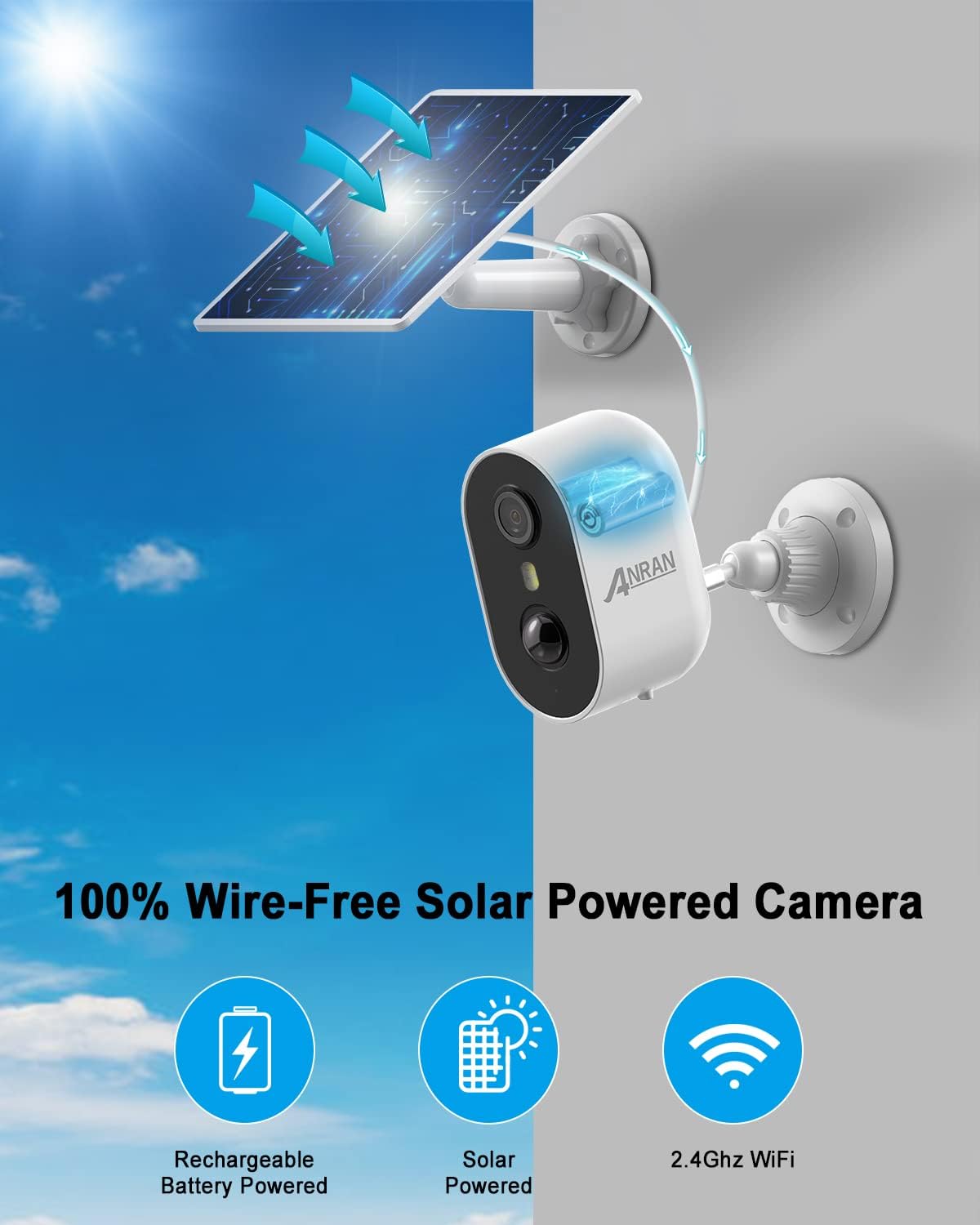
Figure 3.1: The ANRAN camera system operates completely wire-free, powered by its rechargeable battery and solar panel, connecting via 2.4GHz Wi-Fi.
4. Setup
4.1 Initial Charging
Before initial use, fully charge the camera's built-in battery using the provided USB cable. Connect the USB cable to the camera's charging port and a standard 5V USB power adapter (not included). The charging indicator light will show the charging status.
4.2 App Installation
Download the "ANRAN" app from the Google Play Store (for Android devices) or the Apple App Store (for iOS devices). Search for "ANRAN" and install the official application.


Figure 4.1: Download the ANRAN app from your device's app store.
4.3 Account Registration and Device Pairing
- Open the ANRAN app and register a new account or log in if you already have one.
- Tap the "+" icon to add a new device.
- Follow the on-screen instructions in the app to connect the camera to your 2.4GHz Wi-Fi network. Ensure your phone is connected to the same 2.4GHz Wi-Fi network during setup.
- Scan the QR code displayed on your phone with the camera lens when prompted.
- Once connected, you can name your camera and begin live viewing.
4.4 Mounting the Camera and Solar Panel
Choose a suitable location for your camera and solar panel. For optimal solar charging, the solar panel should receive direct sunlight for several hours a day. The camera should be mounted at a height that provides a clear view of the area you wish to monitor.
- Mark the drilling spots using the mounting brackets as a template.
- Drill holes and insert wall plugs if mounting on masonry.
- Secure the camera and solar panel mounting brackets with the provided screws.
- Attach the camera to its bracket and adjust the angle.
- Attach the solar panel to its bracket and adjust its angle to maximize sun exposure.
- Connect the solar panel cable to the camera's charging port.
Figure 4.2: Example of camera and solar panel mounting.
5. Operating
5.1 Live View and Recording
Open the ANRAN app and select your camera to access the live video feed. From the live view interface, you can:
- View real-time footage.
- Manually record video or capture screenshots.
- Access recorded events (stored on an inserted MicroSD card or cloud storage, if subscribed).

Figure 5.1: Monitoring multiple cameras via the ANRAN app on various devices.
5.2 PIR Motion Detection
The camera utilizes a Passive Infrared (PIR) sensor to detect human motion. This technology helps to minimize false alerts caused by non-human movements.
- When human motion is detected, the camera will automatically begin recording and send a notification to your smartphone.
- You can adjust the sensitivity of the PIR sensor within the app settings to suit your environment and reduce unwanted alerts.
- The camera can also trigger a flashlight alarm to deter intruders upon detection.

Figure 5.2: PIR motion detection in action, highlighting human figures and triggering alerts.
5.3 Two-Way Audio
The integrated microphone and speaker enable two-way communication. Tap the microphone icon in the app's live view to speak through the camera, and listen to audio from the camera's surroundings.
- Communicate with delivery personnel.
- Speak to family members.
- Warn off suspicious individuals.

Figure 5.3: Using the two-way audio feature for communication.
5.4 Night Vision
The camera offers two night vision modes:
- Color Night Vision: When the LED floodlight is activated (either automatically upon motion detection or manually), the camera provides full-color video footage even in complete darkness.
- IR Black-and-White Night Vision: For discreet monitoring, the infrared (IR) mode provides clear black-and-white video without visible light.
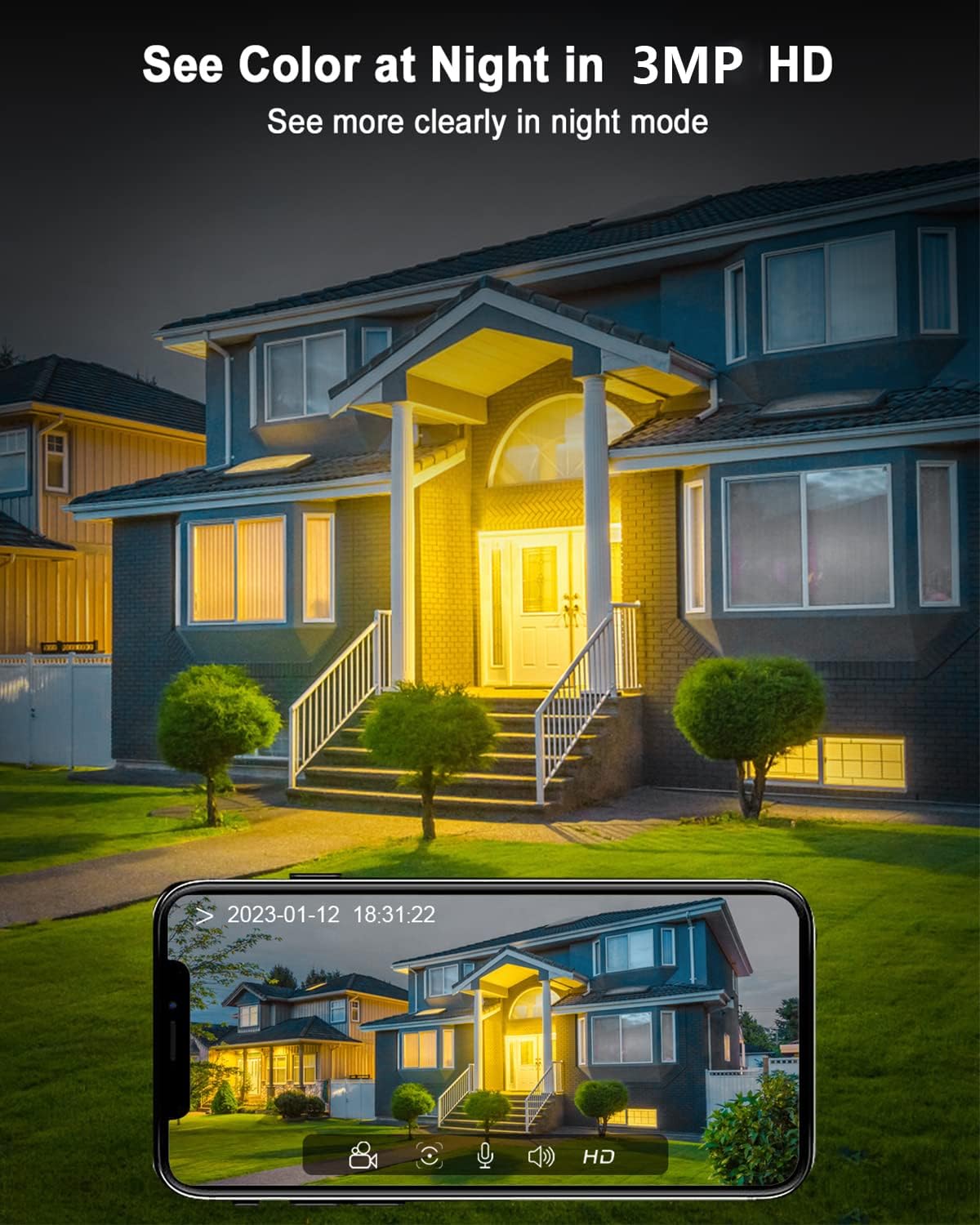
Figure 5.4: Example of 2K HD color night vision, providing clear images in low light.
6. Maintenance
6.1 Battery and Solar Charging
The solar panel is designed to keep the camera's battery charged. Ensure the solar panel is clean and positioned to receive maximum direct sunlight throughout the day. A full charge can last one to three months even without sunlight, depending on usage and motion detection frequency.
6.2 Cleaning
Periodically clean the camera lens and the surface of the solar panel with a soft, damp cloth to ensure optimal performance. Avoid using harsh chemicals or abrasive materials that could scratch the surfaces.
6.3 Weather Resistance
The camera is IP65 rated, meaning it is protected against dust and water jets. It is designed to operate reliably in temperatures ranging from -20°C to +50°C.

Figure 6.1: The ANRAN camera is built with IP65 waterproof material to withstand extreme weather.
7. Troubleshooting
| Problem | Possible Cause | Solution |
|---|---|---|
| Camera not connecting to Wi-Fi | Incorrect Wi-Fi password; Camera too far from router; Only 5GHz Wi-Fi network available. | Ensure correct 2.4GHz Wi-Fi password. Move camera closer to router. Ensure your router supports 2.4GHz Wi-Fi. |
| Battery not charging via solar panel | Insufficient sunlight; Solar panel dirty or obstructed; Cable not connected properly. | Relocate solar panel to an area with more direct sunlight. Clean the solar panel surface. Check the connection between the solar panel and camera. |
| Frequent false alarms | PIR sensitivity too high; Camera facing busy street or swaying objects. | Adjust PIR sensitivity settings in the ANRAN app. Reposition the camera to avoid areas with constant non-human motion. |
| No two-way audio | Microphone/speaker disabled in app; Volume too low; Network issues. | Check audio settings in the ANRAN app. Increase volume on your phone. Ensure stable Wi-Fi connection. |
8. Specifications
| Feature | Detail |
|---|---|
| Model | C2+Solarpanel (Model Number: G1) |
| Power Source | Battery-powered (Lithium-Ion, included) |
| Connectivity | Wi-Fi (2.4GHz) |
| Video Resolution | 2K HD (1440p) |
| Night Vision | Color Night Vision, IR Black-and-White |
| Motion Detection | PIR Humanoid Motion Detection |
| Audio | Two-Way Audio |
| Weather Resistance | IP65 Waterproof |
| Operating Temperature | -20°C to +50°C |
| Material | Plastic |
| Item Weight | 690 g |
| Dimensions (L x W x H) | 2.54 x 2.54 x 2.54 cm (approximate, as per product data) |
| Controller Type | Alexa |
9. Warranty and Support
ANRAN is committed to providing high-quality products and excellent customer service.
- 2-Year Warranty: Your ANRAN camera comes with a 2-year warranty from the date of purchase. Please retain your proof of purchase.
- Lifetime Technical Support: ANRAN offers lifetime technical support for this product.
- 7x24-Hour Online Service: For any inquiries or assistance, please contact our customer service team.
For further support, visit the official ANRAN store or contact us via the ANRAN app.


Figure 9.1: ANRAN commitment to service and support.
Related documentsC2+Solarpanel


Ask a question about this manual
Ask about setup, troubleshooting, compatibility, parts, safety, or missing instructions. Manuals+ will review the question and use this page’s manual context to help answer it.