
1. Introduction
This manual provides detailed instructions for the safe and efficient use of your ANTELA Smart WiFi Power Strip, model M3su412. Please read this manual thoroughly before operating the device and retain it for future reference.
The ANTELA smart power strip is designed to offer convenient control over your electronic devices. It features four conventional AC outlets, two USB-A ports, and one USB-C port. The AC outlets and the USB group can be controlled individually. Note that the two USB-A ports do not support fast charging, while the USB-C port does.
It has a maximum power output of 3680W and a maximum load of 16A, making it compatible with high-power appliances. It is made from high-quality fire-resistant material and includes built-in protection against short circuits and overvoltages.
Equipped with an energy monitor, it allows you to track the power consumption of connected devices, providing daily and monthly summaries. Individual consumption for each AC outlet and USB port cannot be viewed separately.
The power strip can be controlled remotely via the Smart Life app and is compatible with Amazon Alexa and Google Home. It is not compatible with Apple HomeKit. The app allows you to schedule on/off times for individual outlets. You can integrate the power strip into your smart home system and configure various automated actions.
2. Product Overview
2.1 Components
The ANTELA Smart WiFi Power Strip includes:
- 4 x AC Outlets
- 2 x USB-A Ports (Standard Charging)
- 1 x USB-C Port (Fast Charging)
- 1 x General Power Switch
- Power Cable (1.8m length)

Figure 2.1: Product layout with labeled components. The image highlights that the device supports 2.4GHz WiFi but not 5GHz WiFi, and that the USB-C port offers fast charging while USB-A ports do not. Each USB-A port provides 2.1A max, with a total of 3.1A max for all three USB ports combined.

Figure 2.2: Physical dimensions of the power strip. The device measures 34cm in length, 6cm in width, and 4cm in height. The attached power cable is 1.8 meters long.
3. Safety Instructions
Please observe the following safety precautions to prevent damage to the device or personal injury:
- Do not exceed the maximum load of 3680W or 16A.
- Do not disassemble or modify the device.
- Keep away from water and high humidity environments.
- Ensure proper grounding when connecting to a power source.
- Do not use if the power strip or cable is damaged.
- This device is designed for indoor use only.
- Keep out of reach of children.

Figure 3.1: The power strip incorporates multiple safety features, including fire resistance, protection against impacts, overcurrents, overloads, short circuits, and overheating.
4. Setup
4.1 Initial Connection
- Unpack the ANTELA Smart WiFi Power Strip.
- Plug the power strip into a standard wall outlet.
- Press the general power switch to turn on the power strip.
4.2 App Installation and Pairing
- Download the "Smart Life" app from the App Store (iOS) or Google Play Store (Android).
- Register or log in to your Smart Life account.
- Ensure your smartphone is connected to a 2.4GHz Wi-Fi network. The power strip does not support 5GHz Wi-Fi.
- In the Smart Life app, tap the "+" icon to add a device.
- Select "Power Strip (Wi-Fi)" or similar from the device list.
- Follow the on-screen instructions to put the power strip into pairing mode (usually involves pressing and holding the power button until the indicator light blinks rapidly).
- Confirm the Wi-Fi network and enter the password in the app.
- Wait for the device to connect. Once connected, you can rename the power strip and its individual outlets/USB ports.
5. Operating Instructions
5.1 Remote Control via Smart Life App
After successful pairing, you can control the power strip from anywhere using the Smart Life app.
- Individual Control: Tap on the power strip in the app to access controls for each AC outlet and the USB group. You can turn them on or off independently.
- Scheduling: Set schedules for each outlet to automatically turn on or off at specific times.
- Timer/Countdown: Use the timer function to automatically turn off an outlet after a set duration, or a countdown for specific events.

Figure 5.1: Remote control of the power strip via the Smart Life app on a smartphone.

Figure 5.2: Example of scheduling and countdown functions for various devices within a home environment.
5.2 Voice Control (Alexa/Google Assistant)
Integrate your ANTELA Smart WiFi Power Strip with Amazon Alexa or Google Assistant for hands-free control.
- Open the Alexa or Google Home app.
- Go to "Skills & Games" (Alexa) or "Works with Google" (Google Home).
- Search for "Smart Life" and enable the skill/service.
- Link your Smart Life account.
- Discover devices. Your power strip and its individual outlets should appear.
- You can now use voice commands like:
- "Alexa, turn on [Outlet Name]"
- "Hey Google, turn off [USB Group Name]"
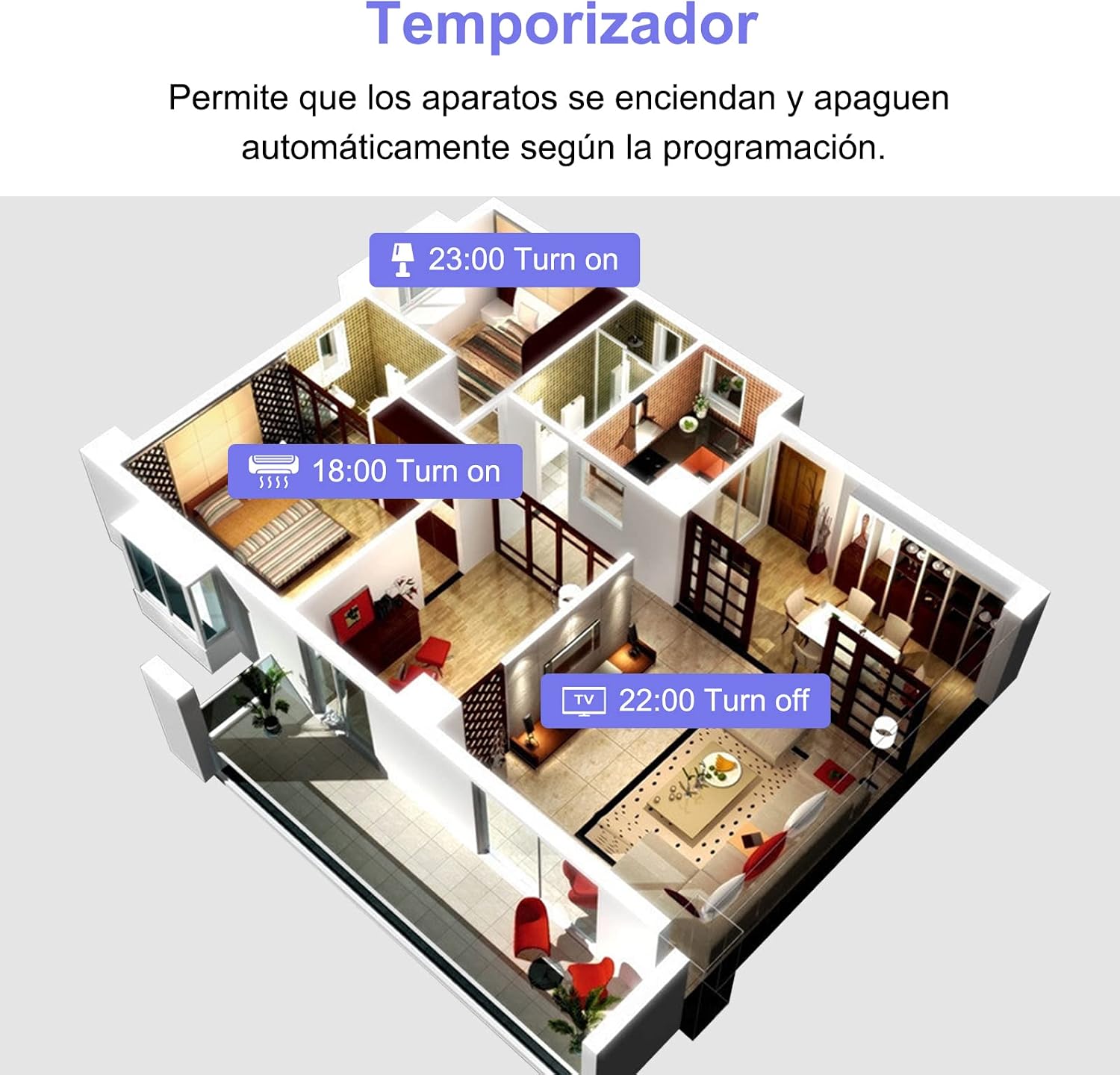
Figure 5.3: Voice control integration with Amazon Alexa and Google Assistant.
5.3 Energy Monitoring
The power strip features an energy monitor to help you track power consumption.
- Open the Smart Life app and select your power strip.
- Navigate to the energy monitoring section.
- View daily and monthly power consumption summaries in kWh.
- Note: Individual consumption for each AC outlet and USB port is not available.

Figure 5.4: Energy consumption monitoring interface within the Smart Life app, displaying daily and monthly usage data.
6. Maintenance
- Cleaning: Disconnect the power strip from the wall outlet before cleaning. Use a dry, soft cloth to wipe the surface. Do not use liquid cleaners or sprays.
- Storage: Store the power strip in a cool, dry place when not in use for extended periods.
- Inspection: Regularly inspect the power cord and outlets for any signs of damage. If damage is found, discontinue use immediately and contact support.
7. Troubleshooting
| Problem | Possible Cause | Solution |
|---|---|---|
| Device not powering on. | No power from wall outlet; power strip switch off; damaged cable. | Check wall outlet with another device; ensure power strip switch is ON; inspect cable for damage. |
| Cannot connect to Wi-Fi. | Incorrect Wi-Fi band (5GHz); incorrect password; too far from router. | Ensure your router is broadcasting 2.4GHz Wi-Fi; verify password; move power strip closer to router. |
| App control not working. | Power strip offline; app not updated; internet connection issue. | Check power strip's Wi-Fi indicator; update Smart Life app; verify phone's internet connection. |
| Voice control not responding. | Smart Life skill not enabled; device name mismatch; internet issue. | Enable/re-link Smart Life skill in Alexa/Google Home app; ensure device names match; check internet connection. |
| Overload protection triggered. | Connected devices exceed 3680W/16A limit. | Unplug some devices; reduce total load. |
8. Specifications
| Feature | Detail |
|---|---|
| Brand | ANTELA |
| Model Number | M3su412 |
| AC Outlets | 4 |
| USB Ports | 2 x USB-A, 1 x USB-C (Fast Charging) |
| Max Power Output | 3680W |
| Max Current Load | 16A |
| Material | Plastic (Fire-resistant) |
| Control Method | App (Smart Life), Voice (Alexa, Google Assistant) |
| Wi-Fi Compatibility | 2.4GHz (Not compatible with 5GHz) |
| Special Features | Energy Monitoring, Scheduling, Timer, Overload Protection, Short-circuit Protection |
| Dimensions (L x W x H) | 43.4 x 6.7 x 5.9 cm (Package); 34 x 6 x 4 cm (Product) |
| Cable Length | 1.8 meters |
9. Warranty and Support
ANTELA products come with a standard manufacturer's warranty. For specific warranty details, please refer to the product packaging or contact ANTELA customer support directly.
If you encounter any issues or have questions regarding your Smart WiFi Power Strip, please contact ANTELA customer support through their official website or the contact information provided with your purchase.
For further assistance, you may also visit the ANTELA Brand Store on Amazon.

