
ANENG A3005
ANENG Pen-Type Digital Multimeter User Manual
Model: A3005 | Brand: ANENG
1. Introduction
Thank you for choosing the ANENG A3005 Pen-Type Digital Multimeter. This device is a versatile and professional mini multimeter designed for a wide range of electrical applications. It combines the functions of a traditional multimeter with the convenience of a voltage test pen, making it an essential tool for electricians, technicians, and DIY enthusiasts. This manual provides detailed instructions for safe and effective use of your new multimeter.
2. Safety Information
Please read all safety warnings and operating instructions carefully before using this instrument. Failure to follow these instructions may result in electric shock, fire, or serious injury.
- Always ensure the multimeter is in good working condition before use.
- Do not attempt to measure voltages or currents exceeding the specified maximum limits.
- Use caution when working with live circuits. Always assume circuits are live until proven otherwise.
- Wear appropriate personal protective equipment (PPE), such as safety glasses and insulated gloves.
- Do not use the multimeter if it appears damaged or if the test leads are frayed.
- Keep the device dry and clean. Do not operate in wet or damp conditions.
- Replace batteries promptly when the low battery indicator appears to ensure accurate readings.
- This device is for professional and DIY use. If you are unsure about any measurement, consult a qualified electrician.
3. Product Overview
The ANENG A3005 is a compact and versatile pen-type digital multimeter. It features a clear VA inverted display, a built-in flashlight, and various measurement capabilities.

Figure 3.1: ANENG A3005 Pen-Type Digital Multimeter, showing the main unit, detachable test lead, and two AAA batteries.
Key Features:
- 2-in-1 Design: Functions as both a multimeter and a voltage test pen.
- Comprehensive Measurements: AC/DC Voltage, Resistance, Continuity, Diode, Capacitance (implied by feature bullets, though not explicitly listed in specs table).
- Non-Contact Voltage (NCV) Detection: Safely detects voltage without direct contact.
- Live Wire Detection: Identifies live wires for enhanced safety.
- Built-in Flashlight: Illuminates work areas in low light conditions.
- VA Inverted Display with Backlight: Clear and easy-to-read display, even in the dark.
- Data Hold Function: Freezes the displayed reading for convenient recording.
- Automatic Power Off: Conserves battery life by shutting down after 5 minutes of inactivity.
- Portable Design: Compact pen shape with an ergonomic clip for easy carrying.

Figure 3.2: Overview of the ANENG A3005's multi-functional capabilities.

Figure 3.3: The 2-in-1 concept of the ANENG A3005, combining a multimeter and a test pencil.
4. Setup
4.1 Battery Installation
The ANENG A3005 requires two 1.5V AAA batteries for operation. Follow these steps to install them:
- Locate the battery compartment cover on the back of the multimeter.
- Slide the cover open or remove it according to the design.
- Insert two AAA batteries, ensuring correct polarity (+ and -) as indicated inside the compartment.
- Replace the battery compartment cover securely.

Figure 4.1: Battery installation for the ANENG A3005.
4.2 Connecting the Test Lead
The multimeter comes with a detachable test lead. Connect it to the appropriate port on the multimeter for measurements requiring two probes.
- Identify the COM (common) input jack on the multimeter.
- Insert the black test lead plug into the COM jack.
- The red test probe is integrated into the pen tip.
5. Operating Instructions
To turn on the multimeter, press the power button. The device will typically start in auto-ranging mode for common measurements.
5.1 AC/DC Voltage Measurement
The multimeter can automatically detect and measure both AC and DC voltage.
- Ensure the multimeter is powered on.
- Touch the red probe to the positive point of the circuit and the black test lead to the negative or common point.
- The voltage reading will appear on the display.

Figure 5.1: Measuring voltage with the ANENG A3005.
5.2 Resistance and Continuity Test
To measure resistance or check for continuity:
- Ensure the circuit or component is de-energized before testing resistance or continuity.
- Touch the red probe and the black test lead to the two points of the component or circuit you wish to test.
- For continuity, a beep will sound and the display will show a low resistance value if there is a continuous path.
- For resistance, the value in Ohms (Ω) will be displayed.
5.3 Non-Contact Voltage (NCV) Detection
The NCV function allows you to detect AC voltage without physical contact, enhancing safety.
- Press the NCV button (if available, or select NCV mode).
- Bring the tip of the multimeter close to the wire or outlet you want to test.
- The device will emit an audible alarm and/or visual indication (e.g., flashing light) if AC voltage is detected.

Figure 5.2: Non-Contact Voltage (NCV) detection.
5.4 Live Wire Detection
This function helps identify the live (hot) wire in an AC circuit.
- Select the Live mode (if available).
- Touch the red probe to the wire you suspect is live.
- The multimeter will indicate if the wire is live, often with a specific icon or sound.
5.5 Flashlight Function
The built-in flashlight is useful for working in dimly lit environments.
- Press the flashlight button (or designated key) to turn the flashlight on/off.
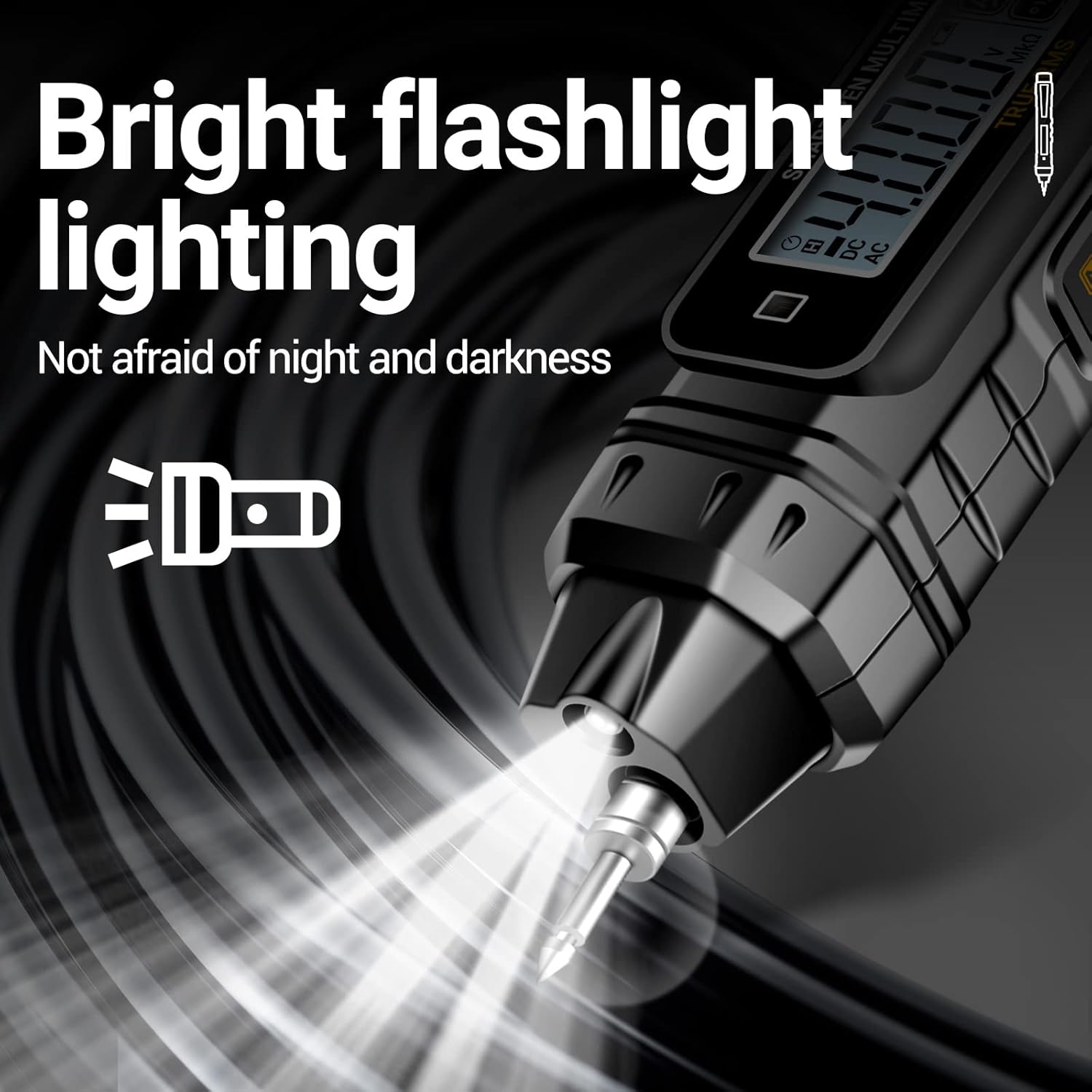
Figure 5.3: Using the built-in flashlight.
5.6 Data Hold
To freeze the current reading on the display:
- Press the "HOLD" button. The reading will remain on the screen until the button is pressed again.
5.7 Automatic Power Off
To conserve battery life, the multimeter will automatically power off after approximately 5 minutes of inactivity.
- To reactivate the device, press any button or cycle the power.
6. Maintenance
6.1 Cleaning
To ensure the longevity and accuracy of your multimeter:
- Wipe the casing with a damp cloth and mild detergent. Do not use abrasive cleaners or solvents.
- Ensure no moisture enters the device.
6.2 Battery Replacement
When the low battery indicator appears on the display, replace the batteries as described in the "Battery Installation" section (4.1). Always use fresh 1.5V AAA batteries.
6.3 Storage
If the multimeter is not used for an extended period, remove the batteries to prevent leakage and damage to the device. Store it in a cool, dry place away from direct sunlight and extreme temperatures.
7. Troubleshooting
| Problem | Possible Cause | Solution |
|---|---|---|
| Device does not turn on. | Dead or incorrectly installed batteries. | Check battery polarity or replace with new AAA batteries. |
| Inaccurate readings. | Low battery; dirty probes; incorrect mode selection. | Replace batteries; clean probes; ensure correct measurement mode is selected. |
| No NCV detection. | NCV function not activated; no AC voltage present. | Ensure NCV mode is active; verify AC voltage is present in the area being tested. |
| Auto power off too quickly. | Normal operation (5 minutes inactivity). | This is a battery-saving feature. Press any button to reactivate. |
8. Specifications
| Feature | Detail |
|---|---|
| Brand | ANENG |
| Model Number | A3005 |
| Measurement Type | Multimeter |
| Color | Black |
| Power Source | Battery Powered (2 x AAA, included) |
| AC Voltage Range | 0.8V-600V |
| DC Voltage Range | 0.8V-600V |
| Resistance Range | 0.1Ω-40MΩ |
| Display Counts | 4000 Counts |
| NCV Induction | Yes |
| Live-Null Line Judgment | Yes |
| Buzzer (Continuity) | Yes |
| Auto Power Off | Yes (after 5 minutes inactivity) |
| Package Dimensions | 19.7 x 6 x 3.2 cm |
| Item Weight | 130 grams |
9. Warranty and Support
ANENG Electrical Tester offers service and technical support for this product. For specific warranty details, please refer to the documentation included with your purchase or contact ANENG customer service directly. Keep your proof of purchase for warranty claims.
For technical assistance or inquiries, please visit the official ANENG website or contact their support channels. Always provide your product model number (A3005) when seeking support.
Related documentsA3005


Ask a question about this manual
Ask about setup, troubleshooting, compatibility, parts, safety, or missing instructions. Manuals+ will review the question and use this page’s manual context to help answer it.