Introduction
Thank you for choosing the AWEI T61 Wireless Bluetooth Earbuds. This manual provides detailed instructions on how to set up, operate, and maintain your earbuds to ensure optimal performance and longevity. Please read this manual thoroughly before using the product.
Package Contents
Ensure all items are present in the package:
- AWEI T61 Wireless Bluetooth Earbuds (Left and Right)
- Wireless Charging Case
- USB Charging Cable
- Earbud Covers (S/M/L sizes)
- User Manual
Product Overview
The AWEI T61 earbuds are designed for a comfortable and secure fit, offering high-fidelity audio and reliable wireless connectivity.

Image: AWEI T61 Wireless Bluetooth Earbuds shown inside their open charging case. The earbuds are black with a sleek design, and the charging case is also black with a circular indicator light.
Key Features:
- Bluetooth 5.3: Provides stable and low-latency wireless connection.
- ENC Smart Noise Cancellation: Enhances call clarity.
- 13mm Dynamic Drivers: Delivers high-fidelity stereo sound.
- IPX6 Waterproof: Resistant to heavy rain and sweat.
- Game/Music Dual Mode: Optimized audio profiles for gaming and music.
- Long Battery Life: Up to 8 hours playback per charge, 48 hours with charging case.
Setup
1. Charging the Earbuds and Case
Before first use, fully charge the earbuds and the charging case.
- Connect the USB charging cable to the charging port on the case and to a power source.
- The indicator light on the charging case will show charging status.
- Place the earbuds into the charging case. They will begin charging automatically.
- A full charge provides approximately 6-8 hours of music playback for the earbuds, and the charging case offers multiple recharges for a total of up to 48 hours of use.

Image: Diagram illustrating the battery life of the AWEI T61 earbuds, showing 6 hours play time, 5 hours talk time, 300 hours standby time, and 300mAh battery capacity for the case.
2. Pairing with Your Device
The AWEI T61 earbuds feature a Hall Switch for quick pairing.
- Initial Pairing:
- Open the charging case. The earbuds will automatically power on and enter pairing mode.
- On your device (smartphone, tablet, etc.), enable Bluetooth.
- Search for "AWEI T61" in the list of available Bluetooth devices and select it to connect.
- Once connected, you will hear a confirmation tone, and the indicator light on the earbuds may change.
- Automatic Reconnection: After the first successful pairing, the earbuds will automatically connect to the last paired device when you open the charging case.

Image: A visual representation of the AWEI T61 earbud highlighting its internal components and the Bluetooth 5.3 technology, emphasizing a smooth and stable connection.
Operating Instructions
1. Wearing the Earbuds
Choose the earbud covers (S/M/L) that provide the most comfortable and secure fit for your ears. Insert the earbuds gently into your ear canal and rotate them slightly until they feel snug and stable.
2. Touch Controls
The AWEI T61 earbuds feature intuitive touch controls on each earbud. Specific functions may vary slightly by device, but common controls include:
- Play/Pause: Single tap on either earbud.
- Next Track: Double tap on the right earbud.
- Previous Track: Double tap on the left earbud.
- Answer/End Call: Single tap on either earbud.
- Reject Call: Press and hold either earbud for 2 seconds.
- Activate Voice Assistant: Triple tap on either earbud.
- Volume Control: (Specific gesture may vary, refer to device settings or experiment with long presses if not covered by single/double/triple tap).
3. Game/Music Dual Mode
The earbuds offer a dual mode for optimized audio experience. Switch between modes to enhance your listening for either gaming or music.
- Switching Modes: (Specific gesture not provided in feature bullets, typically a long press or specific tap sequence. User may need to refer to quick start guide or experiment.)
- Game Mode: Enhances sound details like footsteps and gunfire for an immersive gaming experience.
- Music Mode: Provides a balanced audio profile for general music listening.

Image: An exploded view diagram of an AWEI T61 earbud, showcasing its internal 13mm dynamic driver components responsible for delivering high-fidelity and surging stereo sound.
Maintenance
1. Cleaning
- Regularly clean the earbuds and charging case with a soft, dry, lint-free cloth.
- Remove earbud covers and clean them with mild soap and water, then dry thoroughly before reattaching.
- Do not use abrasive cleaners or solvents.
2. Water Resistance (IPX6)
The AWEI T61 earbuds are rated IPX6 waterproof, meaning they are protected against powerful water jets. This makes them suitable for use during strenuous exercise and in rainy conditions.
- Do not submerge the earbuds in water.
- Ensure the charging port is dry before charging.
- The charging case is not waterproof.

Image: A pair of AWEI T61 earbuds shown with water droplets, illustrating their IPX6 waterproof and anti-sweat nano coating, indicating resistance to rain and sweat.
Troubleshooting
| Issue | Possible Solution |
|---|---|
| Earbuds not pairing/connecting. |
|
| No sound or low volume. |
|
| One earbud not working. |
|
| Charging case not charging. |
|
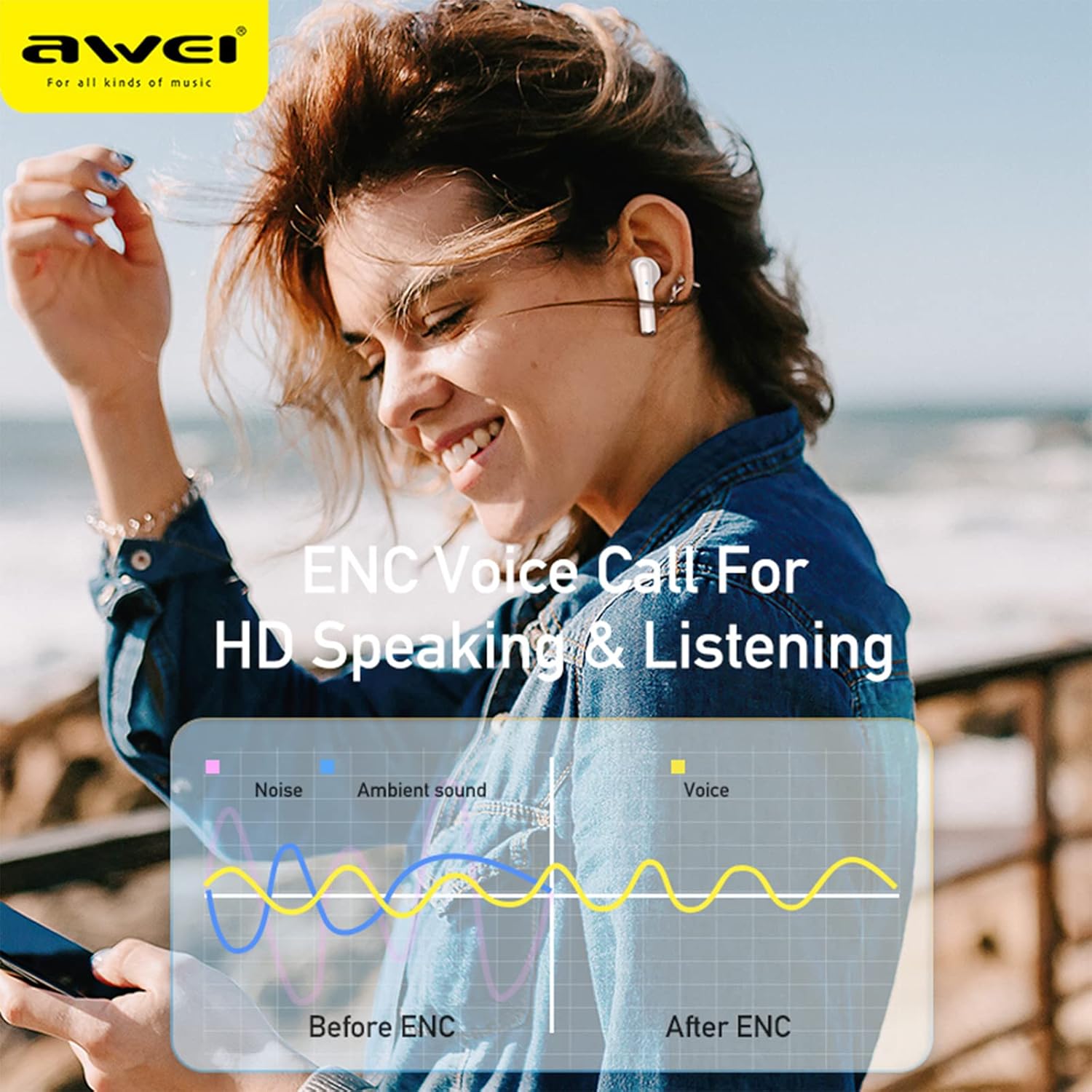
Image: A graphic illustrating the effect of ENC (Environmental Noise Cancellation) on voice calls, showing how noise and ambient sound are reduced to provide clearer voice transmission before and after ENC processing.
Specifications
| Model Name | AWEI T61 |
| Bluetooth Version | 5.3 |
| Supported Protocols | HSP, HFP, A2DP, AVRCP |
| Driver Size | 13mm Dynamic |
| Noise Control | ENC Smart Noise Cancellation (for calls) |
| Water Resistance Rating | IPX6 |
| Earbud Playtime | 6-8 hours (single charge) |
| Total Playtime (with case) | Up to 48 hours |
| Charging Case Battery | 300mAh |
| Product Dimensions | 10 x 10 x 4 cm |
| Weight | 180 g |
| Batteries | 1 Lithium Ion battery (included) |
Warranty and Support
AWEI products are designed and manufactured to the highest quality standards. For information regarding warranty coverage, technical support, or customer service, please refer to the warranty card included in your package or visit the official AWEI website.
Please retain your proof of purchase for warranty claims.


