
Introduction
Thank you for choosing the AWEI T61 Wireless Bluetooth Earbuds. This manual provides essential information for setting up, operating, and maintaining your earbuds to ensure optimal performance. The AWEI T61 earbuds feature advanced Bluetooth 5.3 technology, ENC smart noise cancellation for clear calls, high-fidelity stereo sound with 13mm speakers, and an IPX6 waterproof rating, making them suitable for various activities including gaming and exercise.
What's in the Box
- AWEI T61 Wireless Bluetooth Earbuds
- Wireless Charging Case
- S/M/L Earbud Covers (Ear Tips)
- Charging Cable
- User Manual
Product Overview

A general view of the AWEI T61 wireless earbuds and their compact charging case.
The AWEI T61 earbuds are designed for comfort and performance, featuring a sleek design and a portable charging case. The case not only protects your earbuds but also recharges them on the go, extending your listening time.

This image displays the AWEI T61 earbuds resting in their open charging case, emphasizing the dual Environmental Noise Cancellation (ENC) microphones, 300 hours of standby time, and 6 hours of play time per charge.
Setup
1. Charging the Earbuds and Case
- Before first use, fully charge the earbuds and the charging case.
- Connect the charging case to a power source using the provided USB cable.
- The indicator light on the case will show the charging status.
- Place the earbuds into the charging case; they will charge automatically.
2. Pairing with Your Device
- Ensure both earbuds are charged.
- Open the charging case. The earbuds will automatically enter pairing mode (Hall Switch feature).
- On your device (smartphone, tablet, etc.), enable Bluetooth.
- Search for 'AWEI T61' in the list of available Bluetooth devices and select it to connect.
- Once paired, the earbuds will automatically connect to your device when the case is opened for subsequent uses.
3. Wearing the Earbuds
- Select the appropriate earbud covers (S/M/L) for a comfortable and secure fit.
- Insert the earbuds into your ears and gently twist until they fit snugly. The ergonomic design ensures a secure fit, ideal for sports and exercise.
Operating Instructions
Touch Controls
The AWEI T61 earbuds feature intuitive touch controls on each earbud for easy management of music, calls, and voice assistant functions.
- Play/Pause: Single tap on either earbud.
- Next Track: Double tap the right earbud.
- Previous Track: Double tap the left earbud.
- Answer/End Call: Single tap on either earbud.
- Reject Call: Press and hold either earbud for 2 seconds.
- Activate Voice Assistant: Triple tap on either earbud.
- Volume Up: Press and hold the right earbud.
- Volume Down: Press and hold the left earbud.
Game/Music Dual Mode
The earbuds support a dual mode for gaming and music. In game mode, the earbuds are optimized to accurately capture in-game sounds like footsteps and gunfire for an enhanced gaming experience. Refer to the product packaging or official website for specific instructions on switching between modes.
ENC Smart Noise Cancellation
The built-in microphone in each earbud utilizes ENC (Environmental Noise Cancellation) technology to ensure clear and realistic sound during calls by reducing ambient noise.
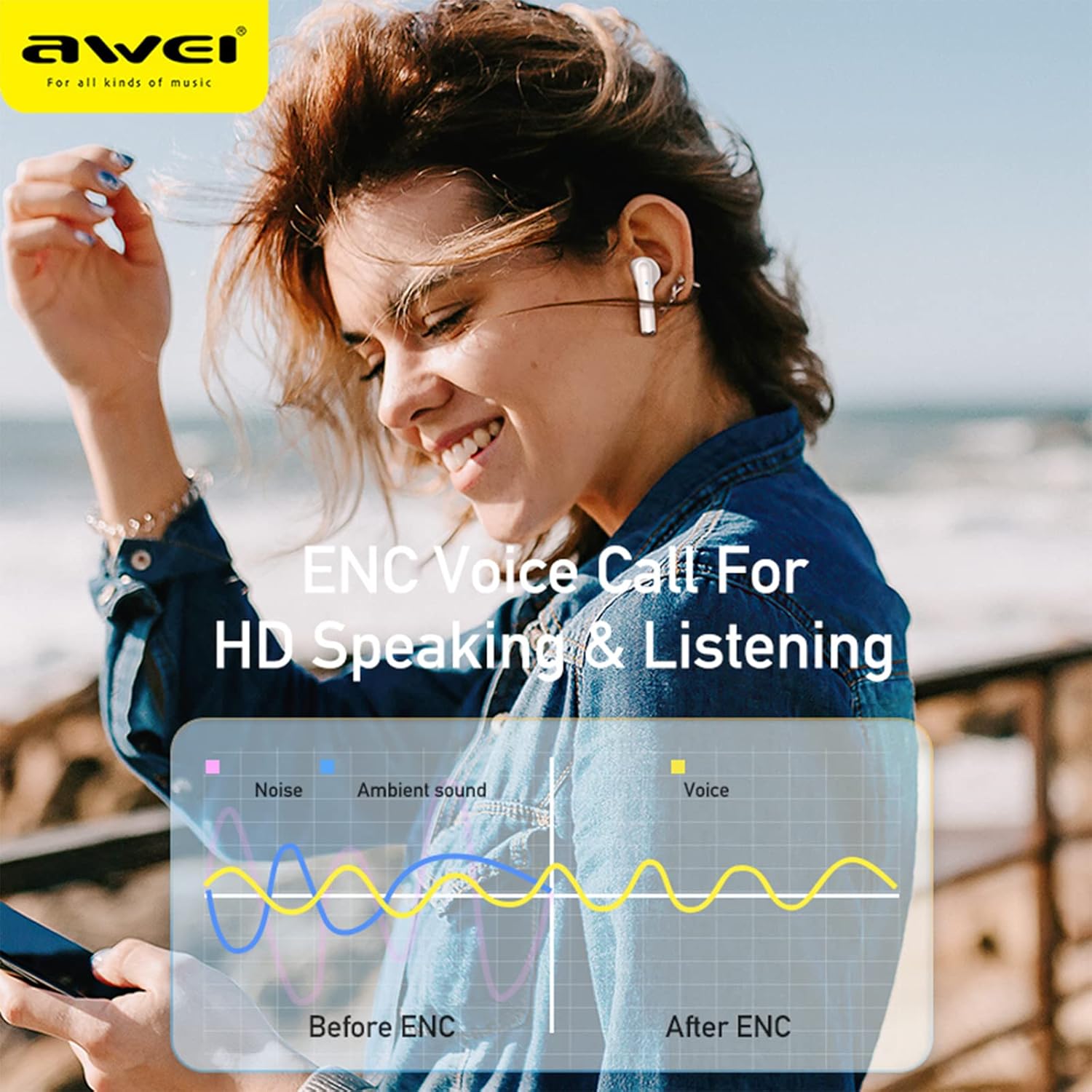
A visual representation of how Environmental Noise Cancellation (ENC) technology works, demonstrating the reduction of ambient noise for clearer voice calls, with 'Before ENC' and 'After ENC' sound wave comparisons.
Water Resistance
The earbuds feature an IPX6 waterproof and anti-sweat nano coating, protecting them from heavy rain or sweat during strenuous exercise. This makes them suitable for various outdoor activities.

The AWEI T61 earbuds are shown with water droplets on their surface, illustrating their IPX6 waterproof and sweatproof capabilities, making them suitable for use in various weather conditions and during exercise.
Bluetooth 5.3 Connectivity
Equipped with advanced Bluetooth 5.3 technology, the AWEI T61 earbuds provide a stable and low-latency connection, ensuring an uninterrupted audio experience.

An image of an AWEI T61 earbud, with a transparent overlay revealing its internal components and highlighting the integration of Bluetooth 5.3 technology for stable and efficient wireless connectivity.
High-Fidelity Audio
The earbuds feature 13mm dynamic drivers and a composite diaphragm to deliver high-fidelity stereo sound with enhanced bass and clear treble.

A cutaway diagram of an AWEI T61 earbud, showcasing its 13mm dynamic driver, which is responsible for delivering high-fidelity audio and powerful stereo sound.
Maintenance
- Cleaning: Regularly clean the earbuds and charging case with a soft, dry, lint-free cloth. Do not use harsh chemicals or abrasive materials. Ensure charging contacts are free of debris.
- Storage: When not in use, store the earbuds in their charging case to protect them from dust and damage, and to keep them charged.
- Battery Care: To prolong battery life, avoid fully discharging the battery frequently. Charge the earbuds and case regularly, especially if they will not be used for an extended period.
Troubleshooting
- Earbuds not pairing:
- Ensure both earbuds are charged.
- Place earbuds back in the case, close the lid, then reopen to re-enter pairing mode.
- Delete 'AWEI T61' from your device's Bluetooth list and try pairing again.
- Ensure Bluetooth is enabled on your device.
- No sound from one earbud:
- Check battery levels of both earbuds.
- Try resetting the earbuds by placing them in the case and re-pairing.
- Charging issues:
- Ensure the charging cable is securely connected to both the case and the power source.
- Check if the charging port on the case is clean and free of debris.
- Try using a different charging cable or power adapter.
Specifications
| Model Name | AWEI T61 |
| Connectivity Technology | Wireless, Bluetooth 5.3 |
| Noise Control | Sound Isolation, ENC Smart Noise Cancellation |
| Audio Driver Size | 13 Millimeters |
| Earbud Battery Life | 6-8 Hours |
| Total Battery Life (with Case) | Up to 48 Hours |
| Standby Time | 300 Hours |
| Water Resistance Level | IPX6 Waterproof |
| Control Method | Touch, Voice Control |
| Compatible Devices | Most Bluetooth-enabled devices |
| Material | Acrylonitrile Butadiene Styrene (ABS), Metal |
| Product Dimensions | 3.94 x 3.94 x 1.57 inches |
| Item Weight | 6.3 ounces (180 Grams) |
Warranty and Support
Warranty Information: Your AWEI T61 Wireless Bluetooth Earbuds are covered by a limited manufacturer's warranty. Please refer to the warranty card included in your product packaging for specific terms and conditions regarding coverage and duration.
Customer Support: For technical assistance, troubleshooting, or warranty claims, please contact AWEI customer support through their official website or the retailer where the product was purchased. Keep your purchase receipt as proof of purchase for any warranty-related inquiries.


