
1. Important Safety Information
Please read all instructions carefully before using the VGR V-697 Hair Clipper. Retain this manual for future reference.
- Use with caution around the face and neck.
- Keep away from water sources. Do not use while bathing or showering.
- Follow recommended cleaning and maintenance procedures.
- Always unplug the trimmer when not in use or before cleaning.
- This appliance is not intended for use by persons (including children) with reduced physical, sensory or mental capabilities, or lack of experience and knowledge, unless they have been given supervision or instruction concerning use of the appliance by a person responsible for their safety.
- Children should be supervised to ensure that they do not play with the appliance.
2. Product Overview
The VGR V-697 is a professional-grade cordless hair clipper designed for precise hair cutting and grooming. It features stainless-steel blades, an LED digital display, and a powerful rechargeable Li-ion battery.

Image 2.1: VGR V-697 Hair Clipper with included accessories, including guide combs, cleaning brush, oil, comb, and USB charging cable.

Image 2.2: Detailed view of the VGR V-697 Hair Clipper highlighting key features: Taper lever, ON/OFF button with travel lock, USB charging port, LCD display, and stainless steel blades.
3. Package Contents
Verify that all items are present in the package:
- VGR V-697 Hair Clipper
- 8 Attachment Guide Combs (1.5mm, 3mm, 4.5mm, 6mm, 10mm, 13mm, 16mm, 19mm)
- USB Charging Cable
- Cleaning Brush
- Blade Oil
- User Manual
4. Getting Started (Setup)
4.1 Charging the Clipper
Before first use, fully charge the clipper for approximately 3 hours. A full charge provides up to 200 minutes of cordless operation.
- Ensure the clipper is switched off.
- Insert the USB charging cable into the charging port at the bottom of the clipper.
- Connect the other end of the USB cable to a compatible USB power adapter (not included) or a USB port.
- The LED display will show the battery charge status during charging.
- Once fully charged, disconnect the charging cable.

Image 4.1: The VGR V-697 Hair Clipper, illustrating the location of the USB charging port at the base.
5. Operation
5.1 Powering On/Off
Press the ON/OFF button located on the front of the clipper to turn it on or off. The LED display will illuminate when the clipper is on.
5.2 Attaching and Removing Guide Combs
The clipper includes 8 attachment combs for various cutting lengths (1.5mm, 3mm, 4.5mm, 6mm, 10mm, 13mm, 16mm, 19mm).
- Ensure the clipper is switched off.
- Select the desired guide comb.
- Align the comb with the clipper blade and push it firmly until it clicks into place.
- To remove, gently pull the comb away from the blade.

Image 5.1: The VGR V-697 Hair Clipper displayed alongside its set of colorful guide combs, indicating different cutting lengths.
5.3 Adjusting Cutting Length (Taper Lever)
The taper lever on the side of the clipper allows for fine adjustment of cutting length without changing guide combs. Move the lever up for a shorter cut and down for a longer cut.
5.4 Using the Clipper
For optimal results, ensure hair is clean and dry. Use smooth, even strokes against the direction of hair growth.
- Start with a longer guide comb and gradually switch to shorter ones if desired.
- Hold the clipper flat against the head or skin.
- Overlap strokes to ensure an even cut.
- The clipper can be used corded or cordless. If the battery is low, connect the power cord for continuous operation.
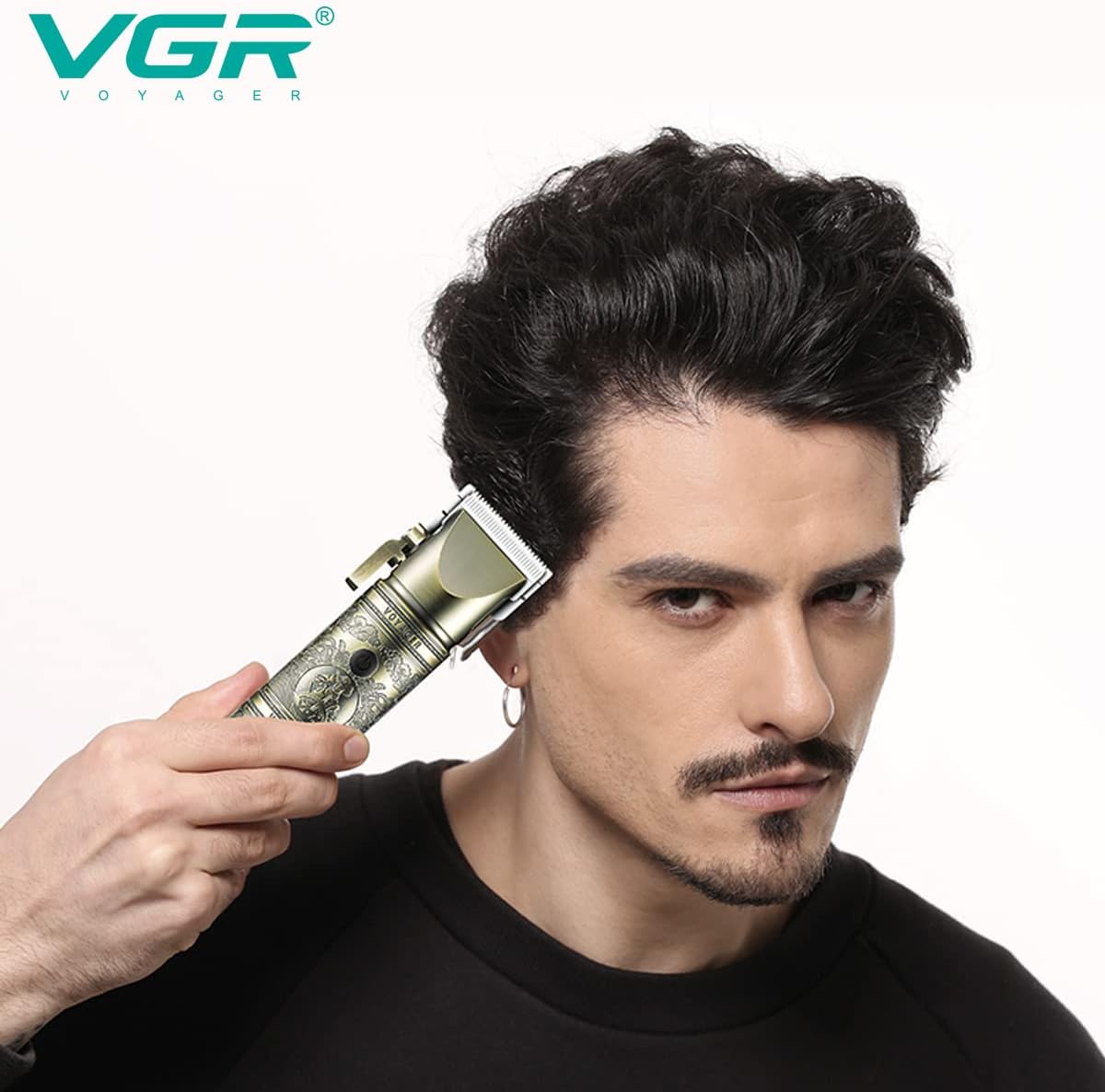
Image 5.2: A person using the VGR V-697 Hair Clipper to trim hair, demonstrating typical usage.
6. LED Display Indicators
The digital LED display provides important information:
- Battery Percentage: Shows the remaining battery charge level.
- Oil Indicator: An icon (often a small oil drop) that illuminates to remind you to oil the blades. This typically disappears after the blades are oiled.
- Travel Lock: An icon (often a padlock) that may appear for a few seconds when turning on, indicating the travel lock feature. To activate/deactivate, press and hold the power button for 3 seconds when the device is off.
7. Cleaning and Maintenance
Regular cleaning and maintenance ensure optimal performance and longevity of your clipper.
7.1 Cleaning the Blades
- Ensure the clipper is switched off and unplugged.
- Use the provided cleaning brush to remove loose hairs from the blades and the clipper body.
- For a more thorough cleaning, the blades can be carefully detached (refer to specific instructions if provided in the physical manual for blade removal).
- Do not rinse the clipper under water unless explicitly stated as waterproof.
7.2 Oiling the Blades
Apply a few drops of the provided blade oil to the teeth of the blades after every few uses, or when the oil indicator illuminates. This helps maintain blade sharpness and smooth operation.
- Apply 1-2 drops of oil evenly across the top of the blades.
- Turn on the clipper for a few seconds to distribute the oil.
- Wipe off any excess oil with a soft cloth.
7.3 Storage
Store the clipper in a dry, cool place, away from direct sunlight and out of reach of children.
8. Troubleshooting
If you encounter issues with your VGR V-697 Hair Clipper, refer to the following common problems and solutions:
| Problem | Possible Cause | Solution |
|---|---|---|
| Clipper does not turn on. | Battery is depleted. Travel lock is active. | Charge the clipper. Press and hold the power button for 3 seconds to deactivate travel lock. |
| Poor cutting performance (snagging/pulling). | Blades are dull or dirty. Blades are not oiled. | Clean the blades thoroughly. Apply blade oil as instructed in Section 7.2. |
| Battery does not hold charge or charges slowly. | Charging cable or adapter issue. Battery degradation. | Ensure charging cable and adapter are functioning correctly. If the issue persists after a year of use, battery degradation may be a factor. |
| Clipper gets hot during use. | Extended continuous use. Blades require lubrication. | Allow the clipper to cool down. Ensure blades are properly oiled. |
9. Specifications
| Feature | Detail |
|---|---|
| Model Number | V 697 |
| Power Source | Battery Powered (Cordless/Corded operation) |
| Battery Type | 2000mAh Li-ion Battery |
| Charging Time | Approximately 3 hours |
| Runtime | Up to 200 minutes (cordless) |
| Blade Material | Carbon Steel / Stainless Steel |
| Cutting Lengths | 0.8mm to 19mm (with guide combs) |
| Attachment Combs | 8 combs (1.5mm, 3mm, 4.5mm, 6mm, 10mm, 13mm, 16mm, 19mm) |
| Product Dimensions | 23.3 x 13 x 7 cm |
| Item Weight | 800 g |
| Special Features | Digital LED Display, Taper Lever, Travel Lock |
10. Warranty and Support
10.1 Warranty Information
The VGR V-697 Hair Clipper comes with a 12-month quality warranty from the date of purchase. This warranty covers manufacturing defects under normal use. It does not cover damage caused by misuse, accidents, unauthorized repairs, or normal wear and tear.
10.2 Customer Support
For any questions, concerns, or warranty claims, please contact VGR customer service. Refer to the product packaging or the official VGR website for the most current contact information.