
Introduction
Thank you for choosing the KOSUMOSU 15" 3D LED Digital Wall Clock. This manual provides detailed instructions for setting up, operating, and maintaining your new clock. Please read this manual thoroughly before use to ensure proper functionality and longevity of the product.
Safety Information
- Power Supply: This LED clock requires a 5V/1A plug-in USB-A adapter (not included) to operate. It is not a wireless clock. Ensure you use a regular, compliant 5V/1A adapter from a professional manufacturer to prevent freezing, flickering, or humming.
- Button Battery Warning (Remote Control): The remote control contains a CR2025 button battery.
- INGESTION HAZARD: This product contains a button or coin battery.
- DEATH or serious injury can occur if ingested.
- A swallowed button cell or coin battery can cause Internal Chemical Burns in as little as 2 hours.
- KEEP new and used batteries OUT OF REACH OF CHILDREN.
- Seek immediate medical attention if a battery is suspected to be swallowed or inserted inside any part of the body.
- Placement: Avoid placing the clock in direct sunlight or near heat sources to prevent damage.
- Cleaning: Use a soft, dry cloth for cleaning. Do not use abrasive cleaners or immerse the clock in water.
Package Contents
Verify that all items are present in your package:
- 1 x KOSUMOSU 15" 3D LED Digital Wall Clock
- 1 x Remote Control (with CR2025 button battery installed)
- 1 x 3-meter USB Power Cable
- 1 x Bracket Base (for desk placement)
- Wall-mounted accessories (screws and anchors)
- User Manual (this document)

Image: Contents of the KOSUMOSU 15" 3D LED Digital Wall Clock package, including the clock, remote control, USB cable, bracket base, and wall mounting hardware.
Product Overview
The KOSUMOSU 15" 3D LED Digital Wall Clock features a modern design with clear digital display. It offers multiple functions including time, date, temperature, and alarm with snooze. The clock can be placed on a desk using the included stand or mounted on a wall. Brightness is adjustable manually via remote control or automatically via a built-in light sensor.

Image: The KOSUMOSU 15" 3D LED Digital Wall Clock displaying time, with its sleek white design.
Setup
1. Power Connection
- Connect the provided 3-meter USB power cable to the clock's power input port.
- Plug the other end of the USB cable into a 5V/1A USB-A power adapter (not included).
- Plug the power adapter into a wall outlet. The clock display will illuminate.
2. Placement Options
- Desk Placement: Attach the included bracket base to the bottom of the clock for stable placement on any flat surface.
- Wall Mounting: Use the wall-mounted accessories (screws and anchors) to securely hang the clock on a wall. The clock has designated holes on the back for this purpose.
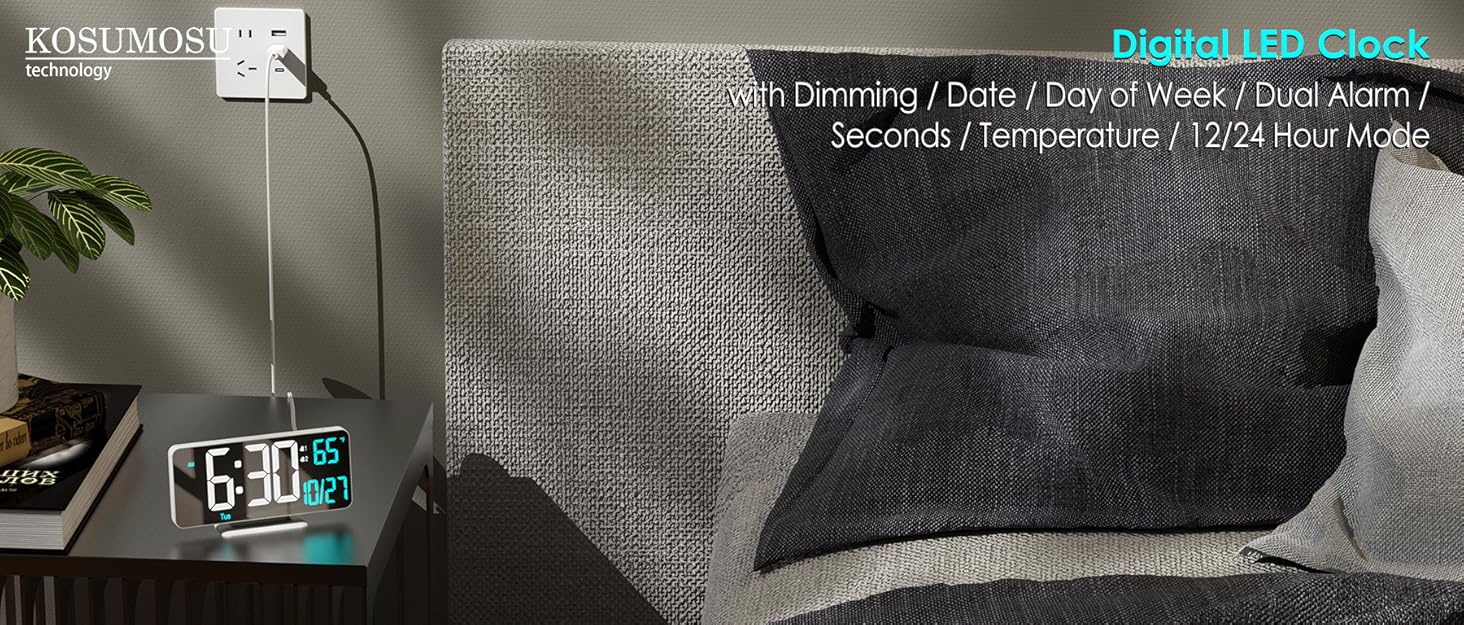
Image: The KOSUMOSU 15" 3D LED Digital Wall Clock displayed in a modern living room, showcasing its versatility for wall or desk placement.
Operating Instructions
The clock can be operated using the included remote control or the buttons located on the top of the clock (SET, UP, DOWN, Reset).
1. Setting Time (12/24 Hour Format)
- Press the "CLOCK" button on the remote control to enter time setting mode.
- Use the "UP" or "DOWN" arrows to adjust the hours and minutes.
- Briefly press the "UP" arrow button (Δ) on the remote control to toggle between 12-hour and 24-hour formats.
- Press "CLOCK" again to confirm and exit.
2. Setting Date
- Press the "CLOCK" button multiple times until the date display appears.
- Use the "UP" or "DOWN" arrows to adjust the year, month, and day.
- Press "CLOCK" again to confirm and exit.
3. Setting Temperature (Celsius/Fahrenheit)
- Briefly press the "LEFT" arrow button (◁) on the remote control to loop display among Date, Time, or Temperature.
- Once temperature is displayed, press the "TEMP" button to switch between Celsius (℃) and Fahrenheit (℉).
4. Alarm Settings
- Press the "ALARM" button on the remote control to enter alarm setting mode.
- Use the "UP" or "DOWN" arrows to set the desired alarm time.
- The alarm includes a snooze function. When the alarm rings, you can get an extra 5 minutes of snooze time (up to 3 times) before it rings again.
- Press "ALARM" again to confirm and exit.
5. Brightness Adjustment
- Manual Dimming: Use the "BRIGHT" button on the remote control to cycle through High, Medium, Low, or Light Off settings.
- Automatic Dimming: The clock features a built-in light sensor that provides 8 levels of automatic dimming based on ambient light conditions. This ensures clear readability in both strong light and dark environments.
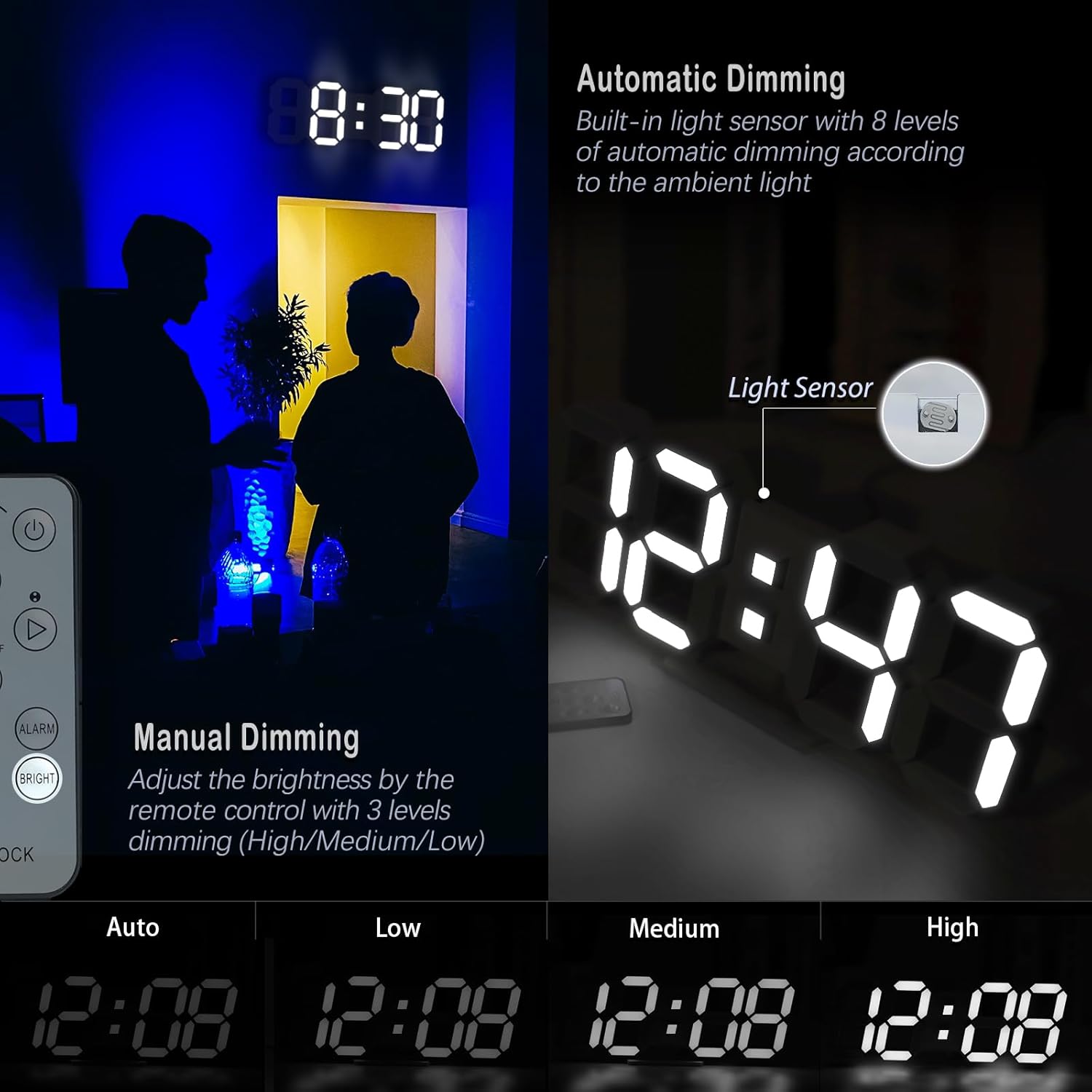
Image: Illustration of the clock's manual dimming (High, Medium, Low) and automatic dimming features, controlled by the remote and a light sensor.
6. Loop Display Mode
- Briefly press the "LEFT" arrow button (◁) on the remote control to cycle the display between time, date, and temperature.

Image: The clock displaying time, date (September 5), and temperature (64°F) in a looping sequence.
Maintenance
- Cleaning: Wipe the clock surface with a soft, dry cloth. Do not use liquid cleaners or sprays directly on the clock.
- Remote Control Battery: The remote control uses a CR2025 button battery. Replace it when the remote's functionality diminishes. Refer to the safety information regarding button batteries.
- Power Cable: Ensure the USB power cable is not bent, twisted, or damaged. A damaged cable can affect performance.

Image: The remote control for the KOSUMOSU clock, highlighting the CR2025 button battery and a warning about ingestion hazards.
Troubleshooting
- Clock Freezes, Flickers, or Hums: This often indicates an unstable or incompatible power adapter that cannot provide sufficient current. Replace with a regular, compliant 5V/1A USB-A adapter from a professional manufacturer.
- Remote Control Not Working:
- Ensure the transparent battery insulation sheet is removed from the bottom of the remote control.
- Aim the remote control directly at the infrared sensor located on the bottom of the clock. Avoid any obstructions. The effective distance is approximately 3.5 meters.
- Replace the CR2025 button battery if necessary.
- Time Separator (colon) Blinking: To stop or flash the time separator, press the "RIGHT" arrow button (▷) on the remote control.
- Alarm Not Ringing: Check the alarm time setting and ensure the 12h/24h format is correctly configured (e.g., AM/PM for 12h format).
Specifications
| Feature | Detail |
|---|---|
| Brand | KOSUMOSU |
| Model | 15IN Wall Clock-white light |
| Display Type | Digital |
| Product Dimensions | 15.0" (W) x 5.1" (H) x 0.9" (D) |
| Item Weight | 12 ounces (340 g) |
| Power Source | Corded Electric (5V/1A USB-A adapter, not included) |
| Connectivity Technology | USB |
| Special Features | Alarm with Snooze, Auto Dimmable, Temperature Display (℃/℉), 12/24 Hour Mode, Night Light, Remote Control |
| Material | Plastic |
| Time Memory | Built-in super farad capacitor for approx. 2 hours after power failure. |

Image: A visual comparison between the 15-inch and 9.7-inch KOSUMOSU LED Digital Clocks, highlighting their respective sizes and specifications.
Warranty and Support
The KOSUMOSU 15" 3D LED Digital Wall Clock comes with a 2-year warranty.
If you encounter any quality or usage issues with your product, please contact KOSUMOSU TECHNOLOGY customer service immediately via Amazon mail (chat box). We are committed to providing solutions, including replacement or guidance for product use and settings.
Official Product Videos
KOSUMOSU 15IN White LED Wall Clock with Time, Date, Temp
Video: An official product video from KOSUMOSU TECHNOLOGY demonstrating the 15-inch white LED wall clock, showcasing its time, date, and temperature display features.
KOSUMOSU 15" Big LED Wall Clock with White Light
Video: An official product video from KOSUMOSU TECHNOLOGY highlighting the large 15-inch LED wall clock with its bright white light display.
15" Big LED Wall Clock with White Light
Video: An official product video from KOSUMOSU TECHNOLOGY showcasing the 15-inch LED wall clock with its white light, demonstrating its size and visibility.


