
Introduction
This manual provides comprehensive instructions for the assembly, operation, and maintenance of your FEZIBO L-Shaped Electric Standing Desk. Designed for both home office and gaming environments, this desk offers ample workspace and electric height adjustment for optimal ergonomic comfort.
The FEZIBO L-Shaped Standing Desk features a robust industrial-grade alloy steel frame and solid desktops, ensuring stability even at full height. It includes advanced features such as anti-collision technology and a child safety lock for enhanced user safety.
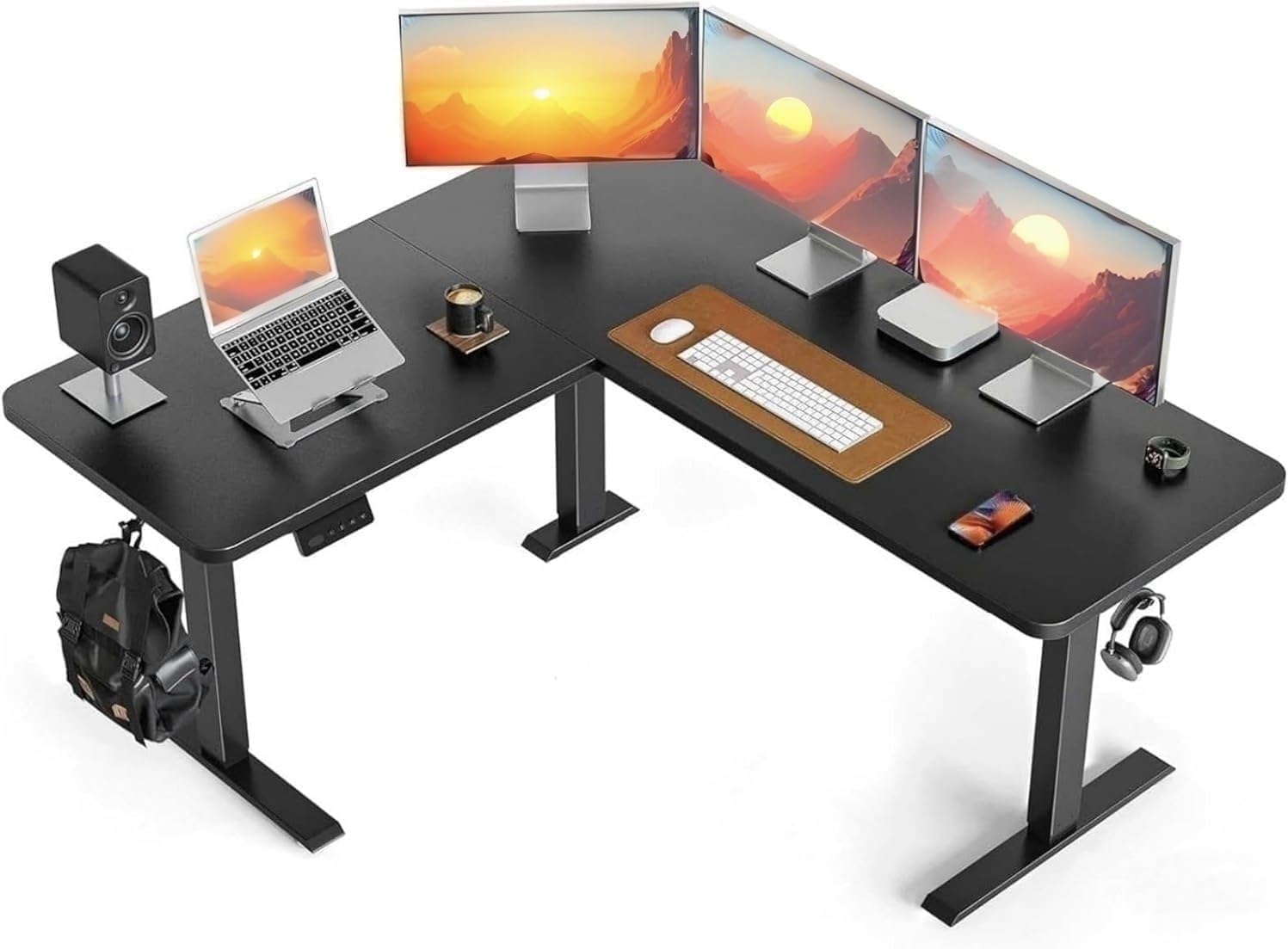
Figure 1: FEZIBO L-Shaped Electric Standing Desk setup with multiple monitors and accessories.
Safety Guidelines
Please read and understand all safety instructions before assembly and operation to prevent injury or damage to the product.
- Assemble and use the desk on a stable, level surface.
- Do not exceed the maximum weight limit of the desk.
- Ensure proper electrical connections and usage.
- Keep children and pets away from the desk during height adjustments.
- The desk is equipped with anti-collision technology; however, always ensure the path is clear during movement.
- Utilize the child safety lock feature to prevent accidental operation.
Setup and Assembly
The FEZIBO L-Shaped Standing Desk is designed for hassle-free installation. Detailed instructions are provided with the product. It is recommended that two people assemble the desk for ease and safety.
- Unpack all components and verify against the parts list.
- Follow the step-by-step pictorial instructions included in the packaging.
- Ensure all screws and fasteners are securely tightened before use.
- The desk comes with all necessary assembly tools.
- Choose between wheels or regular standing feet during assembly based on your preference.

Figure 2: Desk dimensions for planning your workspace.

Figure 3: Example of a typical office setup on the desk.
Operating Instructions
Your FEZIBO L-Shaped Electric Standing Desk features an intuitive control panel for easy height adjustments and memory presets.
Height Adjustment:
- Use the UP (▲) and DOWN (▼) buttons on the LED display controller to manually adjust the desk height.
- The desk can be adjusted from 28.3 inches to 46.9 inches.
- The motor operates with low noise (under 48 dB).

Figure 4: Smooth sitting to standing height adjustment.

Figure 5: The upgraded motor ensures quiet operation, comparable to light rain.
Memory Presets:
- The desk has 2 preset memory buttons (labeled 1 and 2) to save your preferred sitting and standing heights.
- To save a height: Adjust the desk to your desired height, then press and hold a memory button (1 or 2) until the display confirms the setting.
- To recall a height: Simply press the corresponding memory button (1 or 2) once. The desk will automatically move to the saved position.

Figure 6: Control panel with LED display and memory buttons.
Anti-Collision Technology:
- The desk is equipped with anti-collision technology. If the desk encounters an obstacle during movement, it will automatically stop and reverse approximately 2cm to prevent damage or injury.
Child Safety Lock:
- To activate the child safety lock: Press and hold both the "2" and "▲" (Up) buttons for 5 seconds. A lock icon will appear on the display.
- To deactivate the child safety lock: Press and hold both the "2" and "▲" (Up) buttons for 5 seconds again. The lock icon will disappear.
- This feature prevents accidental adjustments and potential injuries.

Figure 7: Child safety lock instructions.
Maintenance
To ensure the longevity and optimal performance of your FEZIBO L-Shaped Electric Standing Desk, follow these simple maintenance guidelines:
- Cleaning: Wipe the desk surfaces with a dry cloth. Avoid abrasive cleaners or harsh chemicals that may damage the laminated finish.
- Regular Checks: Periodically check all screws and connections to ensure they remain tight. Re-tighten if necessary.
- Cable Management: Utilize the included desk hooks and manage cables to prevent tangles and interference with the desk's movement.

Figure 8: Desk hooks and adjustable feet for convenience and stability.
Troubleshooting
If you encounter any issues with your FEZIBO L-Shaped Electric Standing Desk, please refer to the following common solutions:
| Problem | Possible Cause | Solution |
|---|---|---|
| Desk does not move or respond to controls. | Power cable disconnected, motor not aligned, or child lock activated. |
|
| Desk stops unexpectedly during adjustment. | Anti-collision system triggered by an obstacle. | Remove any obstacles in the desk's path and try adjusting again. |
| Unusual noise during operation. | Loose components or motor issue. | Check all assembly points for loose screws and tighten if necessary. If noise persists, contact customer support. |
If the problem persists after attempting these solutions, please contact FEZIBO customer service for further assistance.
Specifications
| Feature | Detail |
|---|---|
| Brand | FEZIBO |
| Model Number | SDE |
| Product Dimensions | 55"D x 63"W x 28.3"H |
| Adjustable Height Range | 28.3" to 46.9" |
| Color | Black |
| Style | Modern |
| Base Material | Alloy Steel |
| Top Material Type | FSC-Certified wood |
| Finish Type | Laminated |
| Special Feature | Cordless (referring to control panel, not power) |
| Recommended Uses | Gaming, Studying, Working, Writing |
| Included Components | Keyboard Tray, Monitor Arm (Note: These are listed as included components in the product data, but may be optional accessories depending on the specific package.) |
| Assembly Required | Yes |
| Recommended Assembly People | 2 |
| Lifting Mechanism | Electric |
| Noise Level | Under 48 dB |
Warranty and Support
FEZIBO is committed to providing high-quality products and excellent customer service. For any product problems or inquiries, please contact our after-sale customer service.
Protection Plans:
Additional protection plans may be available for purchase to extend coverage beyond the standard warranty. Please refer to your purchase details for specific plan information.
- 2-Year Protection Plan
- 3-Year Protection Plan
- Complete Protect (monthly plan)
Returns:
This product is eligible for 30-day easy returns. Please consult the retailer's return policy for full details.
Customer Service:
For immediate assistance, please visit the official FEZIBO store or contact their customer support channels as provided at the time of purchase.


