
1. Introduction
This manual provides detailed instructions for the safe and efficient use of your Havit H2590BT PRO Wireless Bluetooth Headphones. Please read this guide thoroughly before operating the device to ensure optimal performance and longevity. Keep this manual for future reference.

Image 1.1: Front view of the Havit H2590BT PRO Wireless Bluetooth Headphones, showcasing the sleek black design and over-ear cups.
2. Product Overview
The Havit H2590BT PRO headphones are designed for wireless audio playback, offering comfort and convenience. Familiarize yourself with the components and controls:
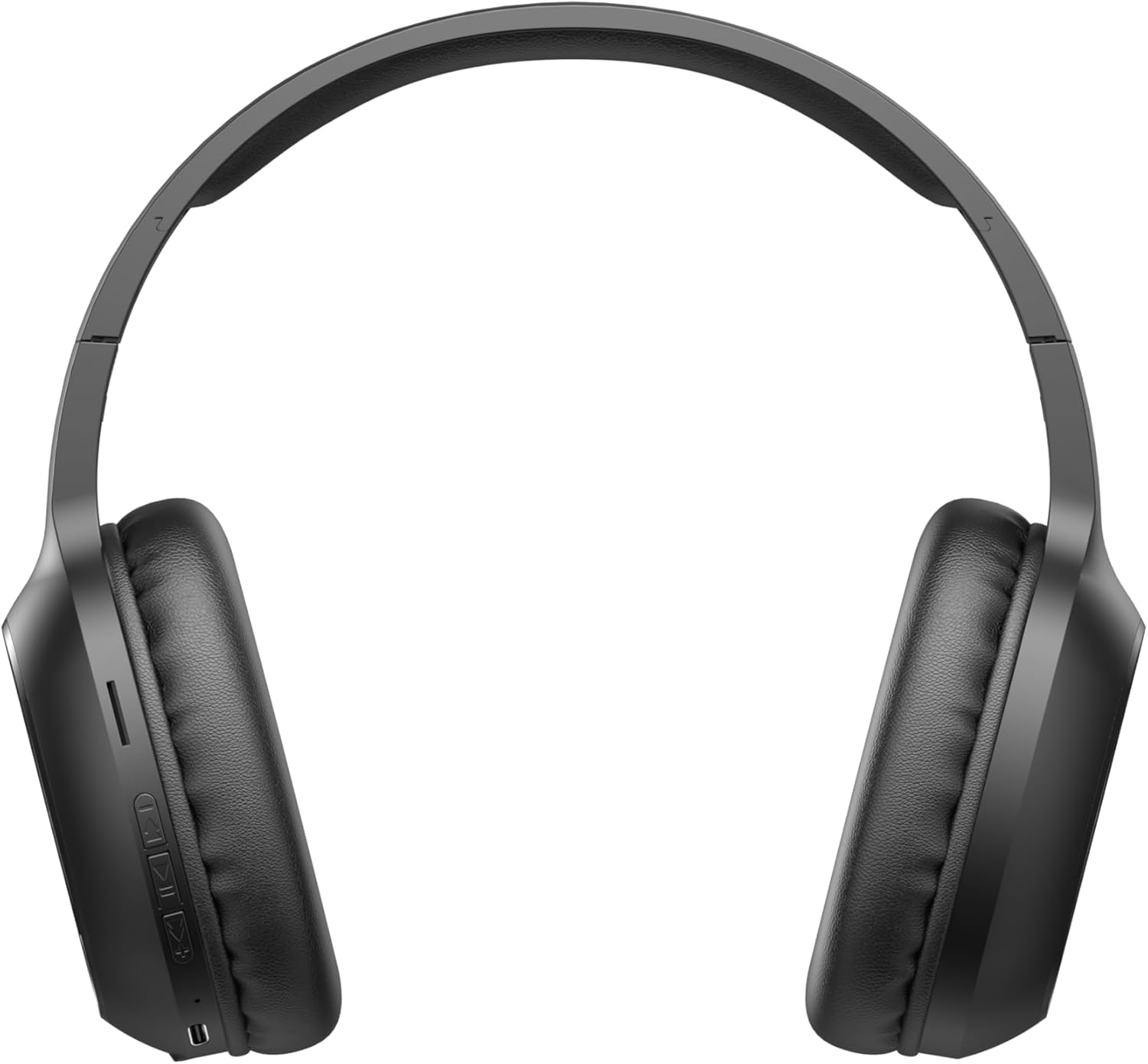
Image 2.1: Close-up of the left earcup showing the control buttons and charging port.
2.1. Controls and Indicators
- Power/Multi-function Button: Used to power on/off, play/pause music, answer/end calls, and activate pairing mode.
- Volume Up Button (+): Increases audio volume. Long press for next track.
- Volume Down Button (-): Decreases audio volume. Long press for previous track.
- LED Indicator: Displays power status, charging status, and Bluetooth pairing status.
- Microphone: For hands-free calling.
- Charging Port: For connecting the charging cable.
3. Setup
3.1. Charging the Headphones
Before first use, fully charge the headphones. The headphones include a Lithium-polymer battery.
- Connect the charging cable to the charging port on the headphones.
- Connect the other end of the charging cable to a USB power source (e.g., computer USB port, USB wall adapter).
- The LED indicator will show the charging status (e.g., red for charging, blue/off for fully charged).
- Once fully charged, disconnect the charging cable.
3.2. Bluetooth Pairing
To connect your headphones to a Bluetooth-enabled device:
- Ensure the headphones are turned off.
- Press and hold the Power/Multi-function Button until the LED indicator flashes rapidly (e.g., blue and red alternately), indicating pairing mode.
- On your device (smartphone, tablet, computer), enable Bluetooth and search for available devices.
- Select "Havit H2590BT PRO" from the list of found devices.
- Once paired, the LED indicator will typically show a slow blue flash or turn off, and you will hear an audible confirmation.
- If prompted for a password, enter "0000".
4. Operating Instructions
4.1. Power On/Off
- Power On: Press and hold the Power/Multi-function Button for approximately 3 seconds until the LED indicator lights up and you hear a power-on prompt.
- Power Off: Press and hold the Power/Multi-function Button for approximately 3-5 seconds until the LED indicator turns off and you hear a power-off prompt.
4.2. Music Playback
- Play/Pause: Press the Power/Multi-function Button once.
- Volume Up: Press the Volume Up (+) button.
- Volume Down: Press the Volume Down (-) button.
- Next Track: Long press the Volume Up (+) button.
- Previous Track: Long press the Volume Down (-) button.
4.3. Call Management
- Answer Call: Press the Power/Multi-function Button once when an incoming call rings.
- End Call: Press the Power/Multi-function Button once during a call.
- Reject Call: Press and hold the Power/Multi-function Button for approximately 2 seconds when an incoming call rings.
- Redial Last Number: Double-press the Power/Multi-function Button.
5. Maintenance
Proper care ensures the longevity of your headphones:
- Cleaning: Use a soft, dry cloth to clean the headphones. Do not use abrasive cleaners or solvents.
- Storage: Store the headphones in a cool, dry place away from direct sunlight and extreme temperatures.
- Avoid Water: These headphones are not waterproof. Avoid exposure to water or excessive moisture.
- Charging: Charge the headphones regularly, even if not in use, to maintain battery health.
6. Troubleshooting
If you encounter issues with your headphones, refer to the following common solutions:
| Problem | Possible Cause | Solution |
|---|---|---|
| Cannot power on | Low battery | Charge the headphones fully. |
| Cannot pair with device | Headphones not in pairing mode; Bluetooth off on device; device too far | Ensure headphones are in pairing mode (flashing LED). Turn on Bluetooth on your device. Move device closer to headphones (within 10 meters). |
| No sound | Volume too low; headphones not connected; incorrect audio output selected | Increase volume on headphones and device. Re-pair headphones. Check device's audio output settings. |
| Poor call quality | Weak signal; microphone obstructed | Move to an area with better signal. Ensure microphone is not covered. |
| Charging issue | Faulty cable or power source | Try a different charging cable and USB power source. |
7. Specifications
- Model Name: H2590BT PRO
- Model Number: 6939119045722
- Brand: Havit
- Color: Black
- Battery Type: 1 Lithium-polymer (included)
- Product Dimensions (L x W x H): 15 x 19.5 x 6.8 cm
- Item Weight: 1000 Grams (1 kg) (Note: This weight is as provided in product data and may include packaging or be a data entry error.)
- Components Included: 1 package (typically headphones and charging cable)
8. Warranty and Support
8.1. Warranty Information
The Havit H2590BT PRO Wireless Bluetooth Headphones come with a 2-year manufacturer warranty. This warranty covers defects in materials and workmanship under normal use. Please retain your proof of purchase for warranty claims.
8.2. Customer Support
For further assistance, technical support, or warranty inquiries, please contact Havit customer service through their official website or the retailer where the product was purchased. Refer to the product packaging or Havit's official channels for specific contact details.