
1. Product Overview
The Timex Expedition Rugged Digital Watch, model TW4B27000, is designed for durability and functionality. It features a clear digital display, a robust case, and a comfortable leather strap, making it suitable for various activities. This manual provides essential information to help you set up, operate, and maintain your watch.

Image 1.1: Front angle view of the Timex Expedition Rugged Digital Watch. This image highlights the watch's digital display, the sturdy green watch case, and the black leather strap with a green textile accent.
2. Initial Setup
2.1. Battery Installation/Replacement
Your watch comes with a pre-installed battery (CR2032). If the display is dim or blank, the battery may need replacement. It is recommended to have battery replacement performed by a qualified watch technician to ensure water resistance is maintained.
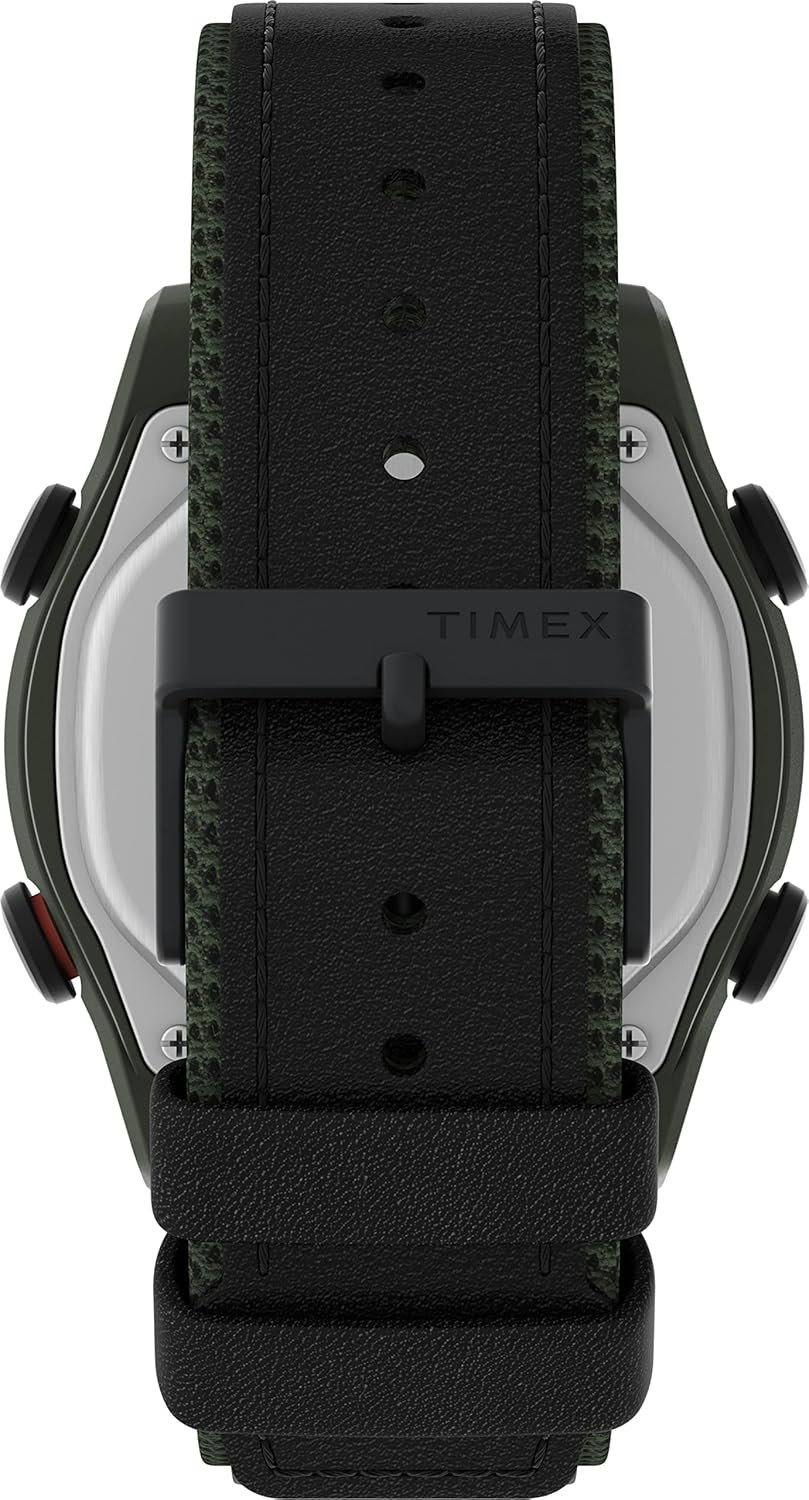
Image 2.1: Rear view of the Timex Expedition Rugged Digital Watch. This image clearly shows the stainless steel case back, marked with "OPEN" and "CLOSE" arrows for the battery compartment, and indicates the use of a "CR2032 BATTERY".
2.2. Setting Time and Date
- Identify Buttons: Locate the buttons on the sides of your watch. Typically, there are buttons for MODE, SET, START/STOP, and RESET/INDIGLO.
- Enter Set Mode: Press and hold the SET button (or similar, refer to specific watch markings) until the time display flashes.
- Adjust Time: Use the START/STOP and RESET buttons to adjust the flashing digits (hours, then minutes). Press MODE to cycle through hours, minutes, 12/24-hour format, year, month, and day.
- Save Settings: Once all settings are correct, press the SET button again to exit the set mode.
3. Operating Your Watch
3.1. Button Functions
- MODE Button: Cycles through different display modes (Time, Chronograph, Timer, Alarm).
- SET Button: Used to enter and exit setting modes for time, date, and alarm.
- START/STOP Button: Starts and stops the chronograph or timer; adjusts values in setting mode.
- RESET/INDIGLO Button: Resets the chronograph or timer; activates the INDIGLO backlight when pressed briefly.

Image 3.1: Side view of the Timex Expedition Rugged Digital Watch. This image provides a clear view of the watch's profile, highlighting the robust case design and the functional buttons located on the side, which are used for various operations.
3.2. Using the Chronograph
- Press MODE until "CHRONO" or "STOPW" appears.
- Press START/STOP to begin timing.
- Press START/STOP again to pause.
- Press RESET to clear the time.
3.3. Using the Alarm
- Press MODE until "ALARM" appears.
- Press and hold SET to enter alarm setting mode.
- Use START/STOP and RESET to adjust the alarm time.
- Press SET to save and activate/deactivate the alarm.
3.4. INDIGLO Night-Light
Press the INDIGLO button (often shared with RESET) to illuminate the watch face for easy viewing in low-light conditions.
3.5. Water Resistance
This watch is designed with a certain level of water resistance. Refer to the markings on the watch case back or product packaging for specific depth ratings. Avoid pressing buttons underwater to prevent water ingress. Water resistance is not a permanent condition and may eventually be compromised by wear and tear or shock to the watch.
4. Care and Maintenance
- Cleaning: Wipe the watch case and strap with a soft, damp cloth. For leather straps, avoid excessive moisture and harsh chemicals.
- Battery: Replace the battery (CR2032) when the display becomes dim. It is recommended to have this done by a professional to maintain water resistance.
- Storage: Store your watch in a cool, dry place away from direct sunlight and extreme temperatures.
- Avoid Chemicals: Do not expose your watch to solvents, detergents, perfumes, or cosmetics, as these can damage the case, strap, or seals.
5. Troubleshooting
| Problem | Possible Cause | Solution |
|---|---|---|
| Watch display is blank or dim. | Low or dead battery. | Replace the CR2032 battery. Seek professional assistance to ensure water resistance. |
| Time is incorrect. | Time not set correctly or accidental button press. | Refer to Section 2.2 "Setting Time and Date" to reset the time. |
| Buttons are unresponsive. | Watch may be in a locked mode or internal malfunction. | Try removing and reinserting the battery (if comfortable doing so, otherwise seek professional service). If issue persists, contact support. |
| Water inside the watch. | Water resistance compromised due to damage, improper battery change, or button presses underwater. | Immediately take the watch to a qualified service center. Do not attempt to dry it yourself. |
6. Specifications
- Model: TW4B27000
- Display Type: Digital
- Case Size: 43mm
- Strap Material: Leather with textile accent
- Battery Type: CR2032
- Water Resistance: Refer to product packaging or case back for specific rating (e.g., 50m/100m). Not suitable for deep diving.
- Features: Time, Date, Chronograph, Timer, Alarm, INDIGLO Night-Light
7. Warranty and Support
Your Timex watch is covered by a limited warranty against manufacturing defects. Please refer to the warranty card included with your purchase for specific terms and conditions, including the warranty period and coverage details.
For technical support, service, or to inquire about replacement parts, please visit the official Timex website or contact their customer service department.
- Official Website: www.timex.com
- Customer Service: Refer to the Timex website for regional contact information.


