Introduction
This manual provides instructions for the installation, operation, and maintenance of the Asiahorse Eclipse GF 120mm RGB PC Case Fans (5-Pack). Please read this manual thoroughly before use to ensure proper functionality and safety.
Package Contents
Verify that all items are present in the package:
- 5 x 120mm RGB Fans
- 1 x Wired ARGB Controller (Fan Hub)
- 1 x Remote Control
- Mounting Screws

Image: The complete package contents including five 120mm RGB fans, a fan hub, and a remote control.
Specifications
| Feature | Detail |
|---|---|
| Product Dimensions | 4.72"L x 0.98"W x 4.72"H (120mm x 25mm x 120mm) |
| Weight | 2.31 Pounds (for 5-pack) |
| Brand | AsiaHorse |
| Power Connector Type | 4-Pin (PWM) |
| Voltage | 12 Volts |
| Wattage | 5.2 watts |
| Cooling Method | Air |
| Compatible Devices | Desktop PCs |
| Noise Level | 20.1 dBA (min) - 23.2 dB (max) |
| Maximum Rotational Speed | 1500 RPM ±10% |
| Airflow | 33.42 CFM (max) |
| Static Pressure | 0.87-1.62 mmH2O |
| Bearing Type | Hydraulic Bearing |
| LEDs | 24 Independently Controlled ARGB LEDs per fan |
| RGB Sync | 5V 3-Pin ARGB Header (Compatible with Asus Aura, ASRock RGB, Gigabyte Fusion, MSI RGB) |

Image: A visual representation of the fan's performance metrics, including 1500 RPM speed, 1.02 mmH2O wind pressure, and 33.42 CFM air quantity.
Safety Information
- Ensure your computer is powered off and unplugged before installation.
- Handle components with care to avoid damage.
- Refer to your motherboard manual for specific ARGB header locations and voltage requirements.
- Do not force connectors. Ensure correct orientation before plugging in.
Setup and Installation
1. Connecting the Fans to the Hub
- Connect each 120mm RGB fan to the fan hub. The hub supports up to six RGB fans. Ensure the connectors are securely seated.
- The fan hub has dedicated ports for both fan power/PWM control and ARGB lighting. Connect the corresponding cables from each fan to the hub.

Image: The Asiahorse fan hub demonstrating connections for multiple fans and its interaction with the remote control for custom fan setup.
2. Powering the Fan Hub
- Connect the fan hub to your power supply unit (PSU) using the appropriate power cable (e.g., SATA power connector).
3. Motherboard Synchronization (Optional)
For motherboard ARGB synchronization, connect the 5V 3-pin ARGB connector from the fan hub to a compatible 5V 3-pin ARGB header on your motherboard.
- Compatible motherboards include those with Asus Aura Sync, ASRock RGB, Gigabyte Fusion, and MSI RGB.
- If using motherboard synchronization, ensure the remote control is set to motherboard control mode (refer to the Operating section).
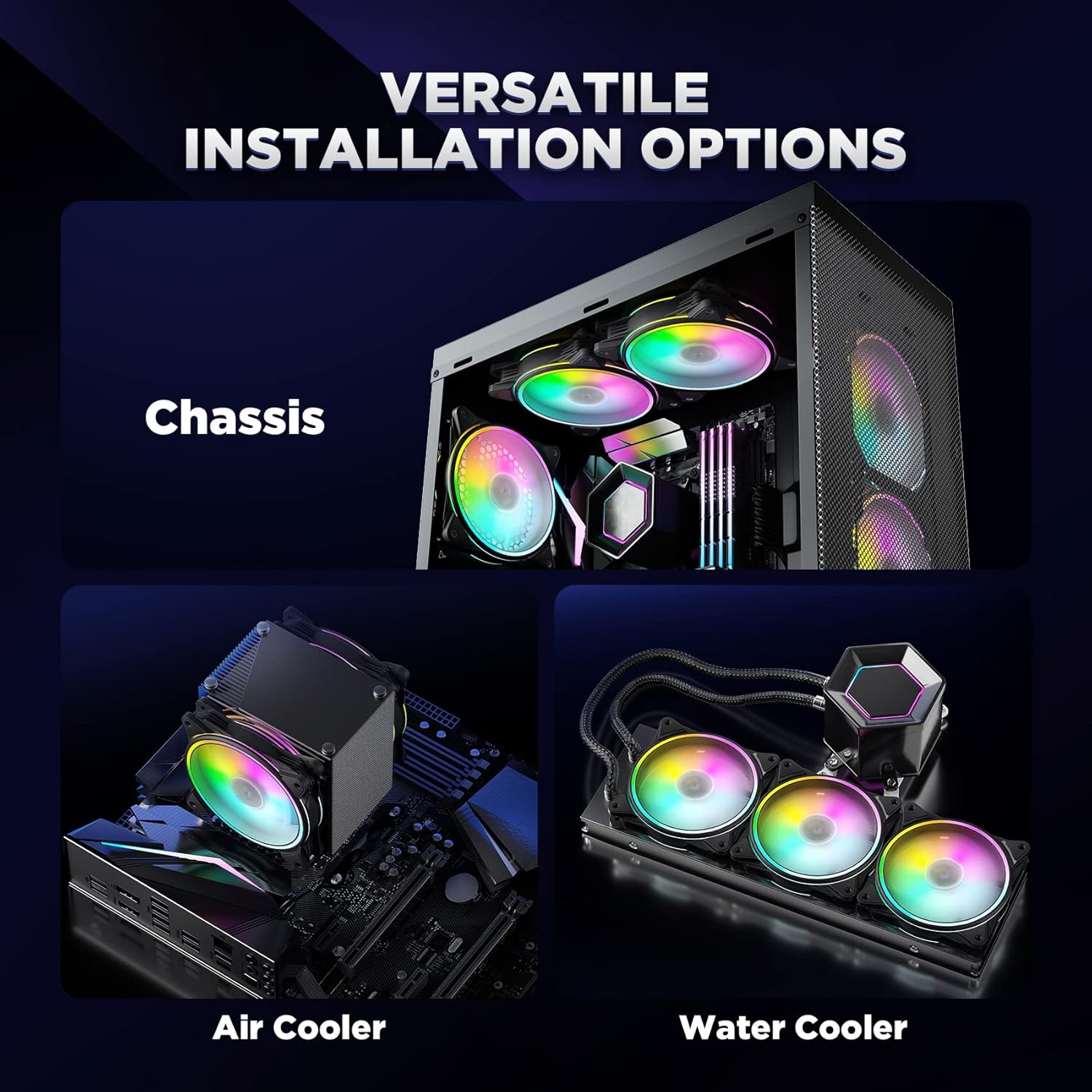
Image: A visual guide illustrating the correct 5V 3-pin ARGB connection for motherboard synchronization and an incorrect connection example.
4. Mounting the Fans
Install the fans into your PC case, air cooler, or water cooler radiator using the provided mounting screws. Ensure proper airflow direction for optimal cooling.

Image: Examples of versatile installation options for the fans, including mounting in a PC chassis, on an air cooler, and on a water cooler radiator.
Operating Instructions
Using the Remote Control
The included remote control allows for adjustment of RGB lighting effects, brightness, and fan speed.
- Power On/Off: Press the power button to turn the fan lights on or off.
- Mode Selection: Cycle through various lighting modes and effects.
- Color Adjustment: Select specific colors or color patterns.
- Brightness Control: Increase or decrease the brightness of the LEDs.
- Fan Speed Control: Adjust the fan rotational speed.
- Motherboard Sync Toggle: Press the button with a triangle and three small circles to switch between remote control and motherboard ARGB software control. When this button is pressed, the motherboard software (e.g., Asus Aura Sync) will take control of the RGB lighting.

Image: The remote control for the Asiahorse RGB fans, showing buttons for power, mode, color, brightness, and fan speed adjustments.
PWM Control
The fan controller supports PWM (Pulse Width Modulation) for dynamic speed adjustment. When connected to a compatible motherboard header, the fan speed can be automatically adjusted based on system temperature or manually controlled via motherboard software.
The dynamic speed adjustment ranges from 1500RPM ±10%.
Maintenance
- Cleaning: Periodically clean the fan blades and housing to prevent dust buildup, which can reduce cooling efficiency and increase noise. Use compressed air or a soft brush.
- Inspection: Regularly check fan cables for secure connections and signs of wear or damage.
- Bearing: The fans feature hydraulic bearings designed for long-term, quiet operation. No lubrication is required.
Troubleshooting
| Problem | Possible Cause | Solution |
|---|---|---|
| Fans not spinning |
|
|
| RGB lighting not working or incorrect colors |
|
|
| Fans are noisy |
|
|
| Cannot control fan speed via motherboard |
|
|
Warranty and Support
AsiaHorse products are designed for reliability and performance. For warranty information or technical support, please refer to the official AsiaHorse website or contact their customer service directly.
For common issues, please refer to the troubleshooting section of this manual.
Official AsiaHorse Website: www.asiahorse.com


