
Introduction
This manual provides comprehensive instructions for the safe and efficient operation of your Onn Portable 10" DVD Media Player, Model 100093889. Please read this manual thoroughly before using the device and retain it for future reference. This portable DVD player features a 10-inch LCD screen with 180-degree swivel capability, built-in stereo speakers, and up to 5 hours of playtime, making it ideal for entertainment on the go.
What's in the Box

Image: All components included in the product packaging.
Upon opening the package, verify that all items listed below are present and in good condition:
- Onn. Portable DVD/Media Player
- 1x Remote control (requires 2 AAA batteries, not included)
- 1x Earphones
- 1x Car DC adapter
- 1x AC power adapter
- Quick start guide
- Product guide
Product Overview and Components
Familiarize yourself with the various parts and controls of your portable DVD player.
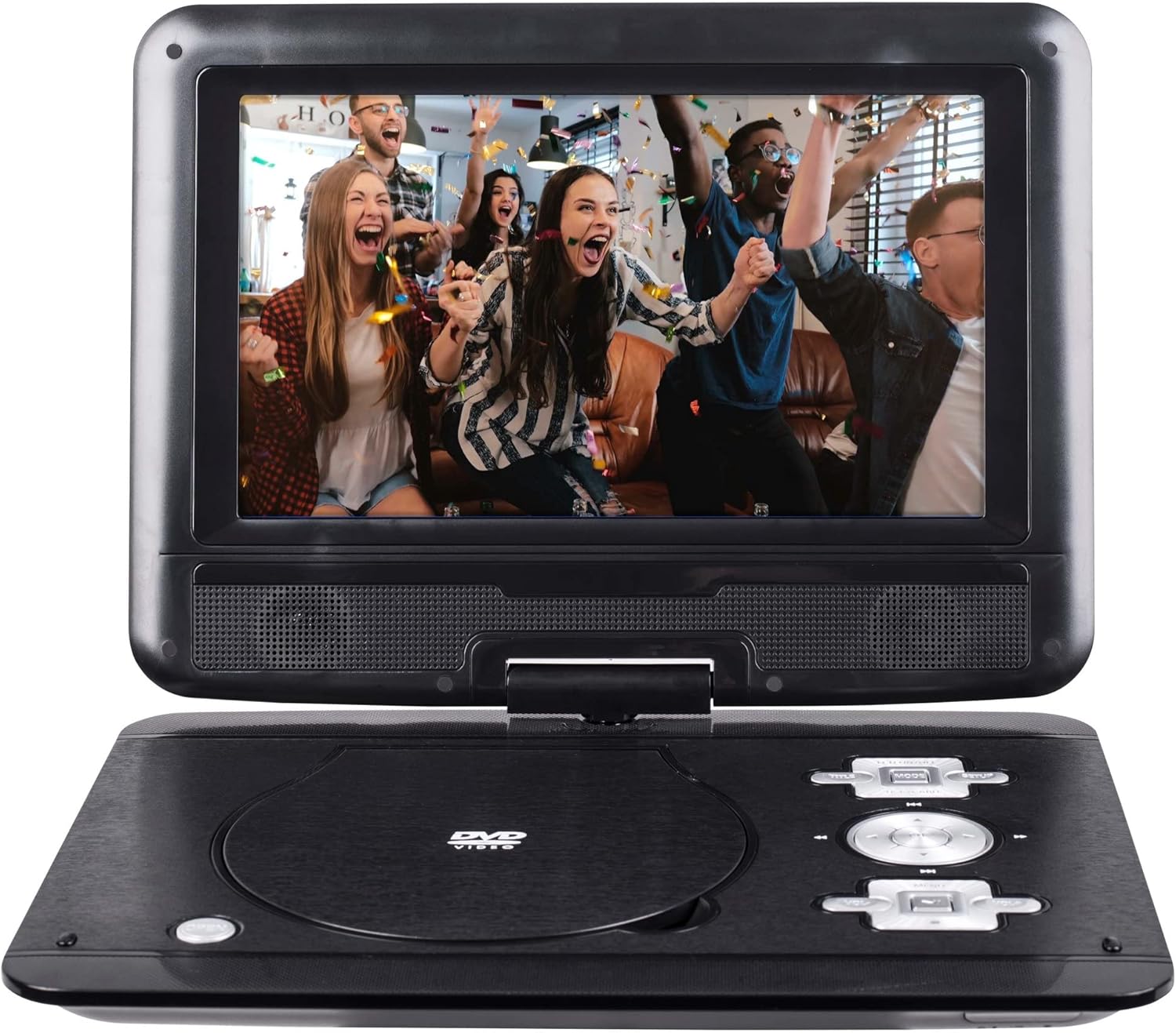
Image: Front view of the Onn Portable DVD Player with the screen displaying content.
Main Unit
- 10" LCD Screen: High-resolution display with 180-degree swivel capability.
- DVD Disc Tray: For inserting DVD and CD media.
- Control Buttons: Play/Pause, Stop, Skip, Volume, Menu, Setup, and Directional buttons.
- Built-in Stereo Speakers: Located below the screen for audio output.

Image: Side view of the Onn Portable DVD Player highlighting the various input/output ports.
Ports and Connections
- USB Port: For connecting USB flash drives to play compatible media files.
- SD Card Reader: For inserting SD/MMC memory cards to play compatible media files.
- 3.5mm Headphone Jack: For private listening with earphones.
- AV OUT Port: For connecting the player to an external display (e.g., TV) using an AV cable (not included).
- AV IN Port: For connecting external audio/video sources to display on the player's screen.
- ON/OFF Switch: Power control for the unit.
- Power Port: For connecting the AC power adapter or car DC adapter.
Setup
Initial Charging
Before first use, fully charge the portable DVD player's internal battery. Connect the AC power adapter to the Power Port on the unit and plug the other end into a standard wall outlet. The charging indicator light will illuminate. A full charge provides up to 5 hours of playtime.
Inserting a Disc
- Gently open the disc tray cover.
- Place the DVD or CD disc onto the spindle with the label side facing up.
- Press down gently on the center of the disc until it clicks into place.
- Close the disc tray cover firmly.
Using USB or SD Card
Insert your USB flash drive into the USB port or your SD/MMC card into the SD card slot. The player will automatically detect the media and display the content browser, allowing you to select compatible files (JPEG, MP3).
Operating Instructions
Powering On/Off
Slide the ON/OFF switch to the "ON" position to power on the device. To power off, slide the switch to the "OFF" position.
Basic Playback
- Play/Pause (▶‖): Press to start or pause playback.
- Stop (■): Press to stop playback.
- Skip (|◀◀ / ▶▶|): Press to skip to the previous or next track/chapter.
- Fast Forward/Rewind (◀◀ / ▶▶): Press and hold to fast forward or rewind through the media.
- Volume (+/-): Adjust the audio volume.
Screen Swivel Function
The 10-inch LCD screen can swivel up to 180 degrees. Gently rotate the screen clockwise or counter-clockwise to achieve the desired viewing angle. This allows for versatile positioning, including folding the screen flat against the base for a tablet-like form factor.

Image: The portable DVD player with its screen swiveled to an angled position.
Menu and Settings
Use the MENU or SETUP button on the unit or remote control to access system settings. Navigate using the directional buttons and confirm selections with the OK/ENTER button. Settings may include:
- Aspect Ratio: Switch between 16:9 (widescreen) and 4:3 (standard TV) display modes.
- Subtitle: Select available subtitle tracks for DVDs.
- Audio: Choose audio tracks or adjust audio settings.
- Language: Set the OSD (On-Screen Display) language.
Maintenance
Cleaning the Unit
Wipe the exterior of the player with a soft, dry cloth. For stubborn marks, slightly dampen the cloth with water. Do not use abrasive cleaners or solvents. Clean the screen with a soft, lint-free cloth specifically designed for electronics screens.
Battery Care
To prolong battery life, avoid fully discharging the battery frequently. Recharge the unit when the low battery indicator appears. If storing the unit for an extended period, charge it to approximately 50% every few months.
Disc Handling
Always handle discs by their edges. Keep discs clean and free from scratches, dust, and fingerprints to ensure optimal playback performance. Store discs in their cases when not in use.
Troubleshooting
If you encounter issues with your Onn Portable DVD Player, refer to the following common problems and their solutions:
| Problem | Possible Cause | Solution |
|---|---|---|
| No power | Battery is drained; Power adapter not connected properly. | Connect the AC adapter and charge the unit. Ensure the ON/OFF switch is in the "ON" position. |
| Disc not playing | Disc is dirty, scratched, or inserted incorrectly; Incompatible disc format. | Clean the disc. Reinsert the disc correctly. Ensure the disc is DVD+R/RW or CD-R/RW compatible. |
| No sound | Volume is too low or muted; Earphones not fully plugged in. | Increase the volume. Check if earphones are properly connected. |
| Picture distorted or no picture | Disc issue; Screen settings. | Try a different disc. Check aspect ratio settings in the menu. |
| Remote control not working | Batteries are dead or inserted incorrectly; Obstruction between remote and player. | Replace remote batteries (2 AAA). Ensure clear line of sight to the player's IR receiver. |
Specifications
| Feature | Detail |
|---|---|
| Screen Size | 10 inches |
| Screen Type | LCD with 180-degree swivel |
| Aspect Ratio | 16:9 / 4:3 |
| Compatible Media | DVD+R/RW, CD-R/RW, JPEG, MP3 |
| Connectivity | USB port, SD Card Reader, 3.5mm aux jack, AV IN, AV OUT |
| Battery Life | Up to 5 hours |
| Built-in Features | Stereo speakers, Multi-language on-screen subtitles |
| Dimensions (Approx.) | 11.22 inches (width) x 8.26 inches (depth) - Refer to image for visual representation. |
| Weight | 4 pounds |
| Model Number | 100093889 |

Image: Approximate dimensions of the Onn Portable DVD Player.
Support Information
For further assistance or inquiries regarding your Onn Portable DVD Player, please contact customer support:
- Customer Service Phone: 1-888-516-2630
- Operating Hours: 7 AM - 11 PM CST, every day
Please have your model number (100093889) ready when contacting support.


