1. Introduction
This manual provides instructions for the Redragon M910-WS Wireless Gaming Mouse. It covers setup, operation, customization, and maintenance to ensure optimal performance and user experience. Please read this manual thoroughly before using the product.
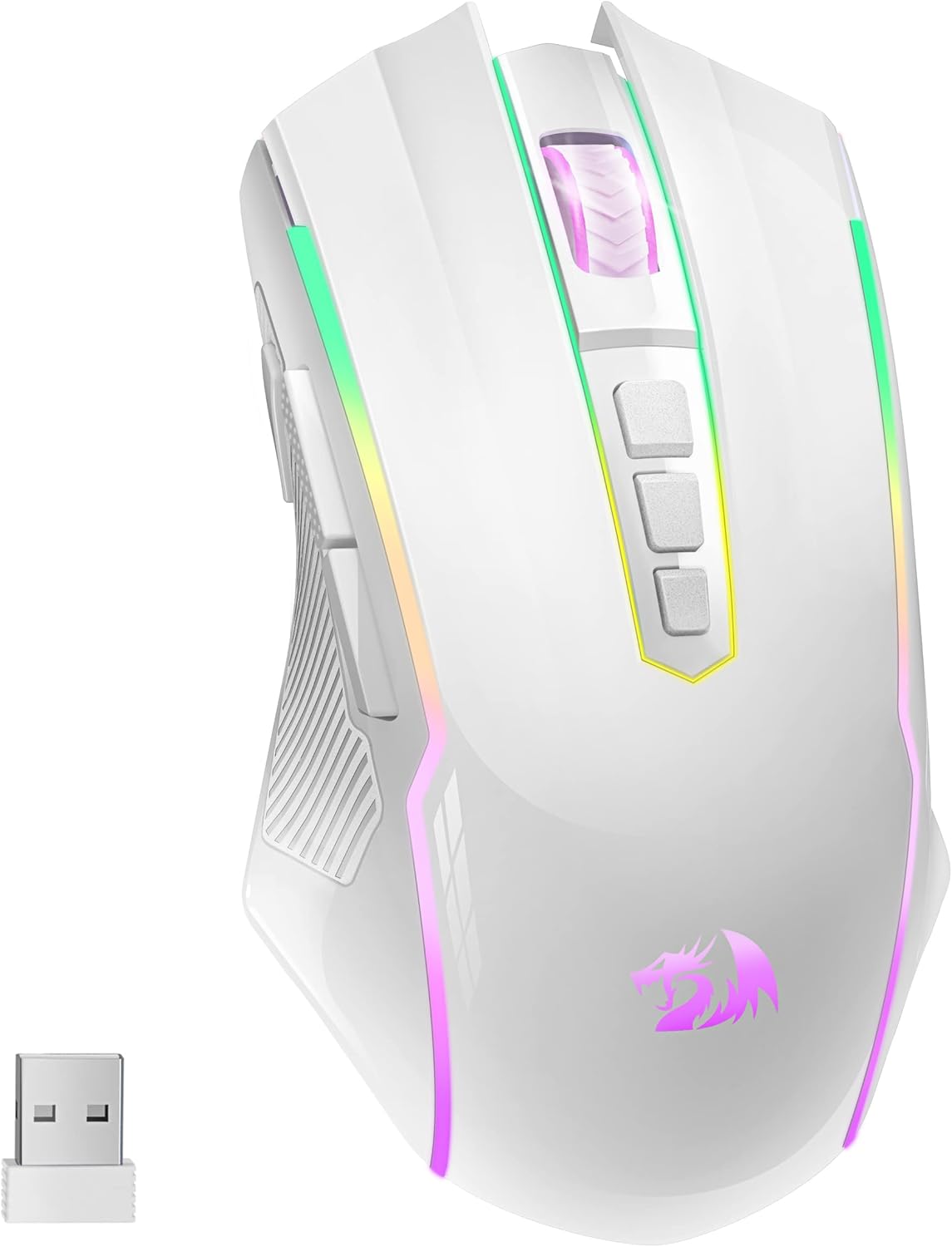
Image 1.1: The Redragon M910-WS Wireless Gaming Mouse, showcasing its white design and included USB receiver.
2. Product Features
- Dual Connectivity: 2.4G Wireless and Wired modes.
- Adjustable DPI: 250-8000 DPI for precise control.
- Programmable Buttons: 9 customizable buttons for macro editing.
- RGB Backlighting: 9 light effects with 16.8 million color options.
- Long Battery Life: Up to 70 hours (RGB off) or 35 hours (RGB on).
- Ergonomic Design: Comfortable grip for extended use.
- Fire Button: Dedicated button for rapid input (1 click = 3 clicks).

Image 2.1: An overview of the Redragon M910-WS mouse highlighting its key features such as programmable buttons, DPI sensor, fire button, RGB, macro editing, and long battery life.
3. Getting Started
3.1. Package Contents
- Redragon M910-WS Wireless Gaming Mouse
- USB Receiver (2.4G)
- USB-C Charging Cable
- User Manual
3.2. Connecting the Mouse
The M910-WS mouse supports both 2.4G wireless and wired connections.
- 2.4G Wireless Mode:
- Locate the USB receiver, usually stored in a compartment on the underside of the mouse.
- Plug the USB receiver into an available USB port on your computer.
- Turn on the mouse using the power switch located on the bottom. The mouse should automatically connect.
- Wired Mode:
- Connect the USB-C charging cable to the front port of the mouse.
- Connect the other end of the cable to a USB port on your computer.
- The mouse will function as a wired mouse and charge simultaneously.

Image 3.1: The Redragon M910-WS mouse positioned next to a laptop, illustrating a typical setup for use.
4. Operating Instructions
4.1. Button Functions
The M910-WS features 9 buttons, each with a default function that can be customized via software.

Image 4.1: A diagram illustrating the 9 programmable buttons on the Redragon M910-WS mouse, including Left/Right Click, Scroll Wheel, DPI+/DPI-, Forward/Backward, Fire Button, and Switching Light Mode.
- Left Button: Primary click function.
- Right Button: Secondary click function.
- Scroll Wheel: Scroll up/down, middle click.
- DPI+ Button: Increases DPI sensitivity.
- DPI- Button: Decreases DPI sensitivity.
- Forward Button: Navigates forward in web browsers/applications.
- Backward Button: Navigates backward in web browsers/applications.
- Fire Button: Executes a rapid triple-click action.
- Switching Light Mode Button: Cycles through RGB lighting effects.
4.2. DPI Adjustment
The mouse features adjustable DPI settings from 250 to 8000. Use the DPI+ and DPI- buttons to cycle through preset DPI levels. The current DPI level may be indicated by LED color changes (refer to software for specific indicators).

Image 4.2: Visual representation of the adjustable DPI settings (250-8000) on the Redragon M910-WS mouse, allowing users to switch between different sensitivity levels.
4.3. RGB Backlighting
The M910-WS offers 9 customizable RGB lighting effects. Press the 'Switching Light Mode' button to cycle through these effects. Further customization, including 16.8 million color combinations, is available through the Redragon software.

Image 4.3: An illustration of the 9 customizable RGB backlit modes available on the Redragon M910-WS mouse, demonstrating various lighting patterns and colors.
5. Software & Customization
To unlock the full potential of your Redragon M910-WS mouse, including macro editing and advanced RGB customization, download and install the official Redragon software from the Redragon website.
- Macro Editing: Assign complex sequences of commands to any of the programmable buttons.
- Button Remapping: Change the function of any button to suit your preferences.
- RGB Customization: Fine-tune lighting effects, colors, and brightness.
- DPI Profiles: Create and save multiple DPI profiles for different applications or games.
6. Charging and Battery Life
The Redragon M910-WS is equipped with a rechargeable Lithium Polymer battery. To charge the mouse, connect the included USB-C cable to the mouse and a USB power source (e.g., computer USB port, USB wall adapter).
- Battery Life: Approximately 70 hours with RGB lighting off, and 35 hours with RGB lighting on.
- Charging Indicator: The mouse's RGB lighting may change to indicate charging status.
- Power Saving: The mouse will automatically enter sleep mode after 1 minute of inactivity to conserve power.
- Use While Charging: The mouse can be used in wired mode while it is charging.

Image 6.1: An image detailing the battery life of the Redragon M910-WS mouse, showing 70 hours with RGB off and 13 hours with RGB on, and its 1000 mAh battery capacity.
7. Maintenance
To ensure the longevity and optimal performance of your Redragon M910-WS mouse, follow these maintenance guidelines:
- Cleaning: Use a soft, dry cloth to wipe the mouse. For stubborn dirt, a slightly damp cloth can be used, ensuring no moisture enters the internal components.
- Sensor Care: Keep the optical sensor on the underside of the mouse clean and free from dust or debris.
- Storage: Store the mouse in a cool, dry place away from direct sunlight and extreme temperatures.
- Avoid Drops: Protect the mouse from physical impact or drops.
8. Troubleshooting
- Mouse not responding:
- Ensure the mouse is powered on.
- Check battery level and charge if necessary.
- For wireless mode, ensure the USB receiver is securely plugged into a working USB port. Try a different USB port.
- For wired mode, ensure the USB-C cable is securely connected to both the mouse and the computer.
- Restart your computer.
- Lag or intermittent connection (Wireless):
- Ensure the mouse is within the effective range (up to 10 meters) of the USB receiver.
- Minimize interference from other wireless devices (e.g., Wi-Fi routers, other wireless peripherals).
- Try plugging the USB receiver into a front USB port or using a USB extension cable to bring it closer to the mouse.
- DPI or RGB settings not changing:
- Ensure the Redragon software is installed and running.
- Check if the settings are correctly applied within the software.
- Update the mouse firmware if available through the software.
9. Technical Specifications
| Feature | Specification |
|---|---|
| Model Number | M910-WS |
| Connectivity | 2.4G Wireless, Wired (USB-C) |
| DPI Range | 250 - 8000 DPI |
| Polling Rate | 125Hz/250Hz/500Hz/1000Hz |
| Buttons | 9 Programmable Buttons |
| Backlighting | RGB (9 effects, 16.8 million colors) |
| Battery Type | Lithium Polymer (1 included) |
| Battery Capacity | 1000 mAh (approximate) |
| Battery Life | Up to 70 hours (RGB off), 35 hours (RGB on) |
| Dimensions | 4.92 x 2.76 x 1.57 inches |
| Item Weight | 4.8 ounces |
| Compatibility | Windows, macOS |
10. Warranty and Support
Redragon products are designed for durability and performance. For warranty information, please refer to the warranty card included with your product or visit the official Redragon website. For technical support, driver downloads, or further assistance, please visit the Redragon support page or contact their customer service.
Redragon Official Website: www.redragonusa.com


