
1. Introduction
Thank you for choosing the JUMMICO Electric Standing Desk Model 0077. This desk is designed to provide an ergonomic workspace, allowing you to seamlessly switch between sitting and standing positions. Its height-adjustable feature helps alleviate discomfort from prolonged sitting, promoting better posture and concentration. This manual provides detailed instructions for assembly, operation, and maintenance to ensure safe and efficient use of your new standing desk.
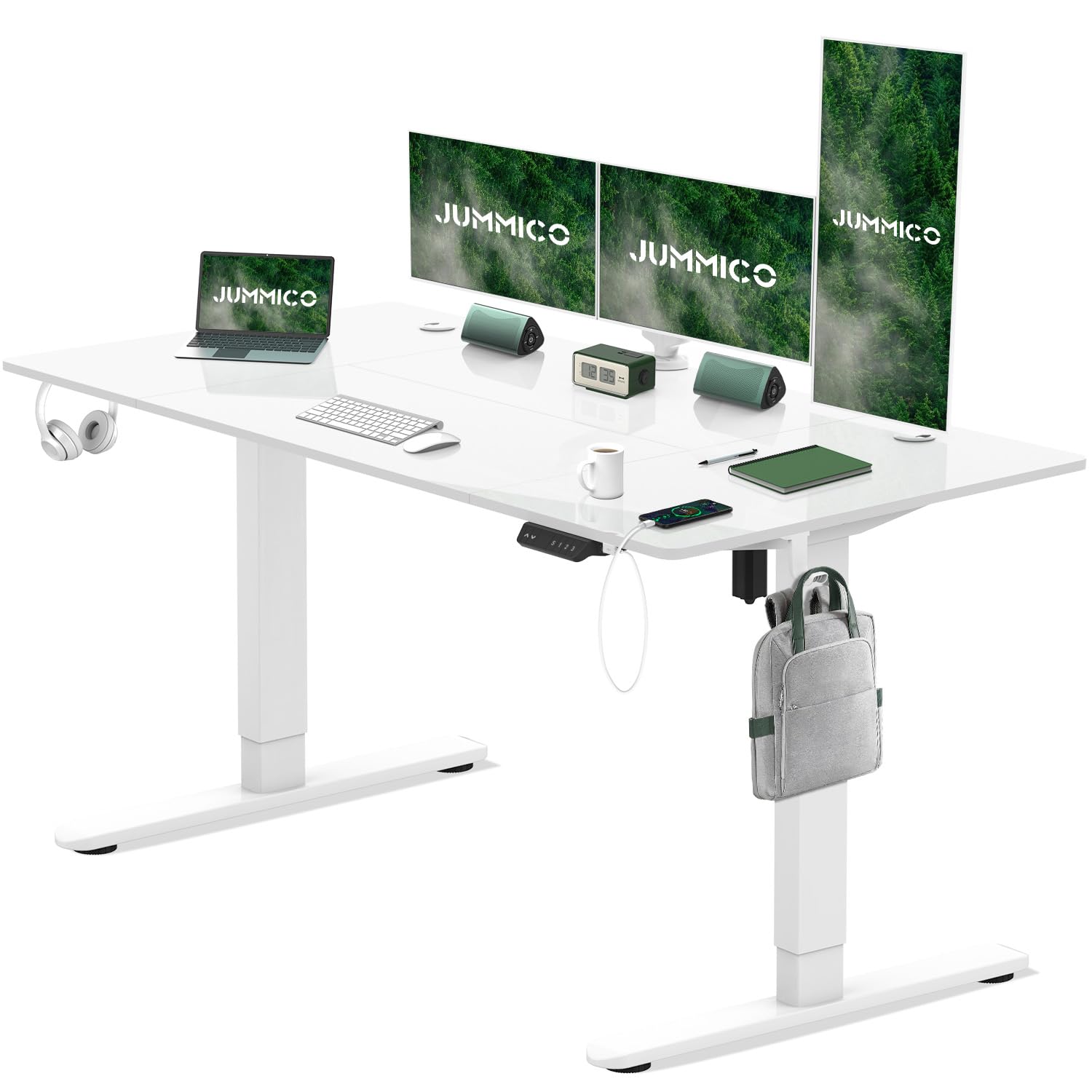
Image: The JUMMICO Electric Standing Desk in a typical office setup, showcasing its design and functionality.
2. Safety Instructions
- Read all instructions carefully before assembly and use. Keep this manual for future reference.
- Keep children and pets away from the desk during operation to prevent injury.
- Ensure the desk is placed on a level surface. Uneven surfaces can affect stability and operation.
- Do not overload the desk. The maximum weight capacity is 70 kg (154 lbs). Exceeding this limit can damage the motor and frame.
- Keep hands and objects clear of moving parts (legs, frame) during height adjustment to avoid pinching or damage.
- Unplug the power cord before cleaning or performing any maintenance.
- Do not disassemble or modify the desk's electrical components. Contact customer support for repairs.
- Avoid spilling liquids on the control panel or electrical components.
- Ensure all cables are properly managed to prevent entanglement or damage during height adjustments.
3. Package Contents
Carefully unpack all components and verify that all items listed below are present and undamaged. If any parts are missing or damaged, contact JUMMICO customer support.
- Desktop Panels (multiple pieces)
- Desk Frame (legs, crossbar)
- Control Panel
- Power Adapter and Cable
- Cable Management Tray
- Headphone Hook
- Adjustable Feet (pre-installed or separate)
- 360° Swivel Wheels (optional, included for user choice)
- Assembly Hardware (screws, Allen wrenches, etc.)
- User Manual

Image: The included cable management tray, designed to organize power cords and cables beneath the desktop.

Image: Complimentary accessories: a headphone hook and the option to install either 360° swivel wheels or fixed adjustable feet.
4. Setup and Assembly
Assembly of the JUMMICO Electric Standing Desk requires careful attention to detail. It is recommended to have two people for assembly, especially when handling the desktop panels and frame.
- Prepare Workspace: Clear a spacious area for assembly. Lay down a soft cloth or cardboard to protect the desktop panels from scratches.
- Assemble Desk Frame: Follow the detailed instructions provided in the separate assembly guide for connecting the desk legs, crossbar, and motor components. Ensure all screws are tightened securely.
- Attach Desktop Panels: The desktop consists of multiple panels. Carefully align and secure these panels to the desk frame using the provided hardware. Ensure the seams are flush.
- Install Control Panel: Mount the control panel to the underside of the desktop in the designated location. Connect the necessary cables from the motor to the control panel.
- Install Cable Management Tray: Attach the cable management tray to the underside of the desk frame. This helps organize power cords and other cables.
- Attach Headphone Hook: Secure the headphone hook to your preferred side of the desk.
- Choose and Install Feet/Wheels: Decide whether to use the adjustable feet for stationary use or the 360° swivel wheels for mobility. Attach your chosen option to the bottom of the desk legs.
- Connect Power: Plug the power adapter into the control panel and then into a standard electrical outlet.

Image: Overview of the desktop dimensions, showing 160cm length and 80cm width, along with features like rounded corners and waterproof surface.
5. Operating Instructions
5.1 Control Panel Overview

Image: Close-up of the multi-functional intelligent controller, highlighting the up and down adjustment buttons, 3-position height memory buttons (S/1/2/3), USB and Type-C charging ports, and automatic anti-collision function indicator.
- Up (▲) / Down (▼) Buttons: Press and hold to adjust the desk height manually.
- Memory Buttons (S / 1 / 2 / 3): Store and recall preferred height settings.
- USB and Type-C Charging Ports: Located on the side of the control panel for convenient device charging.
5.2 Height Adjustment
To adjust the desk height, press and hold the Up (▲) or Down (▼) button until the desk reaches your desired height. The desk can be adjusted between 72 cm and 118 cm. Release the button to stop movement.

Image: Illustration of the desk's height adjustment range, demonstrating movement from a minimum of 72cm to a maximum of 118cm.
5.3 Setting Memory Presets
The desk allows you to save up to three preferred height settings for quick recall.
- Adjust the desk to your desired height using the Up/Down buttons.
- Press the "S" button. The display will show "S-".
- Within 3 seconds, press one of the number buttons ("1", "2", or "3") to save the current height to that preset. The display will show the saved number.
To recall a saved height, simply press the corresponding number button ("1", "2", or "3"). The desk will automatically move to the saved position.
5.4 Charging Ports
The control panel includes built-in USB-A and Type-C charging ports. These ports provide convenient power for charging your mobile devices, tablets, or other USB-powered accessories directly from your desk.
5.5 Anti-Collision Function
The desk is equipped with an automatic anti-collision function. If the desk encounters an obstacle during height adjustment, it will automatically stop and reverse slightly to prevent damage to the desk or objects. Ensure the area around the desk is clear before adjusting height.
6. Maintenance
- Cleaning: Unplug the desk before cleaning. Use a soft, damp cloth to wipe down the desktop and frame. Avoid harsh chemicals or abrasive cleaners.
- Cable Management: Periodically check and reorganize cables in the cable management tray to prevent tangles and ensure smooth operation.
- Fastener Check: Every few months, check all screws and fasteners to ensure they are tight. Retighten if necessary.
- Motor Care: The motor is designed for durability. Avoid continuous operation for extended periods without rest. If the motor feels hot, allow it to cool down.
7. Troubleshooting
| Problem | Possible Cause | Solution |
|---|---|---|
| Desk does not move. |
|
|
| Desk moves unevenly or makes unusual noise. |
|
|
| Memory presets not working. |
|
|
8. Specifications
- Model: JUMMICO Electric Standing Desk 0077
- Desktop Dimensions: 160 cm (Length) x 80 cm (Width)
- Height Adjustment Range: 72 cm - 118 cm
- Maximum Weight Capacity: 70 kg (154 lbs)
- Motor Noise Level: Less than 55 dB
- Materials: Alloy Steel (Base), Wood (Top)
- Special Features: Electric Height Adjustment, Ergonomic Design, Built-in USB-A & Type-C Charging Ports, Cable Management Tray, Headphone Hook, Anti-Collision Function, Optional 360° Wheels.
- Assembly: Required

Image: Detail of the stable cold rolled steel table legs, indicating SPCC steel construction for longevity and durability, with dimensions of 80x50mm.
9. Warranty and Support
JUMMICO products are manufactured with quality and durability in mind. For specific warranty information, please refer to the warranty card included with your product or visit the official JUMMICO website.
If you encounter any issues or have questions regarding your JUMMICO Electric Standing Desk, please contact JUMMICO customer support for assistance. Provide your model number (0077) and purchase details when contacting support.


