
1. Introduction
This manual provides essential instructions for the safe and efficient operation, installation, and maintenance of your Moiswell Defender X145 Commercial Dehumidifier. Please read this manual thoroughly before using the appliance and retain it for future reference. Proper use ensures optimal performance and extends the lifespan of your unit.
2. Safety Information
WARNING: Failure to follow these safety instructions could result in electric shock, fire, or serious injury.
- Always connect the unit to a properly grounded electrical outlet.
- Do not operate the dehumidifier with a damaged power cord or plug.
- Ensure the unit is placed on a stable, level surface to prevent tipping.
- Do not block air inlets or outlets. Maintain adequate clearance around the unit for proper airflow.
- Keep children and pets away from the unit during operation.
- Do not immerse the unit in water or spray water directly onto it.
- Unplug the unit before cleaning, maintenance, or moving.
- Do not attempt to repair or modify the unit yourself. Contact qualified service personnel for repairs.
- Allow the unit to stand upright for at least 24 hours after transport before plugging it in to allow refrigerants to settle.
3. Product Overview
The Moiswell Defender X145 is a high-capacity commercial dehumidifier designed for effective moisture removal in large areas such as crawl spaces, basements, and industrial environments. It features a compact, horizontal design for flexible installation.
Key Features:
- High Capacity: Removes up to 145 pints (AHAM 70 pints) of moisture per day, with a maximum capacity of 155 pints.
- Wide Coverage: Effective for areas up to 6,000 square feet.
- Energy Star Certified: Ensures energy-efficient operation.
- Automatic Defrost: Prevents ice buildup on coils in low-temperature conditions.
- Automatic Gravity Drain: Continuous drainage eliminates the need for manual emptying.
- 24-Hour Timer: Allows scheduled operation.
- Auto Restart: Automatically resumes operation after a power outage.
- Ductable: Can be connected to ductwork for targeted dehumidification (ducting sold separately).
- Washable Filter: Reusable filter for easy maintenance.
Components:
- Dehumidifier Unit
- Drain Hose (6.5 ft)
- Air Outlet Collar
- Adjustable Feet
- Carrying Handles

Figure 3.1: Front view of the Moiswell Defender X145 Dehumidifier.

Figure 3.2: Side view of the dehumidifier with the reusable filter compartment open.
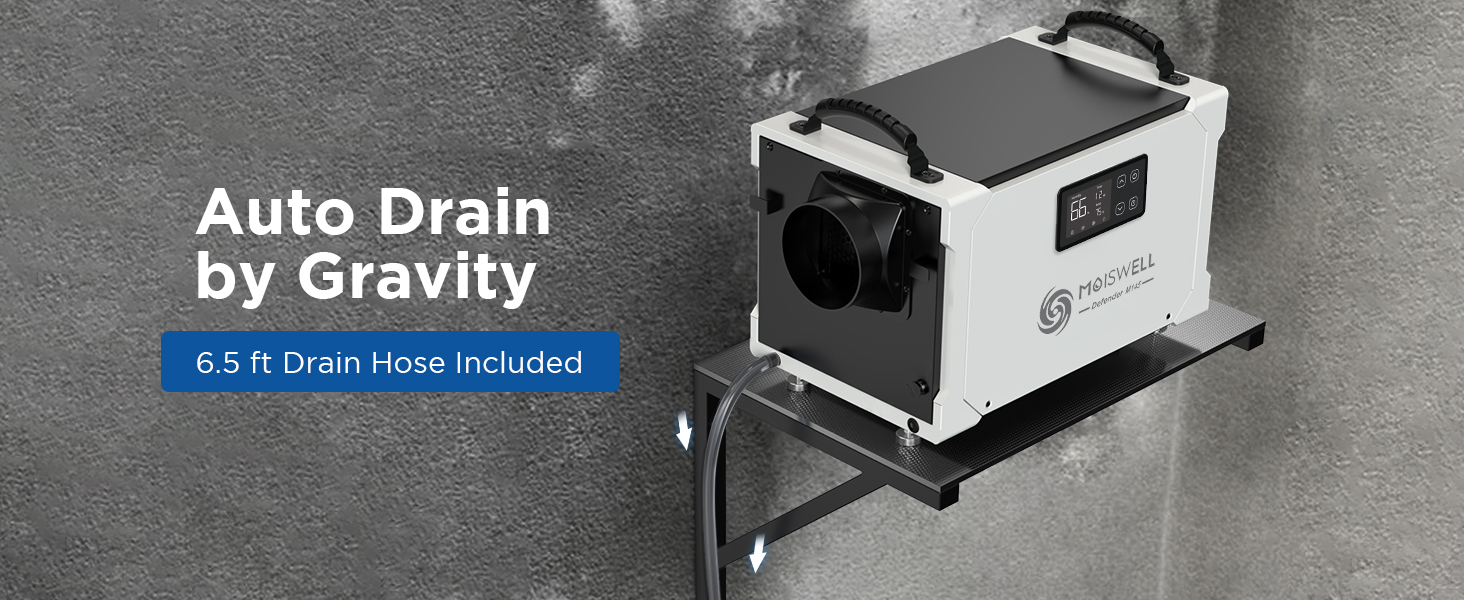
Figure 3.3: Illustration of the washable filter being cleaned.
4. Setup and Installation
4.1 Unpacking
- Carefully remove the dehumidifier from its packaging.
- Inspect the unit for any shipping damage. If damage is found, do not operate and contact customer support.
- Place the unit upright on a flat, stable surface. Allow it to stand for at least 24 hours before plugging it in. This allows the refrigerant to stabilize, preventing potential compressor issues.
4.2 Placement
The Moiswell Defender X145 is designed for flexible installation in various environments:
- Crawl Spaces & Basements: Its compact, horizontal design allows it to fit between floor joists or in tight basement areas.
- Commercial & Industrial Spaces: Suitable for warehouses, workshops, and water damage restoration sites.
- Ensure at least 12 inches (30 cm) of clearance around all air inlets and outlets for optimal performance.
- The unit can be installed on the floor or overhead (e.g., on a shelf or suspended) provided it is securely mounted and level.

Figure 4.1: Dehumidifier installed in a crawl space with the drain hose connected.
4.3 Drainage Connection
The unit features an automatic gravity drain system. A 6.5 ft drain hose is included.
- Locate the gravity drain outlet on the unit.
- Connect one end of the provided drain hose securely to the drain outlet.
- Route the other end of the hose to a suitable drain point (e.g., floor drain, sink, or outdoors).
- Ensure the hose is sloped downwards continuously from the unit to the drain point to allow for proper gravity drainage. Avoid kinks or obstructions in the hose.
- If a gravity drain is not feasible, an external condensate pump (not included) may be used.

Figure 4.2: Dehumidifier showing the drain hose connection point.
4.4 Ducting (Optional)
The unit can be connected to ductwork for more precise air distribution. An air outlet collar is included for this purpose. Ducting must be purchased separately.
- Attach the air outlet collar to the exhaust port of the dehumidifier.
- Connect appropriate ducting to the collar and route it to the desired area for dehumidified air distribution.
5. Operation
5.1 Control Panel
The unit features an intuitive digital control panel for easy operation.

Figure 5.1: Close-up of the digital control panel.
- Power Button: Turns the unit ON or OFF.
- Humidity Display: Shows the current ambient humidity level.
- Up/Down Arrows: Adjust the desired humidity set point (typically between 30% and 80% relative humidity).
- Timer Button: Sets the 24-hour ON/OFF timer.
- Temperature Display: Shows the current ambient temperature.
- Indicator Lights: May include indicators for defrost, fan operation, and drainage.
5.2 Initial Startup
- After ensuring proper placement and drainage connection, plug the unit into a grounded electrical outlet.
- Press the Power button to turn the unit ON.
- Use the Up/Down arrows to set your desired humidity level. A common comfortable range is 45-55% relative humidity. The unit will automatically operate to maintain this level.
5.3 Automatic Functions
- Auto Defrost: If frost builds up on the evaporator coils, the unit will automatically enter defrost mode to melt the ice. The fan will continue to run, but the compressor will temporarily stop.
- Auto Drain: With the drain hose connected, the unit will continuously remove condensed water, eliminating the need for manual bucket emptying.
- Auto Restart: In the event of a power interruption, the unit will automatically restart with the previous settings once power is restored.
- 24-Hour Timer: Use the timer function to program the unit to turn ON or OFF after a set number of hours (e.g., 1-24 hours).
5.4 Optional Remote Control
An optional remote control (sold separately) can be used to monitor and adjust settings from a distance, which is particularly useful when the unit is installed in hard-to-reach areas like crawl spaces.
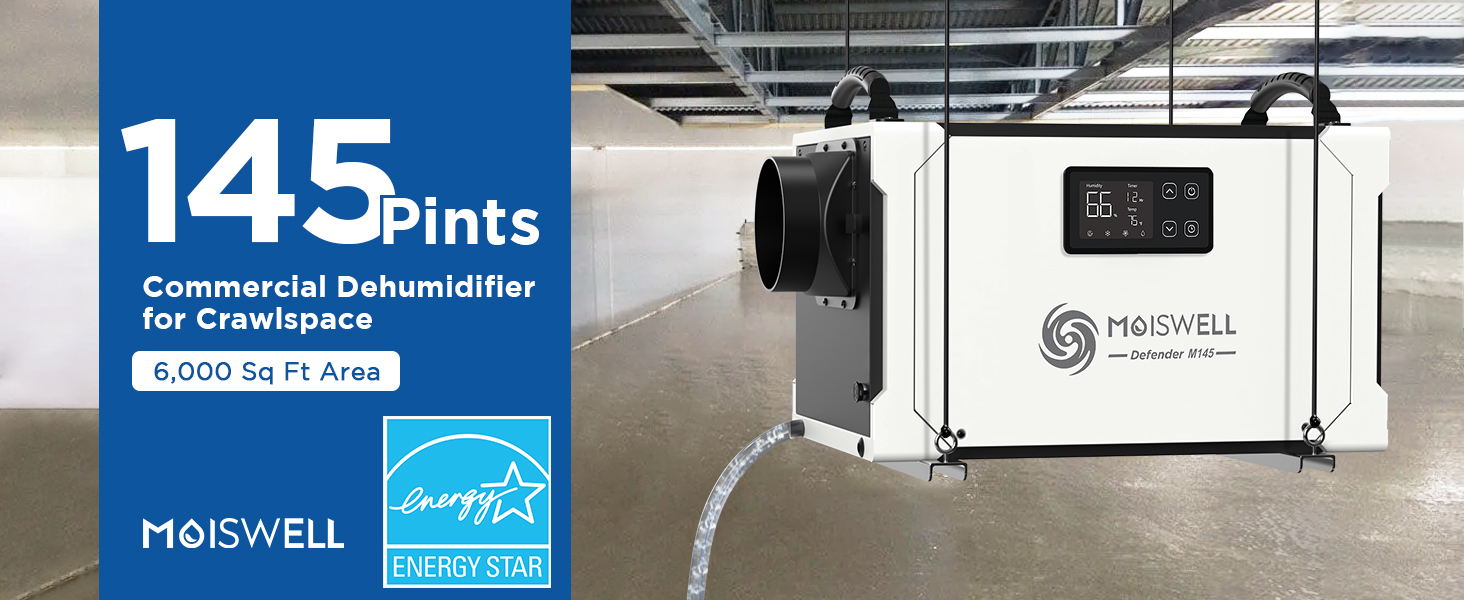
Figure 5.2: Illustration of using the optional remote control.
6. Maintenance
WARNING: Always unplug the dehumidifier before performing any maintenance or cleaning.
6.1 Cleaning the Air Filter
The reusable air filter should be cleaned regularly (every 2-4 weeks, depending on usage and air quality) to ensure efficient operation and prevent dust blockage.
- Locate the filter access panel on the side of the unit.
- Open the panel and carefully slide out the air filter.
- Wash the filter with warm, soapy water. Rinse thoroughly.
- Allow the filter to air dry completely before reinstalling it. Do not use a dryer or heat to dry the filter.
- Slide the dry filter back into its slot and close the access panel.
6.2 Cleaning the Unit Exterior
- Wipe the exterior of the unit with a soft, damp cloth.
- Do not use harsh chemicals, abrasive cleaners, or solvents, as these can damage the surface.
6.3 Storage
If the unit will not be used for an extended period:
- Unplug the unit and clean the air filter.
- Ensure the drain hose is clear and any residual water has drained completely.
- Coil the power cord and secure it.
- Store the unit in an upright position in a cool, dry place, away from direct sunlight and extreme temperatures.
7. Troubleshooting
Before contacting customer support, please refer to the following troubleshooting guide for common issues.
| Problem | Possible Cause | Solution |
|---|---|---|
| Unit does not turn ON | No power supply Power cord not securely plugged in Circuit breaker tripped | Check power outlet and ensure it is live. Ensure power cord is fully inserted. Reset the circuit breaker. |
| Unit is running but not dehumidifying | Humidity set point is too high Air filter is clogged Room temperature is too low Unit is in defrost mode | Lower the desired humidity set point. Clean the air filter. Dehumidifiers are less effective below 41°F (5°C). Wait for defrost cycle to complete. |
| Water is not draining | Drain hose is kinked or blocked Drain hose is not sloped downwards Drain hose connection is loose | Check and clear any obstructions in the hose. Ensure continuous downward slope for gravity drainage. Securely attach the drain hose to the outlet. |
| Unit is noisy | Unit not on a level surface Loose parts Air filter clogged | Ensure unit is on a stable, level surface. Check for any loose components. Clean the air filter. |
| Error codes displayed | Internal malfunction | Note the error code and contact customer support for assistance. |
8. Specifications
| Feature | Specification |
|---|---|
| Brand | Moiswell |
| Model Name | Defender X145 / Defender M145 |
| Moisture Removal Capacity (Max) | 155 Pints/Day |
| Moisture Removal Capacity (AHAM) | 70 Pints/Day |
| Coverage Area | Up to 6,000 sq ft |
| Airflow Capacity | 265 CFM (Cubic Feet per Minute) |
| Power Consumption | 860 Watts |
| Dimensions (L x W x H) | 22.5 x 14.0 x 14.7 inches (57.2 x 35.6 x 37.3 cm) |
| Weight | 63 Pounds |
| Material | Alloy Steel |
| Drainage Type | Automatic Gravity Drain |
| Special Features | Automatic Defrost, Automatic Gravity Drain, Ductable, 24-Hour Timer, Auto Restart |
| Included Components | Air Outlet Collar, Drain Hose |
| UPC | 645716100813 |
9. Warranty and Support
9.1 Limited Warranty
The Moiswell Defender X145 Commercial Dehumidifier comes with a 5-year limited warranty. This warranty covers defects in materials and workmanship under normal use. Please retain your proof of purchase for warranty claims.
The warranty does not cover damage resulting from improper installation, misuse, abuse, neglect, unauthorized repairs, or acts of nature.
9.2 Customer Support
For technical assistance, warranty claims, or any questions regarding your Moiswell dehumidifier, please contact Moiswell customer support. Contact information can typically be found on the product packaging, the official Moiswell website, or your purchase documentation.
When contacting support, please have your model number (Defender X145 or M145) and purchase date available.


