
Introduction
The AlfaBot S1 Cordless Spin Mop is designed to simplify floor cleaning with its powerful dual-motor spinning action and convenient cordless operation. This manual provides essential information for the safe and effective use, maintenance, and troubleshooting of your device.
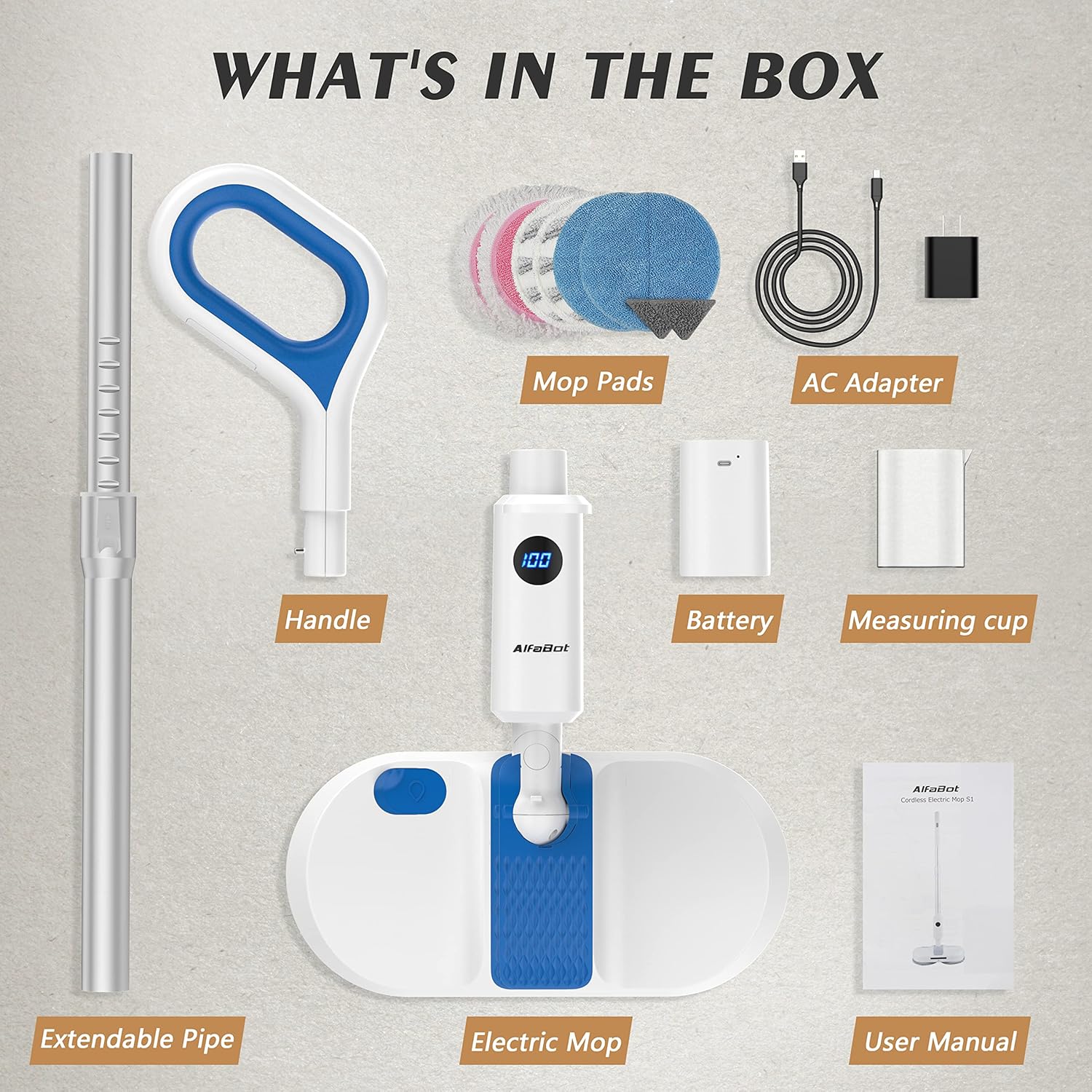
What's in the Box
Carefully unpack all components and ensure everything listed below is present. If any items are missing or damaged, please contact customer support.
- Electric Mop Unit
- Handle
- Extendable Pipe
- Mop Pads (8 total: 6 round, 2 triangle)
- AC Adapter
- Battery (1 Lithium Ion battery included)
- Measuring Cup
- User Manual
Setup
- Assemble the Handle: Connect the extendable pipe to the main mop unit and then attach the handle. Ensure all connections are secure.
- Attach Mop Pads: The mop pads attach to the bottom of the mop unit using a hook-and-loop system. Align the pads with the rotating discs and press firmly to secure them. For optimal cleaning, dampen the pads with water before use.
- Charge the Battery: The device uses a removable 2600mAh Lithium-ion battery. Insert the battery into the designated slot on the handle. Connect the AC adapter to the battery and plug it into a power outlet. A full charge takes approximately 3 hours. The battery is modular and easy to replace.
- Fill the Water Tank: Locate the water tank cap on the mop unit. Open the cap and use the provided measuring cup to fill the 260ml water tank with clean water or a suitable cleaning solution. Close the cap securely.


Operating Instructions
- Power On/Off: Press the power button located on the handle to turn the mop on or off. The dual motors will begin spinning at 200 RPM.
- Water Spray Function: Press the water spray button on the handle to dispense water or cleaning solution from the tank onto the floor. This allows for wet cleaning without a separate bucket.
- Maneuvering: The mop is designed to automatically push forward, requiring minimal effort to guide it. The head can rotate 90 degrees horizontally and vertically, allowing easy access under furniture and into tight corners.
- LED Headlight: The built-in LED headlight illuminates the cleaning path, making it easier to spot dust and debris in dark areas or under furniture.


Maintenance
- Cleaning Mop Pads: After each use, remove the mop pads from the unit. They are machine washable and reusable. Wash them with mild detergent and air dry.
- Emptying/Cleaning Water Tank: Regularly empty and rinse the water tank to prevent residue buildup.
- Battery Care: To prolong battery life, avoid fully discharging the battery frequently. Store the device and battery in a cool, dry place when not in use.

Troubleshooting
| Problem | Possible Cause | Solution |
|---|---|---|
| Mop not turning on | Battery is not charged or not properly inserted. | Ensure battery is fully charged and securely inserted. |
| Water spray not working | Water tank is empty or clogged. | Refill water tank. Check for and clear any clogs in the spray nozzle. |
| Mop pads not spinning effectively | Pads are worn out or not properly attached. | Replace worn pads. Reattach pads firmly to the rotating discs. |
Specifications
- Model Number: S1
- Product Dimensions: 14.96 x 7.48 x 48.03 inches
- Item Weight: 6.27 pounds (2.85 Kilograms)
- Battery: 1 Lithium Ion battery (included)
- Water Tank Volume: 260 Milliliters
- Handle Material: Plastic
- Head Material: Plastic
- Assembly Required: Yes
- Surface Recommendation: Floor (Hardwood, Tile, Laminate)
Warranty and Support
For warranty information or technical support, please refer to the official AlfaBot website or contact their customer service directly. Keep your purchase receipt for any warranty claims.