
Odokee UE218-Red
Odokee Digital Dual Alarm Clock User Manual
Model: UE218-Red
Introduction
This user manual provides comprehensive instructions for the setup, operation, and maintenance of your Odokee Digital Dual Alarm Clock. Please read this manual thoroughly before using the product to ensure proper function and longevity.
Product Features
- Easy-to-set controls with clearly labeled buttons.
- Large 1.6-inch red LED display with 0-100% adjustable dimmer.
- Customizable dual alarms with 7-5-2 alarm modes (Every day, Weekdays, Weekend).
- 5 selectable alarm tones: Beep, Birds Chirping, Buzzer, Soft Music, Siren.
- Adjustable alarm volume from 30dB to 110dB.
- 9-minute snooze function.
- Integrated USB charging port for mobile devices.
- Battery backup (3 AAA batteries, not included) for time and settings retention during power outages.
- Compact and space-saving design (5.3"x2.9"x1.95").
- 12 or 24-hour time display option.
Package Contents
- Odokee Digital Dual Alarm Clock
- Power Adapter (Cord Length: 4.92ft)
- User Manual
Product Overview

Front view of the Odokee Digital Dual Alarm Clock, displaying the time and day of the week. The large red LED digits are clearly visible.

Rear view of the alarm clock, highlighting the control buttons for alarm sound, 12/24HR format, day of week, time set, alarm 1 set, and alarm 2 set. Also visible are the dimmer and volume dials, USB port, and power input.
Setup
1. Power Connection
Connect the provided power adapter to the DC 5V input port on the back of the alarm clock and plug the adapter into a standard AC outlet. The clock display will light up.

The alarm clock connected to a power outlet via its adapter, illustrating the primary power source.
2. Battery Backup Installation (Optional)
For battery backup functionality during power outages, insert 3 AAA batteries (not included) into the battery compartment on the bottom of the clock. This will preserve time and alarm settings, and allow alarms to function during a power interruption. Note: USB charging will not work on battery power.
3. Initial Time Setting
- Press and hold the TIME SET button on the back of the clock. The hour digits will begin to flash.
- Use the HOUR and MIN buttons on the top of the clock to adjust the hour and minute respectively.
- Press TIME SET again to confirm the time.
- Press the 12/24HR button to switch between 12-hour (with AM/PM indicator) and 24-hour formats.
- Press the DAY OF WEEK button to set the current day.
Operating Instructions
1. Setting Alarms (Alarm 1 and Alarm 2)
The clock features two independent alarms (Alarm 1 and Alarm 2) that can be set for different times and modes.
- Press and hold the ALARM 1 SET or ALARM 2 SET button on the back. The alarm hour digits will flash.
- Use the HOUR and MIN buttons on the top to adjust the desired alarm time.
- Press ALARM 1 SET or ALARM 2 SET again to select the alarm mode:
- MON-FRI (Weekdays)
- SAT-SUN (Weekends)
- MON-SUN (All 7 days)
- Press ALARM 1 SET or ALARM 2 SET one more time to confirm the alarm setting. The corresponding alarm icon (1 or 2) will appear on the display.

Illustration of the dual alarm feature with different alarm modes for weekdays and weekends.
2. Selecting Alarm Sound
The clock offers 5 different alarm sounds.
- Press the ALARM SOUND button on the back of the clock to cycle through the available sounds: Beep, Birds Chirping, Buzzer, Soft Music, Siren.
- The selected sound will play briefly for preview.

Visual representation of the five distinct alarm sounds available on the clock.
3. Adjusting Alarm Volume
Use the VOLUME dial on the left side of the clock to adjust the alarm volume from 30dB (low) to 110dB (high).
4. Snooze Function
When the alarm sounds, press the large SNOOZE button on the top of the clock to temporarily silence the alarm for 9 minutes. The alarm will sound again after 9 minutes.
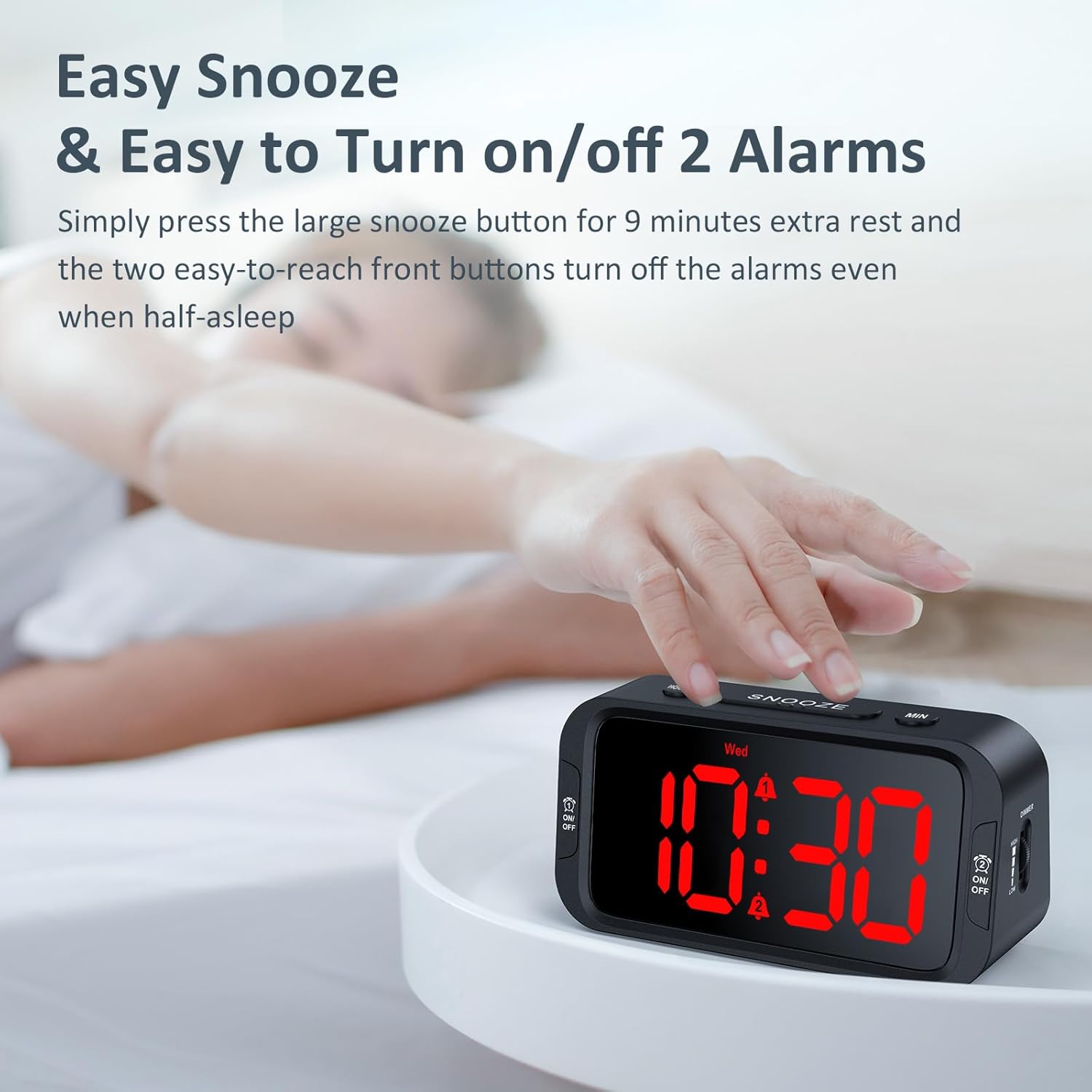
A user's hand activating the snooze function by pressing the prominent SNOOZE button.
5. Turning Alarms On/Off
To turn off a sounding alarm, press the corresponding ON/OFF button located on the front sides of the clock (one for Alarm 1, one for Alarm 2). To disable an alarm completely, press the ON/OFF button until the alarm icon disappears from the display.
6. Adjusting Display Brightness
Use the DIMMER dial on the right side of the clock to adjust the display brightness from 0% (fully dark) to 100% (very bright).
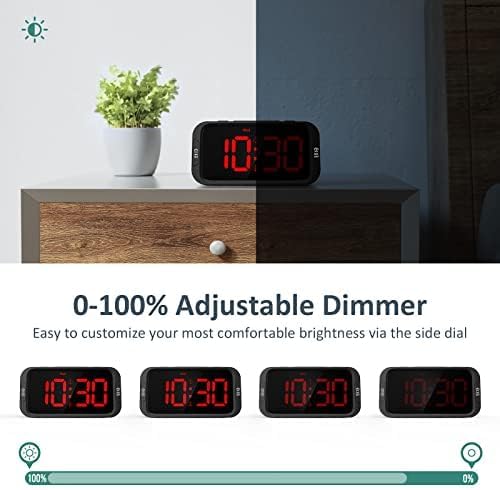
Demonstration of the 0-100% adjustable dimmer, showing the clock display from maximum brightness to completely off.
7. USB Charging Port
The USB port on the back of the clock can be used to charge your mobile devices. Simply connect your device's USB charging cable to the port. Note: This port is for charging only and does not transfer data. USB charging requires the clock to be powered by the AC adapter.
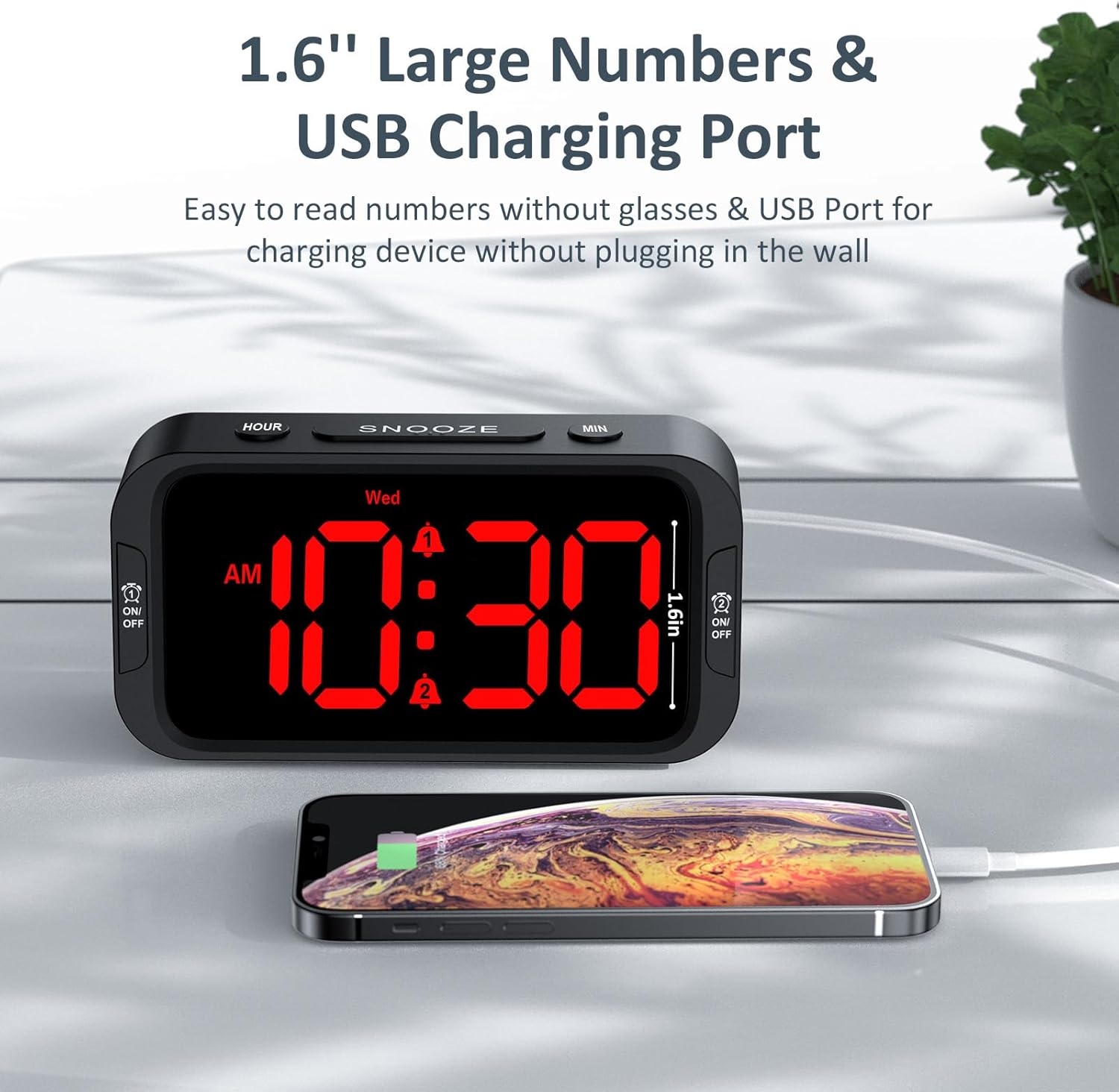
The alarm clock charging a smartphone via its integrated USB port.
Maintenance
- Clean the clock with a soft, dry cloth. Do not use abrasive cleaners or solvents.
- Avoid exposing the clock to extreme temperatures, direct sunlight, or high humidity.
- Do not disassemble the clock. This will void the warranty.
- If using battery backup, replace batteries annually or when the display shows signs of dimming during a power outage.
Troubleshooting
| Problem | Possible Cause | Solution |
|---|---|---|
| Clock display is off. | No power connection or power outage. | Ensure the power adapter is securely plugged into the clock and a working outlet. Check for power outages. If using battery backup, check battery level. |
| Alarm does not sound. | Alarm not activated, volume too low, or incorrect alarm time/mode. | Ensure the alarm icon is visible on the display. Adjust alarm volume. Verify alarm time and mode settings. Check battery backup if on battery power. |
| USB charging not working. | Clock not connected to AC power, or device cable issue. | Ensure the clock is plugged into an AC outlet. Verify the USB cable is functional and properly connected to both the clock and your device. |
| Display too bright/dim. | Dimmer setting needs adjustment. | Adjust the DIMMER dial on the right side of the clock to your preferred brightness level. |
Specifications
- Model: UE218-Red
- Display Type: Digital LED (Red)
- Display Size: 1.6 inches (digit height)
- Product Dimensions: 5.3" (L) x 2.9" (W) x 1.95" (H)
- Power Source: Corded Electric (AC100-240V, 50/60Hz)
- Input Power: DC 5V, 1A
- Battery Backup: 3 x AAA batteries (not included)
- Alarm Volume Range: 30dB - 110dB
- Material: Acrylonitrile Butadiene Styrene (Plastic)
- Item Weight: 6.3 ounces (178.6 Grams)
- UPC: 768461974727
Warranty and Support
Odokee products come with a hassle-free 18-month warranty. For any product inquiries, technical support, or warranty claims, please contact Odokee customer service:
- Email: odokeeshop@outlook.com
- Online Store: Odokee Store on Amazon
Please retain your purchase receipt for warranty validation.
Safety Information
- Do not expose the product to water or excessive moisture.
- Keep out of reach of children.
- Use only the provided power adapter.
- Do not place near heat sources or in direct sunlight for extended periods.
Ask a question about this manual
Ask about setup, troubleshooting, compatibility, parts, safety, or missing instructions. Manuals+ will review the question and use this page’s manual context to help answer it.