
1. Introduction
This manual provides detailed instructions for the installation, operation, and maintenance of your ZOSI 3MP WiFi Surveillance Kit. This system offers a comprehensive security solution with solar-powered cameras, an 8-channel Network Video Recorder (NVR) with a pre-installed 1TB hard drive, two-way audio, and remote monitoring capabilities.
The cameras feature 2K 3MP HD resolution for clear images and videos, are IP66 weatherproof for outdoor and indoor use, and support both color and black-and-white night vision. The system is designed for 100% wire-free operation, utilizing rechargeable batteries and solar panels for continuous power. Advanced features include PIR human motion detection, siren and spotlight alarms, and secure local storage without monthly fees.
2. Package Contents
Please verify that all items listed below are included in your package. If any items are missing or damaged, contact ZOSI support immediately.
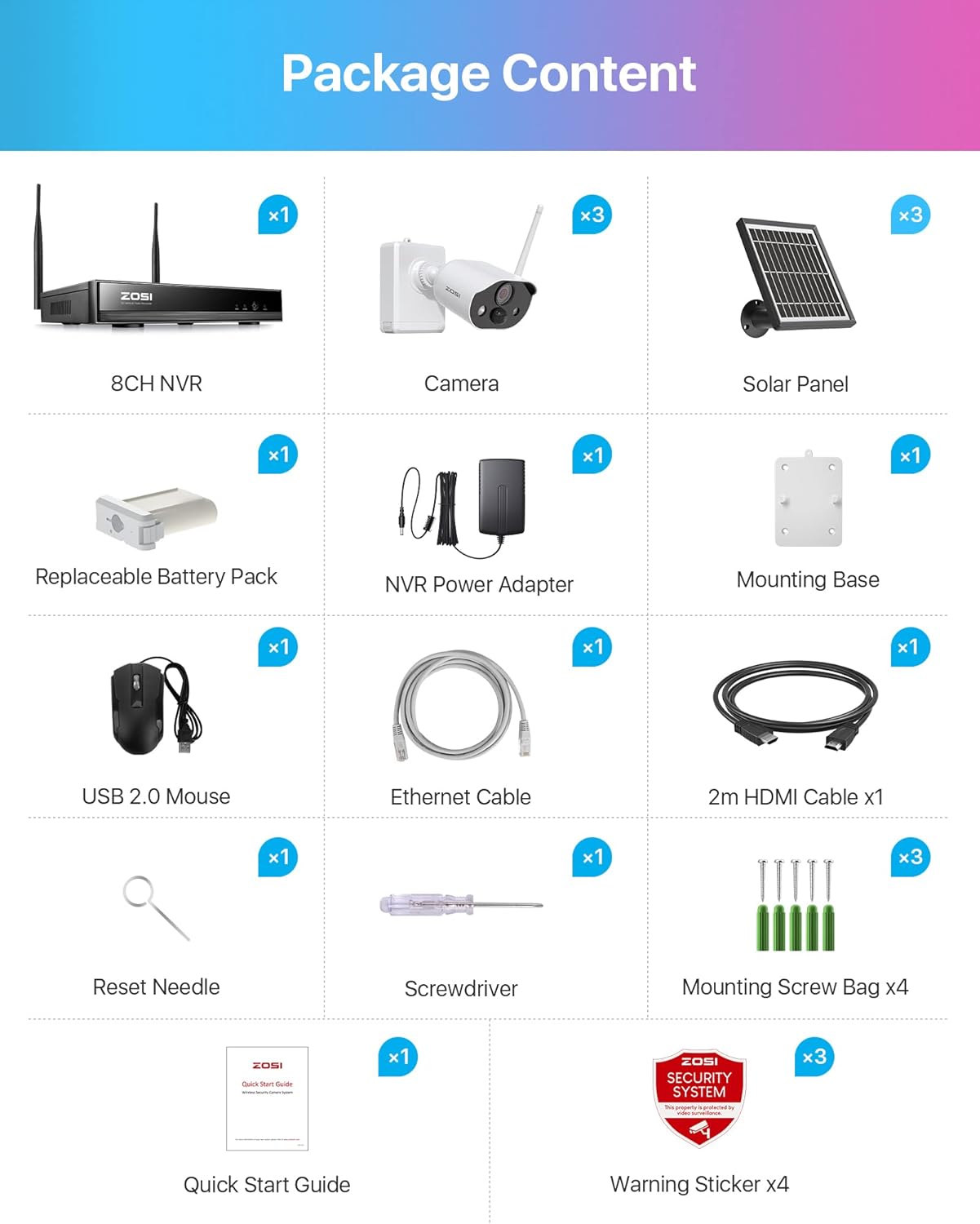
Image: Package Contents Overview
This image displays all items included in the ZOSI 3MP WiFi Surveillance Kit, ensuring you have everything needed for setup.
- 1x 8-Channel NVR (Network Video Recorder)
- 3x Telecamera with Solar Panel (Battery Cameras with Solar Panels)
- 1x HDMI Cable
- 1x USB Mouse
- 1x Power Adapter (for NVR)
- 1x Screwdriver
- 1x Manual (Quick Start Guide)
- Mounting Screws and Warning Stickers
3. Setup Instructions
3.1 Initial Camera Charging
Before first use, fully charge the camera batteries using the provided DC5V adapter. This ensures optimal battery performance and longevity.
3.2 NVR Connection
- Connect the NVR to a power source using the provided power adapter.
- Connect the NVR to a monitor via the HDMI cable.
- Connect the USB mouse to the NVR for navigation.
- Ensure the NVR is connected to your 2.4 GHz WiFi network. The system does not support 5 GHz WiFi.
3.3 Camera Installation and Pairing
The system is designed for auto-pairing, offering a true plug-and-play experience. Cameras will automatically connect to the NVR once powered on and within range.

Image: Installation Diagram
This diagram illustrates the four steps for installing the cameras: 1. Install fixing plates, 2. Install the camera, 3. Fix cameras, 4. Fix battery/solar panel. It is recommended to mount the camera on the ceiling for easier angle adjustment.
- Install Fixing Plates: Securely attach the mounting base to your desired location using the provided screws.
- Install the Camera: Mount the camera onto the fixing plate.
- Fixed Cameras: Ensure the cameras are firmly attached.
- Fixed Battery/Solar Panel: Connect the solar panel to the camera and position it to receive maximum sunlight. The solar panel provides continuous power, extending battery life.
Note: It is recommended that the camera be mounted on the ceiling so that the angle can be adjusted more easily.

Image: Auto Pair, True Plug & Play
This image demonstrates the simple setup process, highlighting the NVR's wireless connection and the ability to view camera feeds on a laptop or smartphone via the ZOSI Smart app or AVSS software.
3.4 System Overview
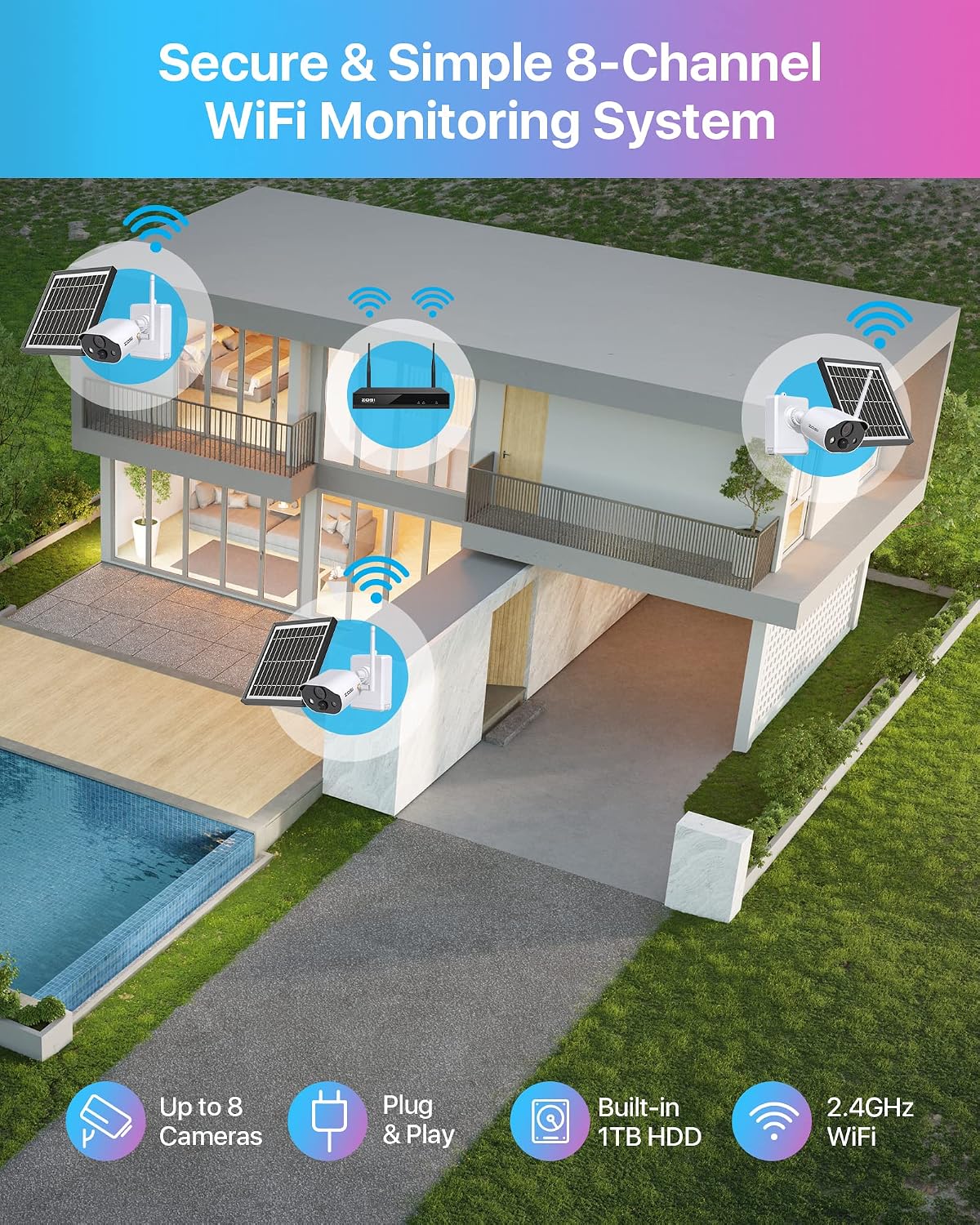
Image: Secure & Simple 8-Channel WiFi Monitoring System
This image provides a visual representation of the ZOSI 8-channel WiFi monitoring system installed around a house, showing the wireless connectivity of up to 8 cameras to the NVR with a built-in 1TB HDD, operating on 2.4GHz WiFi.
4. Operating Instructions
4.1 Video Resolution and Quality
The cameras capture video in 2K 3MP HD resolution, providing clear and detailed surveillance footage.

Image: 3MP Super HD Visual Quality
This image highlights the superior visual clarity provided by the 3MP camera resolution, showcasing a detailed outdoor scene.
4.2 Night Vision Modes
The cameras offer both color and black-and-white night vision options for enhanced visibility in low-light conditions.

Image: Color Night Vision
This image illustrates the camera's ability to provide clear, illuminated color night vision with its spotlight activated, covering a range of up to 50 feet.

Image: Black and White Night Vision
This image demonstrates the camera's standard black and white night vision, offering clear visibility in darkness without the spotlight.
4.3 Two-Way Audio
The integrated speaker and microphone allow for two-way audio communication, enabling you to hear and speak to anyone near the camera.

Image: Two-Way Audio
This image depicts the two-way audio feature, showing a person interacting with someone at their door through the camera's microphone and speaker.
4.4 Smart Detection and Deterrence
The cameras feature PIR (Passive Infrared) human motion detection, triggering alerts and recording only when human movement is detected, reducing false alarms.
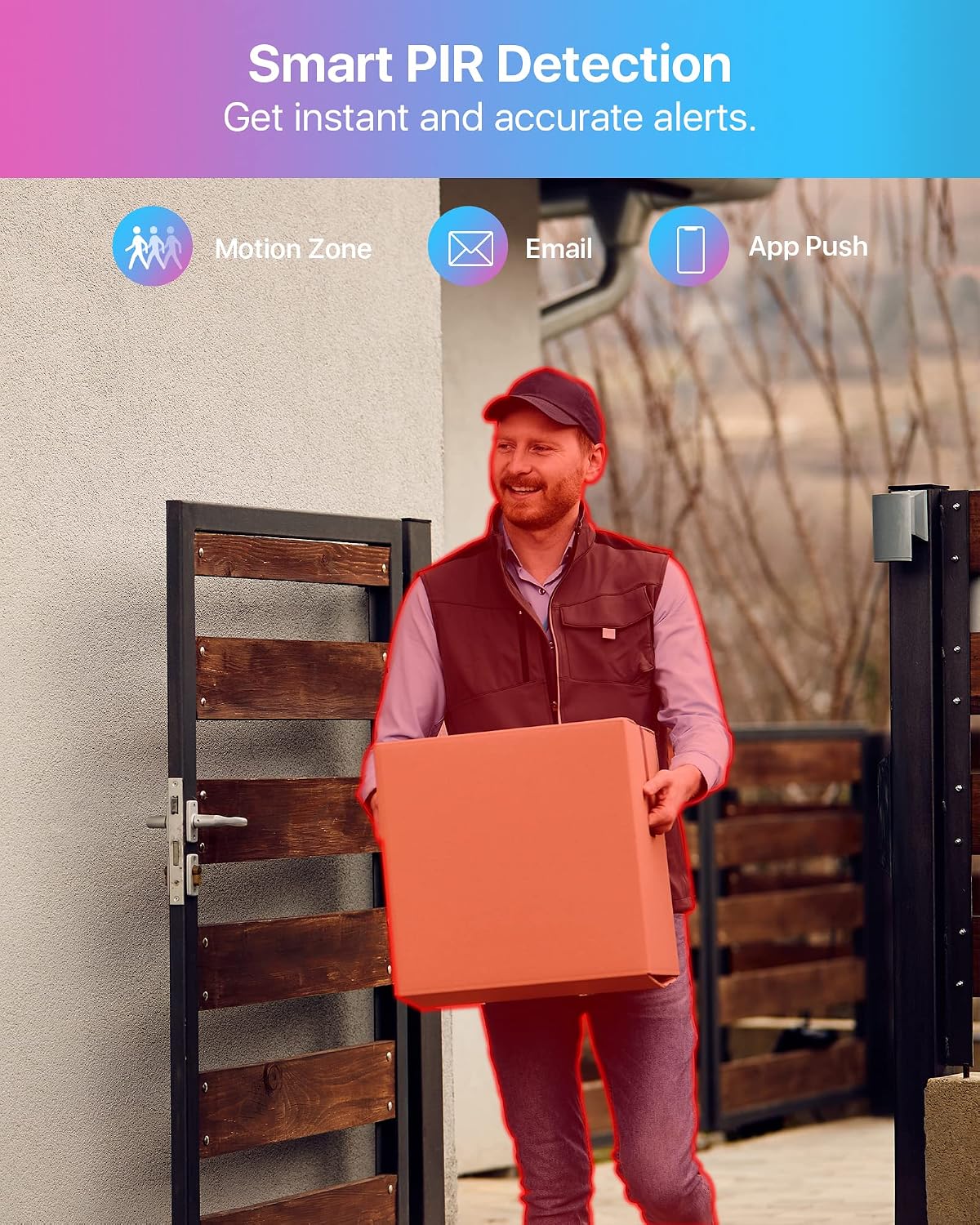
Image: Smart PIR Detection
This image demonstrates the smart PIR detection feature, highlighting how the system identifies human motion to provide instant and accurate alerts via motion zones, email, and app push notifications.
When motion is detected, the camera can activate LED spotlights and a siren to deter intruders. You can also manually activate these features via the app.

Image: Smart Deterrence
This image illustrates the intelligent deterrence feature, where the camera uses spotlights and a siren to warn potential intruders, enhancing security.
4.5 Recording and Playback
The system supports motion-activated recording to conserve battery life. When motion is detected, the camera records for a few seconds and then returns to standby mode. You can easily play back recorded footage by selecting the date and time on the timeline.
All recordings are stored locally on the pre-installed 1TB hard drive in the NVR, ensuring secure storage without additional monthly cloud storage fees. The system utilizes H.265+ compression for efficient storage.

Image: Secure Local Storage
This image highlights the benefit of secure local storage on the NVR, ensuring your recordings are kept private and accessible without recurring costs.
4.6 Remote Access
Monitor your property remotely using the ZOSI Smart app on your smartphone or the AVSS software on your computer. This allows you to view live feeds and recorded footage from anywhere.

Image: Remote Access
This image demonstrates the remote access feature, allowing users to view live camera feeds from their smartphone or computer, ensuring constant awareness of their home security.
5. Maintenance
5.1 Battery and Solar Panel Care
The cameras are powered by long-lasting rechargeable batteries and weather-resistant solar panels. Ensure solar panels are positioned to receive direct sunlight for optimal charging. Regularly clean the solar panels to remove dust or debris that may hinder charging efficiency.

Image: 100% Wire-Free with Non-Stop Power
This image illustrates the wire-free design of the camera system, powered by a rechargeable battery and continuously charged by a solar panel, ensuring uninterrupted operation.
5.2 Weather Resistance
The cameras are IP66 rated, meaning they are protected against dust and powerful water jets. This allows them to function reliably in various weather conditions, both outdoors and indoors. Periodically inspect the camera housing and connections for any signs of wear or damage.

Image: IP66 Weatherproof
This image visually confirms the camera's IP66 rating, signifying its robust design for outdoor use in various weather conditions.
5.3 Hard Drive Management
The NVR comes with a pre-installed 1TB hard drive. No specific user maintenance is typically required for the hard drive beyond ensuring continuous power and proper ventilation for the NVR unit.
6. Troubleshooting
If you encounter issues with your ZOSI Surveillance Kit, please refer to the following common problems and solutions:
- Camera Battery Drains Quickly:
- Ensure solar panels are clean and positioned for maximum direct sunlight exposure.
- Reduce the frequency of motion detection events or adjust sensitivity settings.
- Verify the camera is fully charged initially with the DC5V adapter.
- Consider using motion-activated recording mode to conserve power.
- Cameras Frequently Disconnect or Go Offline:
- Ensure the NVR is connected to a 2.4 GHz WiFi network. The system does not support 5 GHz WiFi.
- Check the distance between the cameras and the NVR. Obstacles like thick walls can reduce signal strength.
- Restart both the NVR and the cameras.
- No Video or Poor Video Quality:
- Verify all cables (HDMI, power) are securely connected to the NVR and monitor.
- Check camera lens for dirt or obstructions.
- Ensure cameras are within WiFi range and have sufficient battery power.
- Two-Way Audio Not Working:
- Check microphone and speaker settings in the ZOSI Smart app or NVR interface.
- Ensure there are no physical obstructions blocking the microphone or speaker on the camera.
- App or Software Issues:
- Ensure your ZOSI Smart app or AVSS software is updated to the latest version.
- Check your smartphone or computer's internet connection.
- Restart the app/software and your device.
If these steps do not resolve your issue, please contact ZOSI customer support for further assistance.
7. Specifications
| Feature | Specification |
|---|---|
| Brand | ZOSI |
| Model Number | Überwachungskamera Set |
| Connectivity Technology | Wired, Wireless (2.4 GHz WiFi only) |
| Video Capture Resolution | 2048 x 1536 (3MP) |
| Number of Channels | 8 |
| Data Storage Capacity | 1 TB (pre-installed HDD) |
| Power Source | Battery (Solar Charge) |
| Operating Systems | Specialized OS for video surveillance |
| Compatible Devices | Cameras |
| Night Vision | Yes |
| Night Vision Field of View | 98 Feet |
| Recording Mode | 2K Super HD, Two-way audio |
| Hardware Interface | 802.11 ac/b/g/n |
| Video Input Type | RJ45, HDMI |
| Viewing Angle | 120 Degrees |
| Optical Sensor Technology | CMOS, CCD |
| Color | White and Black |
| Item Dimensions | 32 x 25 x 17 cm |
8. Warranty and Support
ZOSI is committed to providing reliable products and excellent customer service.

Image: Warranty and Support Information
This infographic outlines ZOSI's customer service commitments, including a 30-day hassle-free return policy, lifetime technical assistance, and a 2-year product warranty.
- 30-Day Return Policy: Enjoy a hassle-free return policy within 30 days of purchase.
- Lifetime Technical Support: ZOSI provides lifetime technical assistance for its products.
- 2-Year Warranty: Your product is covered by a 2-year warranty from the date of purchase.
For any questions, technical support, or warranty claims, please visit the official ZOSI website or contact their customer service team directly. Contact information can typically be found in the Quick Start Guide included with your product or on the ZOSI brand store page.


