
Monster 2MNBD1115B9L2
Monster DNA One Portable Bluetooth Speaker User Manual
Model: 2MNBD1115B9L2
Introduction
The Monster DNA One Portable Bluetooth Speaker is designed to deliver immersive 360-degree sound in a compact, durable package. Featuring IP67 waterproof and dustproof rating, a 10W wireless charging pad, and up to 13 hours of battery life, it is ideal for both indoor and outdoor use. This manual provides essential information for setting up, operating, maintaining, and troubleshooting your speaker.

Image: The Monster DNA One speaker, black, standing upright on its wireless charging pad, which emits a blue glow. This illustrates the speaker's design and charging capability.
What's in the Box
- Monster DNA One Portable Bluetooth Speaker
- Wireless Charging Pad
- Charging Cable
Setup
1. Initial Charging
Before first use, fully charge your Monster DNA One speaker. Place the speaker onto the included wireless charging pad. Connect the charging cable to the pad and a suitable power source (e.g., USB wall adapter, computer USB port). The indicator light on the speaker will show charging status.
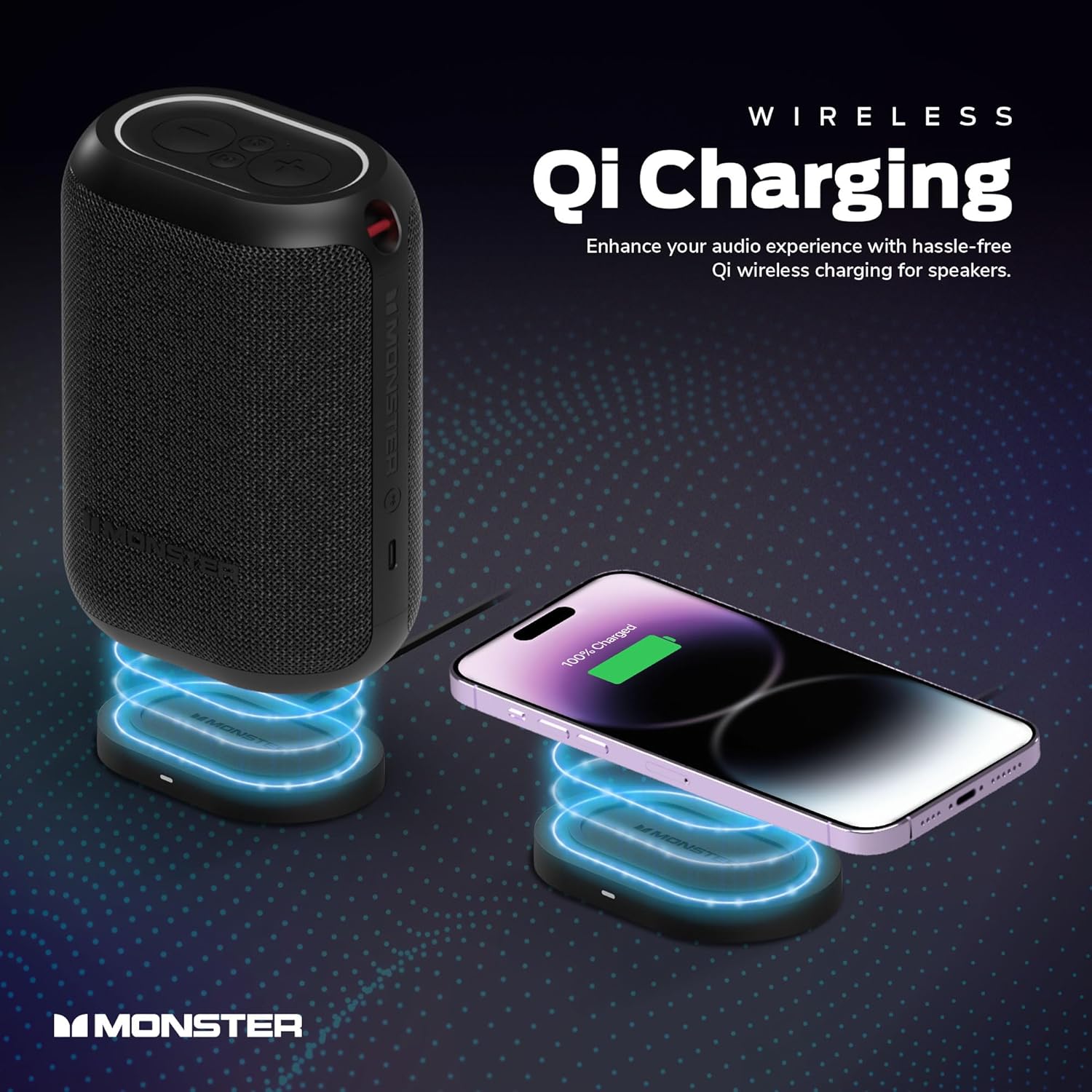
Image: A black Monster DNA One speaker and a smartphone are shown wirelessly charging on two separate Qi charging pads, both emitting blue light. This highlights the speaker's wireless charging capability and the included charging pad.
2. Powering On/Off
To power on the speaker, press and hold the power button located on the top panel until you hear an audible cue and the indicator lights illuminate. To power off, press and hold the power button again until the lights turn off.
3. Bluetooth Pairing
- Ensure the speaker is powered on and in pairing mode (indicator light will blink).
- On your device (smartphone, tablet, laptop), enable Bluetooth and search for available devices.
- Select "Monster DNA One" from the list of devices.
- Once paired, the speaker will provide an audible confirmation, and the indicator light will become solid.
The speaker supports Bluetooth Dual Pairing, allowing connection to two source devices simultaneously.
Operating Instructions
Audio Playback
- Play/Pause: Press the Play/Pause button on the top panel.
- Volume Control: Use the '+' button to increase volume and the '-' button to decrease volume.
- Skip Track: Double-press the '+' button for next track, double-press the '-' button for previous track.

Image: A close-up top view of the Monster DNA One speaker's control panel, showing the illuminated volume up, volume down, and multi-function buttons. This illustrates the intuitive control layout.
Party Mode (Multi-Speaker Sync)
The Monster DNA One speaker features a Party Mode, allowing you to synchronize music with up to 99 other Monster DNA speakers for an expansive audio experience.
- Ensure all speakers are charged and powered on.
- Pair one speaker to your device as the primary speaker.
- On the primary speaker, press the Party Mode button (often indicated by a chain link or multi-speaker icon).
- On the secondary speakers, also press the Party Mode button. They will automatically search for and connect to the primary speaker.
- Once connected, all speakers will play the same audio simultaneously.

Image: Several Monster DNA speakers are strategically placed around an outdoor patio table where people are socializing, illustrating the Party Mode feature for synchronized audio across multiple units.
Wireless Charging Pad Usage
The included 10W Qi Certified Charging Pad can be used to charge your Monster DNA One speaker or any other Qi-enabled smartphone or device.
- Connect the charging pad to a power source using the provided cable.
- Place your Qi-enabled device directly onto the center of the charging pad.
- Ensure the device is properly aligned for optimal charging.

Image: A white Monster DNA One speaker is shown wirelessly charging on a white Qi charging pad, with blue glowing rings indicating the charging process. Text overlay highlights "QI Charger Included" and "10W Qi Charging Pad Included Works with most Qi enabled products."
Maintenance
Cleaning
To clean the speaker, use a soft, damp cloth. Do not use abrasive cleaners, alcohol, or chemical solvents, as these may damage the surface. Ensure the charging port cover is securely closed before cleaning or exposing to water.
Water and Dust Resistance (IP67)
The Monster DNA One speaker is IP67 rated, meaning it is protected against dust ingress and can withstand immersion in water up to 1 meter for 30 minutes. While durable, avoid prolonged submersion or exposure to high-pressure water jets.

Image: A black Monster DNA One speaker is placed on the edge of a swimming pool, with water splashing around it, demonstrating its IP67 waterproof capability for outdoor and poolside use.
Storage
Store the speaker in a cool, dry place away from direct sunlight and extreme temperatures. If storing for an extended period, charge the battery periodically to maintain its lifespan.
Troubleshooting
| Problem | Possible Cause | Solution |
|---|---|---|
| Speaker does not power on. | Low battery. | Charge the speaker fully using the wireless charging pad. |
| Cannot pair via Bluetooth. | Speaker not in pairing mode; device Bluetooth off; too far from speaker. | Ensure speaker is in pairing mode. Turn device Bluetooth off and on. Move device closer to speaker (within 10 meters). |
| No sound or distorted sound. | Volume too low; speaker not connected; audio source issue. | Increase speaker and device volume. Re-pair Bluetooth. Check audio source. |
| Wireless charging not working. | Device not Qi-enabled; improper alignment; charging pad not powered. | Ensure device is Qi-enabled. Re-position device on the center of the pad. Verify charging pad is connected to power. |
| Party Mode not syncing. | Speakers too far apart; incorrect activation sequence. | Ensure speakers are within range. Follow Party Mode activation steps carefully. |
Specifications
- Model Name: DNA One
- Model Number: 2MNBD1115B9L2
- Connectivity Technology: Bluetooth
- Wireless Communication Technology: Bluetooth
- Bluetooth Range: 10 Meters (30 Feet)
- Speaker Type: Portable, Outdoor
- Audio Output Mode: Stereo
- Surround Sound Channel Configuration: 4.0
- Speaker Maximum Output Power: 10 Watts
- Frequency Response: 150 Hz
- Power Source: Battery Powered
- Battery Life: Up to 13 Hours
- Charging Time: Approximately 13 Hours
- Water Resistance Level: IP67 Waterproof
- Material: Plastic
- Product Dimensions: 9"D x 4"W x 5"H
- Item Weight: 3.72 pounds
- Included Components: Wireless Charging Pad and Cable
Warranty and Support
The Monster DNA One Portable Bluetooth Speaker comes with a Limited Warranty. For specific warranty terms and conditions, please refer to the warranty card included with your product or visit the official Monster website.
For technical support, troubleshooting assistance, or to inquire about replacement parts, please contact Monster customer service through their official website or the contact information provided in your product packaging.
Online Resources:
Related documents2MNBD1115B9L2


Ask a question about this manual
Ask about setup, troubleshooting, compatibility, parts, safety, or missing instructions. Manuals+ will review the question and use this page’s manual context to help answer it.