
HAKENO TR2
HAKENO 15-in-1 Adjustable Dumbbell User Manual
Model: TR2 (52.5lb / 24kg)
Introduction
Thank you for choosing the HAKENO 15-in-1 Adjustable Dumbbell. This manual provides essential information for the safe and effective use of your new fitness equipment. Please read it thoroughly before assembly and operation, and retain it for future reference.
Important Safety Information
To reduce the risk of serious injury, please observe the following safety precautions:
- Consult a physician before beginning any exercise program.
- Keep children and pets away from the equipment during use.
- Always place the dumbbell on its designated base when adjusting weights.
- Ensure the selected weight is securely locked before lifting the dumbbell.
- Inspect the dumbbell for any damage or loose parts before each use. Do not use if damaged.
- Use the dumbbell on a flat, stable surface.
- Do not drop the dumbbell, as this may cause damage to the product or injury.
- Do not attempt to disassemble the dumbbell beyond the instructions provided in this manual.
Package Contents
Your HAKENO 15-in-1 Adjustable Dumbbell set includes:
- 2 x HAKENO Adjustable Dumbbells
- 2 x Dumbbell Trays/Bases
Setup
The HAKENO Adjustable Dumbbells are designed for quick and easy setup. No assembly is required for the dumbbells themselves.
- Unpack the dumbbells and their respective trays from the packaging.
- Place each dumbbell tray on a flat, stable surface where you intend to exercise.
- Carefully place each dumbbell into its corresponding tray, ensuring it sits firmly and correctly. The dumbbell must be fully seated in the cradle for proper weight adjustment. You should hear a click when it is correctly seated.

Image: Dumbbell seated in its tray, illustrating the 'Press and Turn' mechanism for weight adjustment.
Operating Instructions
Weight Adjustment
The HAKENO Adjustable Dumbbell allows for quick and easy weight changes with a simple dial mechanism.
- Ensure the dumbbell is securely placed in its tray. The weight adjustment mechanism only operates when the dumbbell is fully seated in the base.
- Locate the adjustment dial on each end of the dumbbell handle.
- Press down on the dial and rotate it to select your desired weight. The available weight increments are: 5lb, 7.5lb, 10lb, 12.5lb, 15lb, 17.5lb, 20lb, 22.5lb, 25lb, 30lb, 35lb, 40lb, 45lb, 50lb, 52.5lb.
- Once the desired weight is selected, release the dial. Ensure it clicks into place, indicating the weight is locked.
- Carefully lift the dumbbell from the tray. The unselected weight plates will remain in the tray.
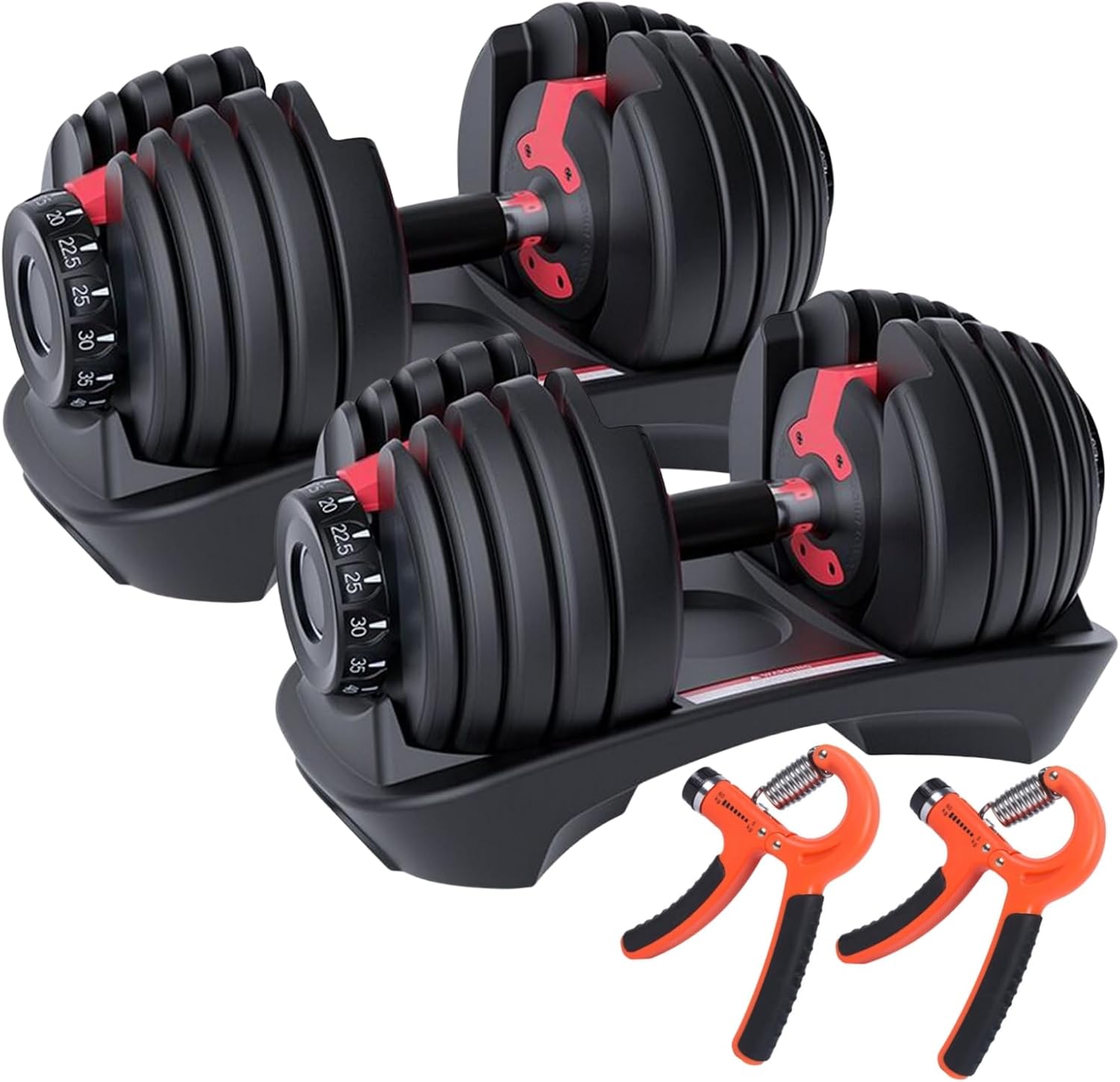
Image: Detailed view of the dumbbell's adjustment dial and internal locking mechanism.

Image: Overview highlighting the 15 weight adjustment gears, 10-way safety lock system, and 3-second quick switch feature.

Image: Visual representation of the dumbbell configured for various weight settings, demonstrating its versatility.
Exercise Guide
The HAKENO Adjustable Dumbbells are suitable for a wide range of strength training exercises. Always maintain proper form and control during your workouts.

Image: Visual guide demonstrating six common exercises that can be performed with adjustable dumbbells, including rows, presses, curls, and raises.
Maintenance
Proper maintenance will ensure the longevity and performance of your HAKENO Adjustable Dumbbells.
- Cleaning: Wipe down the dumbbells and trays with a damp cloth after each use to remove sweat and dust. Avoid using abrasive cleaners or solvents.
- Storage: Always store the dumbbells in their designated high-density bases when not in use. This protects both the dumbbells and your flooring. Store in a dry environment away from direct sunlight and extreme temperatures.
- Inspection: Periodically check all parts for wear and tear, especially the handle and weight plates. Ensure the adjustment mechanism operates smoothly.
Troubleshooting
Dumbbell Weight Plates Get Stuck or Do Not Adjust
If you experience difficulty adjusting the weight or if plates become stuck, follow these steps:
- Ensure Proper Seating: The most common cause is the dumbbell not being fully seated in its tray. Gently push the dumbbell down into the cradle until you hear a distinct click. This ensures all weight plates are aligned and the locking mechanism can engage properly.
- Check for Obstructions: Inspect the area around the weight plates and the adjustment dial for any foreign objects or debris that might be preventing smooth operation.
- Re-attempt Adjustment: With the dumbbell fully seated, press down on the dial and rotate it firmly but gently to the desired weight setting.
- If the issue persists, contact customer support for further assistance.
Specifications
| Brand | HAKENO |
| Model Number | TR2 (ASIN: B0CPJPLV3M) |
| Weight Range | 2.5lb - 52.5lb (15 increments) |
| Product Dimensions (each) | 40 x 21 x 21 cm (15.7 x 8.3 x 8.3 inches) |
| Weight (each) | 24 kg (52.9 lb) |
| Material | Alloy Steel |
| Handle Material | Alloy Steel |
| Grip Size | Standard |
| UPC | 768447470755 |

Image: Detailed dimensions of the HAKENO Adjustable Dumbbell.
Warranty and Support
Warranty Information
The HAKENO Adjustable Dumbbell comes with a 2-year warranty from the date of purchase. This warranty covers manufacturing defects under normal use. It does not cover damage caused by misuse, accidents, unauthorized modifications, or normal wear and tear.
Customer Support
For warranty claims, technical assistance, or any questions regarding your HAKENO Adjustable Dumbbell, please contact your retailer or the manufacturer directly. Please have your purchase receipt and product model number (TR2) available when contacting support.
Related Documents - TR2
 |
Weslo Cardio Glide TR2 User Manual and Exercise Guide Comprehensive user manual for the Weslo Cardio Glide TR2 exercise machine, covering setup, usage, safety precautions, maintenance, and exercise guidelines. Learn how to adjust the seat and resistance, perform exercises, and understand monitor functions. |
 |
Mitsubishi Electric CITY MULTI R2-Series Data Book: Specifications and Technical Data Comprehensive data book for Mitsubishi Electric CITY MULTI R2-Series air conditioning systems. Includes detailed specifications, dimensions, sound and vibration levels, operating temperature ranges, capacity tables, and wiring diagrams for models PURY-P200 through PURY-P1100. |
 |
Thermaltake TR2 S Series Power Supply Units (500W-750W) - Installation and Safety Guide This guide provides essential information for Thermaltake TR2 S series power supply units (500W, 550W, 600W, 650W, 700W, 750W), including safety warnings, installation instructions, technical specifications, and troubleshooting tips. |
 |
TRUE Fitness Z500 Residential Treadmill (TR2-0A-35) Owner's Manual & Assembly Guide Comprehensive owner's manual and assembly guide for the TRUE Fitness Z500 Residential Treadmill (Model TR2-0A-35). Includes safety instructions, assembly steps, product features, maintenance, troubleshooting, and warranty information. |
 |
TRUE FITNESS Residential Z500 Treadmill Owner's Manual and Assembly Guide Comprehensive owner's manual and assembly guide for the TRUE FITNESS Residential Z500 Treadmill (Model TR2-0A-35), covering setup, operation, maintenance, troubleshooting, and warranty information. |
 |
TRUE FITNESS Residential Z500 Treadmill Owner's Manual and Assembly Guide Comprehensive owner's manual and assembly guide for the TRUE FITNESS Residential Z500 Treadmill (Model TR2-0A-35), covering safety instructions, assembly steps, product features, care and maintenance, troubleshooting, and warranty information. |
Ask a question about this manual
Ask about setup, troubleshooting, compatibility, parts, safety, or missing instructions. Manuals+ will review the question and use this page’s manual context to help answer it.