
1. Product Overview
This manual provides instructions for the ODK L Shaped Gaming Desk, Model B01011517USAN0202AIVCTLO. This desk is designed for home office and gaming environments, offering an L-shaped configuration for efficient space utilization and a dedicated monitor stand for ergonomic setup.
Key Features:
- L-shaped design for corner placement and ample workspace.
- Integrated monitor stand to promote ergonomic posture.
- Sturdy construction with engineered wood top and metal frame.
- Adjustable foot pads for stability on uneven surfaces.
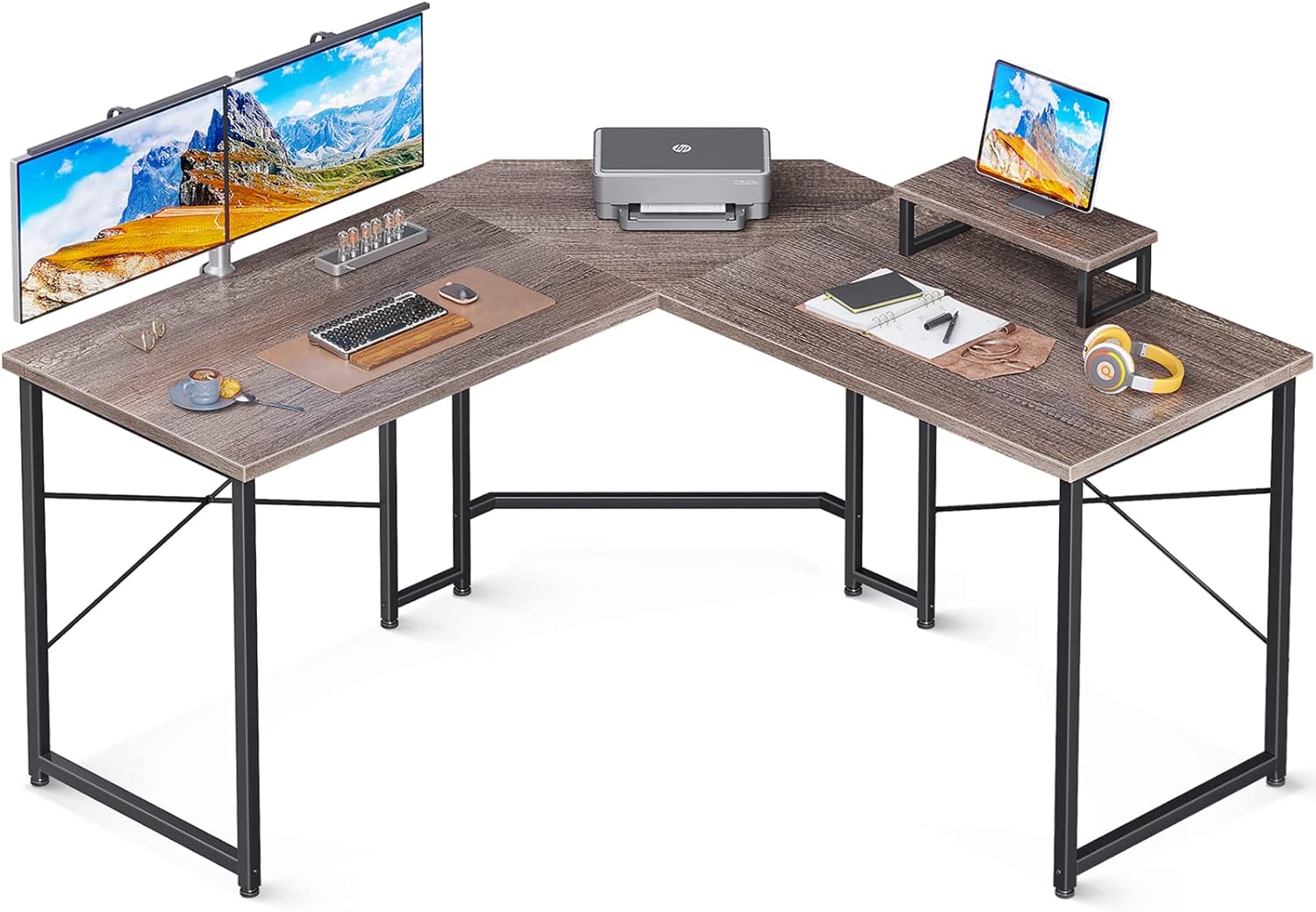
Image 1.1: The ODK L Shaped Gaming Desk configured for an office environment, showcasing its spacious surface and integrated monitor stand. A printer, keyboard, mouse, and a tablet on the monitor stand are visible.
2. Setup and Assembly
Assembly of the ODK L Shaped Gaming Desk is required. Please follow these general guidelines. For detailed step-by-step instructions, refer to the separate assembly guide included with your product packaging.
- Unpack Components: Carefully unpack all parts and hardware from the packaging. Verify that all components listed in the assembly guide are present and undamaged.
- Prepare Workspace: Choose a clear, flat, and spacious area for assembly to prevent damage to the desk components or your flooring.
- Assemble Frame: Begin by assembling the metal frame components according to the provided diagrams. Ensure all screws are finger-tightened initially.
- Attach Desktop Panels: Secure the engineered wood desktop panels to the assembled frame.
- Install Monitor Stand: Attach the monitor stand to the designated area on the desktop.
- Tighten All Fasteners: Once all parts are in place, systematically tighten all screws and fasteners using the provided tools. Do not overtighten.
- Adjust Foot Pads: The desk is equipped with adjustable foot pads. Adjust them as needed to ensure the desk is level and stable on your floor.
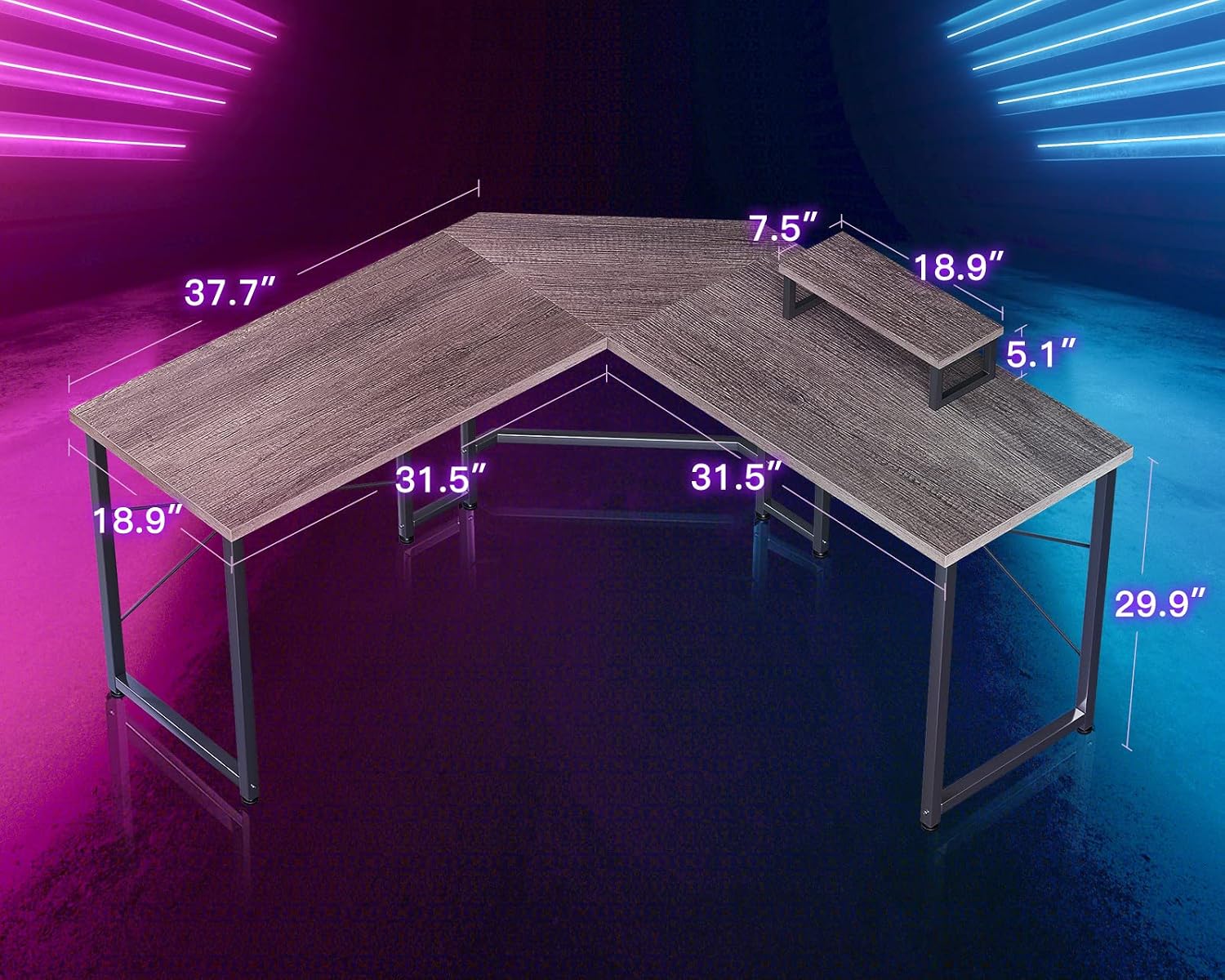
Image 2.1: A diagram illustrating the dimensions of the ODK L Shaped Gaming Desk, including the main desktop sections and the monitor stand. Key measurements are shown in inches.

Image 2.2: The assembled frame and desktop of the ODK L Shaped Gaming Desk, viewed from an angle, highlighting the sturdy metal base and the L-shaped surface before any items are placed on it.
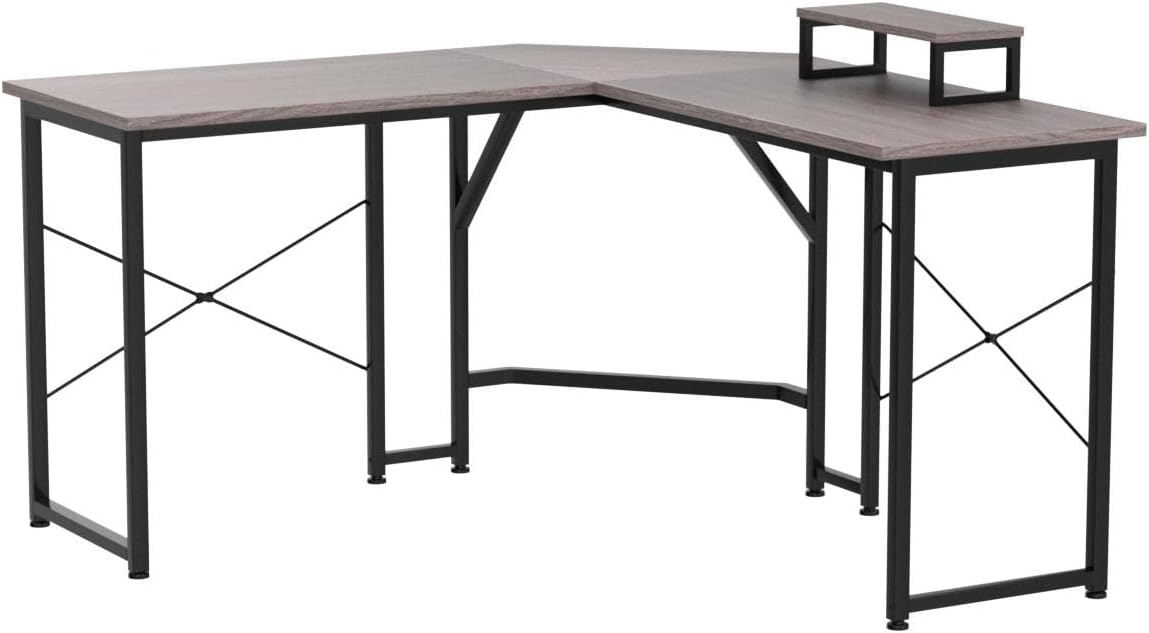
Image 2.3: A close-up view detailing the premium engineered wood board surface and the adjustable foot pads, which allow for leveling the desk on uneven floors.
3. Operating and Usage
The ODK L Shaped Gaming Desk is designed to provide a functional and comfortable workspace for various activities, including gaming, studying, and office work.
- Ergonomic Monitor Placement: Utilize the integrated monitor stand to elevate your screen to an optimal viewing height. This helps maintain a correct sitting posture and reduces strain on your neck and eyes during extended use.
- Spacious Workspace: The L-shaped design offers a large surface area, allowing you to organize multiple monitors, peripherals, and other essentials efficiently.
- Ample Legroom: The open design beneath the desktop provides generous legroom, ensuring comfort and allowing for easy movement of your chair.

Image 3.1: The ODK L Shaped Gaming Desk set up for a gaming environment, featuring multiple monitors, a gaming PC, and various accessories, demonstrating its suitability for intensive use.
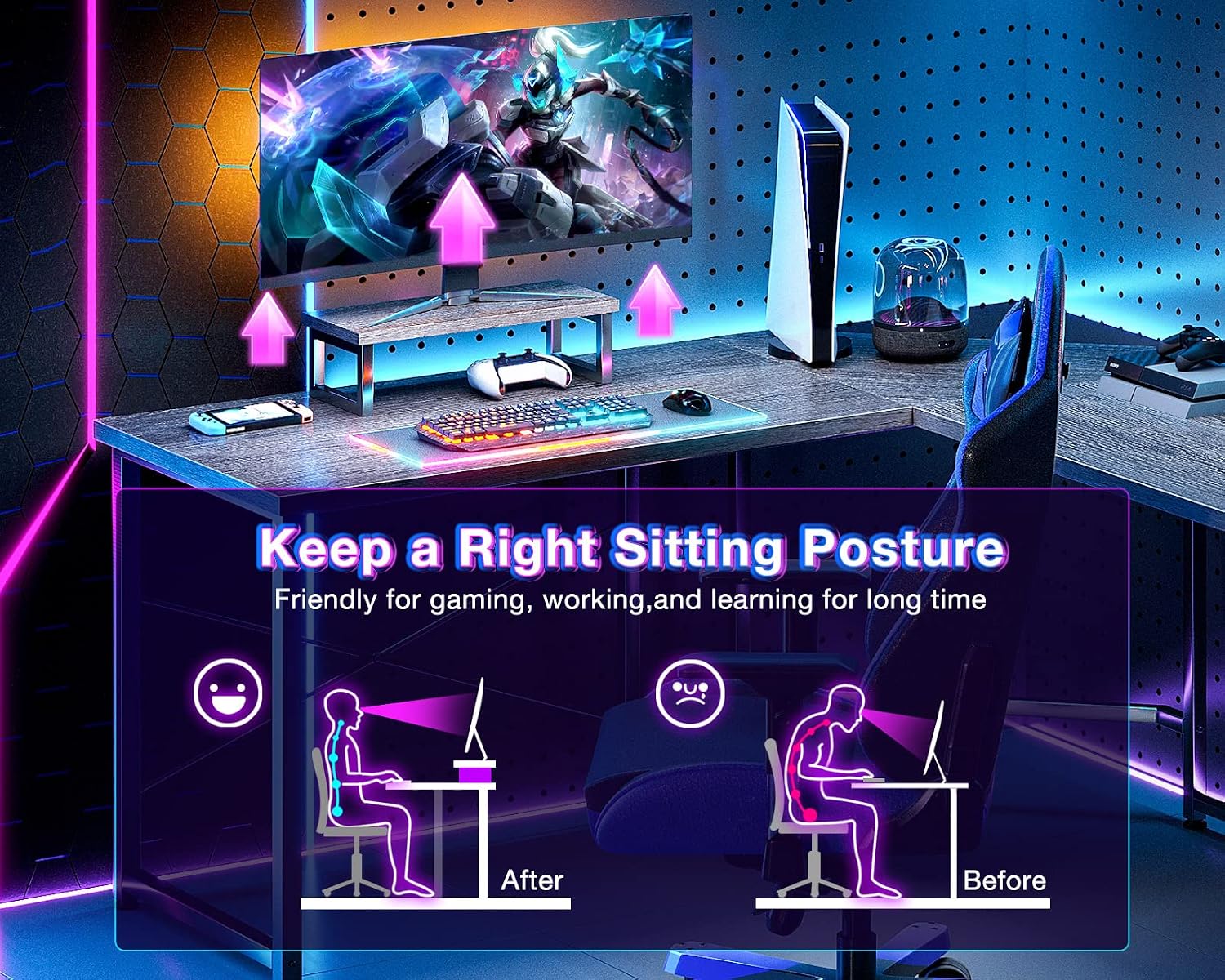
Image 3.2: A visual comparison showing the benefits of using a monitor stand for maintaining a correct sitting posture, highlighting reduced strain on the back and neck.

Image 3.3: An individual seated comfortably at the ODK L Shaped Gaming Desk, illustrating the generous legroom and open space beneath the desktop, allowing for free movement.
4. Maintenance
Proper maintenance will extend the lifespan and preserve the appearance of your ODK L Shaped Gaming Desk.
- Cleaning: Wipe the desktop and frame with a soft, damp cloth. For stubborn marks, use a mild, non-abrasive cleaner. Avoid harsh chemicals, solvents, or abrasive materials, as these can damage the finish.
- Hardware Check: Periodically check all screws and fasteners to ensure they remain tight. Retighten if necessary to maintain stability.
- Environmental Protection: Avoid placing the desk in direct sunlight or near heat sources, which can cause material degradation. Protect the surface from excessive moisture.
- Weight Distribution: Distribute weight evenly across the desktop. Avoid placing excessively heavy items on one section.
5. Troubleshooting
If you encounter any issues with your ODK L Shaped Gaming Desk, refer to the following common troubleshooting steps:
- Desk is Wobbly:
- Ensure all assembly screws are securely tightened.
- Adjust the foot pads on each leg to level the desk on uneven flooring.
- Missing Parts or Damaged Components:
- Carefully re-check all packaging materials.
- Contact ODK customer support immediately with your purchase details and a description of the issue.
- Difficulty with Assembly:
- Review the assembly instructions carefully, paying close attention to diagrams.
- Ensure components are oriented correctly before tightening screws.
- If issues persist, contact customer support for assistance.
6. Specifications
| Feature | Detail |
|---|---|
| Brand | ODK |
| Model Number | B01011517USAN0202AIVCTLO |
| Product Dimensions (D x W x H) | 48.3 cm x 129.5 cm x 76.2 cm (19"D x 51"W x 30"H) |
| Product Weight | 17.96 kg |
| Shipping Weight | 18.12 kg |
| Color | Grey Oak |
| Primary Material (Top) | Engineered Wood |
| Base Material | Metal |
| Finish Type | Powder Coated |
| Style | Modern |
| Item Shape | L-Shape |
| Assembly Required | Yes |
| Special Features | Adjustable (Foot Pads) |
7. Warranty and Support
For specific warranty information regarding your ODK L Shaped Gaming Desk, please refer to the documentation provided at the time of purchase or contact your retailer. Warranty terms typically cover manufacturing defects and material flaws for a specified period.
If you require further assistance, have questions about assembly, or need to report a missing or damaged part, please contact ODK customer service. Have your product model number (B01011517USAN0202AIVCTLO) and purchase details ready for efficient support.
You may find contact information on the ODK official website or through the retailer where the product was purchased.


