
1. Introduction
Thank you for choosing the VGR V-322 Professional Electric Shaver. This manual provides essential information for the safe and effective use, maintenance, and troubleshooting of your new shaver. Please read it thoroughly before first use and retain it for future reference.

Image 1.1: The VGR V-322 Professional Electric Shaver packaging, showcasing the product and its main features.
Package Contents
The VGR V-322 Professional Electric Shaver package typically includes the following items:
- VGR V-322 Electric Shaver
- USB Charging Cable
- Cleaning Brush
- Protection Cap
- User Manual
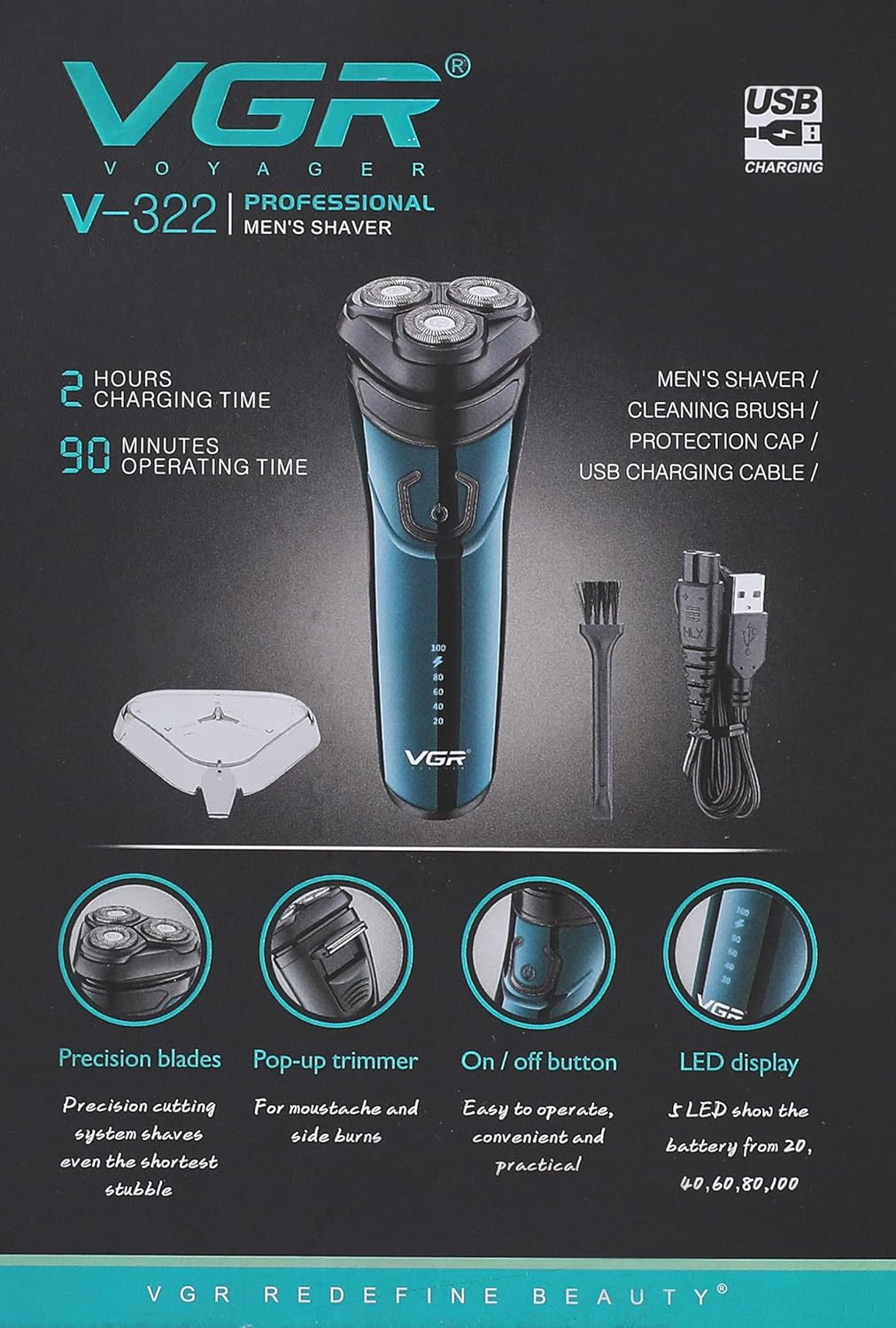
Image 1.2: Contents of the VGR V-322 Shaver package. This image displays the electric shaver, USB charging cable, cleaning brush, and a protective cap, as typically found inside the product box.
2. Safety Information
For your safety and to ensure proper operation, please observe the following precautions:
- Always use with caution to avoid cuts.
- Do not use the shaver while it is charging.
- Clean the shaver regularly to prevent bacterial growth and maintain hygiene.
- Keep the appliance dry when not in use.
- Do not disassemble the shaver beyond routine cleaning.
- Keep out of reach of children.
3. Setup and Charging
Initial Charge
Before using your VGR V-322 shaver for the first time, fully charge it. The shaver features a Lithium-ion battery.
- Ensure the shaver is turned off.
- Connect the USB charging cable to the shaver's charging port.
- Plug the other end of the USB cable into a compatible USB power adapter (5V, 1A) or a computer USB port.
- The LCD display will indicate the charging status. A full charge typically takes approximately 1.5 hours.
- Once fully charged, disconnect the shaver from the power source.
Note: The shaver cannot be operated while it is connected to the charging cable.

Image 3.1: Front view of the VGR V-322 Electric Shaver, highlighting the power button and the integrated LCD display which shows battery level and charging status.
4. Operating Instructions
Powering On/Off
Press the power button located on the front of the shaver to turn it on or off.
Wet and Dry Shaving
The VGR V-322 is designed for both wet and dry shaving, offering flexibility for your grooming routine. Its waterproof design allows for use in the shower or with shaving cream.
- Dry Shaving: For a quick shave, ensure your face is clean and dry. Move the shaver in small, circular motions against the direction of hair growth.
- Wet Shaving: For a more comfortable shave, apply shaving foam or gel to your face. Shave in small, circular motions. Rinse the shaver head under running water during and after shaving to prevent clogging.
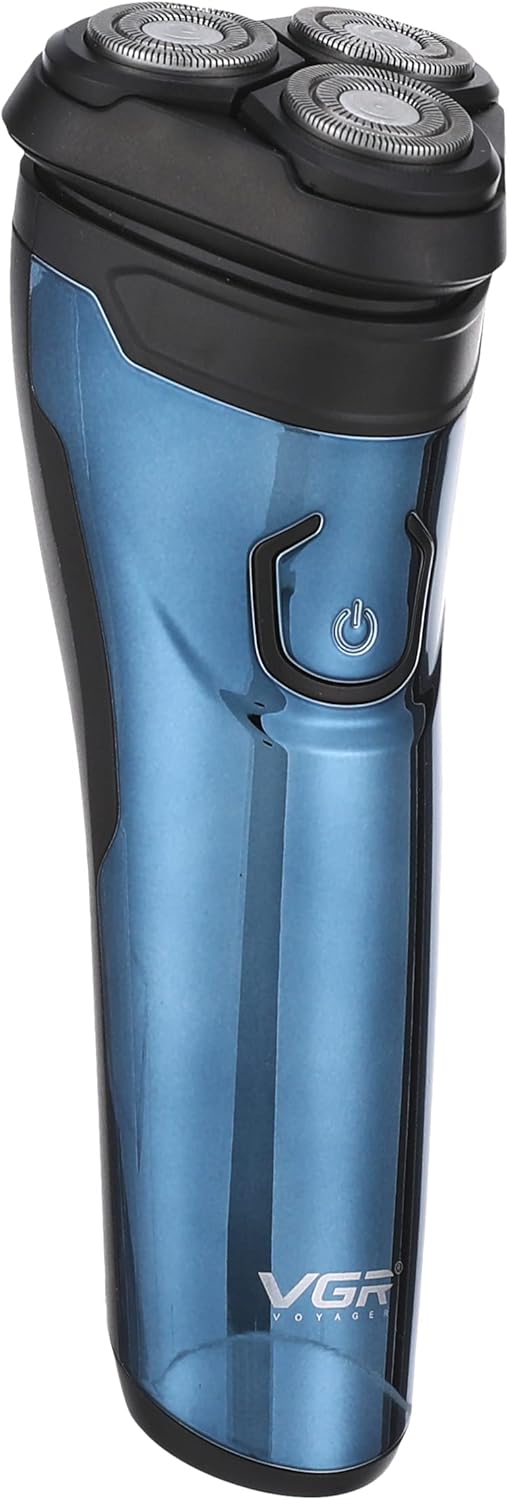
Image 4.1: The VGR V-322 Electric Shaver, showcasing its ergonomic design and the triple rotary shaving heads, suitable for both wet and dry use.
Using the Pop-up Trimmer
The shaver includes a pop-up trimmer for precise detailing of sideburns and moustaches.
- Locate the trimmer release switch on the back of the shaver.
- Slide the switch upwards to activate the pop-up trimmer.
- Use the trimmer to shape and trim longer hairs.
- Once finished, push the trimmer back down until it clicks into place.
Image 4.2: Rear view of the VGR V-322 Electric Shaver, illustrating the location of the pop-up trimmer and product identification details.
5. Maintenance and Cleaning
Regular cleaning ensures optimal performance and extends the lifespan of your shaver. The VGR V-322 is designed for whole-body washing.
- Daily Cleaning: After each use, turn off the shaver. Open the shaving head unit and rinse it thoroughly under running water. Shake off excess water and allow it to air dry.
- Thorough Cleaning (Weekly/Bi-weekly):
- Turn off the shaver and disconnect it from any power source.
- Carefully remove the shaving head assembly.
- Use the provided cleaning brush to remove any trapped hairs from the blades and the shaver body.
- Rinse the shaving head and the shaver body under running water.
- Allow all parts to dry completely before reassembling.
- Apply a small drop of lubricating oil (if provided) to the blades to maintain their sharpness and smooth operation.
The shaver features an automatic grinding technology for its blades, which helps maintain their sharpness over time with regular use.
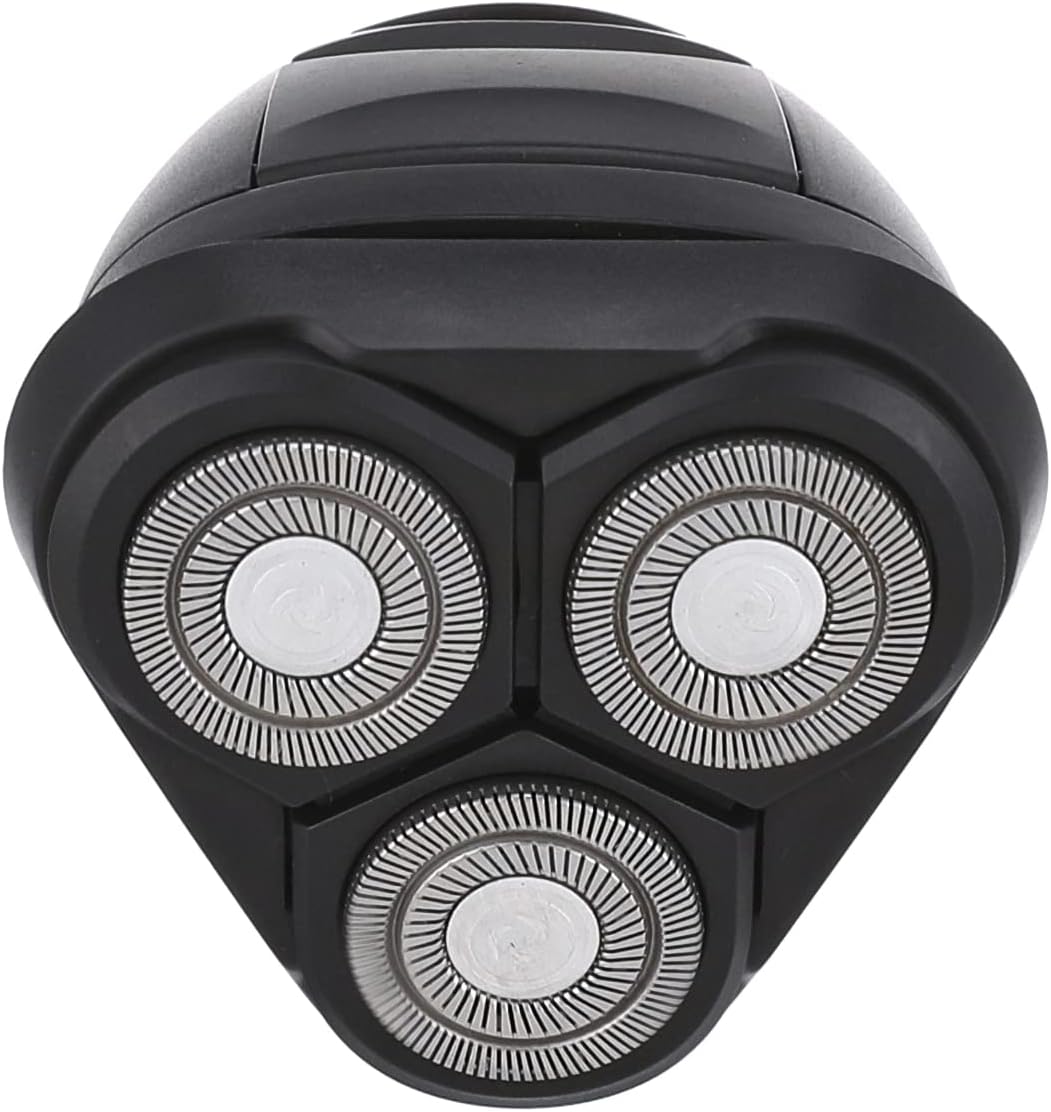
Image 5.1: Detailed view of the VGR V-322's triple rotary shaving heads, illustrating the precision blades that require regular cleaning for optimal performance.
6. Troubleshooting
If you encounter issues with your VGR V-322 shaver, please refer to the following common solutions:
| Problem | Possible Cause | Solution |
|---|---|---|
| Shaver does not turn on. | Low battery or not charged. | Charge the shaver for 1.5 hours. Ensure it is disconnected from the charger before attempting to turn it on. |
| Poor shaving performance. | Blades are dirty or worn. | Clean the shaving heads thoroughly. If performance does not improve, consider replacing the shaving heads (contact support for availability). |
| Shaver pulls hair. | Blades are dull or shaver is not clean. | Ensure the shaver is fully charged. Clean the shaving heads. If the issue persists, the blades may need replacement. |
| LCD display not working. | Internal malfunction. | Ensure the shaver is charged. If the problem continues, contact customer support. |
7. Specifications
| Feature | Detail |
|---|---|
| Model | V-322 |
| Brand | VGR |
| Power Type | Rechargeable (Dual Powered) |
| Voltage | Global Universal (100-240V) |
| Charging Time | Approx. 1.5 hours |
| Usage Time | Approx. 90 minutes |
| Blade Type | Triple Rotary Blades |
| Blade Material | Stainless Steel |
| Washing Mode | Whole Body Washing (Waterproof) |
| Special Features | Wet & Dry Shave, Pop-up Trimmer, LCD Display, Automatic Grinding |
| Battery Type | 1 Lithium Ion battery (included) |
| Item Weight | 200 Grams |
| Color | Blue |
| Country of Origin | China |
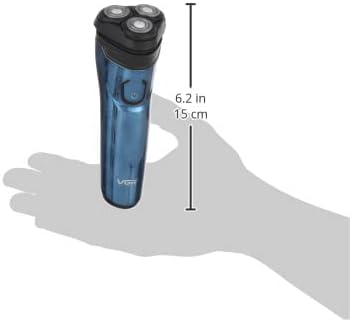
Image 7.1: The VGR V-322 Electric Shaver shown in hand, providing a visual reference for its compact size and ergonomic design, measuring approximately 15 cm (6.2 inches) in length.
8. Warranty and Support
For warranty information or technical support, please refer to the warranty card included with your product or contact VGR customer service through their official website or the retailer where the product was purchased. Please have your model number (V-322) and purchase details ready when contacting support.


