
Tecno SC01 - Black
Tecno Sonic 1 TWS Earbuds User Manual
Model: SC01 - Black | Brand: Tecno
Introduction
The Tecno Sonic 1 TWS Earbuds are designed to provide a superior audio experience with extended battery life and versatile wearing options. Featuring advanced call noise cancellation and a durable, water-resistant design, these earbuds are perfect for on-the-go use.
Key Features:
- Up to 50 hours ultra-long battery life (with charging case)
- Free switching between in-ear and half in-ear wearing styles
- Effective call noise cancellation for clear communication
- Compact and lightweight design for easy portability
- Dual connection and synchronous fast pairing
- IPX5 water resistance for worry-free use
Setup Guide
1. Initial Charging
Before first use, fully charge the Tecno Sonic 1 earbuds and their charging case. Place both earbuds into the charging case and connect the case to a power source using the provided USB cable. The indicator lights on the case will show charging status.
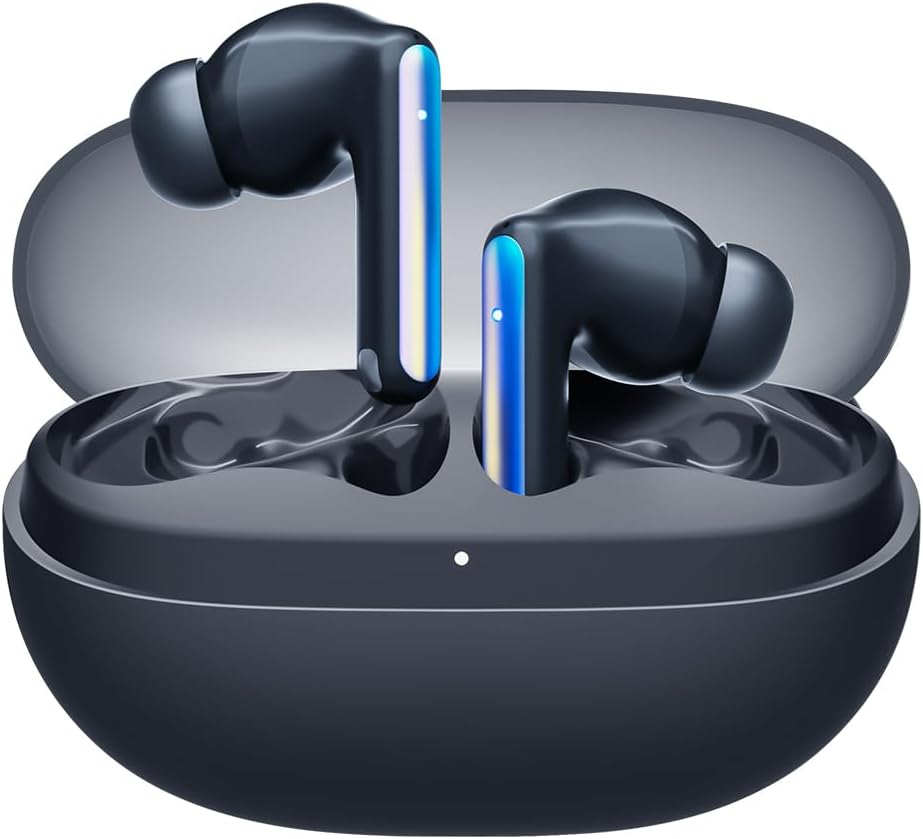
Image: Tecno Sonic 1 TWS Earbuds resting inside their charging case, indicating readiness for charging or storage.
2. Pairing with a Device
- Ensure the earbuds are in the charging case and the case lid is open.
- On your device (smartphone, tablet, etc.), enable Bluetooth.
- Select "Tecno Sonic 1" from the list of available Bluetooth devices.
- Once connected, a voice prompt will confirm successful pairing.
Note: The earbuds support dual connection, allowing them to be paired with two devices simultaneously.
Operating Instructions
Wearing the Earbuds
The Tecno Sonic 1 earbuds offer flexible wearing options: in-ear and half in-ear. Choose the ear tips that provide the most comfortable and secure fit for optimal sound quality and noise cancellation.
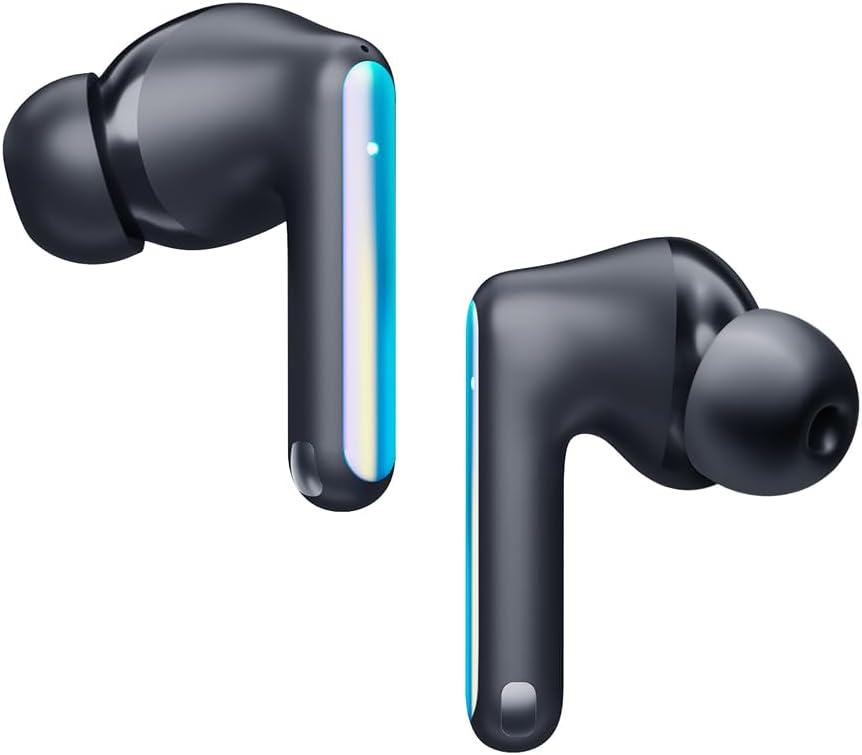
Image: Individual Tecno Sonic 1 TWS Earbuds, highlighting their sleek design and showing the different ear tip options for in-ear and half in-ear fit.
Touch Controls
| Action | Function |
|---|---|
| Single Tap (Left/Right) | Play/Pause Music, Answer/End Call |
| Double Tap (Right) | Next Track |
| Double Tap (Left) | Previous Track |
| Triple Tap (Left/Right) | Activate Voice Assistant |
| Long Press (2s, Left/Right) | Reject Call |
Maintenance
Cleaning
- Regularly clean the earbuds and charging case with a soft, dry, lint-free cloth.
- Remove ear tips and clean them with mild soap and water, then dry thoroughly before reattaching.
- Do not use abrasive cleaners or solvents.
Storage
When not in use, store the earbuds in their charging case to protect them from dust and damage, and to ensure they remain charged.
Troubleshooting
Common Issues and Solutions:
- Earbuds not pairing or connecting:
- Ensure earbuds are charged.
- Turn off and on Bluetooth on your device.
- Forget "Tecno Sonic 1" from your device's Bluetooth list and try pairing again.
- Place earbuds back in the case, close the lid for 5 seconds, then open to reset.
- No sound or low volume:
- Check volume levels on both earbuds and your connected device.
- Ensure earbuds are properly seated in your ears.
- Clean any debris from the earbud grilles.
- Charging issues:
- Verify the charging cable and adapter are working correctly.
- Ensure charging contacts on earbuds and case are clean and dry.
Specifications
| Feature | Detail |
|---|---|
| Brand | Tecno |
| Model Name | Sonic - 1 |
| Item Model Number | SC01 - Black |
| Connectivity Technology | Wireless (Bluetooth) |
| Ear Placement | In Ear |
| Headphones Form Factor | In Ear |
| Noise Control | Sound Isolation (Call Noise Cancellation) |
| Impedance | 3 Ohm |
| Headphone Jack | No Jack |
| Color | Black |
| Product Dimensions | 7.5 x 5.2 x 2.7 cm |
| Item Weight | 52 Grams |
| Batteries | 1 Lithium Ion battery (included) |
| Water Resistance | IPX5 |
Warranty and Support
For warranty information and technical support, please refer to the documentation included with your purchase or visit the official Tecno website. Keep your proof of purchase for any warranty claims.
You can visit the Tecno Store on Amazon for more product information and support resources.
Related documentsSC01 - Black


Ask a question about this manual
Ask about setup, troubleshooting, compatibility, parts, safety, or missing instructions. Manuals+ will review the question and use this page’s manual context to help answer it.