
Insta360 CINSAAV/A-ALT1
Insta360 GPS Action Remote User Manual
Model: CINSAAV/A-ALT1
Introduction
This manual provides comprehensive instructions for the safe and effective use of your Insta360 GPS Action Remote. Please read this manual thoroughly before operating the device to ensure optimal performance and longevity.
Important Safety Information
- Do not attempt to disassemble or modify the remote. This may cause damage and void the warranty.
- Keep the remote away from extreme temperatures, direct sunlight, and corrosive liquids.
- Ensure the charging port is dry before connecting the USB cable.
- While the remote is waterproof, it is not designed for prolonged underwater use, especially where GPS signals may be negatively affected.
- Use only the provided charging cable or a certified equivalent.
Package Contents
Verify that all items listed below are included in your package:
- 1x Insta360 GPS Action Remote
- 1x USB Charging Cable
- 1x Wrist Strap
- 1x Clamp (for selfie stick attachment)
- 1x User Manual (this document)
This image displays the Insta360 GPS Action Remote along with its included accessories: a wrist strap and a clamp, illustrating the typical contents found in the product packaging.
Product Overview
The Insta360 GPS Action Remote is designed to provide convenient remote control for your Insta360 action cameras, along with integrated GPS data recording.

Front view of the remote, highlighting its display screen and large red control button.

Rear view of the remote, showcasing the integrated mounting plate for accessories.
Key Features:
- Bluetooth Connectivity: Connects wirelessly to compatible Insta360 cameras.
- GPS Data Recording: Records speed, altitude, and direction metadata with your video and photos.
- Remote Wake: Ability to wake up your camera remotely.
- Waterproof Design: Waterproof up to 5m (16ft) deep.
- Long Battery Life: Built-in Li-ion battery provides extended usage.
Setup
1. Charging the Remote
Before first use, fully charge the remote. Connect the provided USB charging cable to the remote's charging port and a USB power source. The display will indicate charging status. A full charge takes approximately two hours.
2. Pairing with Insta360 Cameras
The remote connects to your Insta360 camera via Bluetooth 5.0 for a fast and stable connection.
- Ensure your Insta360 camera (X3, ONE X2, ONE RS, ONE R) is powered on and Bluetooth is enabled.
- On the remote, navigate to the pairing menu (refer to the remote's on-screen instructions).
- Select your camera from the list of available devices to establish a connection.
- Once paired, the remote's display will show connection strength and camera status.
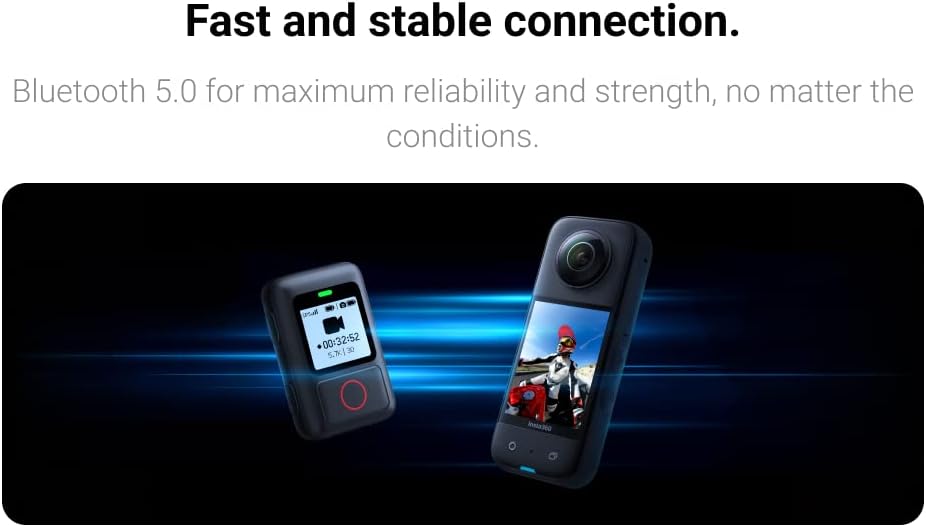
This image depicts the GPS Action Remote establishing a fast and stable Bluetooth connection with an Insta360 camera.
3. Attaching the Remote
The remote offers flexible attachment options for various scenarios.
- Wrist Strap: Use the included wrist strap to wear the remote on your wrist for easy access during activities.
- Clamp: Attach the remote to a selfie stick, handlebars, or other compatible mounts using the provided clamp.

This image illustrates various attachment methods for the remote, including wearing it on the wrist and mounting it on a bicycle handlebar.
Operating Instructions
Basic Controls
The large accessible buttons on the remote allow for intuitive control of your camera.
- Power Button: Press and hold to power on/off. Short press to wake/sleep.
- Record Button (Red Circle): Press to start or stop video recording, or to capture a photo.
- Navigation Buttons: Use the side buttons (if present) to navigate menus and adjust camera settings displayed on the remote's screen.
The remote's display shows essential information such as clip record duration, battery level of both the remote and the camera, and connection strength indicators.
GPS Functionality and Data Recording
The remote receives GPS data (GPS, BD, Galileo, GLONASS) and sends it to the camera, saving it with your video and photo metadata. This allows for tracking speed, altitude, and direction.

This image demonstrates how the GPS Action Remote enables the recording of accurate GPS data, which can be overlaid onto video footage.

This image visually represents the real-time GPS data acquisition by the remote, ensuring accurate location tracking.
Note: GPS signals may be negatively affected underwater or in areas with limited satellite visibility (e.g., dense urban canyons, indoors).
Remote Wake Feature
Even when your camera is off, the remote can wake it up with ease, allowing you to start recording without physically accessing the camera.
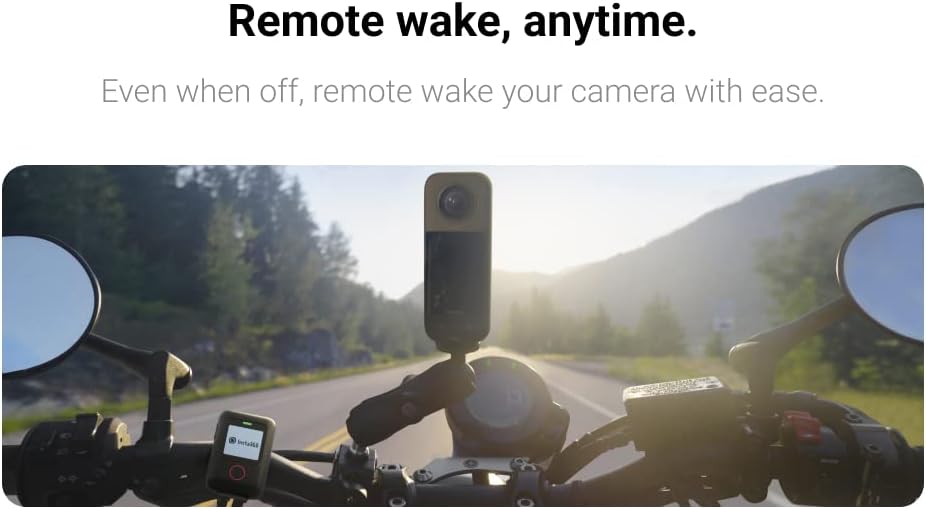
This image illustrates the remote wake feature, allowing users to activate their camera remotely, even when it's powered off.
One-Touch Upload to Google Street View
Videos and photos recorded with location metadata can be easily uploaded to Google Street View via the Insta360 smartphone app, enhancing your immersive content sharing.
Maintenance
Cleaning
Wipe the remote with a soft, damp cloth. Do not use harsh chemicals or abrasive materials. Ensure the charging port is clean and free of debris.
Battery Care
To prolong battery life, avoid fully discharging the remote frequently. Store the remote with a partial charge if not used for extended periods.
Waterproof Considerations
The remote is waterproof up to 5m (16ft). However, it is not designed for prolonged underwater use, and GPS signals are negatively affected in water. Always ensure the charging port cover is securely closed before exposure to water.
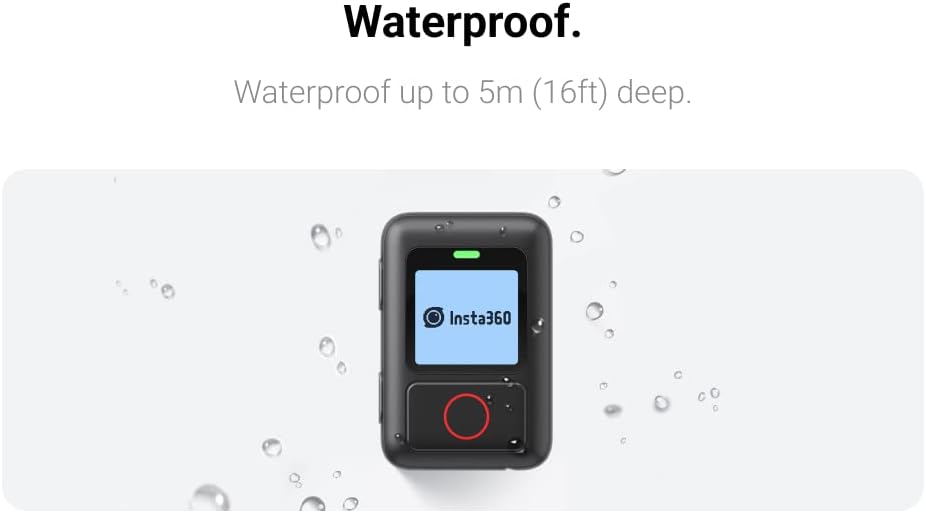
This image highlights the waterproof design of the remote, capable of withstanding splashes and submersion up to 5 meters.
Troubleshooting
| Problem | Possible Cause | Solution |
|---|---|---|
| Remote not connecting to camera. | Bluetooth is off on camera/remote; remote/camera out of range; interference. | Ensure Bluetooth is on for both devices. Bring devices closer. Restart both devices. Re-pair the remote and camera. |
| Inaccurate or no GPS data. | Poor satellite signal (indoors, dense areas); remote not acquiring signal. | Move to an open outdoor area. Wait for the remote to acquire a strong GPS signal (indicated on display). |
| Short battery life. | Frequent use of GPS; aging battery; incomplete charging. | Ensure full charge before use. Reduce GPS usage if not critical. Battery may need replacement if significantly degraded. |
| Remote not turning on. | Battery is depleted. | Charge the remote for at least 30 minutes. If still unresponsive, contact support. |
Specifications
| Feature | Detail |
|---|---|
| Model Number | CINSAAV/A-ALT1 |
| Connectivity | Bluetooth 5.0 |
| Compatible Devices | Insta360 X3, ONE X2, ONE RS, ONE R, GO 3S/GO 3, X5/X4, ACE/ACE PRO/ACE PRO 2 |
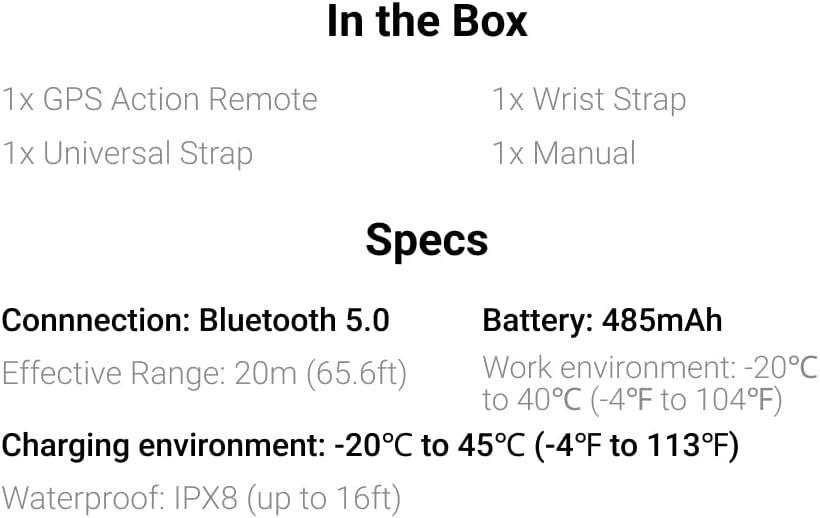
| Battery Type | Built-in Li-ion (485mAh) |
| Charging Time | Approx. 2 hours |
| Battery Life | Approx. 24 hours |
| Effective Range | 20m (65.6ft) |
| Waterproof Rating | IPX8 (up to 5m / 16ft) |
| Operating Temperature | -20°C to 40°C (-4°F to 104°F) |
| Charging Temperature | -20°C to 45°C (-4°F to 113°F) |
| Dimensions | 7.28 x 3.98 x 2.99 inches (Package) |
| Weight | 5.6 ounces |
This image provides a quick overview of the remote's key specifications, such as connectivity, battery capacity, and waterproof rating.
Warranty and Support
Insta360 products come with a standard manufacturer's warranty. For detailed warranty terms and conditions, please refer to the warranty card included with your product or visit the official Insta360 website.
For technical support, troubleshooting assistance, or service inquiries, please contact Insta360 Customer Service through their official website or the contact information provided in your product packaging.
Online Resources:
Related documentsCINSAAV/A-ALT1


Ask a question about this manual
Ask about setup, troubleshooting, compatibility, parts, safety, or missing instructions. Manuals+ will review the question and use this page’s manual context to help answer it.