
1. Introduction
Thank you for choosing the Baseus Bipow Digital Display Power Bank. This compact and efficient device is designed to provide reliable power on the go, ensuring your devices stay charged when you need them most. This manual provides essential information on how to set up, operate, and maintain your power bank, along with important safety guidelines and troubleshooting tips.
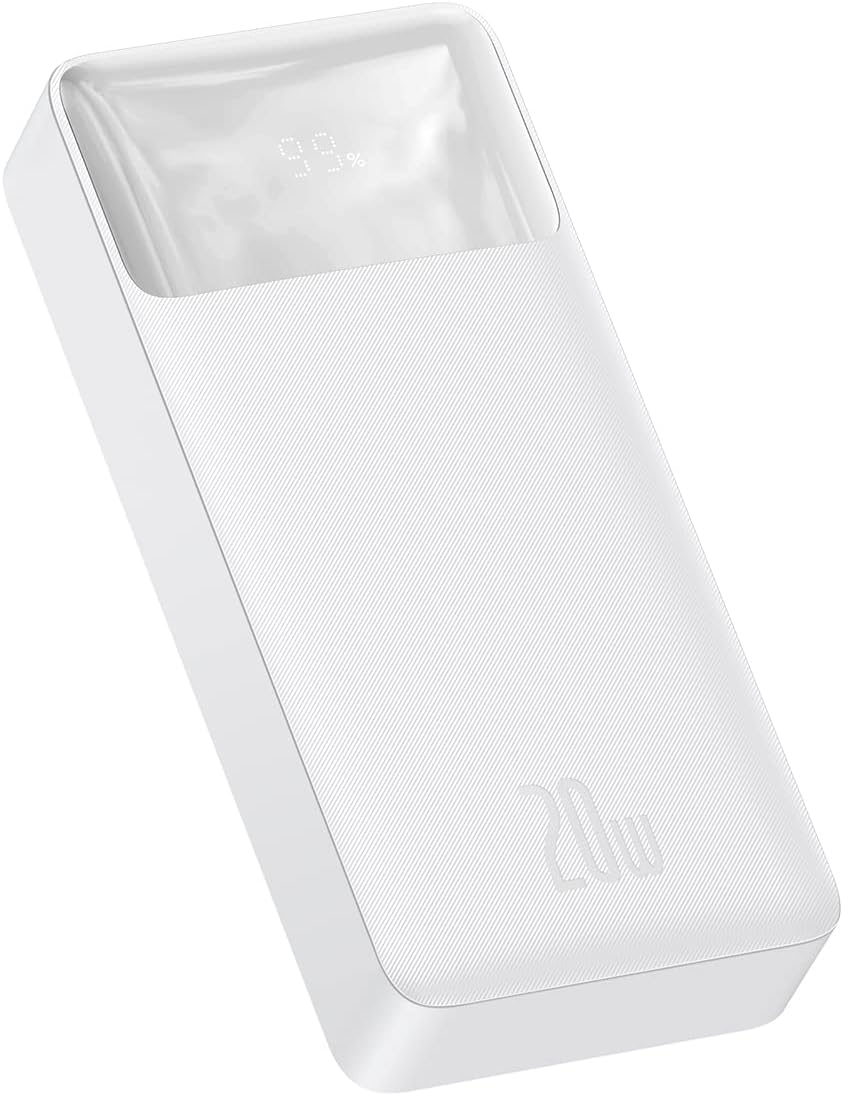
Image 1.1: Angled view of the Baseus Bipow Digital Display Power Bank, showcasing its sleek white design and the digital percentage display.
2. Product Overview
2.1 Key Features
- High Capacity: 20000mAh battery for multiple device charges.
- Fast Charging: Supports Power Delivery (PD) 20W and Quick Charge (QC) 3.0 for rapid charging of compatible devices.
- Multiple Outputs: Equipped with two USB-A ports and one USB-C port, allowing simultaneous charging of up to three devices.
- Digital Display: An integrated LED screen clearly shows the remaining battery percentage.
- Smart Chip Protection: Adapts charging performance to the connected device and provides comprehensive safety features.
- Durable Design: Constructed from robust ABS and polycarbonate materials for enhanced durability.
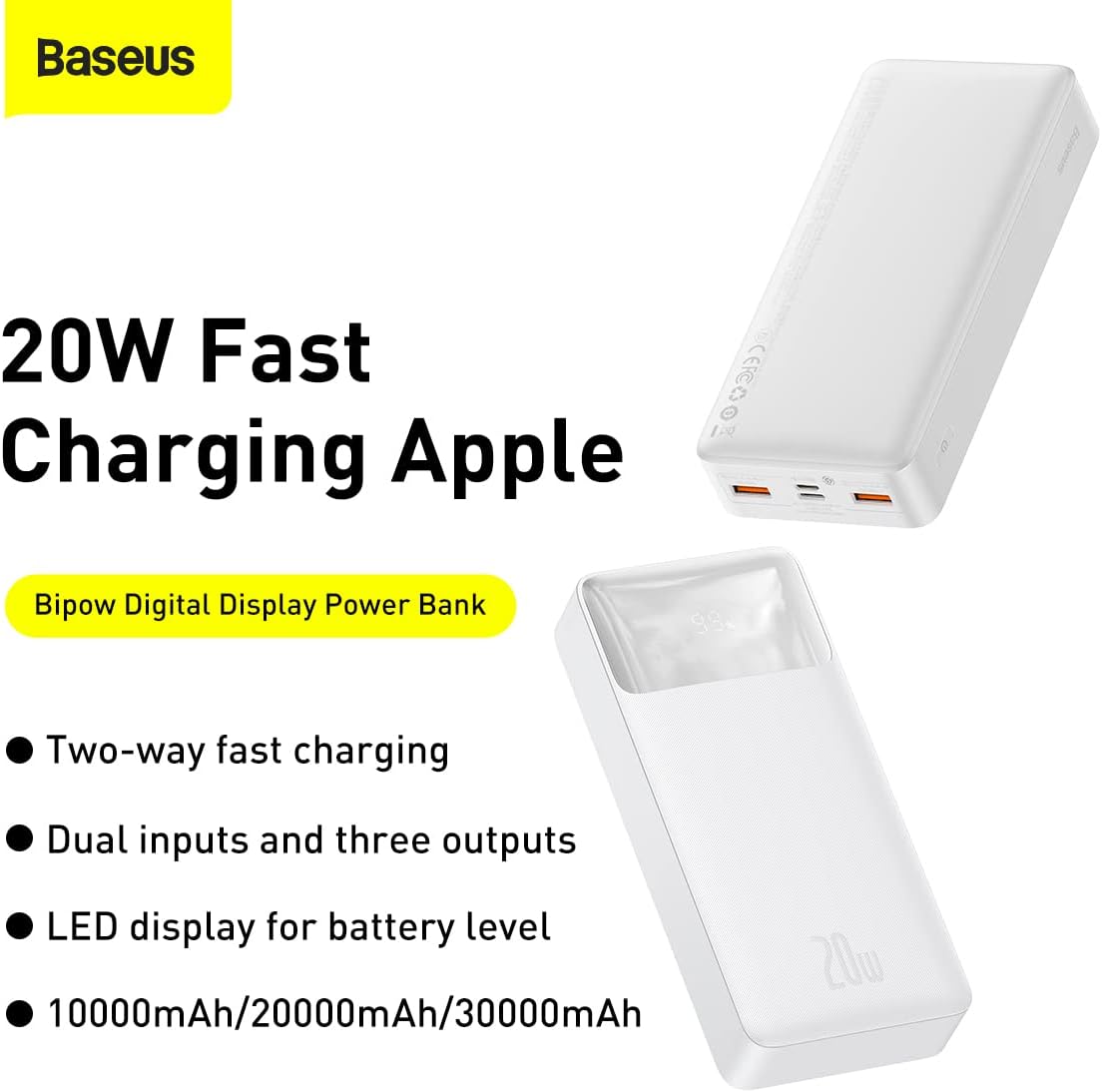
Image 2.1: Marketing image illustrating the 20W fast charging capability, two-way fast charging, dual inputs, three outputs, and LED display for battery level, available in 10000mAh, 20000mAh, and 30000mAh variants.
2.2 Components
The Baseus Bipow Digital Display Power Bank features a user-friendly design with clearly marked ports and an informative display.
- Digital Display: Shows battery percentage.
- USB-A Output Ports (x2): For charging various devices.
- USB-C Input/Output Port: For charging the power bank or compatible devices.
- Micro-USB Input Port: For charging the power bank.
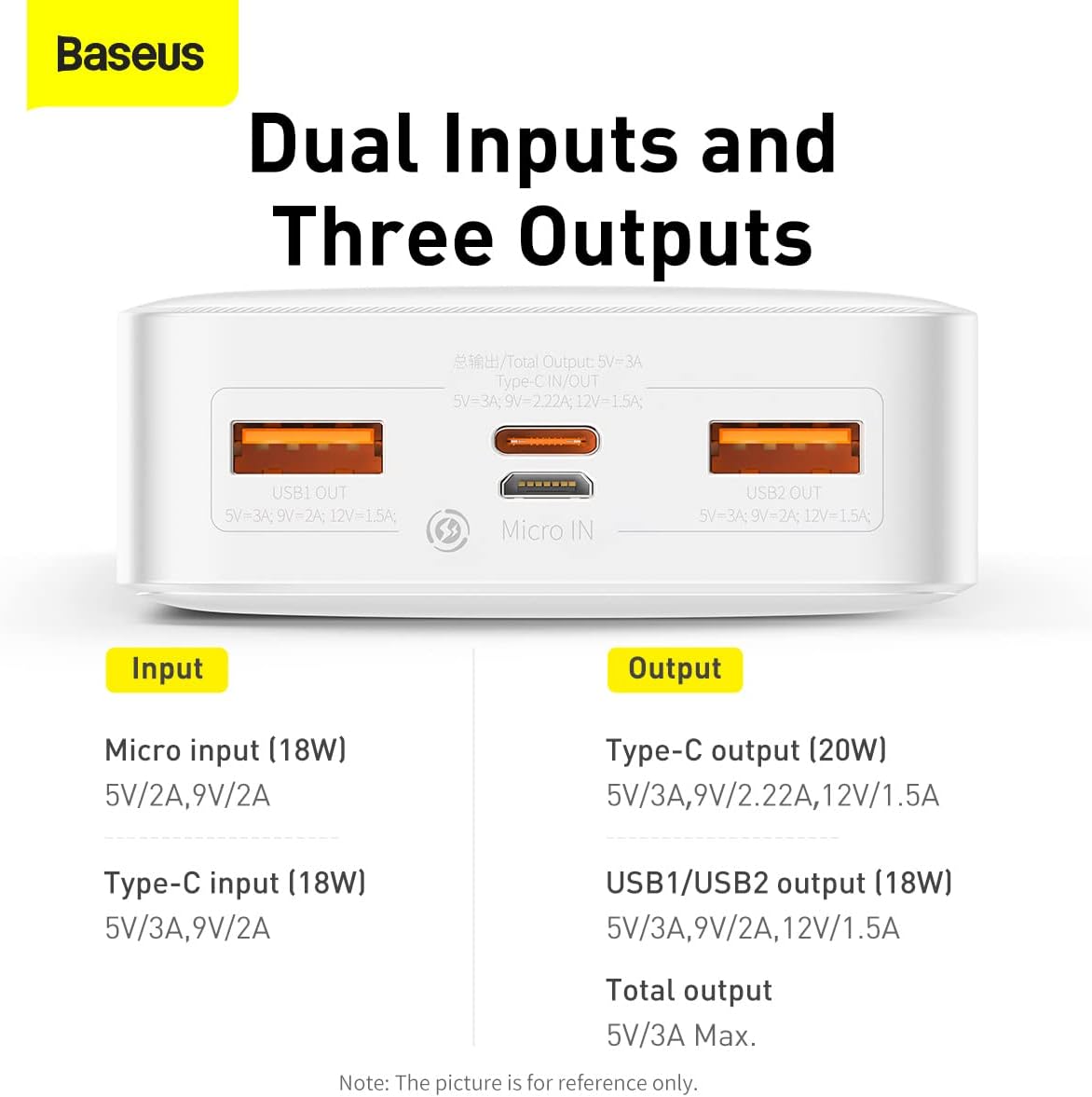
Image 2.2: Top-down view of the power bank's ports, clearly labeling the Micro-USB input, Type-C input/output, and two USB1/USB2 output ports.

Image 2.3: Front view of the power bank, highlighting the digital display showing '99%' charge and the '20W' power output branding.
3. Specifications
| Feature | Specification |
|---|---|
| Model Number | PPBD050302 |
| Materials | ABS + Polycarbonate |
| Battery Type | Lithium Polymer |
| Battery Capacity | 20000mAh / 3.7V 74Wh |
| Rated Capacity | 12000mAh |
| Power Conversion Rate | ≥75% |
| Micro-USB Input | DC 5V/2A, 9V/2A (Max 18W) |
| Type-C Input | DC 5V/3A, 9V/2.22A, 12V/1.5A (Max 20W) |
| USB1/USB2 Output | DC 5V/3A, 9V/2A, 12V/1.5A (Max 18W) |
| Type-C Output | DC 5V/3A, 9V/2.22A, 12V/1.5A (Max 20W) |
| Total Output (USB + Type-C) | DC 5V/3A (Max) |
| Product Dimensions | 153 × 68.8 × 29.5 mm |
| Product Weight | Approx. 300g |
| Color | White |
4. Setup
Before using your Baseus Bipow Digital Display Power Bank for the first time, it is recommended to fully charge it to ensure optimal performance and battery longevity.
4.1 Initial Charging of the Power Bank
- Connect the power bank to a power source (e.g., wall adapter, computer USB port) using either a Micro-USB cable or a Type-C cable.
- The digital display on the power bank will illuminate and show the charging percentage.
- Charge until the display shows 100%.
5. Operating Instructions
5.1 Charging Your Devices
- Connect your device (smartphone, tablet, etc.) to one of the power bank's output ports (USB-A or Type-C) using a compatible charging cable.
- The power bank will automatically detect the connected device and begin charging. The digital display will show the power bank's remaining charge.
- You can charge up to three devices simultaneously.

Image 5.1: The power bank shown alongside Huawei and Samsung phones, demonstrating its compatibility with various fast charging protocols.

Image 5.2: The power bank connected to and charging an iPhone, illustrating its compatibility with Apple devices.
5.2 Checking Battery Level
The digital display on the front of the power bank will show the current battery percentage. It illuminates automatically when a device is connected or when the power bank is being charged.
6. Safety Information
The Baseus Bipow Digital Display Power Bank is designed with multiple safety protections to ensure safe and reliable operation. These include:
- Overcharge Protection: Prevents battery damage from excessive charging.
- Over-discharge Protection: Protects the battery from being fully depleted.
- Over-voltage Protection: Safeguards against voltage fluctuations.
- Overheating Protection (NTC Temperature Protection): Monitors and regulates internal temperature to prevent overheating.
- Over-current Protection: Prevents damage from excessive current flow.
- Short Circuit Protection: Automatically cuts off power in case of a short circuit.
- Electromagnetic Field Protection: Shields against electromagnetic interference.
Despite these protections, please observe the following general safety precautions:
- Do not expose the power bank to extreme temperatures (hot or cold).
- Do not disassemble, modify, or attempt to repair the device.
- Keep away from water and high humidity.
- Avoid dropping or subjecting the power bank to strong impacts.
- Keep out of reach of children.

Image 6.1: Internal view of the power bank highlighting the NTC temperature protection sensor and a graph illustrating temperature regulation during charging.
7. Maintenance
- Clean the power bank with a soft, dry cloth. Do not use liquid cleaners or aerosols.
- Store the power bank in a cool, dry place when not in use.
- If storing for extended periods, charge the power bank to approximately 50-70% every three months to maintain battery health.
8. Troubleshooting
8.1 Power Bank Not Charging
- Ensure the charging cable is securely connected to both the power bank and the power source.
- Try a different charging cable or power adapter.
- Verify the power source is active.
8.2 Device Not Charging from Power Bank
- Check if the power bank has sufficient charge (refer to the digital display).
- Ensure the charging cable connecting your device to the power bank is functional and securely connected.
- Try a different output port on the power bank.
- Confirm your device is compatible with the power bank's output specifications.
8.3 Slow Charging
- Ensure both the power bank and your device support fast charging protocols (PD, QC 3.0) for optimal speed.
- Use a high-quality, fast-charging compatible cable.
- Avoid charging multiple devices simultaneously if you require maximum speed for one device.
9. Warranty and Support
For warranty information or technical support, please refer to the warranty card included with your product or visit the official Baseus website. You may also contact customer service through your point of purchase.
Manufacturer: Baseus
Model Number: PPBD050302


