
1. Introduction
This manual provides essential information for setting up, operating, maintaining, and troubleshooting your Acer Aspire 3 A315-24P-R2SC Slim Laptop. Designed for practical multitasking and productivity, this laptop features the AMD Ryzen™ 7000 Series Processor and a 15.6" Full HD IPS display. Please read this manual thoroughly to ensure optimal performance and longevity of your device.

Figure 1: Acer Aspire 3 A315-24P-R2SC Slim Laptop
2. What's in the Box
Verify that all items are present in the package:
- Acer Aspire Laptop
- AC Adapter
- Power Cord
3. Product Overview
3.1. Design and Display
The Aspire 3 features a thin and light design, making it portable for various environments. The 15.6" Full HD IPS display offers sharp details and crisp colors with narrow bezels for an enhanced viewing experience.
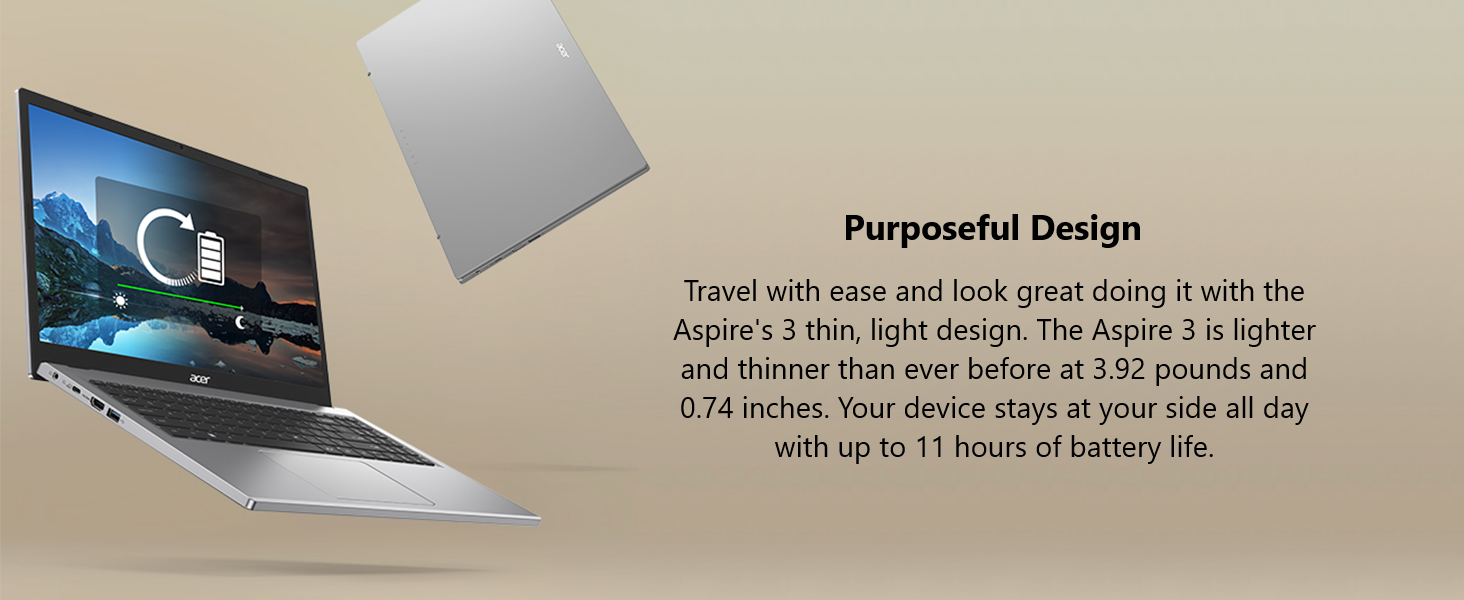
Figure 2: 15.6" Full HD IPS Display
3.2. Ports and Connectivity
The laptop is equipped with various ports for connecting peripherals and external displays.
- 1 x USB Type-C Port (USB 3.2 Gen 2, up to 10 Gbps, DisplayPort over USB Type-C & USB Charging)
- 2 x USB 3.2 Gen 1 Ports
- 1 x HDMI 2.1 Port with HDCP support
- 1 x Headphone/Speaker/Line-Out Jack
- DC-in for AC adapter

Figure 3: Left Side Ports

Figure 4: Right Side Ports
3.3. Thermal System
The improved thermal system, with a 78% increase in fan surface area, provides an additional 17% thermal capacity. This allows for longer, more efficient work sessions without being plugged in.

Figure 5: Improved Thermal Design
3.4. Webcam and Audio
The HD front-facing camera utilizes Acer’s TNR (Temporal Noise Reduction) technology for high-quality imagery in low-light conditions. Acer PurifiedVoice technology with AI Noise Reduction filters out background sound for clear communication during online meetings.
4. Initial Setup
- Unpack the Laptop: Carefully remove the laptop and all accessories from the packaging.
- Connect Power: Plug the AC adapter into the laptop's DC-in port and then into a power outlet.
- Power On: Open the laptop lid and press the power button. The laptop will begin its initial boot sequence.
- Windows Setup: Follow the on-screen instructions to complete the Windows 11 Home setup, including language, region, network connection, and user account creation.
5. Operating Instructions
5.1. Performance and Multitasking
The Acer Aspire 3 is powered by the AMD Ryzen 5 7520U Quad-Core Processor with AMD Radeon Graphics, 8GB LPDDR5 RAM, and a 256GB NVMe SSD. This configuration ensures smooth performance for everyday tasks, productivity applications, and light multimedia use.
Figure 6: AMD Ryzen Processor and Radeon Graphics
5.2. Wireless Connectivity
Enjoy a smooth internet experience with Wireless Wi-Fi 5 (802.11ac), offering connection speeds up to three times faster than previous generations. Bluetooth connectivity is also available for wireless peripherals.

Figure 7: Wireless Wi-Fi 5 Connectivity
5.3. Windows 11 Features
The laptop comes with Windows 11 Home, offering a modern interface and enhanced features for productivity and organization.

Figure 8: Windows 11 Home Interface
5.4. Official Product Videos
Acer Aspire 3 A315-24P Product Overview
Acer Aspire 3 A315-24P and A315-24PT 360 Degree View
Microsoft 365 - Powerful Tools
Windows 11 Cloud File Backup
Windows 11 Centralized Universal Search
6. Maintenance
- Cleaning: Use a soft, lint-free cloth to clean the screen and exterior. Avoid harsh chemicals.
- Software Updates: Regularly update your Windows operating system and drivers to ensure optimal performance and security.
- Battery Care: To prolong battery life, avoid extreme temperatures and fully discharging the battery frequently.
- Storage Management: Periodically clear unnecessary files and applications to maintain system speed and free up storage space.
7. Troubleshooting
7.1. Common Issues
- Laptop not powering on: Ensure the AC adapter is securely connected and the power outlet is functional. Try a different outlet.
- Slow performance: Close unnecessary applications, check for background processes, and ensure sufficient free storage space. Run system diagnostics.
- Wi-Fi connectivity issues: Restart your router and laptop. Check Wi-Fi settings and ensure drivers are updated.
- Screen display problems: Adjust brightness settings. If the screen remains blank, try connecting to an external monitor to diagnose.
7.2. Contact Support
If issues persist, refer to the Acer support website or contact customer service for further assistance.
8. Specifications
| Feature | Specification |
|---|---|
| Brand | acer |
| Model Name | A315-24P-R2SC |
| Screen Size | 15.6 Inches |
| Screen Resolution | 1920 x 1080 pixels (Full HD) |
| Processor | AMD Ryzen 5 7520U Quad-Core (4.3 GHz max) |
| RAM | 8 GB LPDDR5 |
| Memory Speed | 2400 MHz |
| Hard Drive | 256 GB NVMe SSD |
| Graphics Coprocessor | AMD Radeon™ Graphics (Integrated) |
| Wireless Type | 802.11ac (Wi-Fi 5), Bluetooth |
| USB 3.0 Ports | 3 (including 1 USB Type-C) |
| HDMI Port | 1 (HDMI 2.1 with HDCP support) |
| Operating System | Windows 11 Home |
| Item Weight | 3.92 pounds |
| Product Dimensions | 14.29 x 0.74 x 9.35 inches |
| Color | Silver |
| Batteries | 1 Lithium Ion battery (included) |
9. Warranty and Support
For detailed warranty information, please refer to the warranty card included with your product or visit the official Acer support website. The website also provides access to drivers, FAQs, and additional support resources.
Online Support: www.acer.com/support


