
Cooler Master RR-S4NA-17PA-R1
Cooler Master Hyper 212 Spectrum V3 ARGB CPU Air Cooler User Manual
Model: RR-S4NA-17PA-R1
Product Overview
The Cooler Master Hyper 212 Spectrum V3 is a redesigned CPU air cooler featuring a 120mm PWM fan, 4 copper heat pipes, and ARGB lighting. It is engineered to provide optimal cooling performance for a wide range of CPU platforms, including AMD Ryzen AM5/AM4 and Intel LGA 1851/1700/1200. Its compact 152mm height ensures broad compatibility with most PC chassis.

Figure 1: Cooler Master Hyper 212 Spectrum V3 ARGB CPU Air Cooler.
Key Features
- Optimized Cooling Performance: Four heat pipes and a silver nickel-plated copper base ensure efficient heat dissipation for AMD R7 and Intel i7 processors.
- Spectrum 120 Fan: A 120mm fan with optimized PWM blades delivers excellent airflow while simplifying installation.
- Dynamic PWM Control: The 4-pin PWM header allows for adjustable fan speeds from 650 to 1,750 RPM, balancing noise levels and airflow.
- Simplified Mounting Brackets: Redesigned brackets facilitate straightforward installation on AMD AM5/AM4 and Intel LGA 1851/1700/1200 platforms.
- Frosted Blade ARGB Design: The fan's frosted blade enhances the dispersion of Addressable RGB (aRGB) lighting, creating vibrant and customizable visual effects. Requires an aRGB supporting motherboard or controller.
- Versatile Compatibility: With a 152mm tall design, the cooler offers broad compatibility with various PC chassis.
- CryoFuze Thermal Paste: Includes CryoFuze thermal paste with 14W/mK conductivity for stable temperatures across a wide range.

Figure 2: Minimalist Revamped design with silver aesthetic.

Figure 3: Four copper heat pipes for optimal cooling.

Figure 4: Spectrum 120 fan with optimized PWM blades.
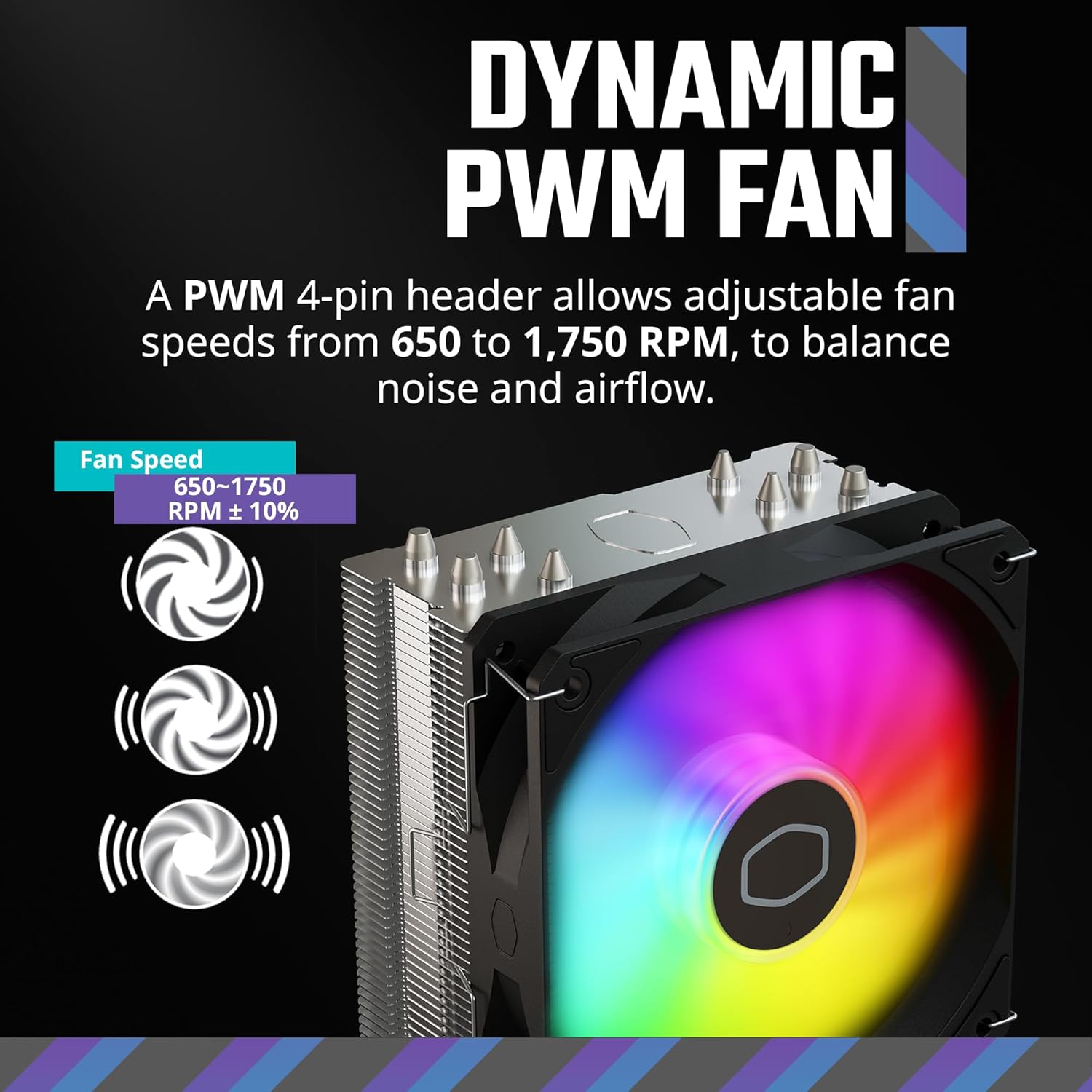
Figure 5: Adjustable fan speeds for balanced performance.

Figure 6: Frosted blade enhancing ARGB lighting dispersion.
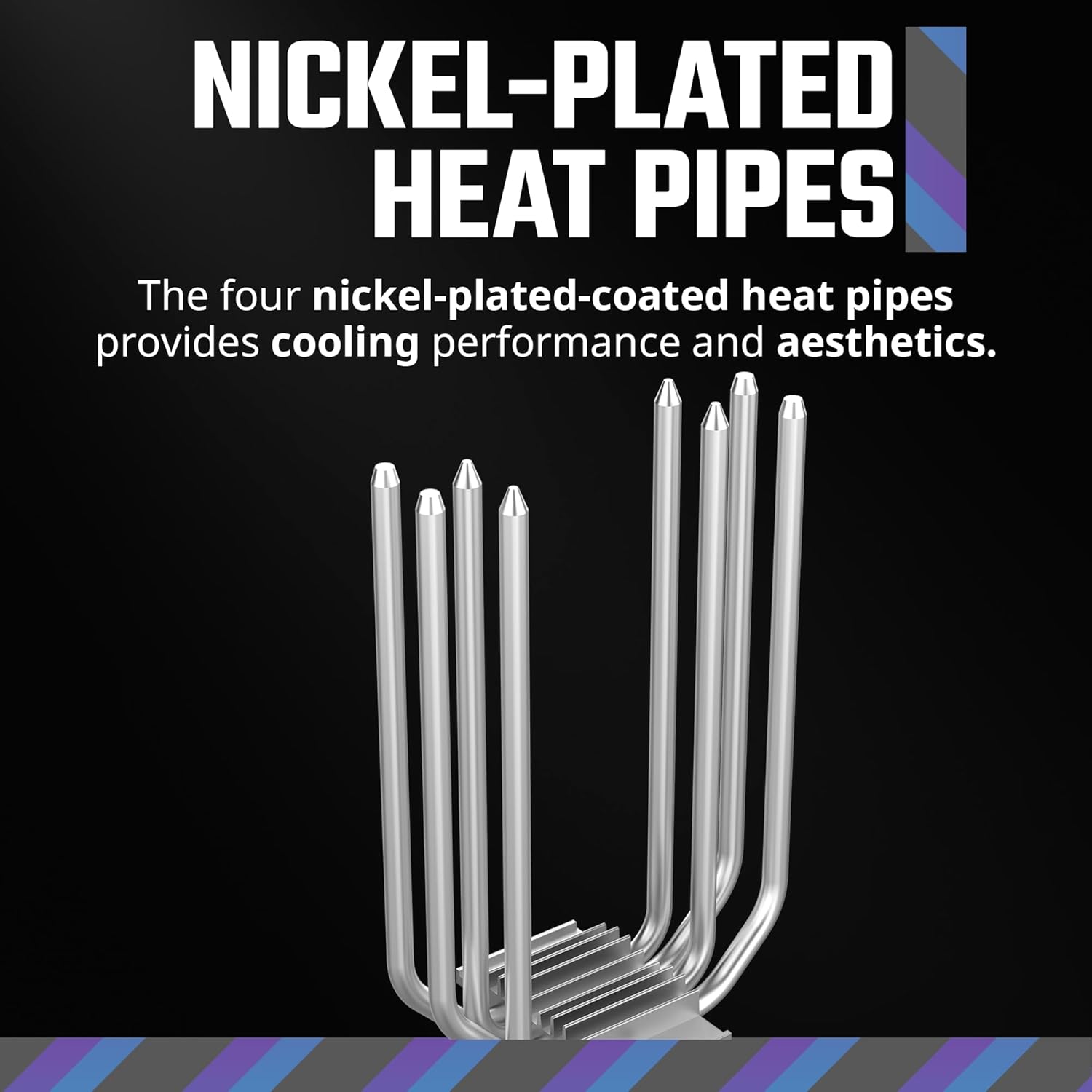
Figure 7: Nickel-plated heat pipes for improved aesthetics and performance.
What's in the Box
- Hyper 212 Spectrum V3 CPU Air Cooler
- Installation Kit (including mounting brackets for various sockets)
- User Manual
- CryoFuze Thermal Paste
Setup and Installation
This section provides general guidelines for installing your Cooler Master Hyper 212 Spectrum V3. For detailed, step-by-step instructions, please refer to the included physical user manual or the official Cooler Master website.
1. Prepare Your Motherboard and CPU
Ensure your motherboard is removed from the PC case or has sufficient access for cooler installation. Clean the CPU surface thoroughly with isopropyl alcohol to remove any old thermal paste or residue.
2. Install the Mounting Brackets
Identify the correct mounting brackets for your CPU socket type (AMD AM5/AM4 or Intel LGA 1851/1700/1200). Attach the backplate (if required for your socket) to the rear of the motherboard and secure the front mounting arms/standoffs according to the instructions for your specific socket.

Figure 8: Simplified mounting brackets for various CPU sockets.
3. Apply Thermal Paste
Apply a small amount of the included CryoFuze thermal paste to the center of your CPU's integrated heat spreader (IHS). A pea-sized dot is typically sufficient. The pressure from the cooler will spread it evenly.

Figure 9: Application of CryoFuze thermal paste.
4. Mount the Cooler Heatsink
Carefully place the heatsink onto the CPU, aligning the mounting holes on the heatsink base with the standoffs or screws on the motherboard. Secure the heatsink using the provided screws, tightening them in a diagonal pattern until snug. Do not overtighten.

Figure 10: Cooler with included mounting hardware.
5. Attach the Fan and Connect Cables
Clip the 120mm Spectrum fan to the heatsink using the provided fan clips. Connect the fan's 4-pin PWM cable to the CPU_FAN header on your motherboard. If applicable, connect the ARGB cable to a compatible 3-pin 5V ARGB header on your motherboard or an ARGB controller.
Operating Instructions
Once installed, the Cooler Master Hyper 212 Spectrum V3 operates automatically based on your motherboard's fan control settings. The PWM (Pulse Width Modulation) function allows the fan speed to adjust dynamically according to CPU temperature, ensuring efficient cooling while minimizing noise.
- Fan Speed Control: The fan speed ranges from 650 to 1,750 RPM. You can typically adjust fan curves in your motherboard's BIOS/UEFI settings or through motherboard manufacturer software to customize performance and acoustics.
- ARGB Lighting Control: The ARGB lighting can be synchronized with compatible motherboard software (e.g., ASUS Aura Sync, GIGABYTE RGB Fusion, MSI Mystic Light Sync, ASRock Polychrome RGB) or a dedicated ARGB controller. Refer to your motherboard or controller manual for specific instructions on customizing lighting effects.
Maintenance
Regular maintenance helps ensure optimal performance and longevity of your CPU cooler.
- Dust Removal: Periodically clean dust from the heatsink fins and fan blades using compressed air or a soft brush. Ensure the fan is not spinning during cleaning to prevent damage.
- Thermal Paste: While CryoFuze thermal paste is designed for long-term stability, if you remove the cooler for any reason, it is recommended to clean off the old thermal paste from both the CPU and cooler base and apply fresh thermal paste before reinstallation.
- Fan Inspection: Check the fan for any signs of wear, unusual noises, or obstructions. Ensure the fan cable is securely connected.
Troubleshooting
If you encounter issues with your Cooler Master Hyper 212 Spectrum V3, consider the following common troubleshooting steps:
- High CPU Temperatures:
- Verify the cooler is securely mounted and making proper contact with the CPU.
- Ensure thermal paste was applied correctly and is not dried out.
- Check if the fan is spinning and connected to the CPU_FAN header.
- Clean any dust buildup from the heatsink fins.
- Confirm adequate airflow within your PC case.
- Fan Not Spinning or Making Noise:
- Check the fan's 4-pin PWM cable connection to the motherboard.
- Inspect for any physical obstructions preventing the fan blades from rotating.
- Verify fan speed settings in BIOS/UEFI are not set too low or to "off" at low temperatures.
- ARGB Lighting Not Working:
- Ensure the ARGB cable is correctly connected to a 3-pin 5V ARGB header (not a 4-pin 12V RGB header).
- Check your motherboard's ARGB software or external controller settings.
- Confirm the ARGB header on your motherboard is enabled in BIOS/UEFI.
Specifications
| Attribute | Value |
|---|---|
| Model Number | RR-S4NA-17PA-R1 |
| Product Dimensions (L x W x H) | 124 x 73 x 152 mm (4.88"L x 2.87"W x 5.98"H) |
| Weight | 1.43 Pounds |
| Heat Pipes | 4 Copper Heat Pipes (Nickel-plated) |
| Fan Size | 120mm PWM Fan |
| Fan Speed | 650 - 1750 RPM ± 10% |
| Airflow Capacity | 1.89 Milliliters per Second (or 71.93 CFM) |
| Noise Level | 27.2 dB (Max) |
| Power Connector Type | 4-Pin PWM |
| Voltage | 3 Volts (Operating Voltage) |
| Cooling Method | Air Cooling (Fan) |
| Compatible Devices | Desktop CPUs |
| Material | Aluminum (fins), Copper (heat pipes, base) |
| Socket Compatibility | AMD AM5/AM4, Intel LGA 1851/1700/1200 |

Figure 11: Cooler dimensions for chassis compatibility.

Figure 12: Detailed technical dimensions.
Warranty and Support
Cooler Master products come with a limited warranty. For detailed warranty information, technical support, and service inquiries, please visit the official Cooler Master website or contact their customer support. Keep your proof of purchase for warranty claims.
Official Cooler Master Website: www.coolermaster.com
Related documentsRR-S4NA-17PA-R1


Ask a question about this manual
Ask about setup, troubleshooting, compatibility, parts, safety, or missing instructions. Manuals+ will review the question and use this page’s manual context to help answer it.