
Oral-B IO 3
Oral-B iO Series 3 Limited Edition Electric Toothbrush User Manual
Model: IO 3 | Brand: Oral-B
Introduction
The Oral-B iO Series 3 Limited Edition Electric Toothbrush is designed to provide a superior cleaning experience, clinically proven to clean teeth and promote healthier gums. Its advanced features, including gentle micro-vibrations, a smart pressure sensor, and multiple brushing modes, ensure an optimal and personalized oral hygiene routine. This manual provides detailed instructions for setting up, operating, and maintaining your new electric toothbrush.
What's Included
Your Oral-B iO Series 3 package includes the following components:
- (1) Oral-B iO3 Limited Edition Electric Toothbrush Handle
- (1) Ultimate Clean Replacement Brush Head
- (1) Gentle Care Replacement Brush Head
- (1) Travel Case
- (1) Travel Refill Holder
- (1) Charger
- (1) Compatible Kwalicable Microfiber Cleaning Cloth
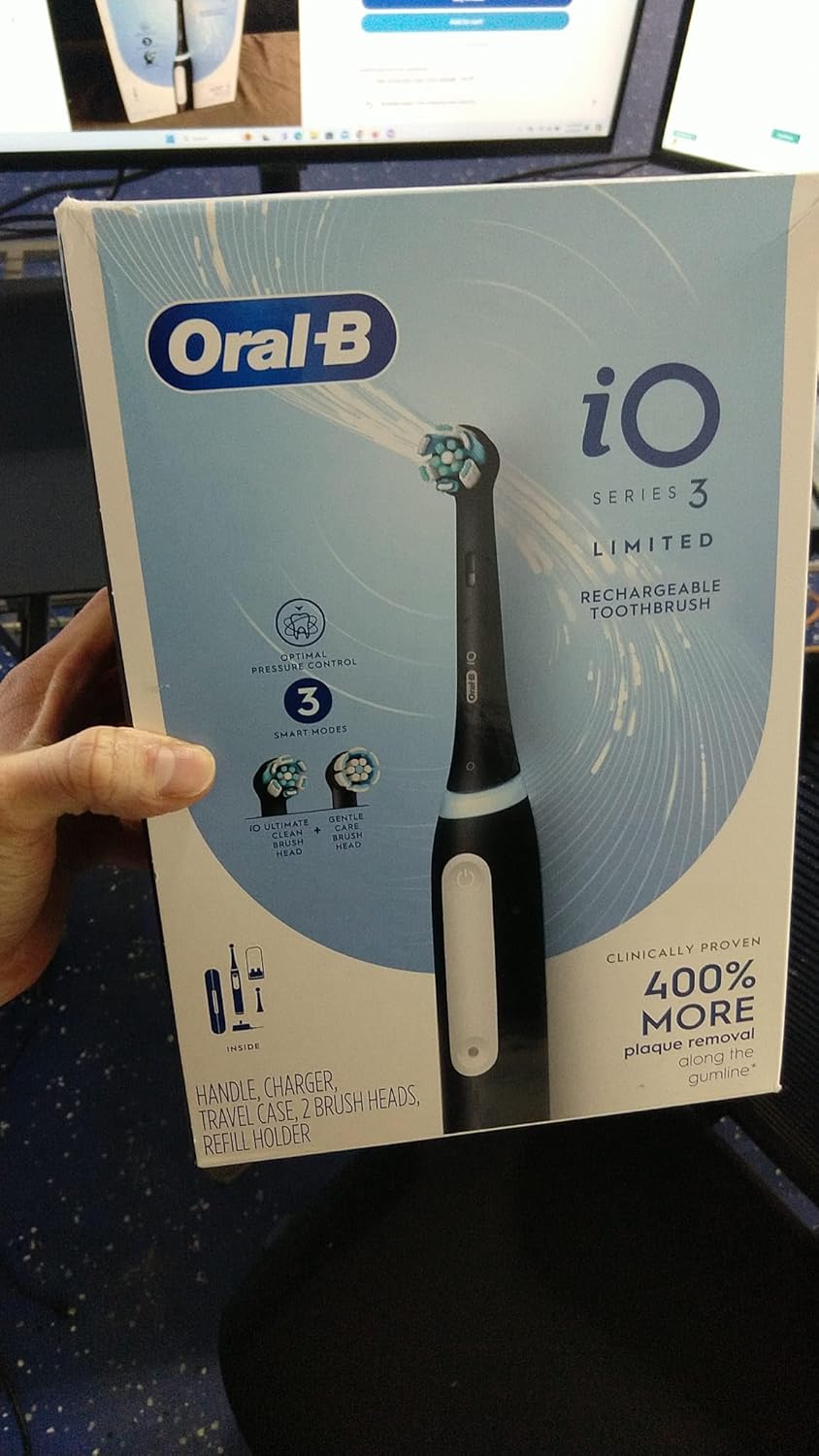
Image: All components included in the Oral-B iO Series 3 Limited Edition Electric Toothbrush package.
Setup
1. Initial Charging
Before first use, fully charge your Oral-B iO Series 3 toothbrush. Place the toothbrush handle on the charging base. The light ring on the handle will illuminate to indicate charging status. A full charge typically takes several hours.

Image: The Oral-B iO Series 3 toothbrush handle placed on its compact charging base.
2. Attaching a Brush Head
Select either the Ultimate Clean or Gentle Care brush head. Align the brush head with the metal shaft on the toothbrush handle and push it down until it clicks into place. Do not twist the brush head.

Image: The Oral-B iO Series 3 toothbrush handle with a brush head securely attached.
Operating
1. Powering On/Off and Mode Selection
Press the power button to turn the toothbrush on. To switch between the three smart modes (Daily Clean, Whiten, Sensitive), press the mode button located below the power button. The selected mode will be indicated by a light on the handle.
2. Brushing Technique
Wet the brush head and apply a small amount of toothpaste. Place the brush head on your teeth, starting with the outer surfaces. Guide the brush head slowly from tooth to tooth, allowing the oscillating-rotating and micro-vibrating bristles to clean each tooth surface. Do not scrub.
3. Smart Pressure Sensor
The built-in pressure sensor indicates optimal cleaning pressure and warns of over-pressure. The light ring will change color to provide real-time feedback:
- Green: Optimal pressure.
- Red: Too much pressure. Reduce force to avoid harming gums and teeth.
- White: Too little pressure. Apply slightly more force for effective cleaning.
4. Two-Minute Timer
The toothbrush features a two-minute timer with four 30-second intervals. It will briefly pause to signal when it's time to move to the next quadrant of your mouth, ensuring a thorough and consistent clean.
Maintenance
1. Cleaning the Toothbrush
After each use, rinse the brush head thoroughly under running water with the handle switched on. Remove the brush head and rinse both the brush head and the handle separately. Wipe the handle with a damp cloth. Do not immerse the charger in water.
2. Replacing Brush Heads
Dentists recommend replacing your brush head every 3 months, or sooner if the bristles are splayed or worn. To replace, simply pull the old brush head off the handle and push a new one on until it clicks.

Image: A close-up view of an Oral-B iO Series 3 replacement brush head.
3. Travel Case and Refill Holder
Use the provided travel case to protect your toothbrush and brush heads when traveling. The travel refill holder keeps spare brush heads clean and organized.
Troubleshooting
| Problem | Possible Cause / Solution |
|---|---|
| Toothbrush does not turn on. | Battery may be depleted. Place on charger for several hours. Ensure charger is properly plugged into a working outlet. |
| Battery life is short. | Ensure the toothbrush is fully charged before use. Over time, rechargeable batteries may degrade. If issues persist, contact customer support. |
| Light ring is red during brushing. | This indicates you are applying too much pressure. Reduce the force to protect your gums and teeth. |
| Brush head does not vibrate or spin effectively. | Ensure the brush head is securely attached. The battery might be low; charge the device. If the issue continues, the brush head may need replacement. |
Specifications
| Feature | Detail |
|---|---|
| Model Number | IO 3 |
| Power Source | Battery Powered (Rechargeable) |
| Special Feature | Pressure Sensor |
| Brushing Modes | Daily Clean, Whiten, Sensitive |
| Timer | Built-in 2-minute timer with 30-second quadrant pacing |
| Item Firmness Description | Soft |
| Manufacturer | Oral B |
| Package Dimensions | 12.24 x 11.77 x 4.49 inches |
| Item Weight | 1.5 Pounds |
Warranty and Support
For warranty information and customer support, please refer to the documentation included in your product packaging or visit the official Oral-B website. Keep your proof of purchase for any warranty claims.
Legal Disclaimer: Statements regarding dietary supplements have not been evaluated by the FDA and are not intended to diagnose, treat, cure, or prevent any disease or health condition.
Related documentsIO 3


Ask a question about this manual
Ask about setup, troubleshooting, compatibility, parts, safety, or missing instructions. Manuals+ will review the question and use this page’s manual context to help answer it.