
Introduction
Thank you for choosing the Seiko QHE198K Black Round Alarm Clock. This manual provides detailed instructions for the proper setup, operation, and maintenance of your new clock. Please read this manual thoroughly before use and retain it for future reference.
Safety Information
Please observe the following safety precautions to ensure safe and optimal use of your clock:
- Do not expose the clock to extreme temperatures, direct sunlight, or high humidity.
- Avoid dropping the clock or subjecting it to strong impacts.
- Keep the clock away from strong magnetic fields.
- Use only the specified battery type. Ensure correct polarity when inserting batteries.
- Remove depleted batteries promptly to prevent leakage and damage.
- Do not mix old and new batteries, or different types of batteries.
- Keep batteries out of reach of children.
- Do not attempt to disassemble or modify the clock.
Package Contents
Verify that all items are present in the package:
- Seiko QHE198K Black Round Alarm Clock
- Batteries (typically 1x AA, included)
- Instruction Manual (this document)
Product Overview
Familiarize yourself with the components of your Seiko QHE198K alarm clock.
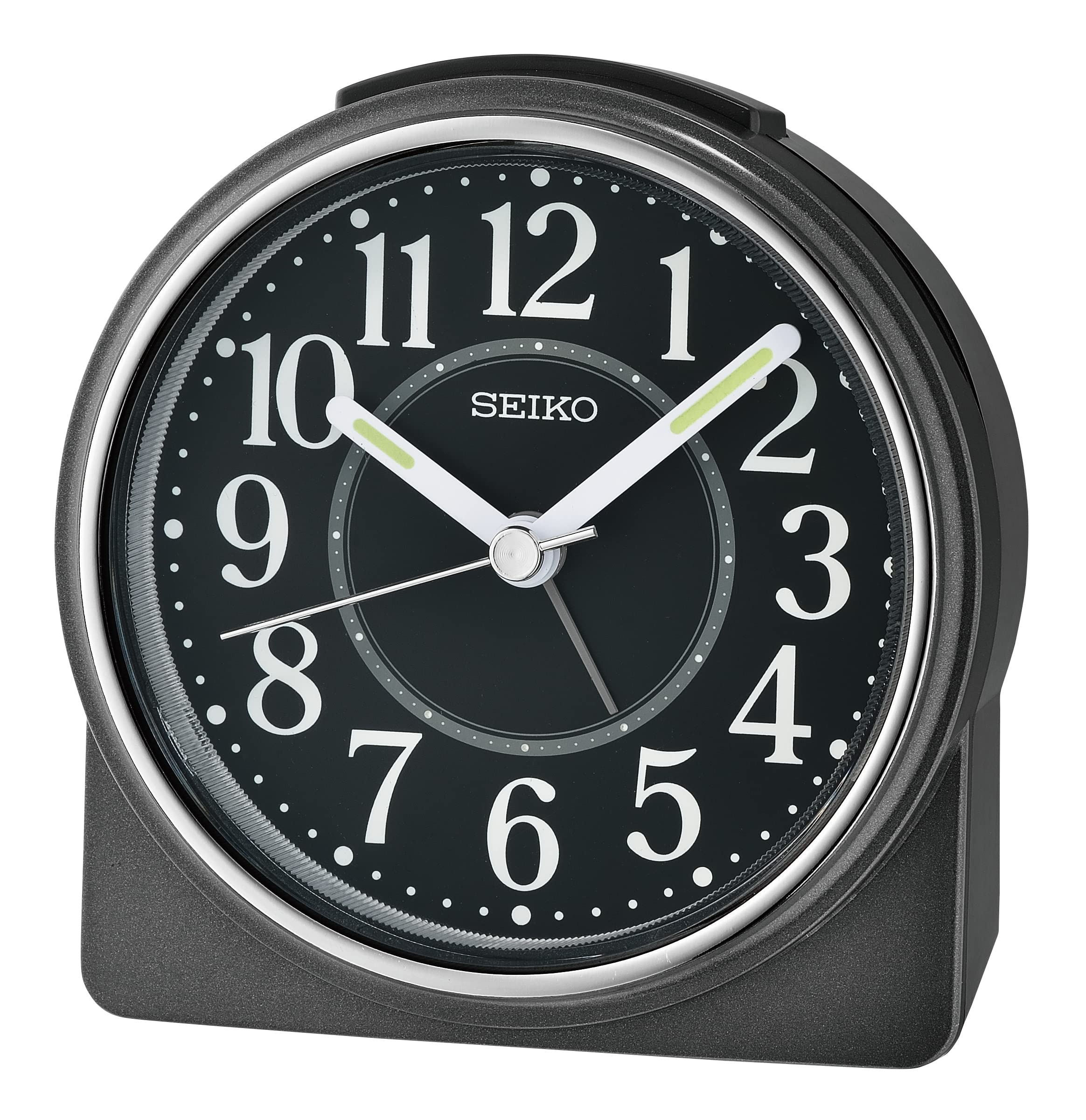
Image: Front view of the Seiko QHE198K Black Round Alarm Clock, showing the analog dial with hour, minute, and continuous second hands, and the alarm setting hand. The clock features a black casing and a clear display.
Key Components:
- Time Setting Knob: Located on the back, used to adjust the current time.
- Alarm Setting Knob: Located on the back, used to set the desired alarm time.
- Alarm ON/OFF Switch: Located on the back or side, to activate or deactivate the alarm.
- Snooze/Light Button: Located on the top, press for temporary dial illumination and to activate snooze when the alarm sounds.
- Battery Compartment: Located on the back, for battery installation.
Setup
1. Battery Installation
- Open the battery compartment cover located on the back of the clock.
- Insert the required batteries (typically 1x AA battery) according to the polarity indicators (+ and -).
- Close the battery compartment cover securely.
2. Setting the Current Time
- Locate the Time Setting Knob on the back of the clock.
- Rotate the knob in either direction to move the hour and minute hands until the correct current time is displayed.
Operating Instructions
1. Setting the Alarm Time
- Locate the Alarm Setting Knob on the back of the clock.
- Rotate this knob to move the alarm hand to your desired alarm time.
- Ensure the Alarm ON/OFF Switch is in the "ON" position to activate the alarm.
2. Using the Snooze Function
- When the alarm sounds, press the large Snooze/Light Button on the top of the clock.
- The alarm will temporarily stop and sound again after a few minutes (typically 5-10 minutes).
- To turn off the alarm completely, move the Alarm ON/OFF Switch to the "OFF" position.
3. Dial Illumination
- To illuminate the clock dial in low light conditions, press and hold the Snooze/Light Button on the top of the clock.
- The light will remain on as long as the button is pressed. Release the button to turn off the light.
Maintenance
Cleaning
- Wipe the clock's surface with a soft, dry cloth.
- Do not use abrasive cleaners, solvents, or chemical sprays, as these may damage the finish.
Battery Replacement
- When the clock's display becomes dim, the alarm weakens, or the clock stops functioning, it is time to replace the batteries.
- Follow the battery installation steps outlined in the "Setup" section.
- Dispose of used batteries according to local regulations.
Troubleshooting
| Problem | Possible Cause | Solution |
|---|---|---|
| Clock not working / Hands not moving | Dead or incorrectly inserted batteries. | Check battery polarity or replace with new batteries. |
| Alarm does not sound | Alarm switch is OFF; alarm time not set correctly; low battery. | Ensure alarm switch is ON. Verify alarm hand position. Replace batteries. |
| Dial illumination is dim or not working | Low battery power. | Replace batteries. |
| Clock runs too fast or too slow | Extremely low battery power; exposure to extreme temperatures. | Replace batteries. Ensure clock is in a stable environment. If problem persists, contact support. |
Specifications
| Feature | Detail |
|---|---|
| Brand | Seiko |
| Model Number | QHE198K |
| Colour | Black |
| Display Type | Analog |
| Special Features | Alarm, Snooze, Dial Illumination, Continuous Second Hand |
| Product Dimensions (W x H x D) | 11.3 cm x 9.9 cm x 4.5 cm (approx. 4.45" x 3.9" x 1.8") |
| Item Weight | 0.16 Kilograms |
| Power Source | Battery Powered |
| Material Type | Plastic |
| Mounting Type | Tabletop |
| Watch Movement | Quartz |
Warranty and Support
Seiko products are manufactured to high-quality standards and are backed by a manufacturer's warranty. For specific warranty details, please refer to the warranty card included with your product or visit the official Seiko website.
If you encounter any issues or require further assistance, please contact Seiko customer support through their official website or the retailer where you purchased the product. Please have your model number (QHE198K) and purchase information ready when contacting support.


