Introduction
Thank you for choosing the TMA Cordless Vacuum Cleaner T121-3. This manual provides essential information for the safe and efficient operation, maintenance, and troubleshooting of your new vacuum cleaner. Please read this manual thoroughly before first use and keep it for future reference.
Important Safety Instructions
When using an electrical appliance, basic precautions should always be followed, including the following:
- Read all instructions before using this appliance.
- Do not use outdoors or on wet surfaces.
- Do not allow to be used as a toy. Close attention is necessary when used by or near children.
- Use only as described in this manual. Use only manufacturer's recommended attachments.
- Do not use with damaged cord or plug. If appliance is not working as it should, has been dropped, damaged, left outdoors, or dropped into water, return it to a service center.
- Do not pull or carry by cord, use cord as a handle, close a door on cord, or pull cord around sharp edges or corners. Do not run appliance over cord. Keep cord away from heated surfaces.
- Do not unplug by pulling on cord. To unplug, grasp the plug, not the cord.
- Do not handle plug or appliance with wet hands.
- Do not put any object into openings. Do not use with any opening blocked; keep free of dust, lint, hair, and anything that may reduce air flow.
- Keep hair, loose clothing, fingers, and all parts of body away from openings and moving parts.
- Do not pick up anything that is burning or smoking, such as cigarettes, matches, or hot ashes.
- Use extra care when cleaning on stairs.
- Do not use to pick up flammable or combustible liquids, such as gasoline, or use in areas where they may be present.
- Prevent unintentional starting. Ensure the switch is in the OFF position before connecting to battery pack, picking up or carrying the appliance.
- Recharge only with the charger specified by the manufacturer. A charger that is suitable for one type of battery pack may create a risk of fire when used with another battery pack.
- Under abusive conditions, liquid may be ejected from the battery; avoid contact. If contact accidentally occurs, flush with water. If liquid contacts eyes, additionally seek medical help. Liquid ejected from the battery may cause irritation or burns.
Package Contents
Please check the package contents carefully upon opening to ensure all parts are present and undamaged.
- Main Motor Unit (Handheld Vacuum)
- Extension Wand
- Motorized Floor Brush
- Detachable Battery Pack
- Crevice Tool
- 2-in-1 Brush Tool
- Wall Mount Bracket
- Power Adapter/Charger
- Extra Filters (Quantity may vary, typically 3-4 additional filters)
- User Manual

Image: The TMA Cordless Vacuum Cleaner shown with its main components including the main unit, extension wand, floor brush, and various attachments like the crevice tool and 2-in-1 brush, along with spare filters.
Product Overview
Familiarize yourself with the different parts of your vacuum cleaner.
- Main Motor Unit: Contains the motor, dustbin, and filter system.
- Extension Wand: Connects the main unit to the floor brush or other attachments for extended reach.
- Motorized Floor Brush: Features an intelligent LED light and a flexible head for effective cleaning on various surfaces and in dark areas.
- Detachable Battery: Provides power and can be removed for charging or replacement.
- Crevice Tool: Ideal for narrow gaps and corners.
- 2-in-1 Brush Tool: Versatile for cleaning upholstery, curtains, and other delicate surfaces.
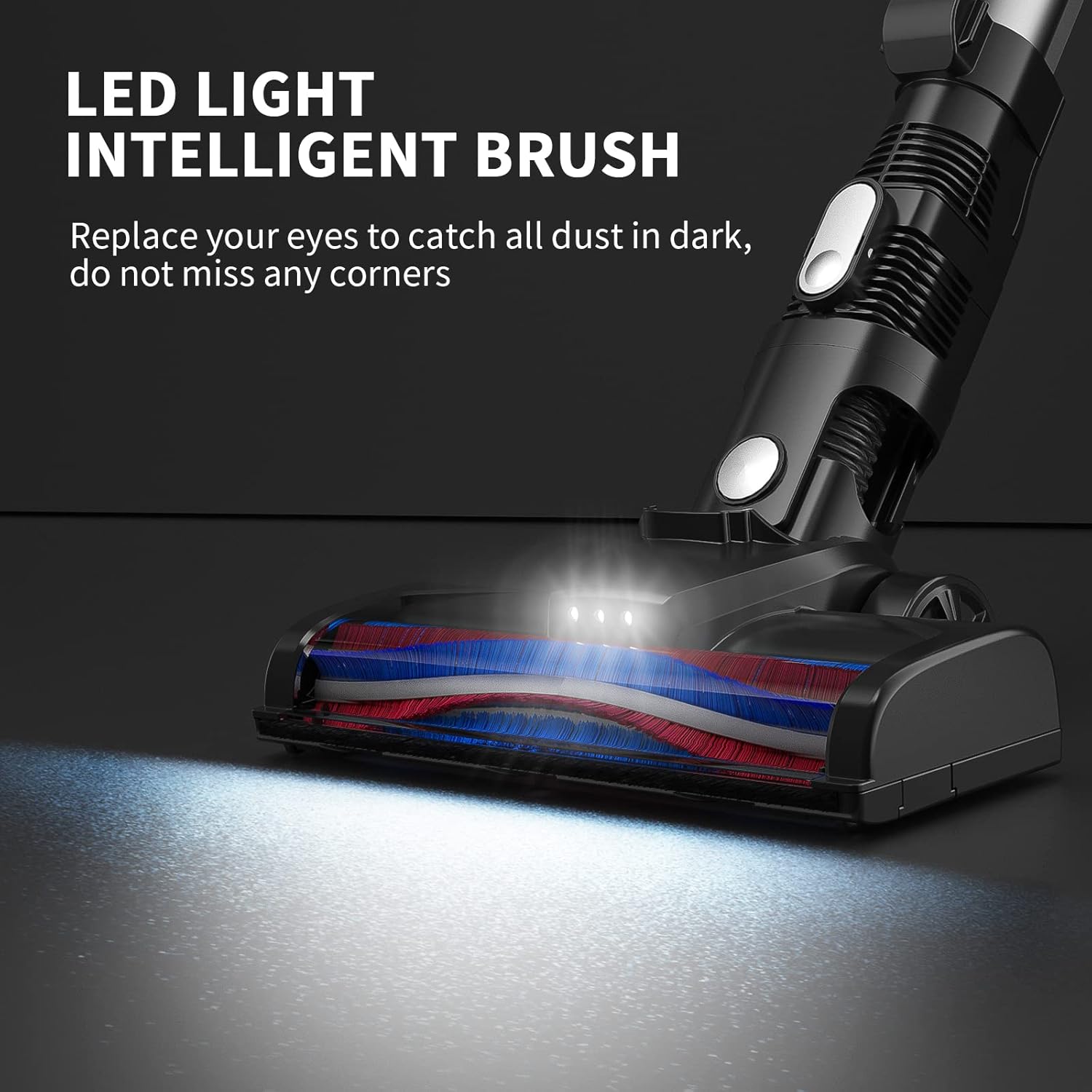
Image: Close-up of the motorized floor brush head, highlighting the integrated LED lights that illuminate the cleaning path, helping to spot dust in dark areas.

Image: Illustration demonstrating the flexible movement of the floor brush head, showing its ability to swivel 180 degrees horizontally and 90 degrees vertically to reach under furniture and around obstacles.
Setup
1. Assembly
- Attach the Extension Wand: Insert the extension wand into the main motor unit until it clicks securely into place.
- Attach the Floor Brush: Connect the motorized floor brush to the other end of the extension wand, ensuring it clicks into place.
- Install the Battery: Slide the detachable battery pack into the slot on the main motor unit until it locks.
- Attach Accessories: For handheld use, attach the crevice tool or 2-in-1 brush directly to the main motor unit.
2. Charging the Battery
Before first use, fully charge the battery. The battery can be charged while attached to the vacuum or separately.
- Connect the power adapter to a wall outlet.
- Plug the charging cable into the charging port on the battery pack (or on the main unit if the battery is attached).
- The charging indicator lights will show the charging status.
- A full charge typically takes approximately five hours.
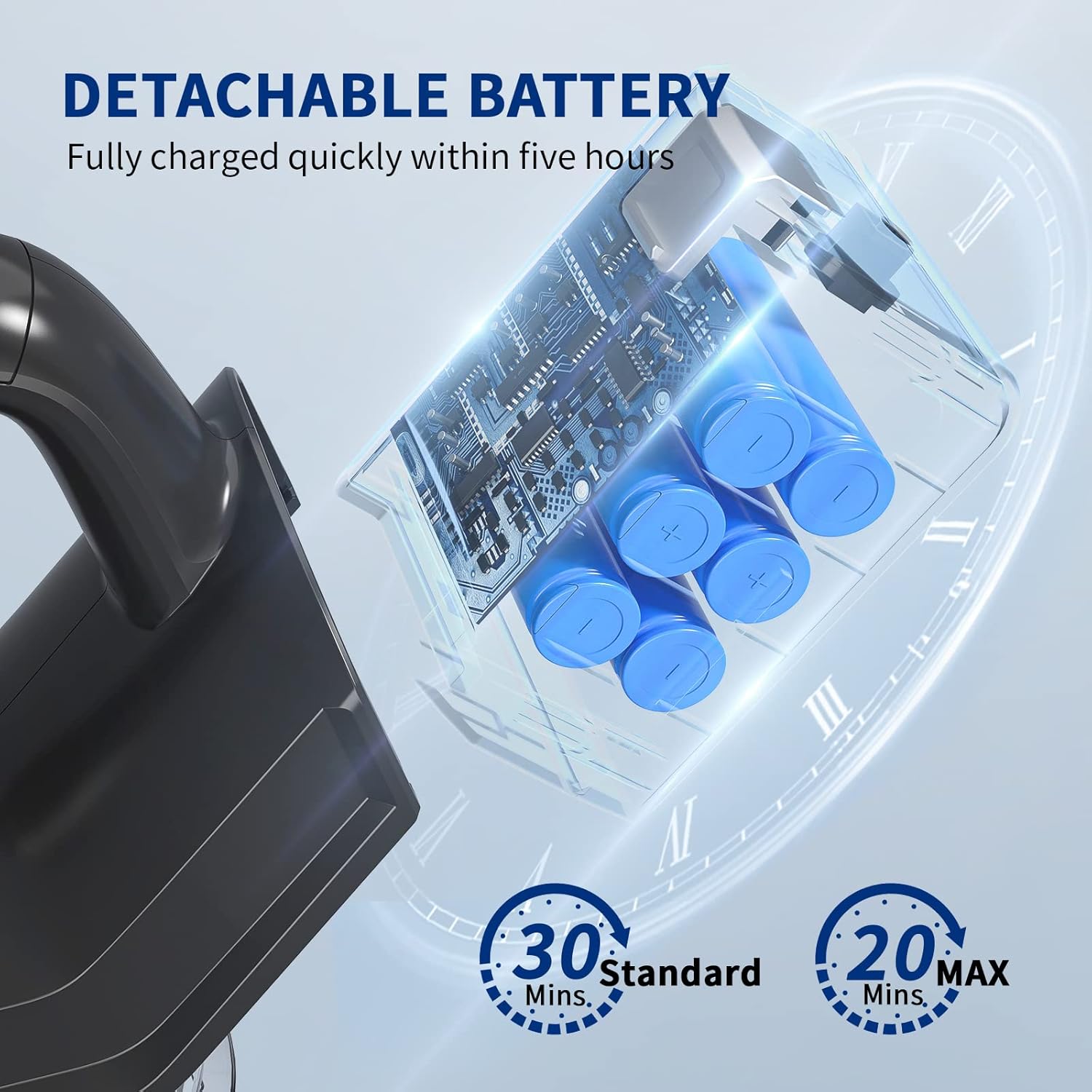
Image: Diagram showing the internal structure of the detachable battery pack and indicating charging time of approximately five hours for a full charge. It also shows approximate run times of 30 minutes in standard mode and 20 minutes in MAX mode.
Operating Instructions
1. Powering On/Off and Suction Modes
- Press the power button to turn the vacuum cleaner on. It will typically start in Standard suction mode (10KPA).
- Press the mode button (often indicated by "MAX" or a fan icon) to switch to Max suction mode (15KPA) for deeper cleaning.
- Press the power button again to turn the vacuum cleaner off.

Image: Visual representation of the two suction modes: Standard (10KPA) and Max (15KPA), with a hand pressing the "MAX" button on the vacuum's main unit.
2. Using Different Configurations
- Stick Vacuum Mode: Use with the extension wand and motorized floor brush for cleaning floors and carpets. The lightweight design makes it easy to push.
- Handheld Vacuum Mode: Detach the extension wand and attach the crevice tool or 2-in-1 brush directly to the main unit for cleaning furniture, car interiors, stairs, and tight spaces.

Image: A person using the stick vacuum to clean a floor, demonstrating its ease of use and lightweight nature, stating it saves 30% effort for women, children, and the elderly.
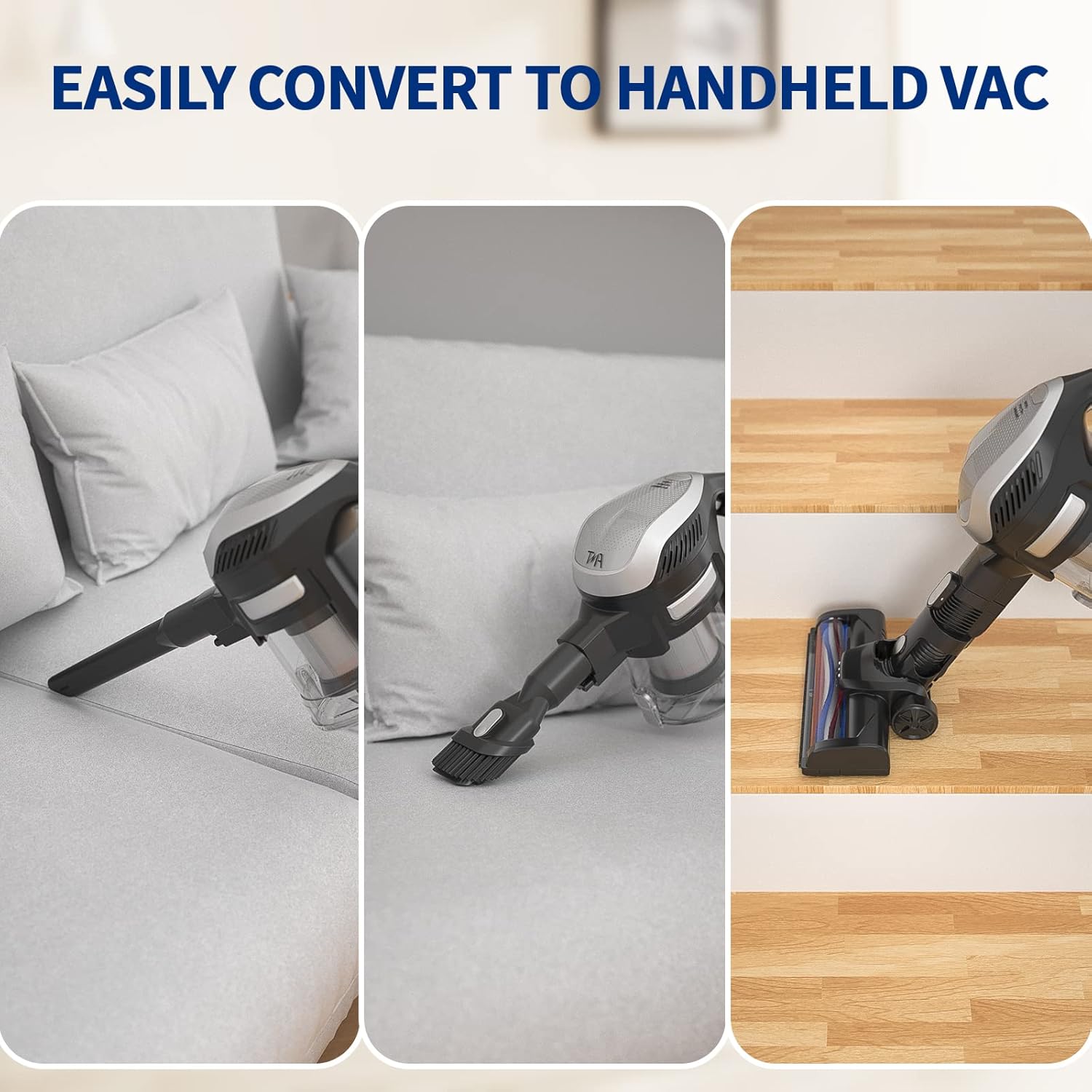
Image: Three panels illustrating the vacuum's versatility: cleaning a sofa with the handheld unit, using the 2-in-1 brush on upholstery, and cleaning stairs with the handheld unit and floor brush.
3. Cleaning Different Surfaces
- Hard Floors: The motorized floor brush is highly effective on hard floors like tile, wood, and laminate.
- Carpets: While suitable for some carpets, the vacuum is optimized for hard floors. For deep pile carpets, Max suction mode may be required.
- Delicate Surfaces: Use the 2-in-1 brush tool for curtains, upholstery, and car seats.
- Tight Spaces: The crevice tool is designed for reaching into narrow gaps and corners.

Image: Depiction of the vacuum cleaning different floor types, indicating better effect on hard floors and noting it is not suitable for all carpets but perfect for hard floors.
Maintenance
Regular maintenance ensures optimal performance and extends the lifespan of your vacuum cleaner.
1. Emptying the Dustbin
- Press the dustbin release button to detach the dustbin from the main unit.
- Open the dustbin lid and empty the contents into a trash can.
- Close the lid and reattach the dustbin to the main unit.
- It is recommended to empty the dustbin after each use or when the MAX fill line is reached.
2. Cleaning the Filters
The vacuum features an efficient filtration system. Regular cleaning of filters is crucial for maintaining suction power.
- Twist and pull out the filter assembly from the dustbin.
- Separate the metal filter and the HEPA filter.
- Tap off loose dust from both filters over a trash can.
- Rinse the filters under cold running water until the water runs clear. Do not use detergent.
- Allow filters to air dry completely for at least 24 hours before reassembling and placing back into the vacuum. Do not use a dryer or direct heat.
- It is recommended to clean filters monthly, or more frequently with heavy use. Replace filters every 3-6 months depending on usage.

Image: Diagram illustrating the multi-stage filtration system, showing how air passes through different filter layers to capture 99.99% of dust and protect the motor.
3. Cleaning the Brush Roll
- Turn off the vacuum and disconnect the floor brush.
- Locate the brush roll release tab or screw on the side of the floor brush.
- Remove the brush roll.
- Use scissors or a cleaning tool to cut and remove any tangled hair or debris from the brush roll.
- Reinsert the brush roll and secure it.
4. Battery Care
- Always use the original charger provided.
- Do not expose the battery to extreme temperatures.
- If storing the vacuum for an extended period, charge the battery to about 50% and store in a cool, dry place. Recharge every 3-6 months to prevent deep discharge.
Troubleshooting
If you encounter issues with your vacuum cleaner, please refer to the following common problems and solutions.
| Problem | Possible Cause | Solution |
|---|---|---|
| Vacuum does not turn on. | Battery is not charged or not properly installed. | Ensure battery is fully charged and securely clicked into place. |
| Low suction power. | Dustbin is full; Filters are clogged; Brush roll is tangled; Obstruction in nozzle/hose. | Empty dustbin. Clean or replace filters. Remove tangled hair/debris from brush roll. Check for and remove any blockages. |
| Brush roll stops spinning. | Brush roll is tangled with hair/debris; Obstruction in brush head. | Turn off vacuum and remove any obstructions from the brush roll. |
| Battery not charging. | Charger not properly connected; Faulty charger or battery. | Ensure charger is securely plugged into outlet and vacuum/battery. Try another outlet. If issue persists, contact customer support. |
| Unusual noise during operation. | Obstruction in the air path or brush roll; Damaged component. | Check for and remove any blockages in the dustbin, filters, extension wand, or brush head. If noise persists, discontinue use and contact support. |
Specifications
| Brand | TMA |
| Model | T121-3 |
| Colour | Red |
| Product Dimensions | 12.7 x 12.7 x 12.7 cm |
| Item Weight | 3.32 kg |
| Capacity | 1.3 liters |
| Power/Wattage | 280 watts |
| Voltage | 280 Volts |
| Noise Level | 70 dB |
| Special Features | Lightweight |
| Filter Type | Cartridge |
| Surface Recommendation | Hard floors and Carpets |
| Power Source | Battery Powered |
| Cordless | Yes |
Warranty and Support
The TMA Cordless Vacuum Cleaner T121-3 comes with a standard manufacturer's warranty. Please refer to your purchase documentation for specific warranty terms and conditions.
For technical support, warranty claims, or replacement parts, please contact TMA customer service through the retailer where you purchased the product or visit the official TMA website for contact information.
Website: TMA Official Store on Amazon


