
SHEHDS 18X18W 6IN1
SHEHDS LED Stage Par Light 18X18W RGBWA+UV 6in1 Instruction Manual
Model: 18X18W 6IN1
1. Introduction
This manual provides detailed instructions for the safe and effective use of your SHEHDS LED Stage Par Light 18X18W RGBWA+UV 6in1. Please read this manual thoroughly before operation and retain it for future reference. This LED Par Light is designed for stage lighting applications, offering a versatile range of colors and operational modes.

Image: The SHEHDS LED Stage Par Light 18X18W RGBWA+UV 6in1, showcasing its compact design and LED array.
2. Safety Information
- Electrical Safety: Ensure the power supply voltage matches the specifications of the light. Always connect to a grounded outlet. Disconnect power before cleaning or servicing.
- Installation: Install the fixture in a well-ventilated area, away from flammable materials. Ensure secure mounting to prevent accidental falls.
- Temperature: The fixture's surface may become hot during operation. Avoid direct contact.
- Eye Protection: Do not look directly into the light source when the fixture is operating, as it can cause eye damage.
- Moisture: This product is not waterproof unless specified. Avoid exposure to rain or moisture.
- Repairs: Do not attempt to repair the fixture yourself. Refer all servicing to qualified personnel.
3. Package Contents
Verify that all items are present and in good condition upon opening the package:
- 1 x SHEHDS LED 18X18W Par Light
- 1 x Power Cable (PowerCon type)
- 1 x DMX Cable
- 1 x Instruction Manual
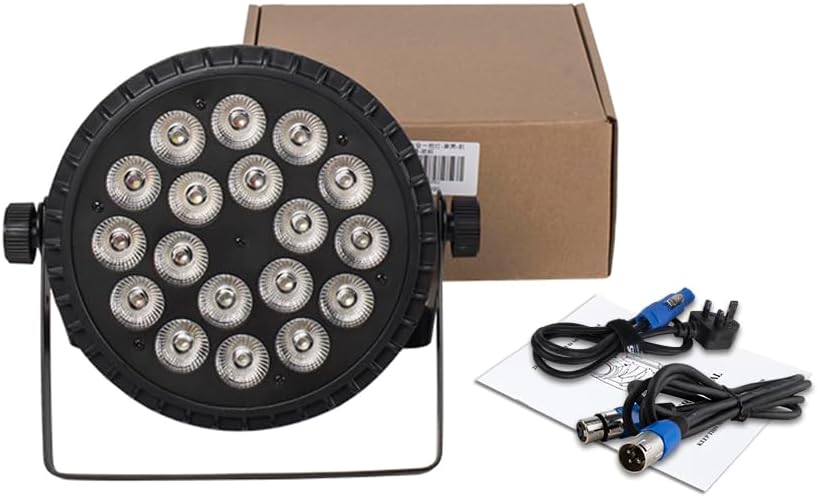
Image: The SHEHDS LED Stage Par Light, power cable, DMX cable, and instruction manual as typically included in the package.
4. Product Overview
The SHEHDS LED Stage Par Light features a robust design and advanced lighting capabilities. It is equipped with 18 LEDs, each 18W, providing RGBWA+UV (Red, Green, Blue, White, Amber, Ultraviolet) 6-in-1 color mixing for a wide spectrum of colors and effects.
Key Features:
- 6-in-1 Color Mixing: RGBWA+UV LEDs allow for a broad range of color combinations and wash effects.
- Durable Construction: Made with a cast aluminum shell for enhanced durability and efficient heat dissipation.
- Flexible Mounting: Features a double bracket and knob for easy adjustment, allowing for floor, truss, or ceiling mounting.
- Multiple Control Modes: Supports DMX512, Auto Run, Sound Activated, Strobe, Stand Alone, and Master/Slave operations.
- Long Lifespan: LEDs are designed for over 60,000 hours of operation.

Image: An exploded view illustrating the precision craftsmanship and internal components of the SHEHDS LED Stage Par Light, highlighting its durable construction and heat dissipation features.

Image: A close-up of the drop-resistant chassis and integrated heat dissipation fins, emphasizing the full cast aluminum construction for temperature protection.
5. Setup
5.1 Mounting
The fixture can be mounted in various positions using the included double bracket:
- Floor Mount: Place the fixture on a stable, flat surface.
- Truss Mount: Securely attach the bracket to a lighting truss using appropriate clamps (not included).
- Ceiling Mount: Fasten the bracket to a sturdy ceiling structure, ensuring it can support the weight of the fixture.
Always ensure the mounting location is stable and capable of supporting the fixture's weight. Use safety cables when mounting overhead.
5.2 Power Connection
Connect the provided PowerCon cable to the "POWER IN" socket on the rear of the fixture and then to a suitable power outlet. Ensure the voltage matches the fixture's requirements (240 Volts).
5.3 DMX Connection (Optional)
For DMX control, connect a DMX cable from your DMX controller's output to the "DMX IN" socket on the first fixture. For multiple fixtures, daisy-chain them by connecting the "DMX OUT" of the first fixture to the "DMX IN" of the next, and so on.
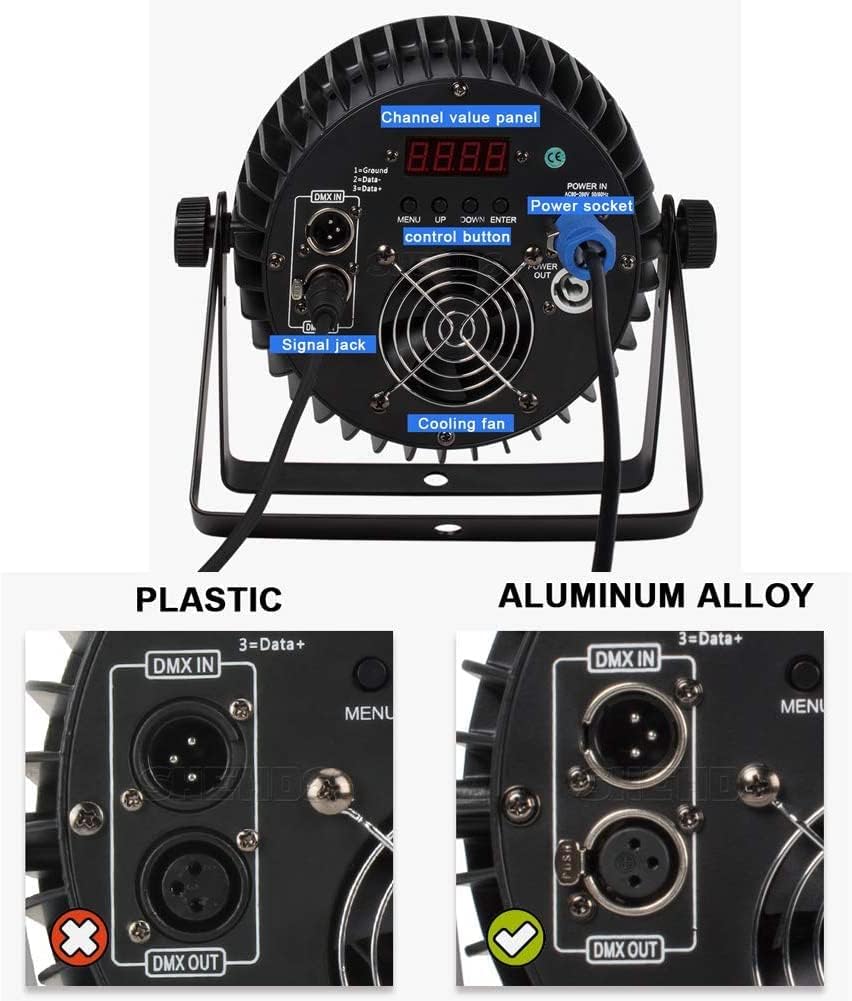
Image: The rear panel of the SHEHDS LED Stage Par Light, detailing the channel value panel, control buttons (MENU, UP, DOWN, ENTER), power socket, signal jacks (DMX IN/OUT), and cooling fan.
6. Operation
The fixture can be operated in several modes, selectable via the digital display and control buttons on the rear panel (MENU, UP, DOWN, ENTER).
6.1 Menu Navigation
- MENU: Press to cycle through the main menu options.
- UP/DOWN: Use to navigate within a menu option or adjust values.
- ENTER: Press to confirm a selection or save a setting.
6.2 Operational Modes
- DMX512 Mode: Allows external control via a DMX controller. Set the DMX address using the menu. The fixture will retain the DMX address even after power cycling.
- Auto Run Mode: The fixture cycles through pre-programmed light shows automatically. Various auto programs may be available via the menu.
- Sound Activated Mode: The light reacts to sound and music detected by its built-in microphone. Sensitivity can often be adjusted.
- Strobe Mode: Produces a flashing light effect. Strobe speed and intensity may be adjustable.
- Stand Alone Mode: Operates independently without a DMX controller, using internal programs or manual settings.
- Master/Slave Mode: Connect multiple fixtures via DMX cables. Set one fixture as "Master" and others as "Slave." The slave units will mimic the master's operation.
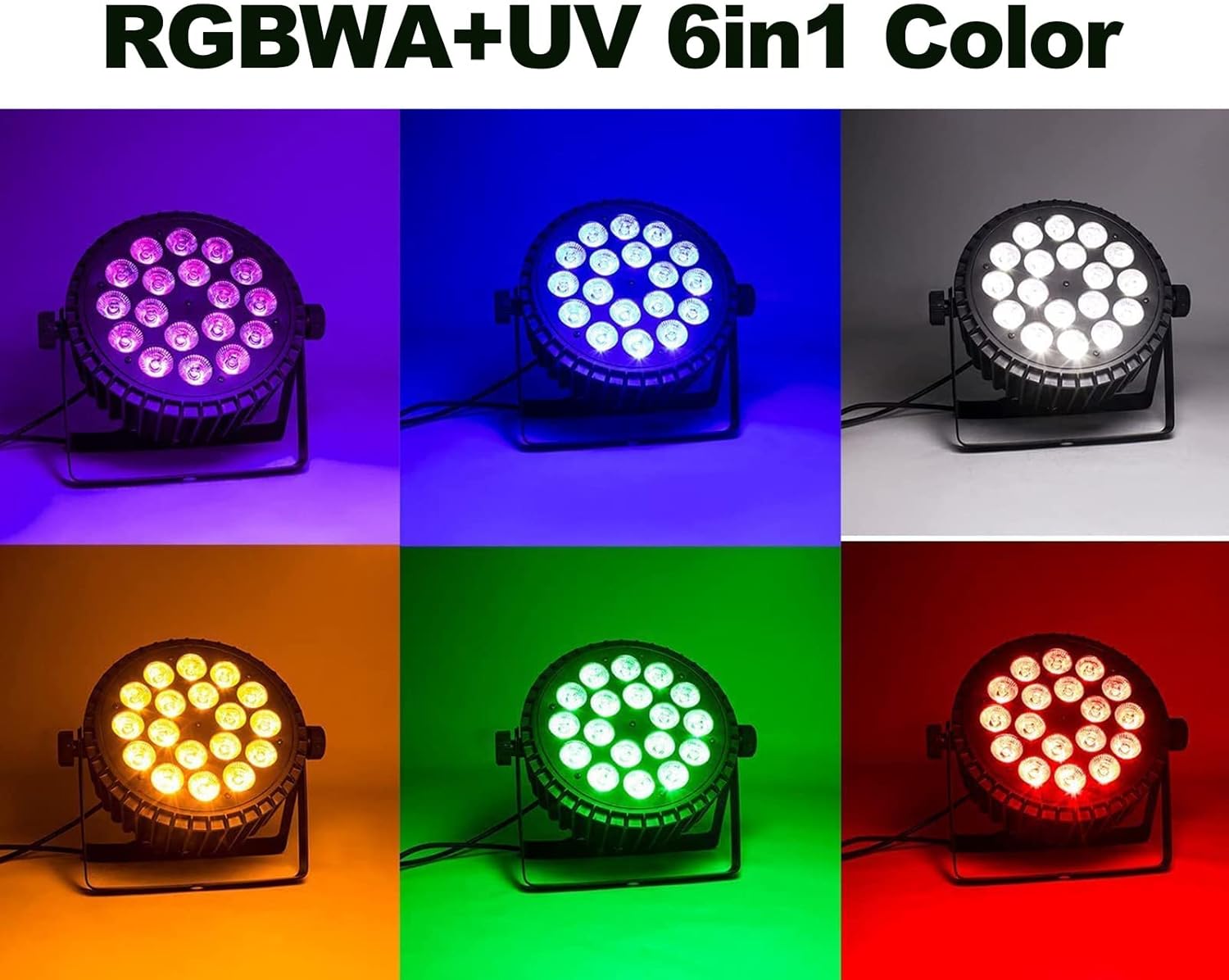
Image: The SHEHDS LED Stage Par Light showcasing its ability to produce a wide range of colors including purple, blue, white, amber, green, and red, demonstrating its 6-in-1 RGBWA+UV color mixing capability.
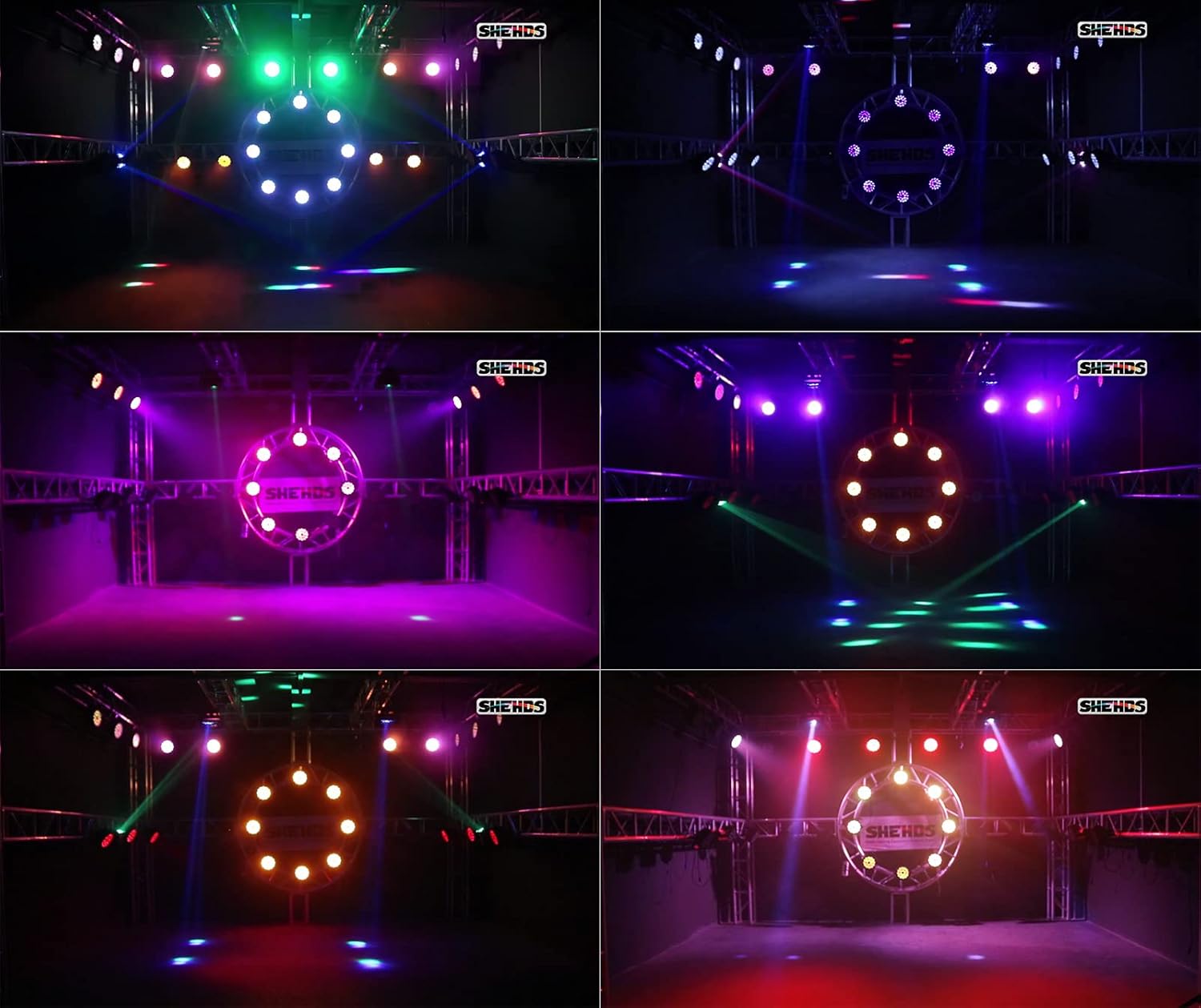
Image: A series of images depicting multiple SHEHDS LED Stage Par Lights in action, creating diverse stage lighting effects with different color combinations and patterns.
7. DMX Control
The SHEHDS LED Stage Par Light supports DMX512 protocol for professional control. Refer to your DMX controller's manual for specific programming instructions.
7.1 DMX Channel Assignment (Example - typical 6-channel mode)
While specific channel assignments can vary, a common 6-channel DMX mode for RGBWA+UV fixtures often includes:
| Channel | Function | Value Range (0-255) |
|---|---|---|
| 1 | Red Intensity | 0-255 (0% to 100%) |
| 2 | Green Intensity | 0-255 (0% to 100%) |
| 3 | Blue Intensity | 0-255 (0% to 100%) |
| 4 | White Intensity | 0-255 (0% to 100%) |
| 5 | Amber Intensity | 0-255 (0% to 100%) |
| 6 | UV Intensity | 0-255 (0% to 100%) |
| 7 | Master Dimmer / Strobe | 0-255 (0-100% Dimmer, then Strobe effects) |
| 8 | Color Macros / Auto Programs | 0-255 (Various pre-set colors or auto programs) |
Note: The exact DMX channel functions and values may vary. Please refer to the specific DMX chart provided with your fixture or available from the manufacturer for precise details.
8. Maintenance
Regular maintenance ensures optimal performance and extends the lifespan of your LED Par Light.
- Cleaning: Periodically clean the lens and exterior casing with a soft, lint-free cloth. Do not use abrasive cleaners or solvents. Ensure the fixture is powered off and cooled down before cleaning.
- Fan Cleaning: Ensure the cooling fan and vents are free from dust and debris to maintain efficient heat dissipation. Use compressed air if necessary.
- Cable Inspection: Regularly check power and DMX cables for any signs of damage, wear, or loose connections. Replace damaged cables immediately.
- Storage: When not in use, store the fixture in a dry, dust-free environment.
9. Troubleshooting
| Problem | Possible Cause | Solution |
|---|---|---|
| No power | Power cable not connected, faulty outlet, blown fuse. | Check power cable connection. Test outlet with another device. Check and replace fuse if necessary. |
| No DMX control | Incorrect DMX address, faulty DMX cable, incorrect DMX mode, DMX terminator missing. | Verify DMX address setting. Test DMX cable. Ensure fixture is in DMX mode. Use a DMX terminator on the last fixture in the chain. |
| Light output is weak or inconsistent | Dimmer setting too low, incorrect program selected, overheating. | Adjust dimmer settings. Select appropriate operating mode. Ensure proper ventilation and clean cooling fan. |
| Sound Activated mode not working | Microphone sensitivity too low, no sound input. | Increase microphone sensitivity via menu. Ensure sound source is present and loud enough. |
10. Specifications
| Feature | Detail |
|---|---|
| Model | 18X18W 6IN1 |
| Light Source | 18 x 18W RGBWA+UV 6-in-1 LEDs |
| Color | RGBWA+UV (Red, Green, Blue, White, Amber, Ultraviolet) |
| Material | Cast Aluminum |
| Power Source | Corded Electric |
| Voltage | 240 Volts |
| Light Source Wattage | 324 Watts (Total) |
| Amperage | 1.35 Amps |
| Item Weight | 2.95 Kilograms (6.49 pounds) |
| Product Dimensions | 9.1"L x 4.5"W x 9.1"H |
| Control Modes | DMX512, Auto Run, Sound Activated, Strobe, Stand Alone, Master/Slave |
| Mounting Type | Floor Mount |
| LED Lifespan | >60,000 hours |
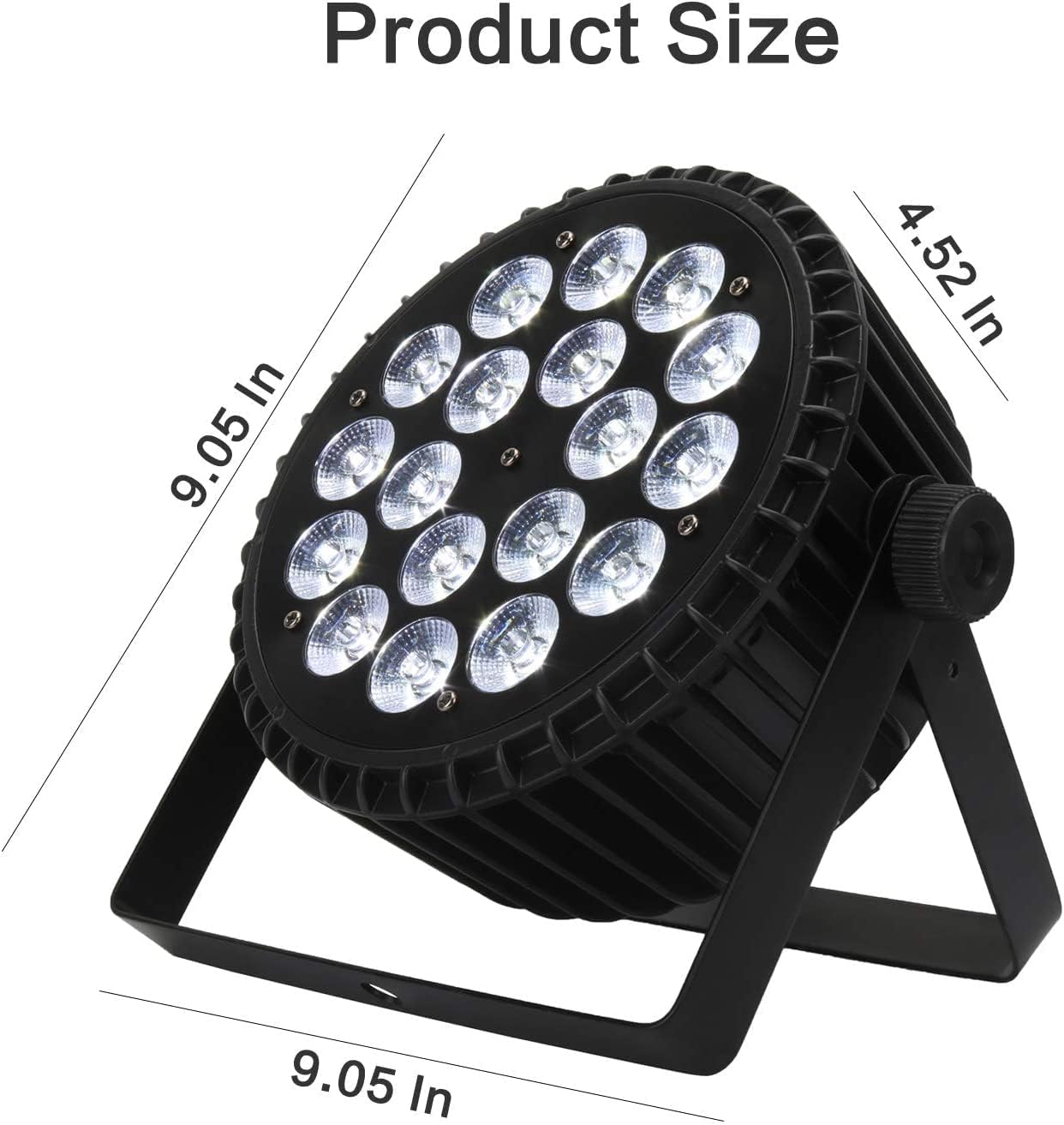
Image: A diagram illustrating the product dimensions: 9.05 inches in length, 4.52 inches in width, and 9.05 inches in height.
11. Warranty and Support
SHEHDS is committed to providing quality products and customer satisfaction.
- 1-Month Replacement: If you encounter any issues within one month of purchase, the product is eligible for replacement.
- 1-Year Warranty: The product is covered by a one-year warranty against manufacturing defects from the date of purchase.
- Customer Service: For technical support, troubleshooting assistance, or warranty claims, please contact SHEHDS customer service. Refer to the product packaging or the official SHEHDS website for contact details.
Related documents18X18W 6IN1


Ask a question about this manual
Ask about setup, troubleshooting, compatibility, parts, safety, or missing instructions. Manuals+ will review the question and use this page’s manual context to help answer it.