
Nulaxy NX10
Nulaxy Bluetooth FM Transmitter User Manual
Model: NX10
Product Overview
The Nulaxy Bluetooth FM Transmitter (Model NX10) is designed to enhance your in-car audio experience by allowing you to stream music and make hands-free calls through your car's FM radio. It features dual USB charging ports, including a Quick Charge 3.0 port, and supports multiple music input modes.

Image: Front view of the Nulaxy Bluetooth FM Transmitter NX10, showing the display, control knob, and USB ports with colorful LED backlighting.
Setup Instructions
- Insert into Car Cigarette Lighter: Plug the Nulaxy NX10 into your vehicle's 12V/24V cigarette lighter socket. The device will power on automatically and display the current car battery voltage for a few seconds, then switch to FM frequency display.
- Set FM Frequency:
- Find an empty FM frequency on your car radio. Choose a frequency that has no strong broadcast signal to minimize interference.
- Press and hold the 'CH' button (usually the main knob) on the NX10 until the frequency display starts blinking.
- Rotate the knob left or right to adjust the NX10's frequency to match the empty frequency on your car radio.
- Once matched, press the 'CH' button again or wait a few seconds for the frequency to set.
- Pair with Bluetooth Device:
- On your mobile device, enable Bluetooth and search for available devices.
- Select "NX10" from the list of found devices to pair.
- Once successfully paired, the NX10 display will show "bt" or a Bluetooth icon, and you will hear an audio confirmation.

Image: The Nulaxy NX10 FM Transmitter plugged into a car's cigarette lighter socket, displaying an FM frequency.
Operating Instructions
Music Playback
The NX10 supports music playback via Bluetooth, USB flash drive, and microSD card.
- Bluetooth Streaming: After successful Bluetooth pairing, open your music player on your mobile device. Audio will be streamed wirelessly to the NX10 and then broadcast to your car radio.
- USB Flash Drive / MicroSD Card: Insert a USB flash drive (up to 32GB) or a microSD card (up to 32GB) containing WMA, MP3, WAV, APE, or FLAC audio files into the designated port. The device will automatically detect and play music from the inserted storage.

Image: The Nulaxy NX10 displaying its three music import modes: Bluetooth, USB Drive, and TF Card, with a smartphone and USB drive connected.
Hands-Free Calling
The NX10 allows for safe, hands-free communication while driving.
- Answer Call: Press the 'Phone' button (usually integrated into the main knob) once to answer an incoming call.
- End Call: Press the 'Phone' button once during a call to end it.
- Reject Call: Press and hold the 'Phone' button for 2 seconds to reject an incoming call.
- Redial Last Number: Double-press the 'Phone' button to redial the last dialed number.
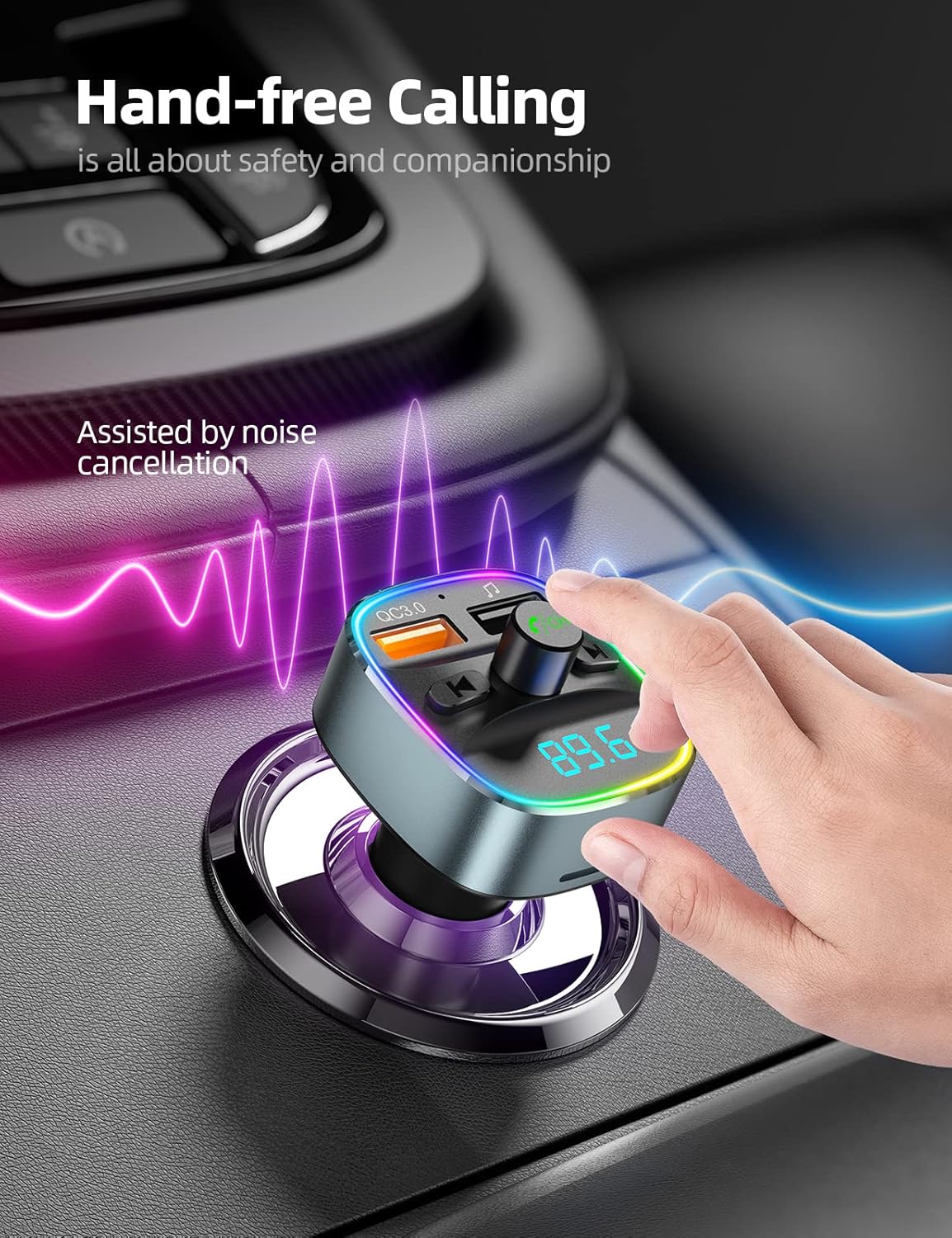
Image: A hand interacting with the Nulaxy NX10, illustrating its use for hands-free calling with noise cancellation.
Charging Functions
The NX10 is equipped with dual USB charging ports.
- Quick Charge 3.0 Port: The orange USB port supports QC3.0, providing up to 4 times faster charging for compatible devices.
- Standard USB Port: The blue USB port provides standard 5V/1A charging for other devices.

Image: The Nulaxy NX10 with two USB cables connected, illustrating its fast charging capabilities for a smartphone.
LED Backlit Light
The NX10 features 7 color LED backlit lights for visual customization and improved visibility in low light conditions.
- Change Color: Press the light button (usually on the side or top) to cycle through the 7 available colors (Red, Green, Blue, Yellowish Green, Purple, Cyan, White).

Image: The Nulaxy NX10 illuminated with various LED colors, demonstrating its 7-color backlit feature.
Battery Voltage Monitor
The device includes a voltmeter to display your car battery's voltage in real-time.
- Normal Range (Car On/Moving): 13.2V to 14.7V
- Normal Range (Car Parked/Ignition Off): 12.2V to 12.8V
- Monitor this display to ensure your car battery is in good condition.

Image: The Nulaxy NX10 displaying a voltage reading (12.6V), indicating its real-time battery voltage monitoring feature.
Maintenance
- Cleaning: Use a soft, dry cloth to clean the device. Do not use liquid cleaners or aerosols.
- Storage: When not in use for extended periods, store the device in a cool, dry place away from direct sunlight and extreme temperatures.
- Handling: Avoid dropping the device or subjecting it to strong impacts.
Troubleshooting
| Problem | Possible Cause | Solution |
|---|---|---|
| No power/Device not turning on. | Loose connection in cigarette lighter socket; vehicle's power outlet is off or faulty. | Ensure the device is firmly seated in the cigarette lighter socket. Check if the vehicle's power outlet is active. Test with another vehicle if possible. |
| Static or poor audio quality. | FM frequency interference; volume levels too low/high; strong local radio station signal. |
|
| Bluetooth connection issues. | Device not in pairing mode; mobile device Bluetooth off; interference. |
|
| USB/MicroSD card not playing. | Unsupported file format; card/drive not inserted correctly; corrupted files. |
|
Specifications
- Model: NX10
- Input Voltage: DC 12V-24V
- Bluetooth Version: 5.0
- FM Frequency Range: 87.5-108.0 MHz
- USB Output 1 (QC3.0): 5V/3A, 9V/2A, 12V/1.5A
- USB Output 2: 5V/1A
- Supported Music Formats: WMA, MP3, WAV, APE, FLAC
- USB Flash Drive/MicroSD Card Capacity: Up to 32GB
- LED Backlight Colors: 7 Colors (Red, Green, Blue, Yellowish Green, Purple, Cyan, White)
- Item Weight: 2.08 ounces
- Package Dimensions: 3.74 x 2.44 x 2.05 inches

Image: Bottom view of the Nulaxy NX10, showing the model number (NX10), input voltage, and FCC/IC IDs.
Warranty and Support
Nulaxy products are designed for reliability and performance. For any questions, technical support, or warranty inquiries, please contact Nulaxy customer service.
Email Support: support@nulaxy.com
Please refer to your purchase documentation for specific warranty terms and conditions.
Related documentsNX10


Ask a question about this manual
Ask about setup, troubleshooting, compatibility, parts, safety, or missing instructions. Manuals+ will review the question and use this page’s manual context to help answer it.