
1. Introduction
Thank you for choosing the Cecotec Bolero Aguazero 6700 Built-in Dishwasher. This manual provides essential information for the safe and efficient use, installation, and maintenance of your appliance. Please read these instructions carefully before operating the dishwasher and keep them for future reference.
2. Safety Information
Always follow basic safety precautions when using electrical appliances to reduce the risk of fire, electric shock, or injury.
- Ensure the dishwasher is properly grounded.
- Do not operate the dishwasher if it is damaged. Contact authorized service personnel.
- Keep children away from the dishwasher, especially when it is operating or the door is open.
- Use only detergents and rinse aids specifically designed for automatic dishwashers.
- Do not touch the heating element during or immediately after use.
- Load sharp items so they are not likely to damage the door seal or interior.
- The appliance is designed for domestic use only.

3. Setup and Installation
3.1 Unpacking and Placement
Carefully remove all packaging materials. Ensure the dishwasher is placed on a level, stable surface. This is a built-in model designed to integrate seamlessly into your kitchen cabinetry.

3.2 Initial Use
Before the first wash cycle, ensure the following steps are completed:
- Salt Dispenser: Fill the salt dispenser with dishwasher salt to prevent limescale buildup, especially in hard water areas. Use the provided funnel for easy filling.
- Rinse Aid Dispenser: Fill the rinse aid dispenser. Rinse aid helps with drying and prevents water spots.
- Detergent Dispenser: Add the appropriate amount of dishwasher detergent for your first cycle.
4. Operating Instructions
4.1 Control Panel Overview
The dishwasher features an XXL FullColor Display with touch controls for intuitive operation.

4.2 Loading the Dishwasher
This dishwasher has a large capacity for up to 15 place settings. It includes an adjustable upper basket and a dedicated cutlery tray.
- Upper Basket: The height of the upper basket can be adjusted to accommodate taller items in either the upper or lower basket, such as large pots or delicate glasses.
- Lower Basket: Ideal for larger plates, bowls, and pots.
- Cutlery Tray: A dedicated upper tray for cutlery ensures thorough cleaning and frees up space in the lower baskets.

4.3 Program Selection
The dishwasher offers 14 programs to suit various washing needs. Select the program that best matches the type and soil level of your dishes.
Examples of programs include:
- Pots: For heavily soiled pots and pans.
- Everyday Dishes: A standard program for daily loads.
- Delicate Glasses: A gentle program for fragile items.
4.4 Special Functions
Enhance your washing experience with these advanced features:
- O2 Dry: This function automatically opens the dishwasher door at the end of the wash cycle to facilitate natural and perfect drying of dishes.
- Turbo Dry+: Ensures thorough drying by removing hot airflow and moisture before cooling, preventing water spots.
- Dual Zone Wash: Applies different water pressure to the upper and lower baskets, allowing you to wash delicate items and heavily soiled pots simultaneously without separation.
- Extended Storage: Eliminates odors and prevents humidity and mold on dishes stored inside the dishwasher for up to 72 hours after the cycle.
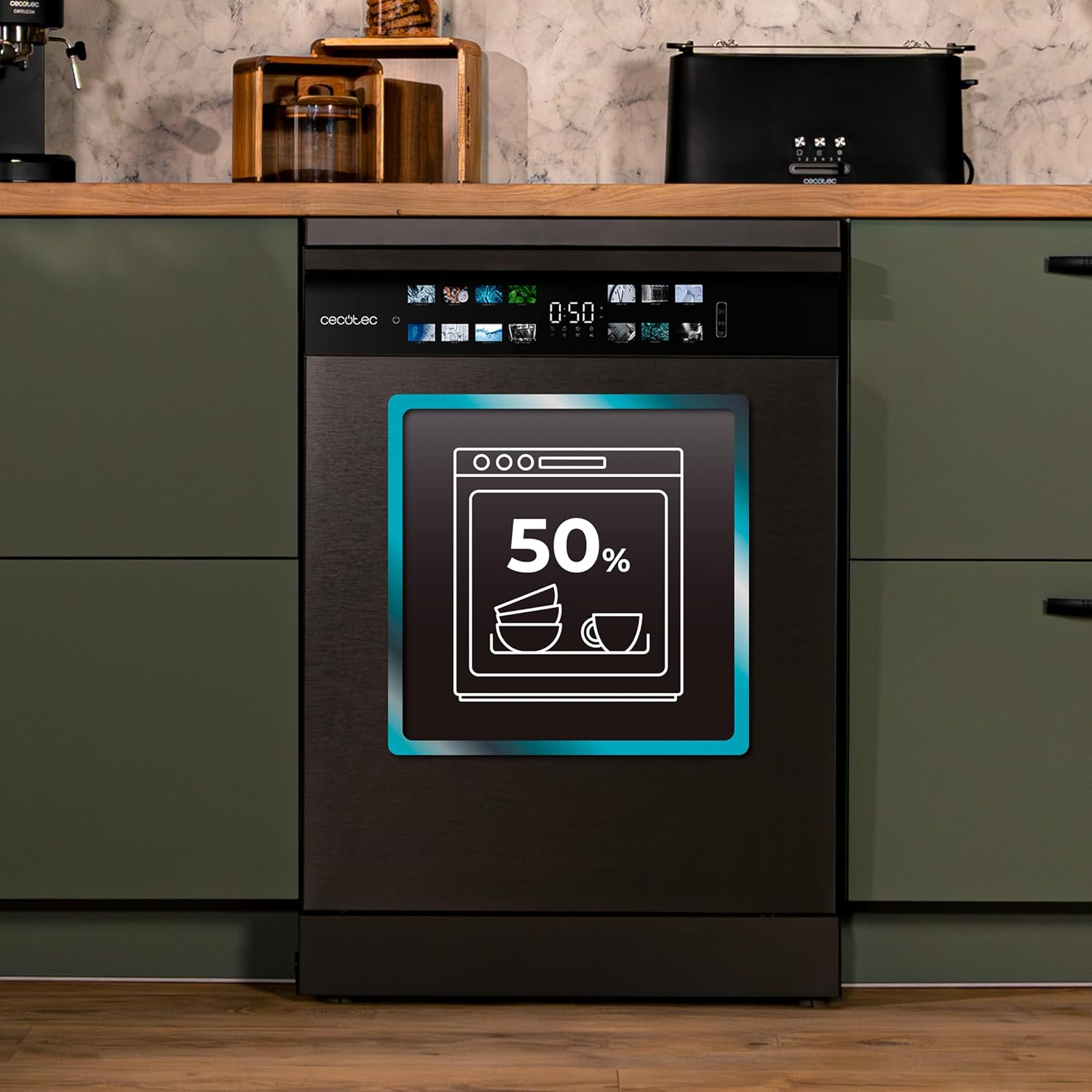
- Half Load: For smaller loads, this function uses half the resources (water and energy) while maintaining effective cleaning results.
5. Maintenance and Care
5.1 Cleaning the Dishwasher
- Machine Care Program: Use the dedicated Machine Care program to clean the interior of your dishwasher. This helps protect it from bacteria and odors, extending its lifespan.
- Filter Cleaning: Regularly check and clean the filters at the bottom of the dishwasher to ensure optimal performance and prevent blockages.
- Exterior Cleaning: Wipe the exterior surfaces with a soft, damp cloth. Avoid abrasive cleaners.

6. Troubleshooting
If you encounter issues with your dishwasher, refer to the following common problems and solutions before contacting service.
| Problem | Possible Cause | Solution |
|---|---|---|
| Dishes are not clean | Improper loading, insufficient detergent, clogged spray arms, incorrect program selection. | Ensure dishes are loaded correctly, use adequate detergent, clean spray arm nozzles, select a more intensive program. |
| Detergent not dissolving | Detergent dispenser blocked, old or clumpy detergent, water temperature too low. | Check dispenser for obstructions, use fresh detergent, ensure water supply is hot. |
| Water spots or streaks on dishes | Low rinse aid level, hard water, incorrect rinse aid dosage. | Refill rinse aid dispenser, adjust rinse aid dosage, ensure salt dispenser is filled. |
| Dishwasher not starting | Door not closed properly, power supply issue, program not selected. | Ensure door is latched, check power connection, select a program and press start. |
| Unusual noise during operation | Items obstructing spray arms, foreign objects in the pump. | Rearrange dishes, check for and remove any foreign objects. |
7. Specifications
| Feature | Specification |
|---|---|
| Model Name | Bolero Aguazero 6700 Dark B |
| Model Number | 00224 |
| Installation Type | Built-in |
| Dimensions (W x D x H) | 60 x 60 x 84.5 cm |
| Weight | 1 kg (Note: This value may be a placeholder or incorrect, actual weight may vary) |
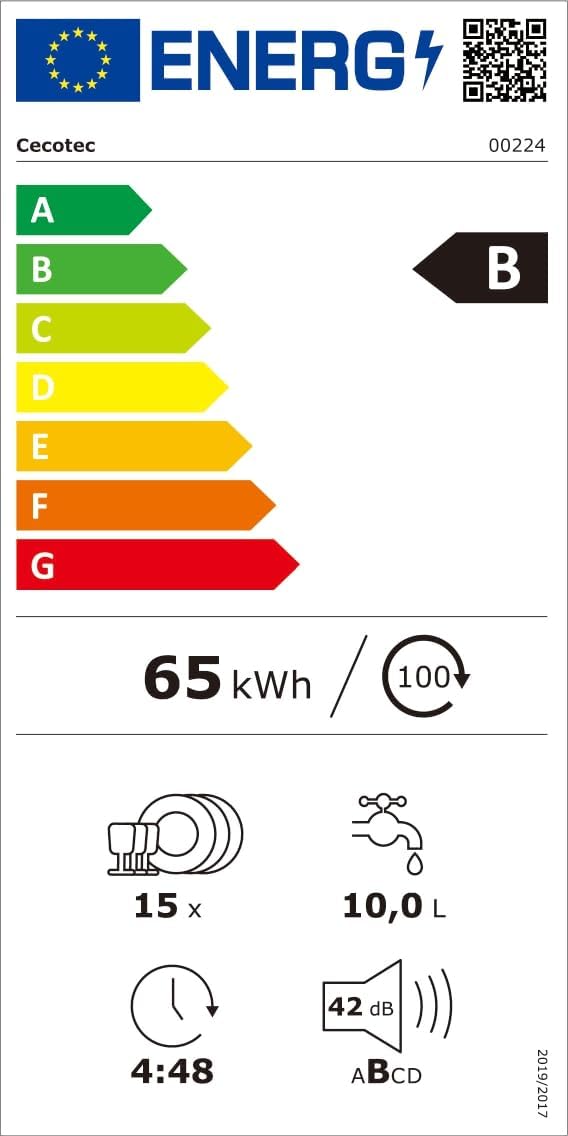
| Capacity | 15 Place Settings |
| Energy Efficiency Class | B |
| Noise Level | 42 Decibels |
| Water Consumption per Cycle | 10 Liters |
| Number of Programs | 14 |
| Display Type | LCD (FullColor) |
| Control Type | Touch |
| Motor Type | Inverter Plus |
| Special Features | Turbo Dry+, Dual Zone Wash, O2 Dry, AutoClean, Machine Care |
| Material | Stainless steel |
| Included Components | Dishwasher, Lower basket, Upper basket, Cutlery tray, Cutlery basket, Salt funnel, Drain hose, Instruction manual |
8. Warranty and Support
Cecotec provides a commitment to quality and durability. Spare parts for this appliance are available in the EU for a period of 10 years from the date of purchase.
For any issues not covered in the troubleshooting section, or for warranty claims, please contact Cecotec customer support. Refer to your purchase documentation for specific warranty terms and contact details.


