
Introduction
Thank you for choosing the Cecotec Hydrosteam 1300 Rapid Max Steam Cleaner. This manual provides essential information for the safe and efficient use, maintenance, and troubleshooting of your appliance. Please read these instructions carefully before first use and keep them for future reference.
Important Safety Instructions
- Always ensure the appliance is unplugged before filling or emptying the water tank, or when attaching/detaching accessories.
- Do not open the water tank cap while the appliance is under pressure or hot. Allow it to cool down completely.
- Keep children and pets away from the steam cleaner during operation. Steam is hot and can cause burns.
- Never direct steam at people, animals, or electrical appliances.
- Use only clean tap water. Do not add detergents, perfumes, or other chemicals to the water tank.
- Inspect the power cord and plug for damage before each use. Do not operate if damaged.
Product Components
The Cecotec Hydrosteam 1300 Rapid Max comes with a comprehensive kit of 16 accessories designed for various cleaning tasks. Familiarize yourself with each component:
- Handheld Steam Cleaner Unit
- Round Brass Brush
- Round Nylon Brush
- Measuring Cup and Funnel
- Window Cleaning Nozzle
- Upholstery Nozzle
- Curved Narrow Nozzle
- Connection Nozzle (curved)
- Connection Nozzle (straight)
- Flexible Hose
- Extension Tube
- Floor Brush
- 2 Floor Mop Cloths
- 3 Cloths for Upholstery/Textiles

Image: A collage showing various accessories of the Cecotec Hydrosteam 1300 Rapid Max steam cleaner being used for different cleaning tasks, including cleaning a grill, sink, tiles, floor, upholstery, shower, and wall.
Setup
- Prepare the Unit: Place the steam cleaner on a stable, flat surface. Ensure it is unplugged from the power outlet.
- Fill the Water Tank: Unscrew the water tank cap. Use the provided measuring cup and funnel to fill the 550 ml water tank with clean tap water. Do not overfill. Securely close the water tank cap.
- Attach Accessories: Select the appropriate accessory for your cleaning task. Attach it firmly to the main unit or the extension tube/flexible hose until it clicks into place. For floor cleaning, attach the extension tube and floor brush with a mop cloth.
- Power On: Plug the power cord into a suitable electrical outlet. The indicator light will illuminate, signaling that the unit is heating up. The appliance has a rapid heating system, reaching operating temperature in approximately 30 seconds.
Image: A close-up shot from a collage showing a hand pouring water into the steam cleaner's tank using a measuring cup and funnel.
Operating Instructions
Once the steam cleaner is heated and ready (indicator light changes or turns off, depending on model), you can begin cleaning.
- Steam Release: Press and hold the steam trigger on the handle to release steam. The continuous steam lock allows for extended cleaning without constantly holding the trigger.
- Cleaning Surfaces: Move the steam cleaner slowly over the surface to be cleaned. The high-pressure steam (3 bar) and steam flow (32 g/min) effectively loosen dirt and grime.
- Floor Cleaning: For floors, attach the extension tube and floor brush with a microfiber cloth. Glide the brush across hard floors like tiles or sealed wood.
- Window Cleaning: Use the window cleaning nozzle for streak-free windows and mirrors.
- Detail Cleaning: The round brushes (brass for tough grime, nylon for general use) and narrow nozzles are ideal for grout, corners, and tight spaces.
- Upholstery and Textiles: Attach the upholstery nozzle with a cloth to refresh and sanitize fabrics. Always test on an inconspicuous area first.
- Recommended Surfaces: This steam cleaner is suitable for cleaning ceilings, countertops, upholstery, mattresses, walls, grout, windows, sinks, floors, doors, tiles, and curtains.
- Refilling: If the water tank runs empty during use, unplug the unit and allow it to cool down for a few minutes before refilling.

Image: A close-up of the Cecotec Hydrosteam 1300 Rapid Max handle, showing the steam trigger and the 'FASTHEATING' indicator.
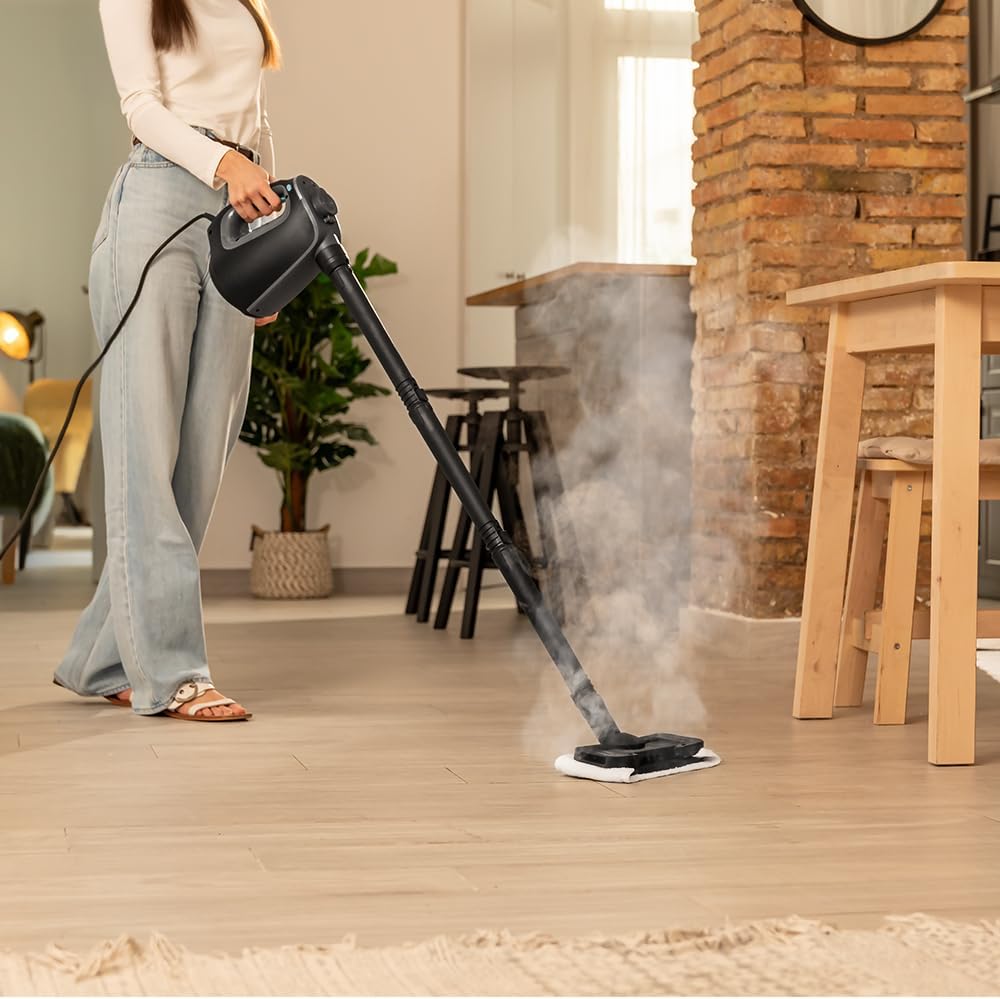
Image: A woman using the Cecotec Hydrosteam 1300 Rapid Max in mop configuration to clean a light-colored floor in a living area.
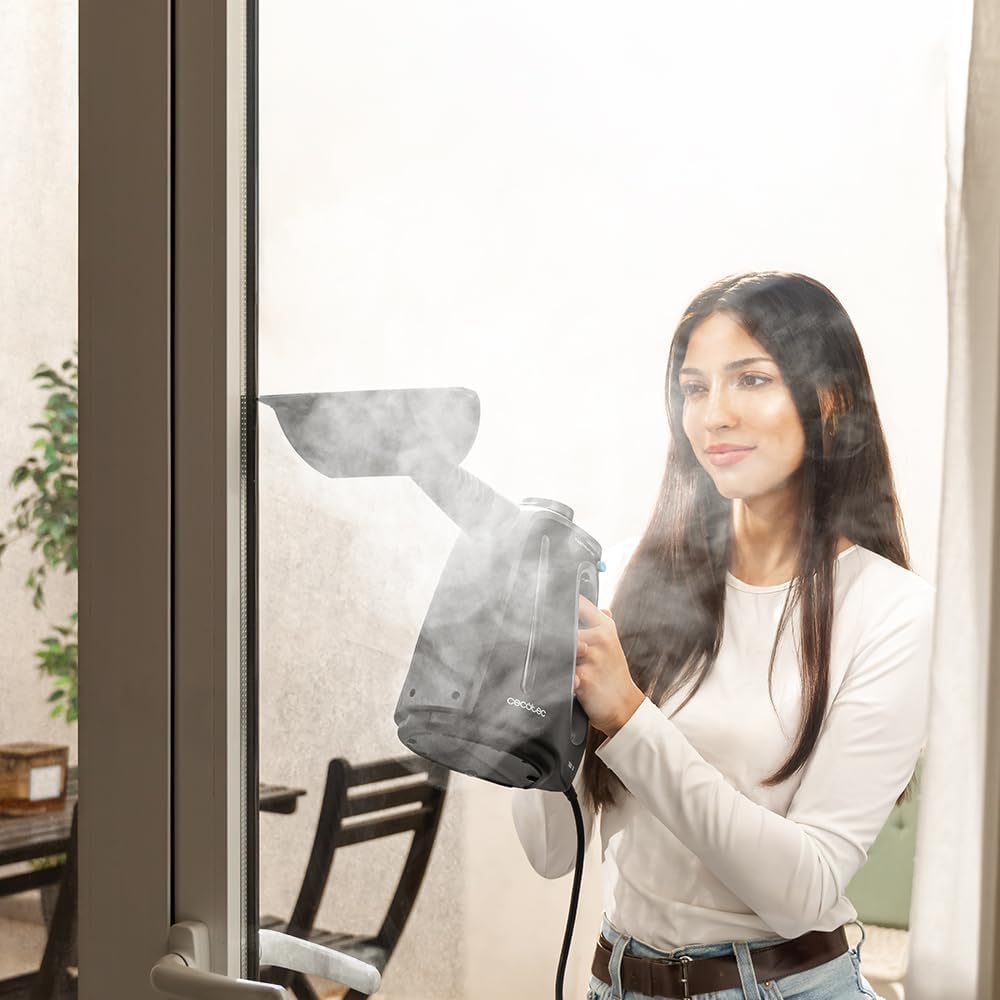
Image: A woman cleaning a window with the handheld Cecotec Hydrosteam 1300 Rapid Max, using the window cleaning attachment, with steam visible.

Image: A woman using the handheld Cecotec Hydrosteam 1300 Rapid Max with a narrow nozzle attachment, directing steam for detailed cleaning.
Maintenance
Regular maintenance ensures optimal performance and extends the lifespan of your steam cleaner.
- Empty Water Tank: After each use, unplug the appliance and allow it to cool completely. Unscrew the water tank cap and carefully empty any remaining water.
- Clean Accessories: Wash all removable accessories (brushes, cloths, nozzles) with warm water and mild soap. Rinse thoroughly and allow them to air dry before storing.
- Descaling: Depending on water hardness in your area, mineral deposits may build up inside the tank. To descale, fill the tank with a solution of equal parts water and white vinegar. Let it sit for a few hours or overnight, then empty and rinse thoroughly with clean water. Do not heat the vinegar solution.
- Exterior Cleaning: Wipe the exterior of the steam cleaner with a damp cloth. Do not use abrasive cleaners or solvents.
- Storage: Store the steam cleaner and its accessories in a cool, dry place, out of reach of children. Ensure the power cord is neatly wrapped.
Troubleshooting
If you encounter issues with your Cecotec Hydrosteam 1300 Rapid Max, refer to the following common problems and solutions:
| Problem | Possible Cause | Solution |
|---|---|---|
| No steam or low steam output | Water tank is empty Unit not heated sufficiently Nozzle/accessory blocked Mineral buildup | Refill water tank Wait for 30 seconds heat-up time Clean or replace nozzle Perform descaling procedure |
| Water leaking from unit | Water tank cap not securely closed Accessory not properly attached Overfilled water tank | Ensure cap is tightened Re-attach accessory firmly Do not overfill the tank |
| Power indicator light not on | Unit not plugged in Power outlet malfunction Power cord damage | Check power connection Test outlet with another appliance Do not use if cord is damaged; contact support |
If the problem persists after attempting these solutions, please contact Cecotec customer support.
Specifications
- Model Name: Hydrosteam 1300 Rapid Max
- Model Number: 00644
- Power: 1350 Watts
- Water Tank Volume: 550 Milliliters
- Steam Pressure: 3 bar
- Steam Flow: 32 g/min
- Heat-up Time: 30 Seconds
- Cable Length: 4 meters
- Dimensions (L x W x H): 14.2 x 26.6 x 22.8 cm
- Weight: 1.32 Kilograms
- Special Features: Portable, Water Level Indicator
- Power Source: Corded Electric
Warranty and Support
The Cecotec Hydrosteam 1300 Rapid Max is manufactured to high-quality standards. For warranty information, please refer to the documentation provided at the time of purchase or visit the official Cecotec website. Spare parts for this model are available for up to 10 years from the date of manufacture.
For technical assistance, troubleshooting beyond this manual, or to inquire about spare parts, please contact Cecotec customer support through their official channels. You can typically find contact information on the Cecotec website or in your purchase documentation.


