1. Introduction
Thank you for choosing the Cecotec TotalPure 2in1 MoonStyle Dark Fan and Air Purifier. This innovative appliance combines the functions of a powerful bladeless fan and an efficient air purifier, designed to enhance your indoor comfort and air quality. Featuring a DC motor, Wi-Fi control, an intuitive LED display, and multiple operating modes, this device offers a superior user experience. Please read this manual thoroughly before use to ensure proper operation, maintenance, and safety.

Image 1.1: The Cecotec TotalPure 2in1 MoonStyle Dark Fan and Air Purifier in a bedroom setting, showcasing its sleek design.
2. Safety Instructions
To reduce the risk of fire, electric shock, or injury, always follow these basic safety precautions:
- Read all instructions before using the appliance.
- Ensure the power supply voltage matches the rating label on the appliance.
- Do not immerse the appliance, power cord, or plug in water or other liquids.
- Unplug the appliance from the power outlet when not in use, before cleaning, or before performing any maintenance.
- Keep the appliance out of reach of children and pets.
- Do not operate the appliance with a damaged cord or plug, or after the appliance malfunctions or has been dropped or damaged in any manner.
- Do not block air openings or operate near curtains or other objects that could block air intake.
- Use the appliance only for its intended household use as described in this manual.
- Do not attempt to repair or disassemble the appliance yourself. Contact authorized service personnel.
3. Product Overview and Components
The Cecotec TotalPure 2in1 MoonStyle Dark is designed with user convenience and performance in mind. Below are the main components and key features of your device.

Figure 3.1: Front View

Figure 3.2: Side View
Key Features:
- High Power (35W): Delivers strong airflow for effective cooling.
- Bladeless Technology: Provides a safe and elegant design, reducing noise and making cleaning easier.
- High-Efficiency Filter: Ensures powerful air purification, capturing airborne particles.
- Wi-Fi Control: Manage settings conveniently via your smartphone.
- LED Screen: Displays all operational parameters and air quality information.
- Touch Control & Remote Control: Offers multiple ways to interact with the device.
- 120° Oscillation: Distributes air evenly across the room.
- 9 Speeds & 4 Modes: Customize your experience for various needs and preferences.
- 8-Hour Timer: Set the device to automatically turn off after a specified period.

High Power 35W

Bladeless Design

Air Purification
4. Setup
4.1 Unpacking and Assembly
- Carefully remove all components from the packaging.
- Place the base on a flat, stable surface.
- Insert the main body of the fan/purifier into the base, ensuring it clicks securely into place.
- Connect the power cord to the appliance and then plug it into a suitable electrical outlet.
4.2 Wi-Fi Connection Setup
To utilize the smart features of your device, connect it to your home Wi-Fi network via the Cecotec smartphone application.
- Download the "Cecotec" app from your smartphone's app store (available for iOS and Android).
- Register or log in to your Cecotec account.
- Follow the in-app instructions to add your new device. This typically involves putting the device into pairing mode (refer to the LED screen for indicators) and connecting to its temporary Wi-Fi hotspot before linking it to your home network.
- Once connected, you can control the fan/purifier remotely and access additional features.
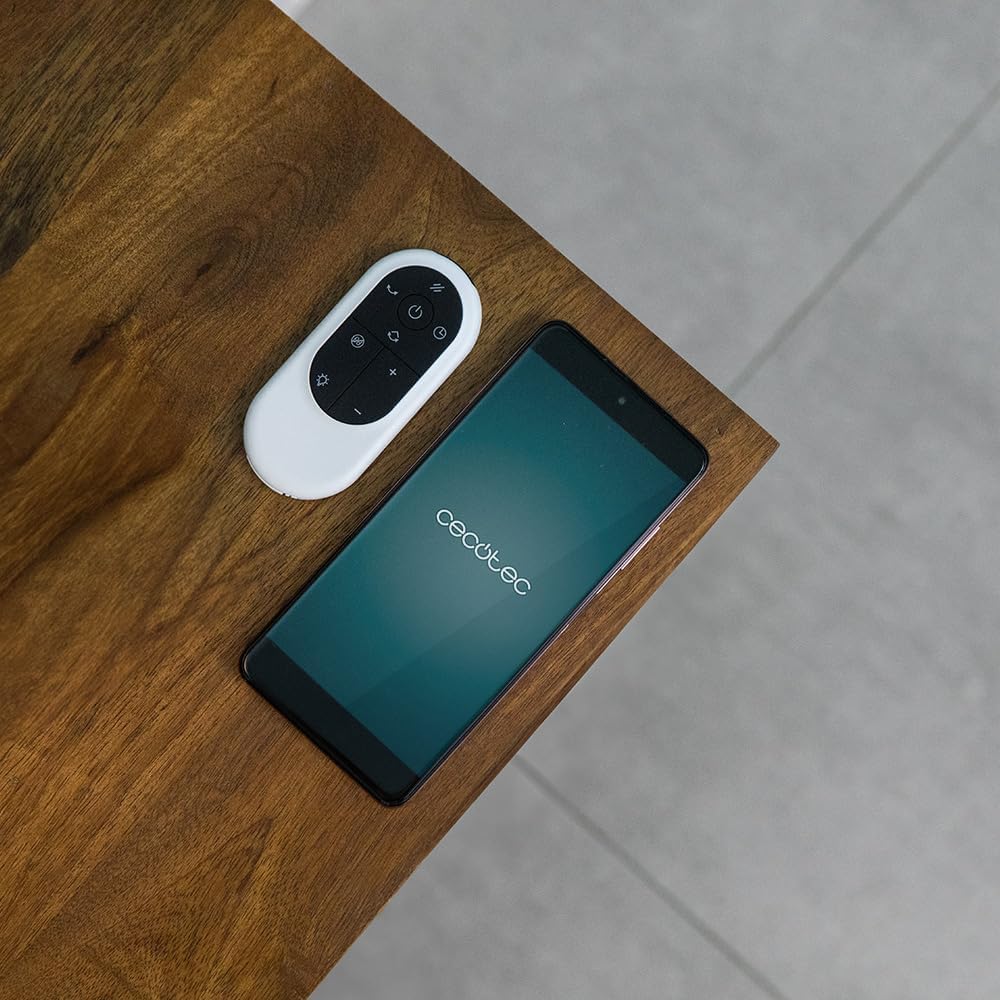
Image 4.1: The remote control and a smartphone displaying the Cecotec app, illustrating the control options.
5. Operating Instructions
5.1 Control Panel and LED Display
The device features a touch-sensitive control panel and an LED display for easy operation. The LED screen shows current settings, air quality, and other relevant information.

Image 5.1: A hand interacting with the touch control panel on the device.

Image 5.2: A close-up view of the LED display, showing current settings.
5.2 Modes and Speeds
The fan/purifier offers 9 speed settings and 4 distinct operating modes:
- Normal Mode: Constant airflow at your selected speed.
- Sleep Mode: Operates at a lower, quieter speed for undisturbed rest.
- Natural Mode: Simulates natural breeze by varying fan speed.
- Auto Mode: Adjusts fan speed automatically based on detected air quality.

Figure 5.3: Overview of 9 speeds, 4 modes, and 8-hour timer.
5.3 Oscillation Function
Activate the oscillation function to distribute purified and cooled air across a wider area. The device can oscillate up to 120 degrees.

Image 5.4: The fan demonstrating its 120-degree oscillation capability.
5.4 Timer Function
Set the timer for up to 8 hours to automatically turn off the appliance, saving energy and providing convenience.
6. Maintenance
Regular maintenance ensures the longevity and optimal performance of your Cecotec TotalPure 2in1 MoonStyle Dark.
6.1 Cleaning the Appliance
- Always unplug the appliance before cleaning.
- Wipe the exterior surfaces with a soft, damp cloth. Do not use abrasive cleaners or solvents.
- Use a soft brush or vacuum cleaner with a brush attachment to gently clean the air intake and outlet grilles.
6.2 Filter Replacement
The air purification function relies on a high-efficiency filter. The filter needs to be replaced periodically to maintain purification effectiveness. The LED display may indicate when a filter change is due.

Image 6.1: The internal air filter of the Cecotec TotalPure 2in1 MoonStyle Dark.
- Unplug the appliance.
- Locate the filter compartment, usually at the rear or side of the main unit.
- Open the compartment and carefully remove the old filter.
- Insert a new genuine Cecotec replacement filter, ensuring it is correctly oriented.
- Close the filter compartment securely.
- Reset the filter life indicator on the device or via the app, if applicable.
Note: Availability of replacement filters may vary. Please contact Cecotec customer support or check their official website for purchasing replacement filters.
7. Troubleshooting
If you encounter any issues with your Cecotec TotalPure 2in1 MoonStyle Dark, please refer to the following common problems and solutions:
| Problem | Possible Cause | Solution |
|---|---|---|
| Appliance does not turn on. | Not plugged in; power outlet faulty; power button not pressed. | Ensure the power cord is securely plugged into a working outlet. Press the power button. |
| Weak airflow. | Low speed setting; blocked air intake/outlet; dirty filter. | Increase speed setting. Check for obstructions. Clean or replace the air filter. |
| Poor air purification. | Dirty or old filter. | Replace the air filter as per maintenance instructions. |
| Wi-Fi connection issues. | Incorrect Wi-Fi password; device too far from router; app issues. | Re-enter Wi-Fi password. Move device closer to router. Restart app and device. |
| Unusual noise. | Obstruction inside; unstable surface. | Unplug and check for foreign objects. Place on a stable, flat surface. If noise persists, contact support. |
If the problem persists after trying these solutions, please contact Cecotec customer support.
8. Specifications
Detailed technical specifications for the Cecotec TotalPure 2in1 MoonStyle Dark Fan and Air Purifier:
| Feature | Specification |
|---|---|
| Brand | Cecotec |
| Model Number | 08249 |
| Color | Dark |
| Power | 35 Watts |
| Voltage | 230 Volts |
| Material | Metal and Plastic |
| Number of Speeds | 9 |
| Special Features | Timer, Wi-Fi Control, Bladeless Technology, LED Display, Oscillation |
| Item Weight | 8.7 Kilograms |
| Product Dimensions | 10P x 10W x 10H millimeters (Approximate, based on provided data) |
| Recommended Uses | Cooling, Air Purification |
| Mounting Type | Floor Mount |
9. Warranty and Support
Cecotec products are manufactured to the highest quality standards. This product comes with a standard manufacturer's warranty. For specific warranty terms and conditions, please refer to the warranty card included with your purchase or visit the official Cecotec website.
For technical support, troubleshooting assistance, or to inquire about replacement parts (such as filters), please contact Cecotec customer service through their official channels. You can usually find contact information on the Cecotec website or on your product packaging.
Online Support: www.cecotec.com


