
1. Introduction
Thank you for choosing the SANODESK SN-E1L7148 L-Shaped Electric Standing Desk with Mobile File Cabinet. This manual provides essential information for the safe assembly, operation, and maintenance of your new desk. Please read these instructions thoroughly before use and retain them for future reference.
This electric standing desk is designed to offer a versatile and ergonomic workspace, allowing seamless transitions between sitting and standing positions. The integrated mobile file cabinet provides convenient storage solutions.
2. Safety Information
To ensure safe operation and prevent injury or damage, please adhere to the following safety guidelines:
- Weight Capacity: Do not exceed the maximum weight capacity of 177 lbs (80.3 kg) on the desk surface. Overloading can cause instability and damage.
- Assembly: Ensure all components are correctly assembled and tightened according to the instructions before use. A power drill is recommended for assembly, as some pre-drilled holes may require adjustment due to the flexible beam design.
- Clearance: Keep hands, feet, and objects clear of moving parts (desk legs, frame) during height adjustment to prevent pinching or crushing.
- Power Supply: Use only the provided power adapter. Do not operate the desk if the power cord or plug is damaged.
- Children and Pets: Keep children and pets away from the desk during operation. The anti-collision system helps prevent accidents, but direct supervision is always recommended.
- Stability: Place the desk on a level and stable surface. Do not lean or sit on the desk while it is in motion.
- Cleaning: Disconnect power before cleaning. Wipe with a damp cloth only. Avoid abrasive cleaners or solvents.
3. Package Contents
Your SANODESK L-Shaped Electric Standing Desk and Mobile File Cabinet are shipped in three separate packages:
- Package 1: Desk Frame Components
- Package 2: Desktop Surfaces
- Package 3: Mobile File Cabinet
Please verify that all parts are present and undamaged upon arrival. Refer to the included assembly diagrams for a complete list of components.
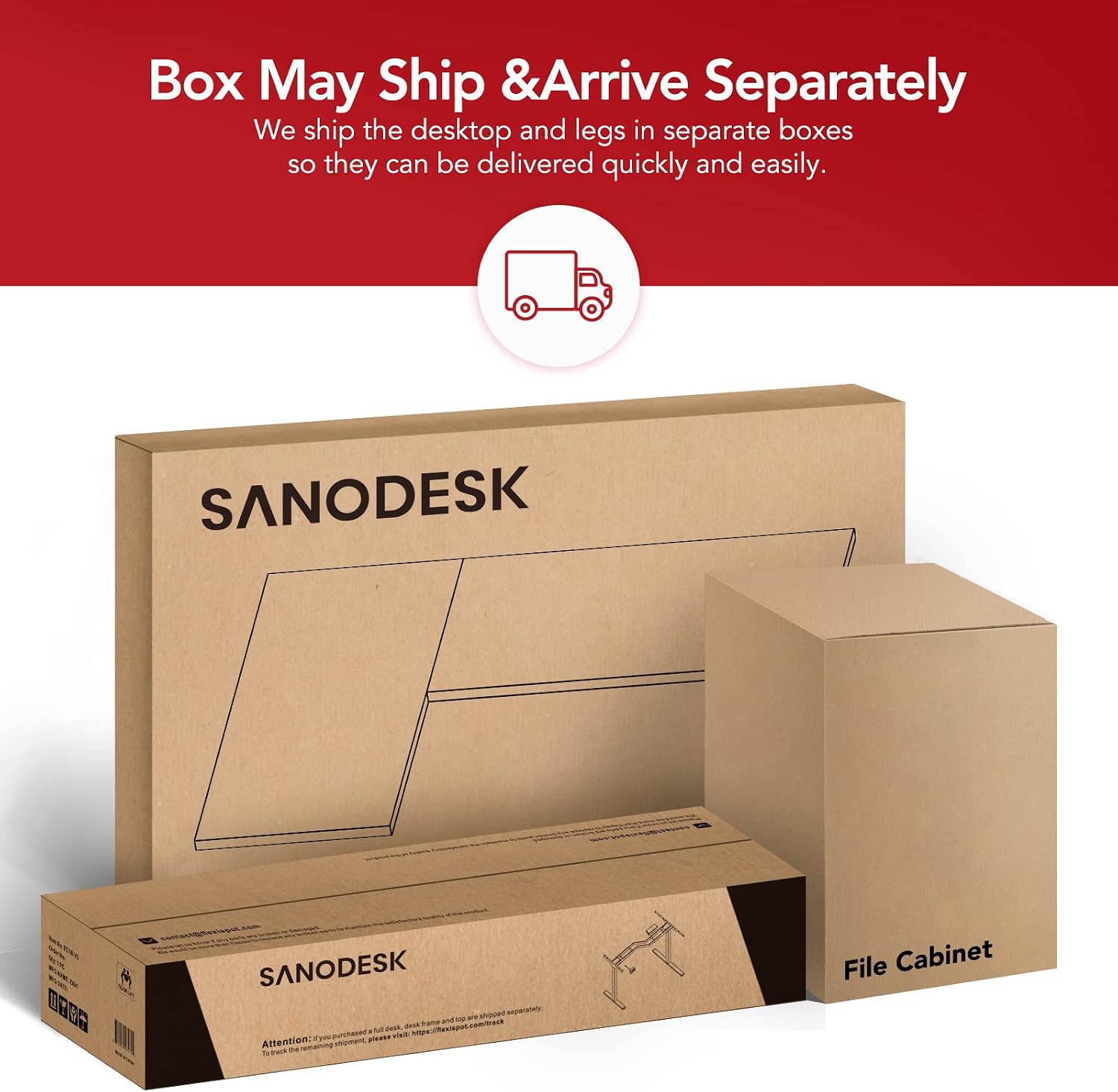
Image: The desk and file cabinet components are shipped in three separate boxes for efficient delivery.
4. Setup and Assembly
Assembly typically requires two people. A power drill is recommended for securing the desktop to the frame, as the flexible beam design may result in some pre-drilled holes not aligning perfectly.
4.1 Desk Assembly
- Unpack all components and lay them out on a clean, soft surface to prevent scratches.
- Assemble the desk frame according to the detailed instructions provided in the separate assembly guide. Ensure all screws are securely tightened.
- Attach the desktop surfaces to the assembled frame. Note that the beam of the desk frame is flexible to accommodate various desktop sizes, so some pre-drilled holes may not match exactly. Use a power drill to create new pilot holes if necessary, ensuring the desktop is securely fastened.
- Mount the control panel to the underside of the desk in a convenient location.
- Connect all motor and control panel cables to the control box, ensuring secure connections.
4.2 Mobile File Cabinet Assembly
The mobile file cabinet typically requires minimal assembly, often involving attaching the casters and drawer handles. Refer to the separate file cabinet assembly guide for specific instructions.

Image: The fully assembled SANODESK L-Shaped Electric Standing Desk with its mobile file cabinet.
5. Operating Instructions
Your SANODESK electric standing desk features a powerful dual-motor lift system and a programmable control panel for easy height adjustments.
5.1 Basic Height Adjustment
- Up Arrow (▲): Press and hold to raise the desk to your desired standing height.
- Down Arrow (▼): Press and hold to lower the desk to your desired sitting height.
The desk's height adjustment range is 28.9 inches to 48.2 inches.

Image: The programmable control panel for height adjustment and memory presets.
5.2 Programming Memory Presets
The control panel allows you to save up to three preferred height settings (1, 2, 3).
- Adjust the desk to your desired height using the up or down arrows.
- Press the 'M' button. The display will flash 'S-'.
- Within 3 seconds, press the desired memory button (1, 2, or 3). The height is now saved.
- To recall a saved height, simply press the corresponding memory button (1, 2, or 3). The desk will automatically move to the programmed height.
5.3 Anti-Collision System
The desk is equipped with a built-in anti-collision system. If the desk encounters an obstacle during height adjustment, it will automatically stop and reverse slightly to prevent damage or injury.

Image: Illustration of the anti-collision system in action, preventing contact with an object.
6. Maintenance
Regular maintenance ensures the longevity and optimal performance of your SANODESK standing desk.
- Cleaning: Wipe the desk surfaces and frame with a damp cloth. Avoid harsh chemicals or abrasive cleaning agents that could damage the finish.
- Cable Management: Periodically check and organize cables to prevent tangling or damage, which could interfere with desk operation.
- Fasteners: Occasionally check all screws and bolts to ensure they remain tight. Retighten if necessary.
- Motor Inspection: Listen for unusual noises during operation. If any abnormal sounds occur, discontinue use and consult the troubleshooting section or contact customer support.
7. Troubleshooting
If you encounter issues with your desk, refer to the following common troubleshooting steps:
| Problem | Possible Cause | Solution |
|---|---|---|
| Desk does not move | Power cable disconnected; Motor cable disconnected; Overload; Reset required. | Check all power and motor connections. Reduce weight on the desk. Perform a reset (refer to control panel instructions, usually by holding down a specific button or combination). |
| Desk moves unevenly | Uneven weight distribution; Obstruction; Motor synchronization issue. | Distribute weight evenly. Check for obstructions. Perform a reset to re-synchronize motors. |
| Anti-collision system triggers frequently | Sensitivity setting too high; Actual obstruction. | Ensure no objects are in the desk's path. Consult the control panel manual for adjusting anti-collision sensitivity if available. |
| Error code displayed | Specific system fault. | Refer to the control panel's specific error code guide (if provided separately) or contact customer support with the error code. |
If the problem persists after attempting these solutions, please contact SANODESK customer support for further assistance.
8. Specifications
Detailed specifications for the SANODESK SN-E1L7148 L-Shaped Electric Standing Desk and Mobile File Cabinet:
- Model Number: SN-E1L7148
- Brand: SANODESK
- Desk Type: L-Shaped Electric Standing Desk
- Desktop Dimensions: 71"W x 48"D (Overall L-shape)
- Height Adjustment Range: 28.9" - 48.2"
- Weight Capacity: 177 lbs (80.3 kg)
- Motor System: Dual Motor
- Adjustment Speed: 32mm/s
- Noise Level: <50dB
- Control Panel: Programmable with 3 Memory Presets
- Safety Features: Anti-Collision System
- Desktop Material: Engineered Wood, Laminated (White Top)
- Frame Material: Carbon Steel (White Frame)
- File Cabinet Type: Mobile, 3-Drawer
- File Cabinet Dimensions: Approximately 17.7"W x 15.8"D x 22.8"H
- UPC: 810072826442

Image: Key dimensions and weight capacity of the SANODESK L-Shaped Electric Standing Desk.

Image: Dimensions of the mobile file cabinet.

Image: The mobile file cabinet features both standard and file drawers for versatile storage.
9. Warranty and Support
9.1 Warranty Information
The SANODESK SN-E1L7148 L-Shaped Electric Standing Desk comes with a Lifetime Warranty. This warranty covers manufacturing defects and ensures the product's quality under normal use. Please retain your proof of purchase for warranty claims.
9.2 Customer Support
For any questions, technical assistance, or warranty claims, please contact SANODESK customer support. Refer to the contact information provided with your purchase or visit the official SANODESK website for support details.
When contacting support, please have your model number (SN-E1L7148) and purchase date readily available.
