
1. Introduction
This manual provides instructions for the OOSSXX 48V 2A Power Supply Adapter, model OSX-784596. This adapter is designed to provide stable power to OOSSXX 8-port POE NVR systems and other compatible 48V electronic devices. Please read this manual carefully before use to ensure proper operation and safety.
2. Safety Information
- Compatibility: Before connecting, verify that your device requires a 48V DC, 2A power input. Incompatible voltage or current can damage your equipment.
- Indoor Use Only: This power adapter is designed for indoor use. Do not expose it to rain, moisture, or extreme temperatures.
- Ventilation: Ensure adequate ventilation around the adapter to prevent overheating. Do not cover the adapter.
- Handling: Do not disassemble or modify the adapter. Refer all servicing to qualified personnel.
- Overload Protection: The adapter includes built-in overload, over-voltage, over-current, and short-circuit protection. However, avoid connecting devices that exceed its rated output.
3. What's in the Box
- Power Supply Box
- AC Power Cord
- Instruction Manual (this document)

Video: An overview of the POE NVR Power Supply Adapter, demonstrating its components and basic handling.
4. Product Overview
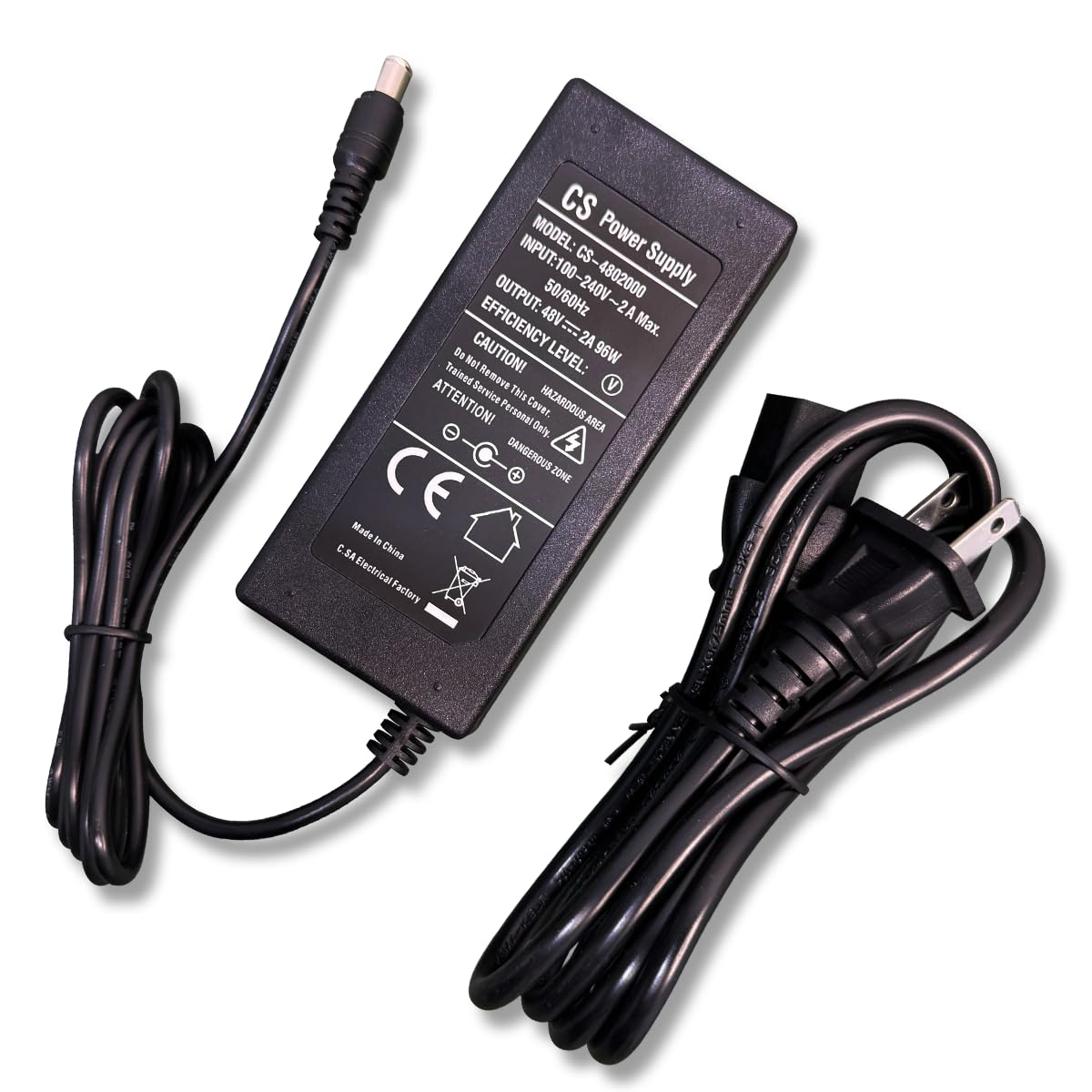
The OOSSXX 48V 2A Power Supply Adapter (Model CS-4802000) is a compact and durable unit constructed from high-quality ABS plastic for fire resistance. It features a standard AC input and a DC output connector designed for compatible devices.
Key features include:
- Stable 48V DC, 2A output.
- Input voltage range of 100-240V AC, 50/60Hz.
- Integrated protection against overload, over-voltage, over-current, and short-circuit.
- Plug-and-play design for easy installation.


5. Specifications
| Feature | Detail |
|---|---|
| Brand | OOSSXX |
| Model Number | OSX-784596 |
| Input Voltage | 100-240V AC |
| Input Frequency | 50/60 Hz |
| Output Voltage | 48 Volts DC |
| Output Current | 2 Amps |
| Wattage | 96 watts (48V * 2A) |
| Connector Type | AC Power Cord (Input), DC Barrel Connector (Output) |
| Compatible Devices | OOSSXX 8 Port POE NVR, 48V electronic devices |
| Material | ABS Plastic |
| Safety Certifications | FCC, CE |
| Power Plug Type | Type B - 3 pin (North American) |
6. Setup
- Verify Compatibility: Ensure your device requires a 48V DC, 2A power input.
- Connect DC Output: Plug the DC output connector of the power adapter into the corresponding power input port on your OOSSXX 8-port POE NVR or compatible device.
- Connect AC Power Cord: Connect the AC power cord to the power adapter.
- Plug into Outlet: Insert the AC power cord plug into a standard 100-240V AC wall outlet.
- Power On: Once connected, your device should power on. Observe any indicator lights on your device or the adapter to confirm power is being supplied.

7. Operating Instructions
The OOSSXX 48V 2A Power Supply Adapter operates automatically once connected to a power source and a compatible device. It provides continuous power to ensure uninterrupted operation of your surveillance equipment.
No user intervention is required for its basic operation. The adapter is designed for stable and reliable power delivery.
8. Maintenance
- Cleaning: Keep the adapter clean and free from dust. Use a dry, soft cloth for cleaning. Do not use liquid cleaners.
- Inspection: Periodically inspect the power cord and adapter for any signs of damage, such as frayed wires or cracks. If damage is found, discontinue use and replace the adapter.
- Storage: When not in use for extended periods, store the adapter in a cool, dry place away from direct sunlight and moisture.
9. Troubleshooting
No Power Output
- Check Connections: Ensure all cables are securely connected to the adapter, the wall outlet, and the device.
- Verify Outlet: Test the wall outlet with another device to confirm it is supplying power.
- Device Compatibility: Double-check that your device's power requirements (voltage and current) match the adapter's output (48V DC, 2A).
- Adapter Damage: Inspect the adapter and cables for any visible damage. If damaged, replace the adapter.
Device Malfunction
- Power Cycle: Disconnect the adapter from the wall outlet and your device, wait a few seconds, then reconnect.
- Consult Device Manual: Refer to your device's instruction manual for specific troubleshooting steps related to power issues.
10. Warranty and Support
The OOSSXX 48V 2A Power Supply Adapter comes with a 1-year warranty from the date of purchase. This warranty covers manufacturing defects under normal use.
For technical support, warranty claims, or any questions regarding your product, please contact OOSSXX customer service. Contact information can typically be found on the product packaging or the official OOSSXX website.
OOSSXX offers a 30-day money-back guarantee and lifelong technical support.
Video: A brand introduction video from OOSSXX, highlighting their security camera systems and commitment to quality.


