
Introduction
The Wildgame Innovations Terra Extreme is a 14-megapixel infrared trail camera designed for outdoor surveillance and wildlife monitoring. It features a Passive Infrared (PIR) sensor for motion detection, 21 high-intensity IR LEDs for night vision up to 60 feet, and records HD 720p video. This manual provides detailed instructions for setting up, operating, and maintaining your Terra Extreme trail camera to ensure optimal performance.
Key features include:
- 14 Megapixel still image resolution.
- HD 720p video recording.
- 21 high-intensity infrared LEDs for night illumination up to 60 feet.
- Passive Infrared (PIR) sensor for motion detection.
- Long battery life, up to 6 months or 12,000 photos, using 8 AA batteries.
- Supports up to 32GB SD card memory (Class 10 recommended).
- Adjustable strap for easy mounting.
What's in the Box
Your Wildgame Innovations Terra Extreme Trail Camera package includes the following items:
- Terra Extreme Camera Body
- Adjustable Mounting Strap
- 32GB SD Card
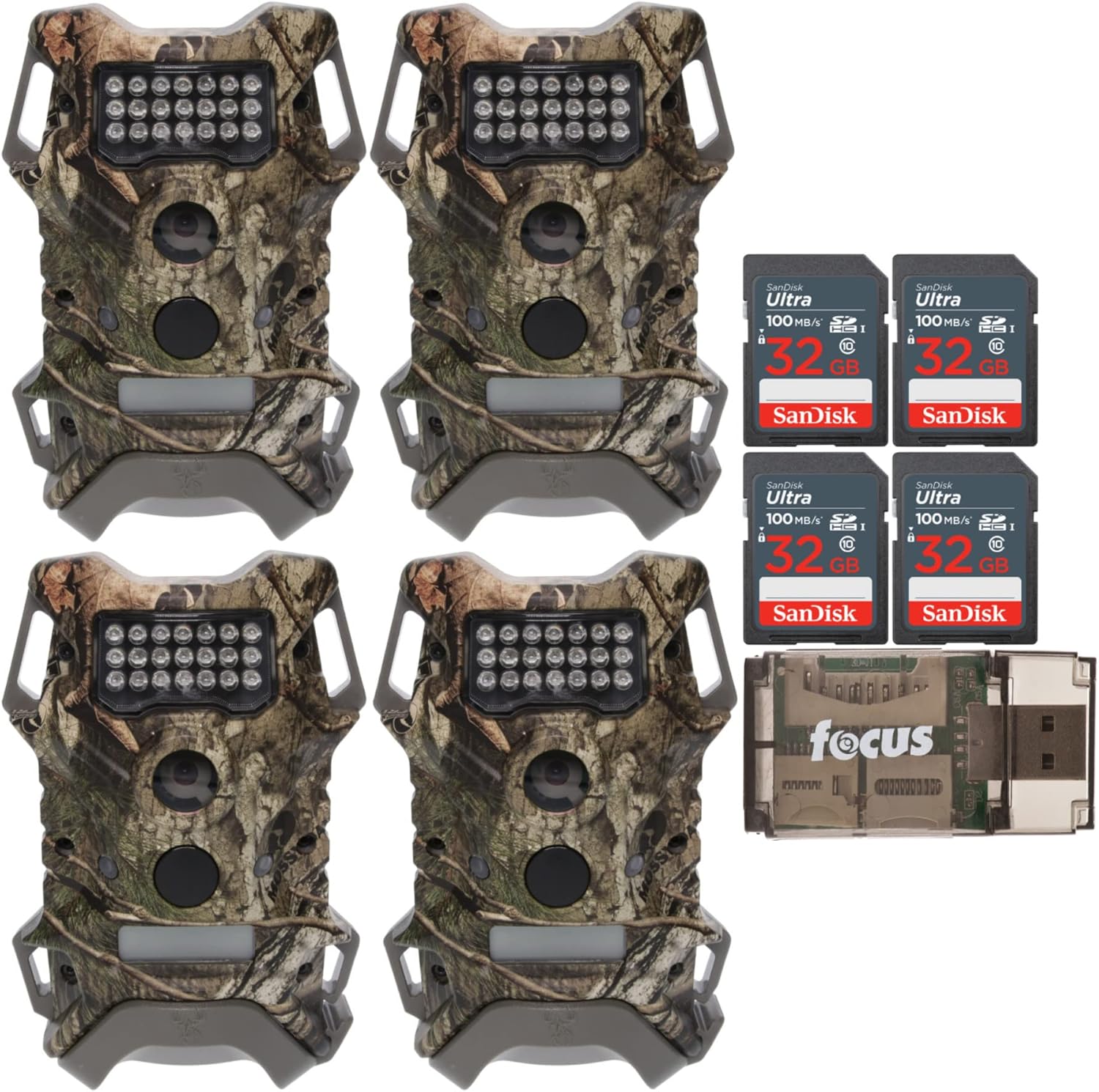
Image: Contents of the Wildgame Innovations Terra Extreme bundle, including multiple cameras, SD cards, and a card reader.
Setup
1. Battery Installation
The Terra Extreme camera requires 8 AA batteries for operation. For best performance and extended battery life, use high-quality alkaline or lithium batteries.
- Open the camera housing latch and gently open the front cover.
- Locate the battery compartment.
- Insert 8 AA batteries, ensuring correct polarity (+/-) as indicated inside the compartment.
- Close the battery compartment securely.
2. SD Card Insertion
A 32GB SD card is included with your camera. The camera supports SD cards up to 32GB. A Class 10 SD card is recommended for optimal performance, especially for video recording.
- With the camera cover open, locate the SD card slot.
- Insert the SD card into the slot with the label facing forward until it clicks into place.
- To remove the SD card, push it in gently until it clicks, then release, and it will eject.

Image: A 32GB SanDisk Ultra SD card, suitable for use with the Terra Extreme camera.
3. Mounting the Camera
The Terra Extreme camera can be mounted using the included adjustable strap or a standard tripod mount.
- Using the Adjustable Strap: Thread the adjustable strap through the slots on the back of the camera. Secure the camera to a tree or post at the desired height and angle. Ensure the camera is stable and pointed towards the area you wish to monitor.
- Using a Tripod Mount: The camera features a standard 1/4-20 threaded insert on the back for use with a tripod or other compatible mounting accessories.

Image: The rear of the Terra Extreme camera, highlighting the strap pass-throughs and the threaded insert for tripod mounting.
Operating Instructions
1. Powering On/Off
To power on the camera, locate the power switch inside the camera housing and slide it to the 'ON' position. To power off, slide the switch to the 'OFF' position.
2. Mode Selection
The camera typically offers different operating modes, such as Photo, Video, and potentially Time-Lapse. Refer to the camera's internal display or physical buttons to select your desired mode. The Terra Extreme supports a Time-Lapse feature.
3. Photo Capture
In Photo mode, the camera will capture 14-megapixel still images when motion is detected by the PIR sensor. The camera's infrared LEDs will activate automatically in low-light conditions for clear night photos.
4. Video Recording
In Video mode, the camera records HD 720p video clips when motion is detected. The duration of video clips can usually be configured in the camera settings. Night vision capabilities apply to video recording as well.
5. Data Retrieval
To access captured photos and videos:
- Power off the camera.
- Remove the SD card from its slot.
- Insert the SD card into a computer's SD card reader or an external USB card reader.
- Browse the files on the SD card to view your media.
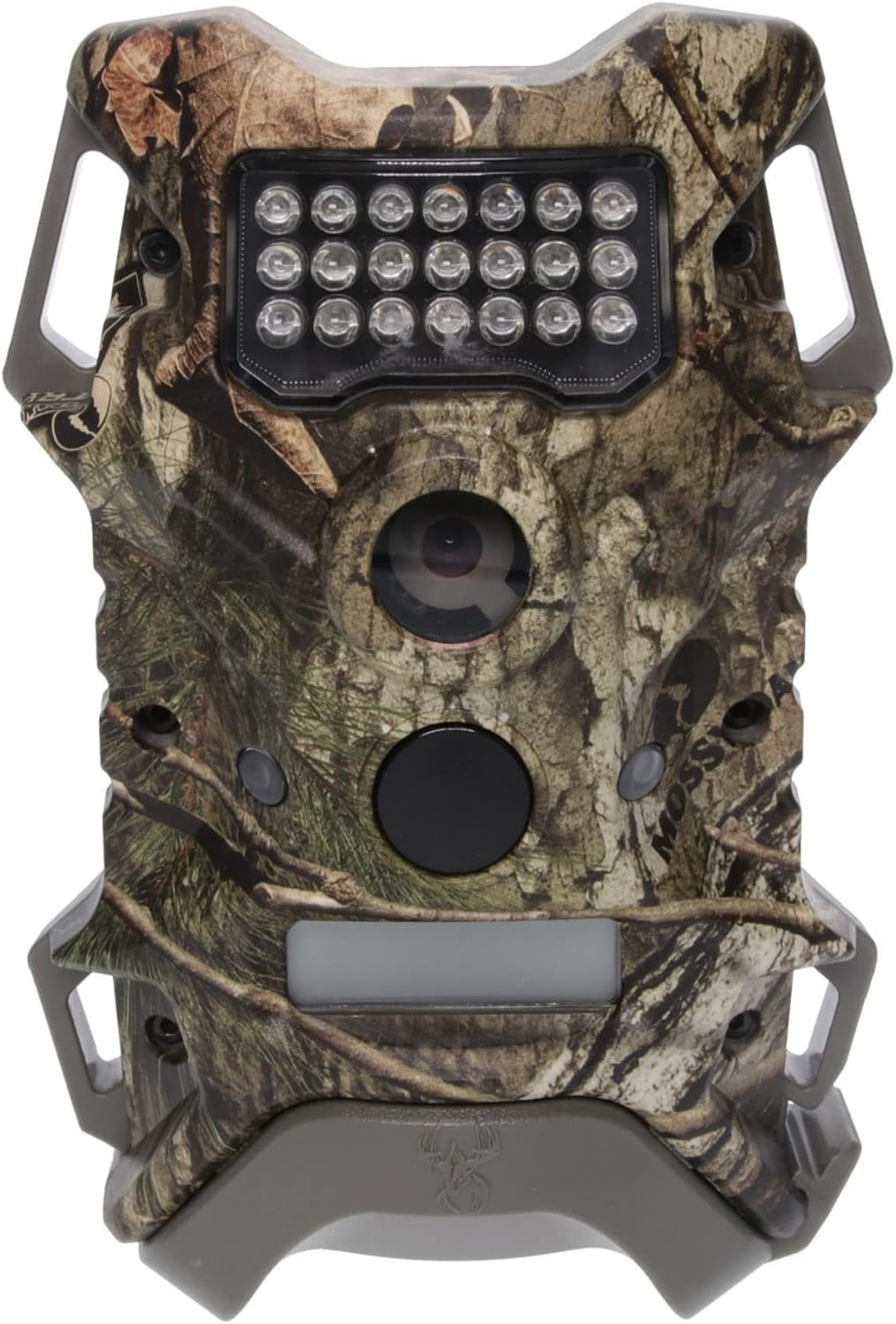
Image: Front view of the Terra Extreme camera, illustrating the main components for operation.
Maintenance
Cleaning the Camera
Regular cleaning helps maintain camera performance.
- Use a soft, dry cloth to wipe the camera body.
- For the lens and IR LED cover, use a lens cleaning cloth or a soft, lint-free cloth to avoid scratches. Do not use abrasive cleaners.
- Ensure the camera housing is free of dirt, dust, and debris, especially around the seals, to maintain its weather resistance.
Battery Replacement
Replace all 8 AA batteries when the battery indicator shows low power or when performance degrades. Always replace all batteries at once with new ones of the same type.
SD Card Management
Periodically format your SD card to ensure optimal performance and prevent data corruption. Back up all important files before formatting. It is recommended to format the SD card directly in the camera if the option is available, or using a computer.
Storage
When not in use, store the camera in a cool, dry place. Remove batteries if storing for extended periods to prevent leakage.
Troubleshooting
| Problem | Possible Cause | Solution |
|---|---|---|
| Camera does not power on | Dead or incorrectly installed batteries. | Check battery polarity. Replace all 8 AA batteries with new ones. |
| No photos/videos captured | SD card full, corrupted, or not inserted correctly. Motion sensor blocked or sensitivity too low. Camera in wrong mode. | Ensure SD card is inserted correctly and has free space. Format SD card. Clear any obstructions from the PIR sensor. Adjust motion sensitivity. Verify camera is in Photo or Video mode. |
| Poor image/video quality | Dirty lens. Subject too far or too close. Low light conditions (for color images). | Clean the camera lens. Ensure subjects are within optimal range (e.g., IR range for night shots). |
| Short battery life | Frequent activations. Cold weather. Low-quality batteries. | Reduce detection sensitivity if too many false triggers occur. Use high-quality alkaline or lithium batteries, especially in cold environments. |
Specifications
| Feature | Detail |
|---|---|
| Model Number | FC-CR1_K1422 |
| Effective Still Resolution | 14 Megapixels |
| Video Capture Resolution | 720p HD |
| Power Source | 8 AA Batteries |
| IR LED Illumination | 21 high-intensity IR LEDs |
| IR Range | Up to 60 feet |
| Memory Support | Up to 32GB SD Card (Class 10 recommended) |
| Connectivity Technology | USB |
| Special Feature | Time-Lapse |
| Water Resistance Level | IP54 (Not Water Resistant, but offers protection against dust and splashing water) |
| Product Dimensions (L x W x H) | 16.1 x 12.4 x 8.7 inches |
| Item Weight | 1 pound |
| UPC | 196271195368 |
Warranty and Support
For information regarding product warranty, technical support, or service, please contact Wildgame Innovations directly. Details on warranty coverage and how to obtain support are typically provided with your purchase documentation or can be found on the official Wildgame Innovations website.


