
Green Power Solar Generator 256Wh Portable Power Station User Manual
Brand: Green Power | Model: Mars256 (256Wh)
1. Introduction
This manual provides essential information for the safe and efficient operation of your Green Power Solar Generator 256Wh Portable Power Station. Please read this manual thoroughly before using the product and retain it for future reference.
The Green Power Solar Generator is a portable power solution designed for various applications, including outdoor activities, emergency backup, and mobile power needs. It features a 256Wh LiFePO4 battery, multiple output ports, and supports solar charging.
2. Safety Instructions
To ensure safe operation and prolong the lifespan of your device, observe the following safety precautions:
- Do not disassemble, repair, or modify the unit. Incorrect assembly may cause fire, explosion, or injury.
- Do not place the unit near fire or expose it to direct sunlight or high temperatures.
- Do not use or store the unit in a bathroom or in areas exposed to water or moisture.
- Use only the provided or approved accessories.
- Keep the unit away from children and pets.
- Do not drop, hit, or subject the unit to strong impacts.
- Ensure proper ventilation during use to prevent overheating.
- In case of fire, use a dry powder fire extinguisher. Water may cause electric shock.
- The unit contains a LiFePO4 battery. Dispose of it according to local regulations.

3. Package Contents
Verify that all items are present in your package:
- Green Power Portable Power Station (256Wh) x1
- AC Adapter (100W) x1
- Car Charger Cable x1
- PD Charger Cable (USB-C to USB-C) x1
- Solar Charger Cable (MC4 Cable) x1
- User Manual x1

4. Product Features and Components
The Green Power Solar Generator 256Wh Portable Power Station is equipped with various ports and features for versatile power delivery.

- Main Power Button: Turns the unit on/off.
- LCD Screen: Displays input/output wattage, battery level, and status indicators.
- AC Power Button: Activates/deactivates the AC outlets.
- DC Power Button: Activates/deactivates the DC outputs and car port.
- USB Power Button: Activates/deactivates the USB-A and USB-C ports.
- 10W Wireless Charging Pad: Located on top for compatible devices.
- AC Outlets (2x 110V/300W Pure Sine Wave): For standard household appliances.
- DC Outputs (2x 12V/10A): For DC-powered devices.
- Car Port (12V/10A): For automotive accessories.
- USB-C PD 100W (Input/Output): Fast charging for devices and recharging the power station.
- USB-C 30W (Output): For charging compatible USB-C devices.
- USB-A QC 3.0 (2x Output): Quick Charge ports for compatible USB-A devices.
- DC Input: For charging via AC adapter, car charger, or solar panel.
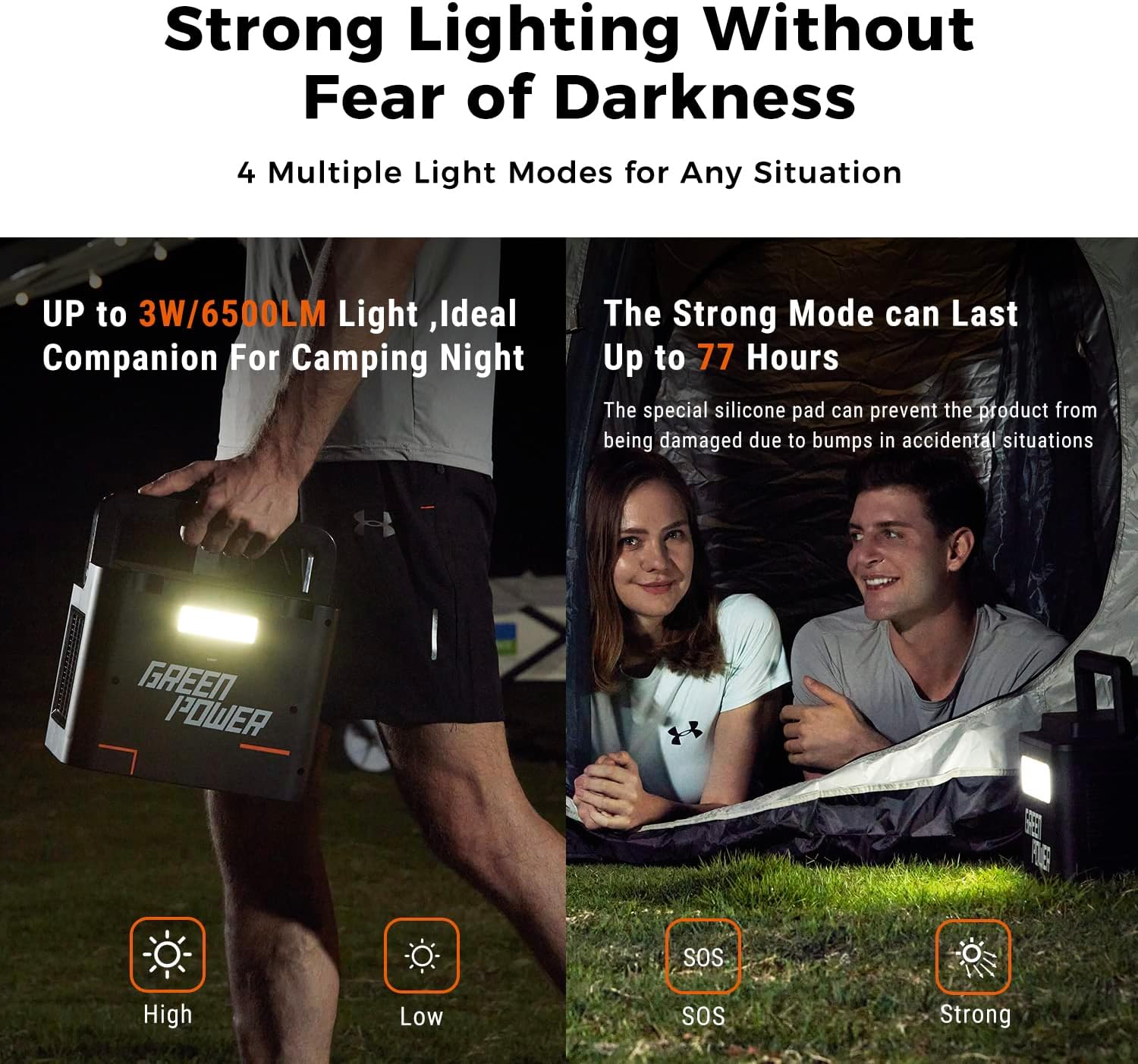
- Integrated LED Light: Features multiple lighting modes (High, Low, SOS, Strong).
5. Setup
5.1 Initial Charge
Before first use, fully charge the power station. This ensures optimal battery performance and calibration.
- Connect the provided AC adapter to the DC Input port on the power station.
- Plug the AC adapter into a standard wall outlet.
- The LCD screen will indicate charging status. The unit is fully charged when the battery icon is full and the input wattage shows 0W.
5.2 Placement
Place the power station on a stable, flat surface. Ensure adequate ventilation around the unit, avoiding enclosed spaces or direct sunlight during operation or charging.
6. Operating Instructions
6.1 Turning On/Off
- Press and hold the Main Power Button for 3 seconds to turn the unit on or off. The LCD screen will illuminate.
6.2 Charging the Power Station
The power station can be recharged using three methods:
- AC Wall Outlet: Connect the AC adapter to the DC Input port and a wall outlet. Charging from 0-80% takes approximately 2 hours.
- Solar Panel: Connect a compatible solar panel (e.g., Green Power 100W Solar Panel) to the DC Input port using the provided MC4 cable. Charging time varies based on sunlight intensity. Approximately 3.2 hours in ideal light conditions with a 100W solar panel.
- Car Charger: Connect the car charger cable to the DC Input port and your vehicle's 12V cigarette lighter socket. Approximately 3.5 hours for a full charge.

6.3 Using AC Outlets
- Press the AC Power Button to activate the AC outlets. The AC icon will appear on the LCD.
- Plug your AC devices into the 110V outlets. Ensure the total power consumption does not exceed 300W (450W surge).
- Press the AC Power Button again to turn off the AC outlets when not in use.
6.4 Using DC Outputs and Car Port
- Press the DC Power Button to activate the DC outputs and car port. The DC icon will appear on the LCD.
- Connect your 12V DC devices.
- Press the DC Power Button again to turn off the DC outputs when not in use.
6.5 Using USB Outputs
- Press the USB Power Button to activate the USB-A and USB-C ports. The USB icon will appear on the LCD.
- Connect your USB devices for charging. The 100W PD USB-C port supports fast charging for compatible laptops, tablets, and phones.
- Press the USB Power Button again to turn off the USB outputs when not in use.

6.6 Wireless Charging
- Ensure the power station is turned on.
- Press the Main Power Button briefly (do not hold) to activate the wireless charging pad. A wireless charging icon may appear on the LCD.
- Place your Qi-compatible device on the 10W wireless charging pad located on top of the unit.

6.7 Integrated LED Light
- Press the dedicated Light Button (if available, otherwise refer to main power button for cycling modes) to cycle through the lighting modes: High, Low, SOS, and Strong.
- The light can provide up to 75 hours of continuous use in maximum light mode (3W).
6.8 Estimated Run Times
The 256Wh capacity can power various devices for extended periods:

7. Maintenance
- Storage: Store the power station in a cool, dry place, away from direct sunlight and extreme temperatures. For long-term storage, charge the unit to 50-80% every 3-6 months to maintain battery health.
- Cleaning: Use a dry, soft cloth to clean the exterior of the unit. Do not use abrasive cleaners or immerse the unit in water.
- Battery Care: The LiFePO4 battery is designed for a long lifespan (up to 3000 cycles). Avoid fully discharging the battery frequently to prolong its life.
- Ventilation: Ensure the ventilation vents are clear of dust and debris to prevent overheating.
8. Troubleshooting
| Problem | Possible Cause | Solution |
|---|---|---|
| Unit does not turn on. | Battery is completely discharged. | Connect to an AC outlet or solar panel for charging. |
| AC outlets not working. | AC output not activated; device power exceeds 300W; unit is overheated. | Press the AC Power Button; reduce load; allow unit to cool down. |
| USB ports not working. | USB output not activated. | Press the USB Power Button. |
| Wireless charging not working. | Wireless charging not activated; device not Qi-compatible or misaligned. | Briefly press the Main Power Button; ensure device is Qi-compatible and correctly placed. |
| Slow charging speed. | Using a low-power charger; solar panel not receiving sufficient sunlight. | Use the provided 100W AC adapter or ensure optimal solar panel placement. |
9. Specifications
| Feature | Detail |
|---|---|
| Model Name | Mars256 |
| Battery Type | LiFePO4 |
| Capacity | 256 Watt-hours |
| AC Output | 2x 110V/300W (450W Surge) Pure Sine Wave |
| DC Output | 2x 12V/10A |
| Car Port Output | 1x 12V/10A |
| USB-C PD Port | 1x 100W (Input/Output) |
| USB-C Output | 1x 30W |
| USB-A QC 3.0 Output | 2x (5V/3A, 9V/2A, 12V/1.5A) |
| Wireless Charging | 1x 10W |
| Charging Input | DC Input (AC Adapter, Solar, Car) |
| Dimensions (L x W x H) | 7.87" x 9.65" x 6.69" |
| Weight | 8 Pounds |
| Special Features | Overload Protection, Integrated LED Light |

10. Warranty and Support
The Green Power Solar Generator 256Wh Portable Power Station comes with a two-year warranty from the date of purchase.
For technical support, warranty claims, or any inquiries, please contact Green Power customer service through the official channels provided at the point of purchase or on the Green Power website.


