
1. Product Overview
The AstrHori 18mm F8 Full-Frame Wide-Angle Shift Lens is a compact and lightweight manual prime lens designed for Sony E-Mount mirrorless cameras. It features a robust full-metal construction and offers a 99.2° wide angle of view, making it suitable for architectural and interior photography. The lens incorporates a shift mechanism for perspective control.

Figure 1: AstrHori 18mm F8 Wide-Angle Shift Lens.
Key features include:
- Compact and Lightweight: Weighs approximately 164g with a full metal design.
- Wide Angle of View: 99.2° angle of view, ideal for landscapes and architecture.
- Manual Focus: Offers precise manual focus from 34cm to infinity.
- Shift Function: Provides +/- 6mm of shift and 360° rotation for perspective correction.
- Optical Design: 9 elements in 9 groups, including one aspherical element to minimize distortion and spherical aberrations.
- Multi-layer Coating: Reduces lens flare and ghosting for improved contrast and color fidelity.

Figure 2: Lens mounted on a Sony E-Mount camera, highlighting compatibility.
2. Setup
2.1 Attaching the Lens
- Ensure your camera is powered off.
- Align the red dot on the lens barrel with the corresponding red dot on your camera's lens mount.
- Insert the lens into the camera mount and rotate it clockwise until it clicks into place. Do not force the lens.
- Remove the front lens cap.
2.2 Detaching the Lens
- Ensure your camera is powered off.
- Press and hold the lens release button on your camera body.
- Rotate the lens counter-clockwise until it detaches from the camera mount.
- Attach the rear lens cap to protect the lens elements.
3. Operating Instructions
3.1 Manual Focus
This is a manual focus lens. To achieve sharp focus:
- Set your camera to manual focus (MF) mode.
- Look through the viewfinder or use the camera's LCD screen.
- Rotate the focus ring on the lens until your subject appears sharp. Utilize your camera's focus peaking or magnification assist features for precise focusing.
- The focusing range is from 0.34 meters (34cm) to infinity (∞).

Figure 3: Focus distance markings on the lens.
3.2 Aperture Setting
The lens has a fixed aperture of F8. No adjustment is required or possible for the aperture.
3.3 Using the Shift Function
The shift mechanism allows you to move the optical axis of the lens relative to the camera sensor, correcting perspective distortion, especially useful in architectural photography to prevent converging lines.
- Identify the shift knob/ring on the lens barrel.
- Gently slide the lens element up or down to achieve the desired +/- 6mm shift.
- The lens can also be rotated 360° to apply the shift in any direction (horizontal, vertical, or diagonal).

Figure 4: Illustration of shift and rotation capabilities.
Important Note for Full-Frame Cameras:
When using the shift function on a full-frame camera, it is recommended to set the camera to APS-C mode. Shifting the lens beyond 1-2mm on a full-frame sensor may result in vignetting or black borders appearing at the edges of the image due to the image circle not fully covering the sensor area during extreme shifts. For optimal results without vignetting, consider using APS-C mode or limiting the shift amount on full-frame.
4. Maintenance
4.1 Cleaning the Lens
- Use a soft, lint-free cloth or a lens brush to remove dust from the lens surfaces.
- For stubborn smudges or fingerprints, apply a small amount of lens cleaning solution to a clean microfiber cloth and gently wipe the lens in a circular motion.
- Never use abrasive materials or harsh chemicals to clean the lens.
4.2 Storage
- Always attach the front and rear lens caps when the lens is not in use.
- Store the lens in a cool, dry place, away from direct sunlight and extreme temperatures.
- If storing for extended periods, consider using a dehumidifying agent to prevent mold growth.
5. Troubleshooting
5.1 Image is blurry or out of focus
- Ensure the camera is set to manual focus (MF) mode.
- Carefully adjust the focus ring on the lens until the subject is sharp. Use focus peaking or magnification assist on your camera.
- Check that the lens is securely mounted to the camera body.
5.2 Dark corners or black borders appear in images (Vignetting)
- This is common when using the shift function on full-frame cameras.
- If using a full-frame camera, switch your camera to APS-C mode when utilizing the shift function.
- Alternatively, reduce the amount of shift applied to stay within the lens's image circle for full-frame coverage.
5.3 Lens is difficult to mount or detach
- Ensure the lens and camera mount are clean and free of debris.
- Align the mounting marks correctly (red dot on lens to red dot on camera).
- Do not force the lens. If resistance is met, re-align and try again.
6. Specifications
| Feature | Specification |
|---|---|
| Brand | AstrHori |
| Model Name | 18mmF8 |
| Focal Length | 18 mm |
| Lens Type | Shift, Prime |
| Compatible Mountings | Sony E |
| Angle of View | 99.2° |
| Maximum Aperture | F8 |
| Minimum Aperture | F8 |
| Focus Type | Manual Focus |
| Focusing Range | 0.34m (34cm) to Infinity |
| Shift Amount | ±6mm |
| Rotation | 360 degrees |
| Optical Structure | 9 elements in 9 groups (1x Aspherical glass) |
| Filter Size | Ø58mm |
| Weight | Approx. 164g |
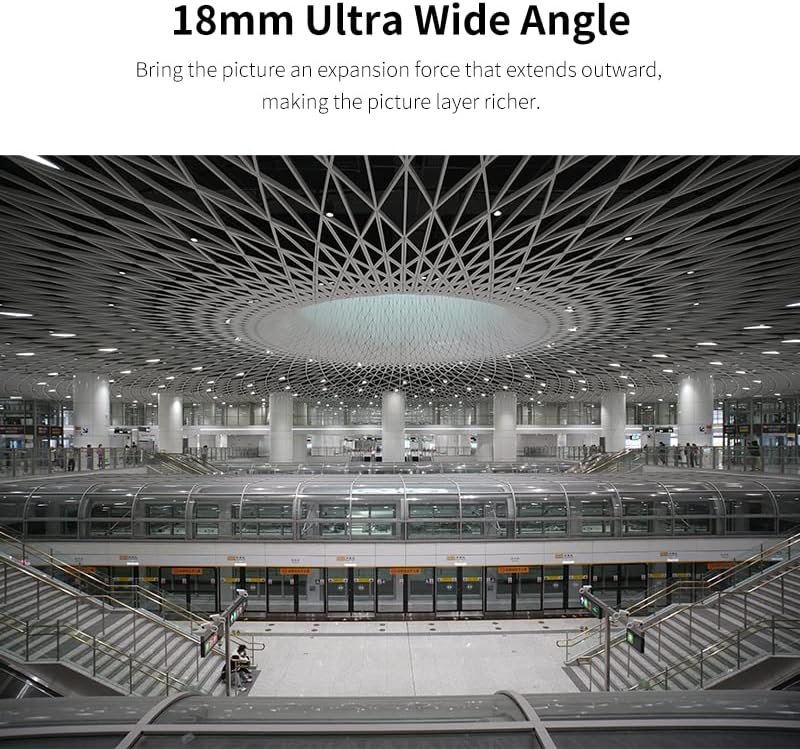
Figure 5: Detailed lens specifications and dimensions.
7. Warranty and Support
For warranty information, technical support, or service inquiries, please contact AstrHori customer service directly. Refer to the product packaging or the official AstrHori website for the most current contact details.
Please retain your proof of purchase for any warranty claims.