
1. Introduction
Thank you for purchasing the Zebronics Zeb-Barrel 100 Portable Speaker. This manual provides essential information for the safe and efficient operation of your device. Please read it thoroughly before use and retain it for future reference.
Key Features:
- Wireless BT v5.0 connectivity
- Supports USB and MicroSD media playback
- Built-in FM Radio
- AUX Input for external devices
- TWS (True Wireless Stereo) function for connecting two speakers
- 6.3mm Microphone input with included wired mic
- Media and volume controls
- Built-in rechargeable battery
- 16.51cm full-range driver for impressive audio
- RGB Lights for visual effects
- Integrated mobile holder
2. Safety Instructions
- Do not expose the speaker to water or moisture.
- Avoid extreme temperatures or direct sunlight.
- Do not attempt to disassemble or repair the device yourself. Refer all servicing to qualified personnel.
- Keep the speaker away from heat sources and open flames.
- Use only the specified charging cable and power adapter.
- Ensure proper ventilation when operating the speaker.
- Do not use harsh chemicals or abrasive cleaners on the speaker.
3. Package Contents
- Zebronics Zeb-Barrel 100 Portable Speaker (1 unit)
- Wired Microphone (1 unit)
- Charging Cable (1 unit)
- AUX Cable (1 unit)
- User Manual (1 unit)
- Mobile Holder
4. Product Overview
4.1 Connectivity Options
The Zeb-Barrel 100 offers multiple ways to connect your audio sources.
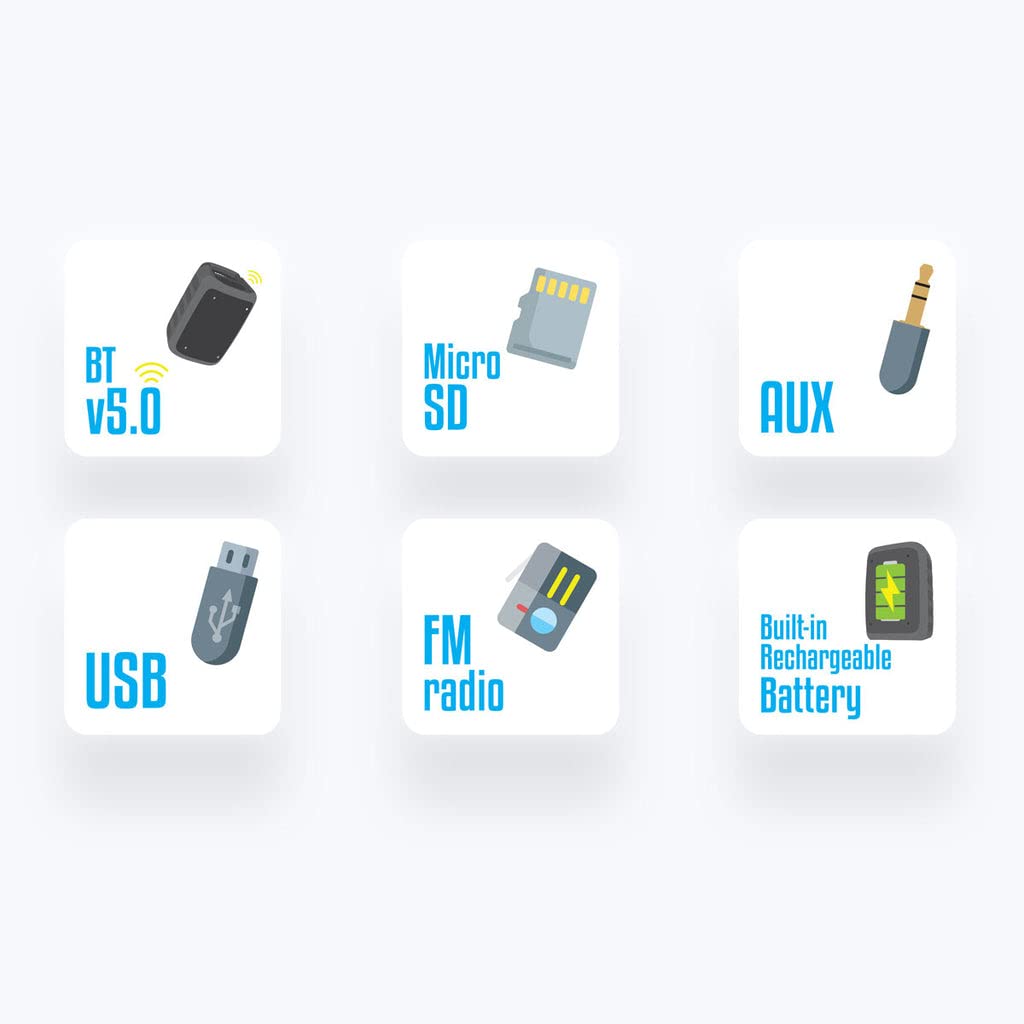
Image 1: Overview of connectivity options including Bluetooth, Micro SD, AUX, USB, FM Radio, and Rechargeable Battery.
4.2 Speaker Driver and RGB Lights
Experience powerful sound with the 16.51cm full-range driver and dynamic RGB lighting effects.

Image 2: The 16.51cm full-range driver of the Zeb-Barrel 100.

Image 3: The speaker showcasing its RGB lighting feature.
4.3 Control Panel and Ports
Familiarize yourself with the control buttons and input/output ports for optimal use.
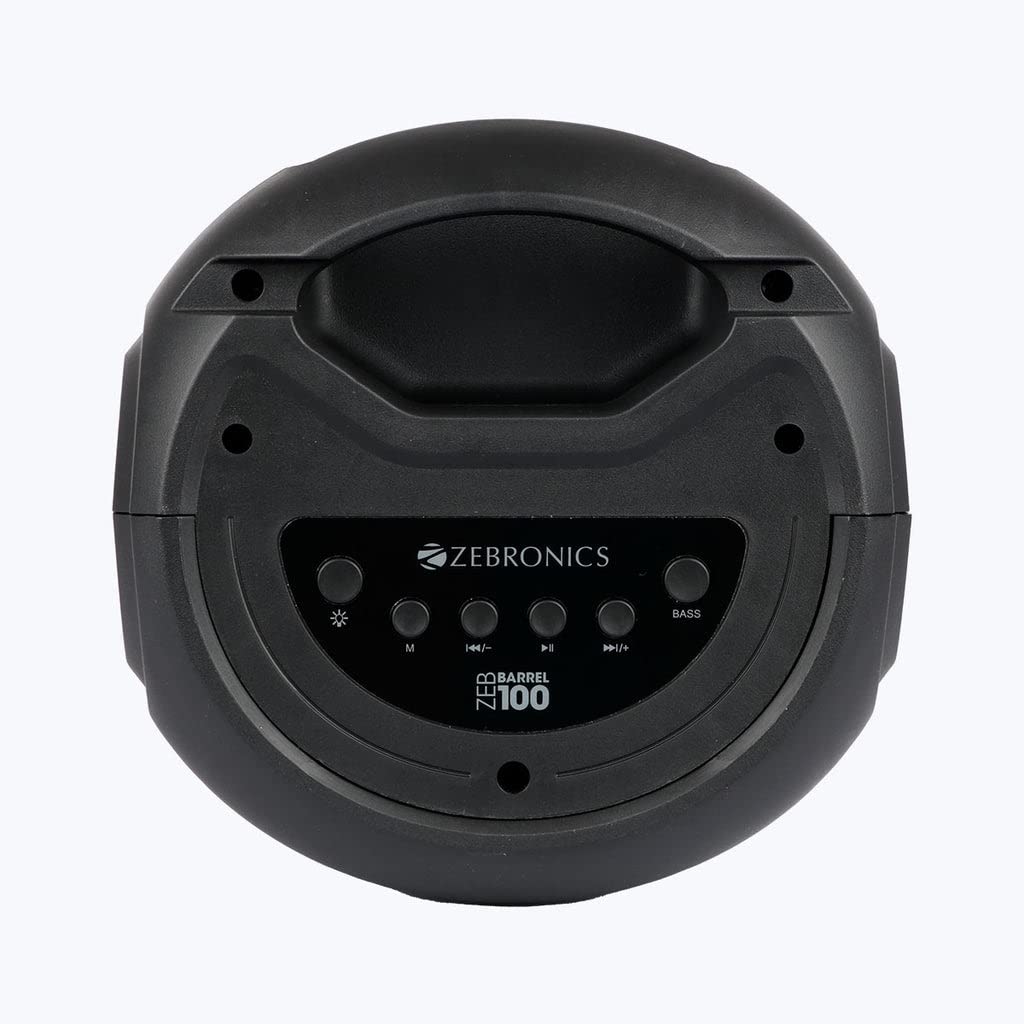
Image 4: Top control panel with buttons for mode, previous/volume down, play/pause, next/volume up, and bass.

Image 5: Input/output ports including Power, AUX, TF (MicroSD), USB, DC 5V charging, and Microphone input.
4.4 Portability
The integrated carry handle allows for easy transportation of the speaker.
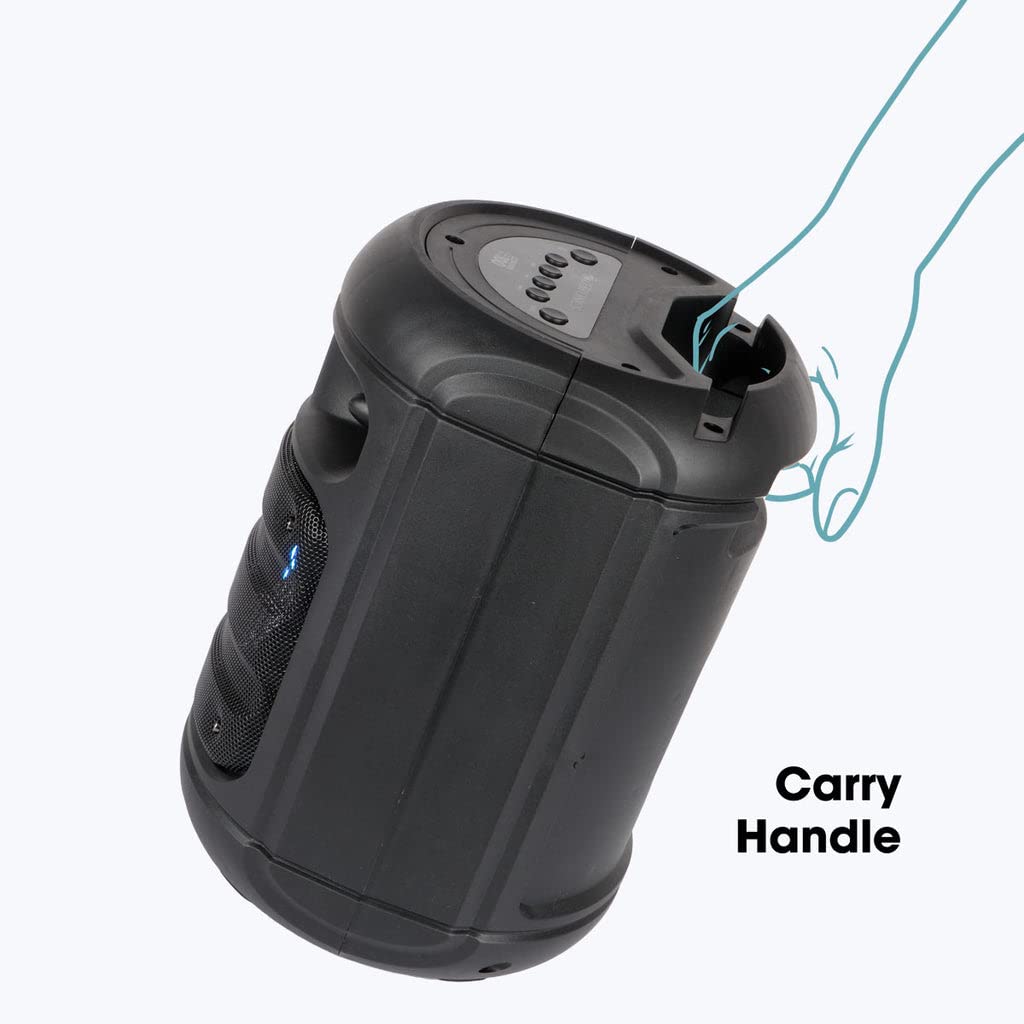
Image 6: The speaker featuring its convenient carry handle.
5. Setup
5.1 Charging the Speaker
- Connect the charging cable to the DC 5V port on the speaker (refer to Image 5).
- Connect the other end of the charging cable to a suitable USB power adapter (not included).
- The charging indicator will illuminate. The speaker takes approximately 3 hours to fully charge.
- Once fully charged, the indicator may change or turn off. Disconnect the charging cable.
A full charge provides approximately 6 hours of playback time.
5.2 Powering On/Off
- To power on, press and hold the Power button (refer to Image 5).
- To power off, press and hold the Power button again.
6. Operating Instructions
6.1 Bluetooth Pairing
- Power on the speaker. It will automatically enter Bluetooth pairing mode, indicated by a flashing LED.
- Enable Bluetooth on your mobile device or other audio source.
- Search for available Bluetooth devices and select "Zeb-Barrel 100" from the list.
- Once paired, the speaker will confirm the connection, and the LED indicator will stop flashing.
6.2 USB/MicroSD Playback
- Insert a USB drive or MicroSD card (up to 32GB, formatted with MP3 audio files) into the respective port (refer to Image 5).
- The speaker will automatically detect the media and begin playback.
- Use the media control buttons on the top panel (refer to Image 4) to play/pause, skip tracks, and adjust volume.
6.3 AUX Mode
- Connect one end of the provided AUX cable to the AUX port on the speaker (refer to Image 5).
- Connect the other end to the audio output of your external device (e.g., smartphone, MP3 player).
- Press the 'M' (Mode) button on the speaker (refer to Image 4) until AUX mode is selected.
- Control playback and volume from your external device or the speaker's controls.
6.4 FM Radio
- Power on the speaker and press the 'M' (Mode) button (refer to Image 4) until FM Radio mode is selected.
- Press the Play/Pause button to automatically scan and save available FM channels.
- Use the Previous/Next buttons to navigate between saved channels.
6.5 Microphone Usage
- Connect the wired microphone to the MIC input port on the speaker (refer to Image 5).
- Adjust the microphone volume using the speaker's controls or the microphone's built-in controls if available.
6.6 TWS Function (True Wireless Stereo)
To connect two Zeb-Barrel 100 speakers for a stereo experience:
- Ensure both Zeb-Barrel 100 speakers are powered on and not connected to any Bluetooth device.
- On one speaker, press and hold the TWS button (if available, or a specific mode button as per product design) until you hear a confirmation tone. This speaker will be the primary unit.
- The primary speaker will search for the secondary speaker. Once connected, you will hear another confirmation tone.
- Now, connect your mobile device to the primary speaker via Bluetooth as described in section 6.1.
- Audio will now play in stereo through both speakers.
6.7 RGB Lights Control
The speaker features RGB lights. Use the dedicated light control button (if available, often marked with an asterisk or light icon, refer to Image 4) to cycle through different light modes or turn them off.
6.8 Mobile Holder
The integrated mobile holder on the top of the speaker allows you to conveniently place your smartphone or tablet while enjoying music or videos.
7. Maintenance
- Cleaning: Use a soft, dry cloth to clean the exterior of the speaker. Do not use liquid cleaners or sprays.
- Storage: When not in use for extended periods, store the speaker in a cool, dry place away from direct sunlight.
- Battery Care: To prolong battery life, avoid fully discharging the battery frequently. Charge the speaker regularly, even if not in use.
8. Troubleshooting
8.1 No Power
- Ensure the speaker is fully charged. Connect it to a power source and allow it to charge for at least 30 minutes before attempting to power on.
- Check if the charging cable and adapter are working correctly.
8.2 No Sound
- Increase the volume on both the speaker and your connected device.
- Ensure the correct input mode (Bluetooth, USB, AUX, FM) is selected.
- If using Bluetooth, ensure the speaker is properly paired and connected to your device.
- If using AUX, check the cable connection and ensure it is fully inserted.
8.3 Bluetooth Disconnection or Pairing Issues
- Ensure the speaker is within the effective Bluetooth range (typically 10 meters) of your device.
- Move the speaker and your device away from other electronic devices that may cause interference.
- Forget the speaker from your device's Bluetooth settings and attempt to re-pair.
- Restart both the speaker and your Bluetooth device.
9. Specifications
| Feature | Specification |
|---|---|
| Output Power (RMS) | 20W |
| Bluetooth Version | 5.0 |
| Driver Size | 16.51cm |
| Speaker Impedance | 2.2Ω |
| Frequency Response | 100Hz-20kHz |
| Signal-to-Noise Ratio (S/N) | ≥80dB |
| Max Supported USB & mSD Memory Size | 32GB |
| Supported Audio Formats | MP3 |
| Charging Time | 3 Hours |
| Playback Time | 6 Hours* |
| Product Dimension (Dia x H) | 213 x 300 mm |
| Net Weight | 1.9 kg |
| Item Weight | 350 Grams |
| Product Dimensions | 15D x 15W x 38H Centimeters |
| Control Method | Touch |
| Wireless Communication Technology | Bluetooth |
| Power Source | Battery Powered |
*Playback time may vary depending on volume level and audio content.
10. Warranty and Support
10.1 Warranty Information
The Zebronics Zeb-Barrel 100 Portable Speaker comes with a 6-month warranty from the date of purchase. This warranty covers manufacturing defects. Please retain your purchase receipt for warranty claims.
The warranty does not cover damage caused by misuse, accidents, unauthorized modifications, or normal wear and tear.
10.2 Customer Support
For any queries, technical assistance, or warranty claims, please contact Zebronics customer support. Refer to the official Zebronics website or your purchase documentation for the most up-to-date contact information.


