
Introduction
Thank you for choosing the LifeSmart C100 Smart Door Lock. This manual provides detailed instructions for the installation, operation, and maintenance of your new smart lock. Please read this manual thoroughly before installation and keep it for future reference to ensure optimal performance and security.
Safety Information
- Ensure all components are present and undamaged before installation.
- Do not attempt to disassemble or repair the lock yourself. Contact qualified personnel for assistance.
- Keep the lock away from water and direct sunlight to prevent damage.
- Use only specified power sources if applicable.
- Regularly check the lock for any signs of wear or malfunction.
Package Contents
Please verify that all items listed below are included in your package:
- 1 × LifeSmart C100 Smart Door Lock unit
- Installation accessories (screws, mounting plate, etc.)
- User Manual (this document)
Product Overview
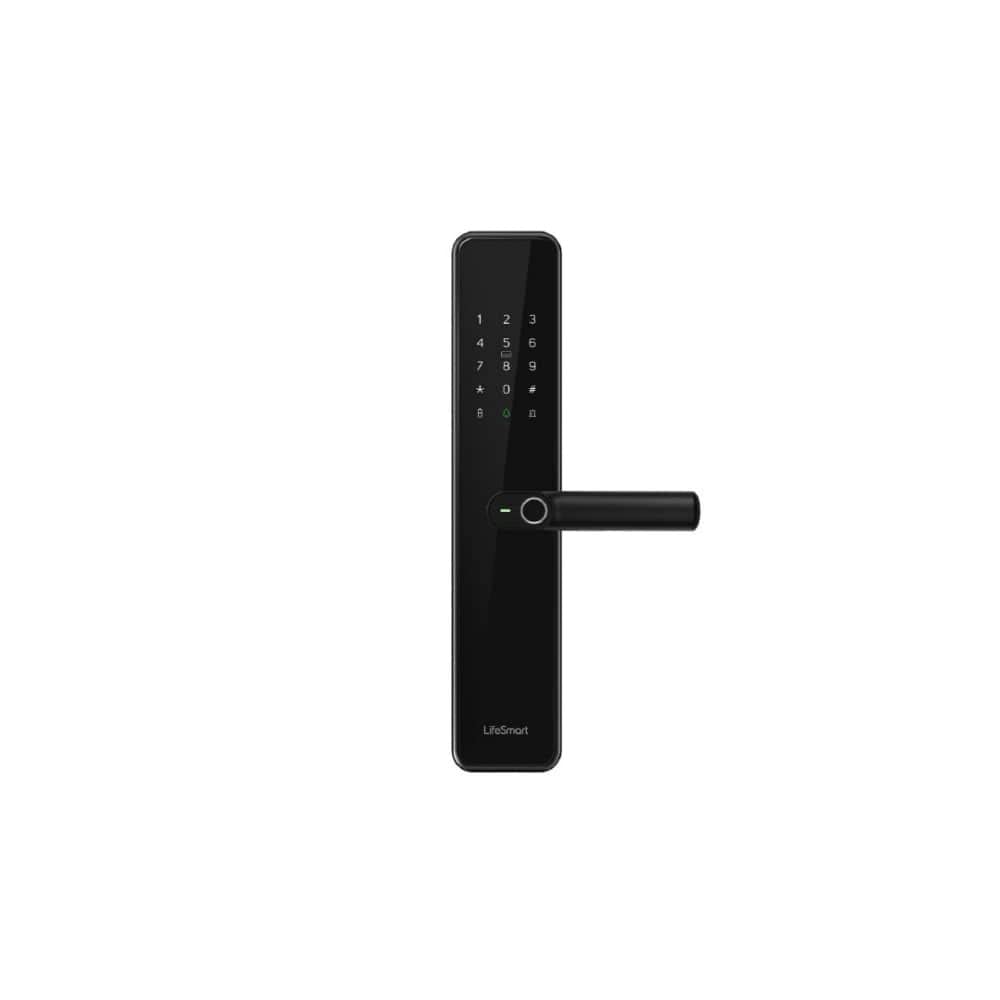
An image showing the LifeSmart C100 Smart Door Lock, featuring a sleek black design with a numeric keypad, a fingerprint sensor integrated into the handle, and the 'LifeSmart' logo at the bottom. The lock is designed for modern keyless entry.
The LifeSmart C100 Smart Door Lock combines advanced security features with a modern design. It features a durable tempered glass panel and an integrated body for enhanced protection. Key features include:
- Keyless Entry: Access your door using fingerprint recognition or a secure password.
- Tempered Glass Panel: A sleek, edge-free tempered glass panel for durability and aesthetics.
- Integrated Design: Built with an integrated body for permanent and robust protection.
- High Security: Supports a high level of security for your home.
Installation
Proper installation is crucial for the optimal performance and security of your LifeSmart C100 Smart Door Lock. It is recommended to have this lock installed by a professional if you are not familiar with door lock installations.
Pre-installation Checklist:
- Verify door thickness and backset measurements are compatible with the lock.
- Ensure the door frame is sturdy and aligned.
- Gather necessary tools: screwdriver, drill (if new holes are needed), measuring tape.
Installation Steps:
- Prepare the Door: If replacing an existing lock, remove it. If installing on a new door, drill holes according to the provided template.
- Install the Latch/Bolt: Insert the latch into the door edge and secure it with screws.
- Mount the Exterior Assembly: Place the exterior unit of the lock onto the door, ensuring the spindle passes through the latch.
- Mount the Interior Assembly: Connect the interior unit to the exterior unit, ensuring all cables are properly routed and connected. Secure with mounting screws.
- Test Operation: After installation, test the mechanical operation of the handle and latch.
Note: Detailed diagrams and specific screw types are typically found in a physical manual. This section provides general guidance.
Operation
The LifeSmart C100 Smart Door Lock offers multiple convenient ways to unlock your door.
Initial Setup:
- Administrator Setup: Upon first use, you will need to set up an administrator fingerprint and/or password. Follow the voice prompts or on-screen instructions.
- Adding Users: As an administrator, you can add additional user fingerprints and passwords. Refer to the lock's interface for specific steps.
Unlocking Methods:
- Fingerprint: Place your registered finger on the fingerprint sensor located on the handle. The lock will unlock if the fingerprint is recognized.
- Password: Enter your registered password on the numeric keypad, followed by the '#' key. The lock will unlock if the password is correct.
- Mechanical Key (if applicable): In case of emergency or power failure, use the provided mechanical key to unlock the door.
Locking the Door:
The lock typically auto-locks after a few seconds of closing the door. You can also manually lock it by lifting the handle or pressing a specific button (refer to lock's interface for details).
Maintenance
Regular maintenance ensures the longevity and reliable operation of your smart door lock.
- Cleaning: Wipe the lock surface with a soft, dry cloth. Avoid abrasive cleaners or solvents that may damage the tempered glass panel.
- Battery Check: Although the product states "No batteries required", if your specific unit has a backup battery or internal power source, ensure it is charged or replaced as per manufacturer guidelines.
- Mechanical Parts: Periodically check the handle and latch for smooth operation. Do not lubricate internal components unless specifically instructed by the manufacturer.
- Software Updates: If the lock supports firmware updates via an app, ensure you keep the software updated for optimal security and functionality.
Troubleshooting
If you encounter issues with your LifeSmart C100 Smart Door Lock, refer to the following common problems and solutions:
| Problem | Possible Cause | Solution |
|---|---|---|
| Lock does not respond to fingerprint/password. | Incorrect fingerprint/password; dirty sensor; system error. | Ensure correct input. Clean fingerprint sensor. Restart the lock (if possible, by removing power or using reset button). |
| Lock is not locking automatically. | Auto-lock feature disabled; door misalignment. | Check settings to ensure auto-lock is enabled. Adjust door alignment if necessary. |
| Lock makes unusual noises. | Internal mechanism issue; obstruction. | Check for any obstructions around the latch. If problem persists, contact customer support. |
| Cannot add new users. | Not in administrator mode; memory full. | Ensure you are logged in as administrator. Delete old user data if memory is full. |
If the problem persists after trying these solutions, please contact LifeSmart customer support.
Specifications
| Feature | Detail |
|---|---|
| Brand | LifeSmart |
| Model Number | C100 |
| Item Weight | 60 grams |
| Product Dimensions (L×W×H) | 14 x 8 x 10 cm |
| Color | Black |
| Style | Modern |
| Material | Tempered Glass |
| Shape | Rectangular |
| Number of Pieces | 1 |
| Mounting Type | Wall Mount |
| Special Features | Keyless Entry |
| Recommended Uses | Home Security, Smart Home Setup, Keyless Entry via Fingerprint or Password |
| Included Components | 1 × LifeSmart C100 Smart Door Lock |
| Batteries Required? | No |
| Lock Type | Biometrics |
Warranty and Support
LifeSmart provides a standard warranty for the C100 Smart Door Lock. Please refer to the warranty card included with your product for specific terms and conditions. For technical support, troubleshooting assistance, or warranty claims, please contact LifeSmart customer service through their official website or the contact information provided in your product packaging.
Online Support: Visit the official LifeSmart website for FAQs, updated manuals, and support resources.
Contact Information: Refer to your product packaging or the LifeSmart website for the most current contact details.


