
HelloBaby HB41
HelloBaby HB41 Video Baby Monitor User Manual
Your comprehensive guide to setting up, operating, and maintaining your HelloBaby HB41 Video Baby Monitor.
Introduction
The HelloBaby HB41 Video Baby Monitor provides parents with a secure and reliable way to monitor their baby. Featuring a 4-inch IPS screen, two-way talk, night vision, and temperature monitoring, this device ensures you can keep a close eye on your little one without Wi-Fi dependency, enhancing privacy and security. Its long range and extended battery life offer flexibility and peace of mind.

Image: The HelloBaby HB41 baby monitor system, showing the camera unit and the parent display unit with its user interface.
What's in the Box
Upon opening your HelloBaby HB41 package, please ensure all the following components are present:
- 4" Baby Monitor with Camera and Audio (Parent Unit and Camera Unit)
- 1 × Wall Mount Kit
- 2 × AC Adapters (one for the camera, one for the parent unit)
- 1 × User Manual (this document)
Product Features
The HelloBaby HB41 is equipped with advanced features designed for optimal baby monitoring:
- New Upgrade IPS Screen: Provides wide viewing angles, accurate color reproduction, and high contrast for a clear, vivid image of your baby.
- Night Vision & VOX Mode: Infrared night vision allows clear monitoring in darkness. VOX mode conserves power by turning off the display and activating when baby cries.
- No WiFi - Safe & Protect Privacy: Operates on 2.4GHz FHSS technology, ensuring a secure, private connection without Wi-Fi or app dependency.
- Two-way Talk & Temperature Sensor: Communicate with your baby remotely and monitor the room temperature accurately.
- 1000ft Range & No-cut-out: Offers extended range for monitoring from various locations within your home or backyard without signal loss.
- Pan-Tilt-Zoom: Remotely adjust the camera's view to cover a wider area of the nursery.
- Lullabies: Built-in lullabies to soothe your baby.
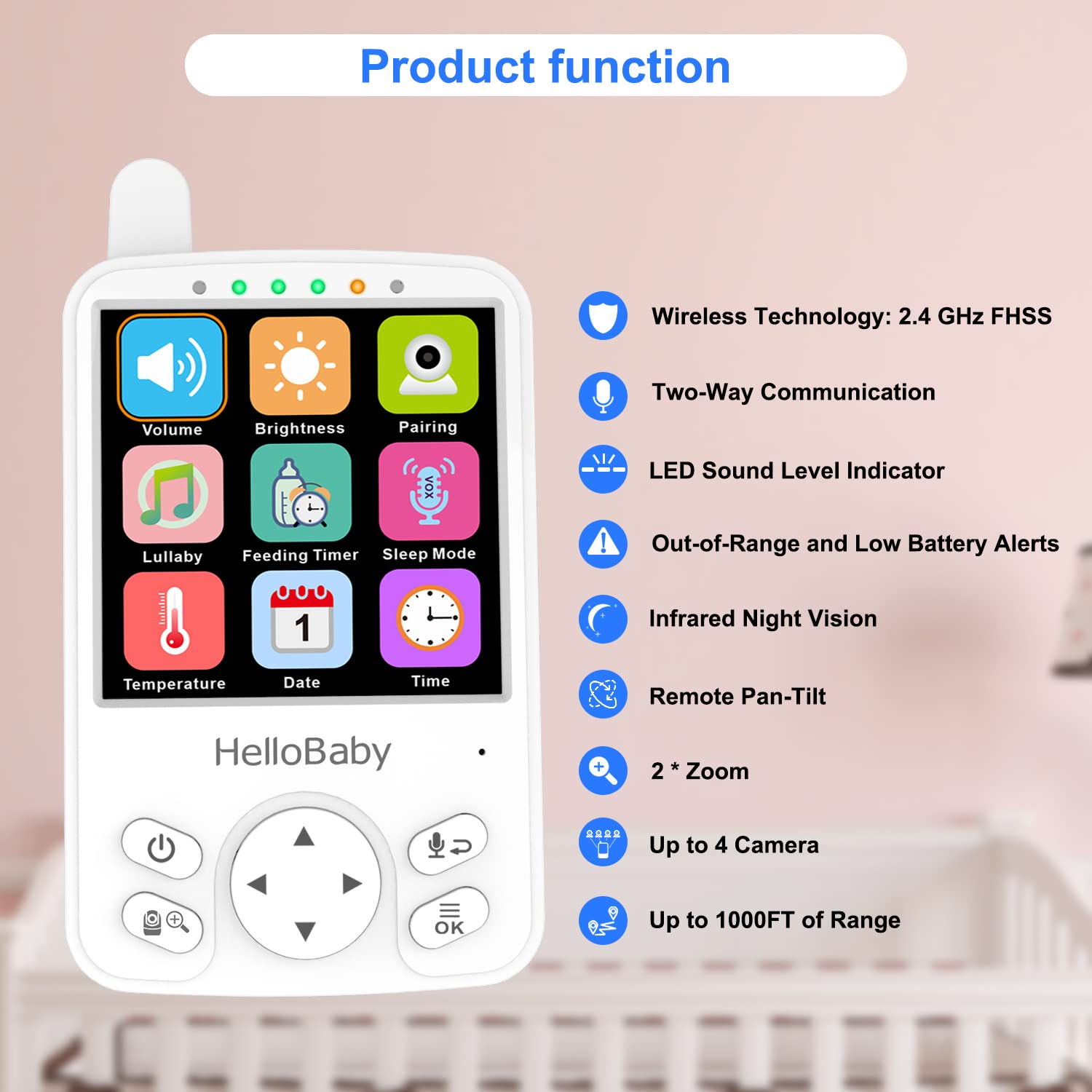
Image: An overview of the HelloBaby HB41's key functions, including wireless technology, two-way communication, LED sound level indicator, alerts, night vision, remote pan-tilt, zoom, multi-camera support, and long range.

Image: A visual comparison demonstrating the superior clarity and wider viewing angles of the IPS LCD screen used in the HB41 monitor compared to a normal LCD screen.

Image: Illustration highlighting the 2000 mAh battery of the HB41 parent unit, providing 12 hours of extra long standby time for day and night monitoring.

Image: Depiction of the two-way communication feature, showing a parent speaking into the monitor and the baby hearing it, along with temperature and time display.
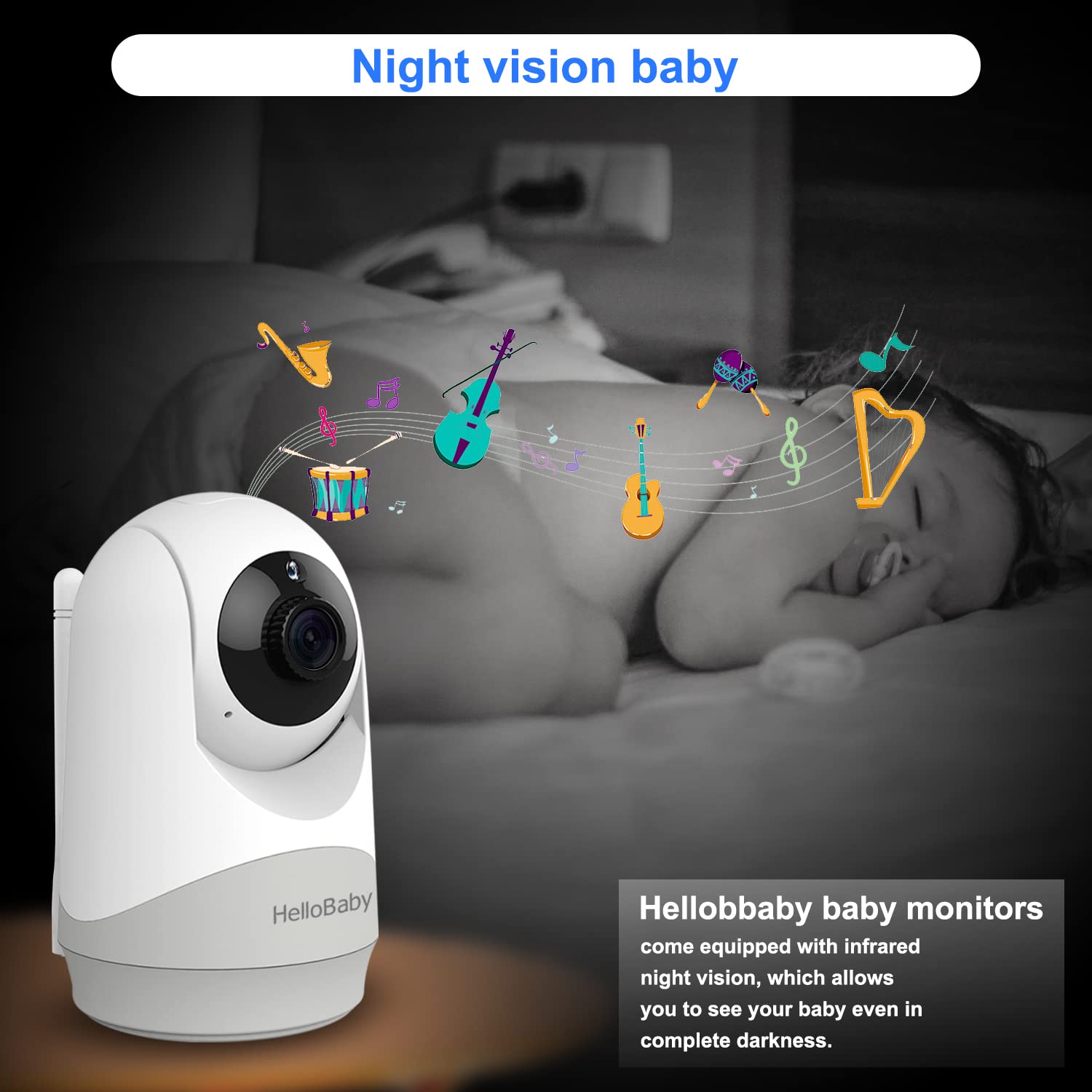
Image: An illustration of the night vision capability, showing the camera monitoring a baby sleeping in a dark room with musical notes indicating lullabies.
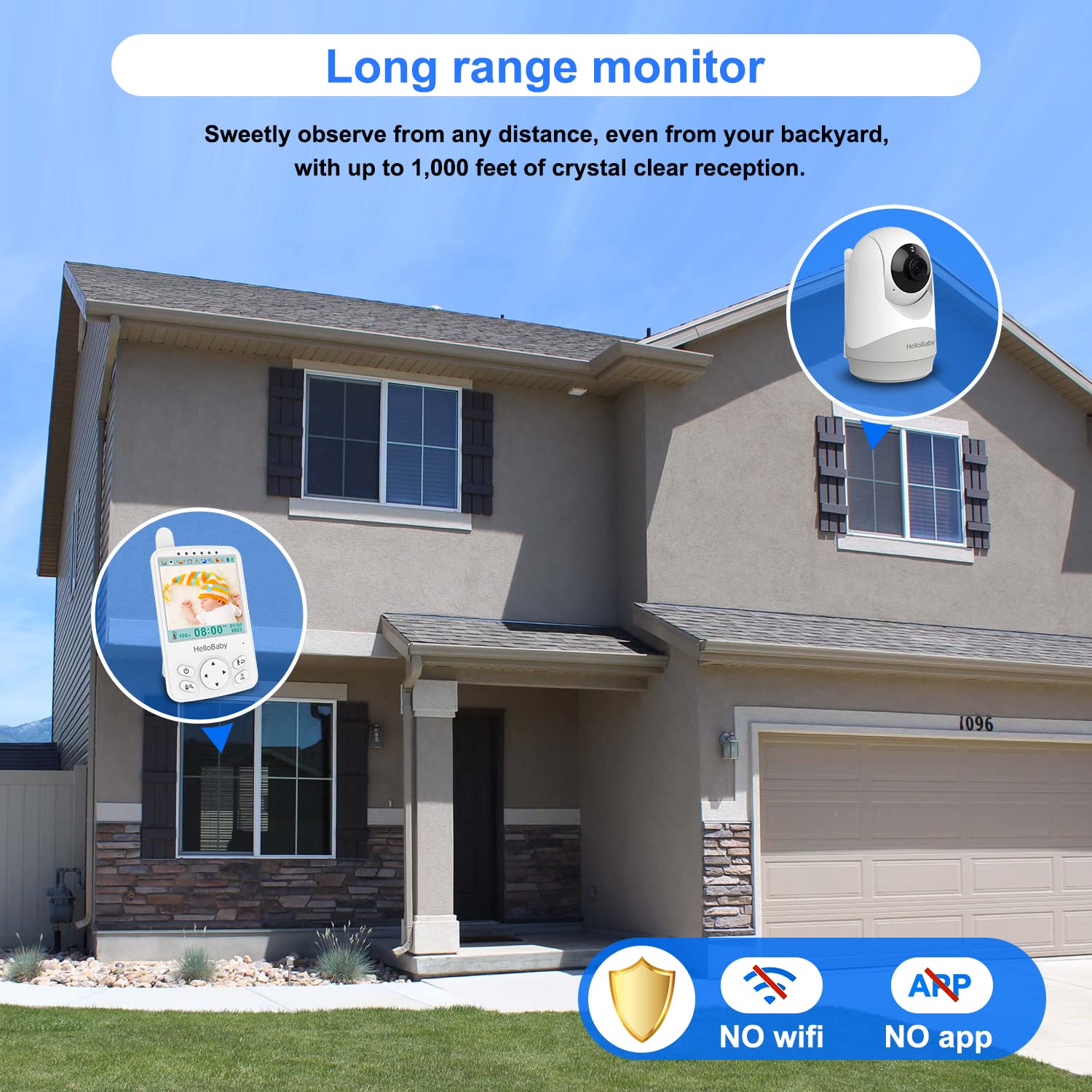
Image: Visual representation of the monitor's 1000ft long range, allowing monitoring from various parts of a house or backyard, emphasizing no Wi-Fi or app requirement.
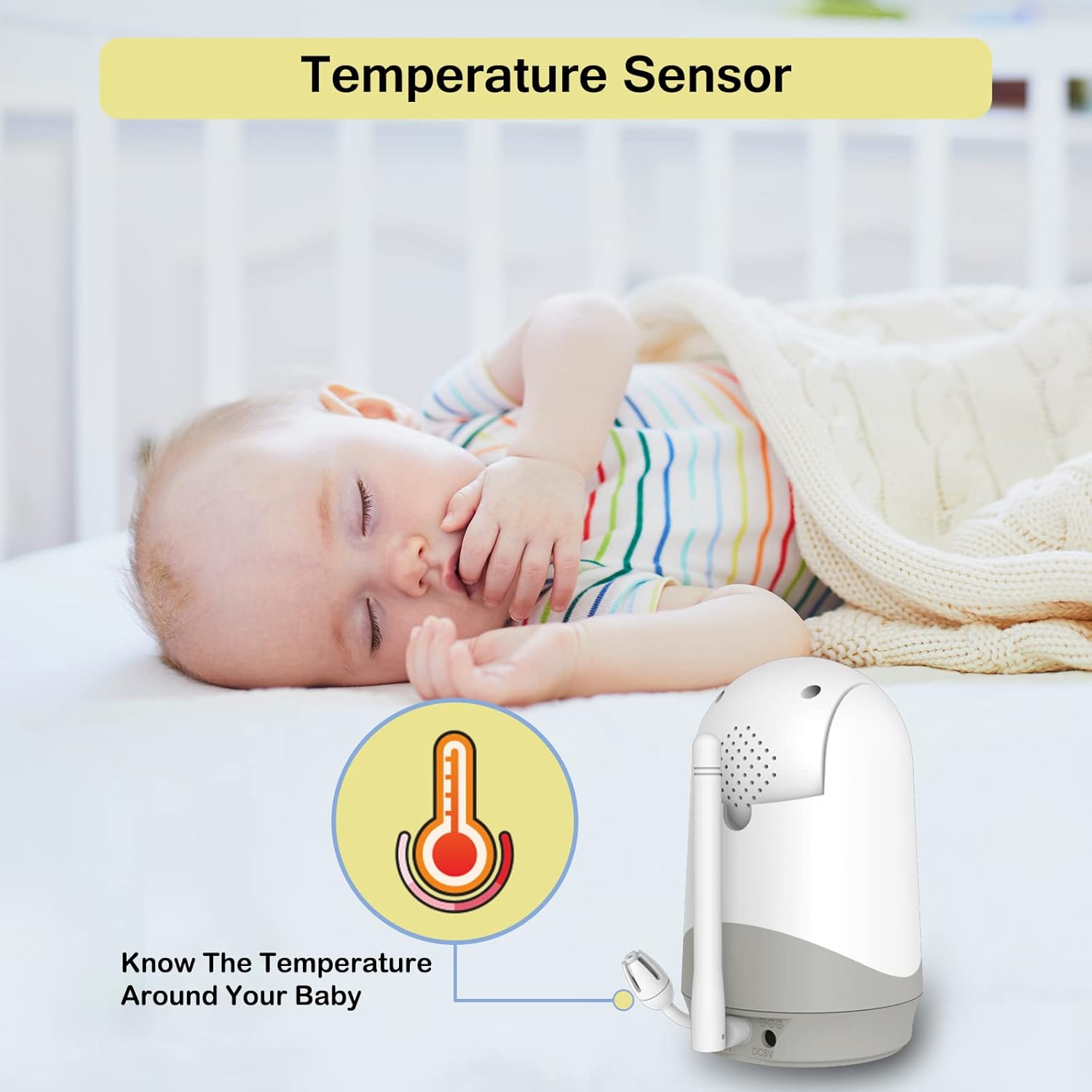
Image: A close-up of the camera unit near a sleeping baby, highlighting the temperature sensor feature that allows monitoring of the baby's room temperature.
Setup Guide
1. Charging the Parent Unit
Before first use, fully charge the parent unit for approximately 7-8 hours. Connect one AC adapter to the parent unit and plug it into a power outlet. The battery indicator will show charging status.
2. Powering the Camera Unit
Connect the second AC adapter to the camera unit and plug it into a power outlet. The camera unit will automatically power on.
3. Positioning the Camera
Place the camera unit in a location that provides a clear view of your baby's crib or play area. Ensure it is out of reach of children and at least 3 feet (1 meter) away from the crib to prevent entanglement hazards. The included wall mount kit can be used for elevated placement.
4. Pairing (If Necessary)
The parent unit and camera unit are pre-paired at the factory. If they do not connect automatically, or if you are adding an additional camera, follow these steps:
- On the parent unit, press the Menu button.
- Navigate to the Camera icon (often looks like a camera with a plus sign).
- Select Add Camera or Pairing.
- Within 10 seconds, press the Pair button on the back of the camera unit.
- The parent unit will display a confirmation once pairing is successful.
Operating Instructions
Power On/Off
- To power on the parent unit, press and hold the Power button until the screen illuminates.
- To power off, press and hold the Power button until the screen turns off.
- The camera unit powers on automatically when connected to power.
Volume and Brightness Adjustment
- Press the Menu button.
- Navigate to the Volume or Brightness icon.
- Use the arrow buttons to adjust the level.
- Press OK to confirm or Menu to exit.
Pan-Tilt-Zoom (PTZ)
- While viewing the live feed, use the directional arrow buttons on the parent unit to pan (move horizontally) and tilt (move vertically) the camera.
- To zoom in or out, press the Zoom button (often indicated by a magnifying glass icon).

Image: The camera unit demonstrating its 120-degree tilt and 355-degree pan capabilities for comprehensive room coverage.
Two-Way Talk
- Press and hold the Talk button (microphone icon) on the parent unit to speak to your baby through the camera's speaker.
- Release the button to hear your baby.

Image: A person using the two-way talk feature of the HelloBaby monitor, with speech bubbles indicating communication between the parent and baby.
VOX Mode (Voice Operated Exchange)
- VOX mode conserves battery by turning off the parent unit's screen when no sound is detected from the baby's room.
- The screen will automatically activate and alert you when the baby makes a sound (e.g., crying, babbling).
- To enable/disable VOX mode or adjust sensitivity, go to the Menu and select the VOX icon.

Image: A split image illustrating the VOX mode, showing the monitor screen off when the baby is sleeping peacefully and turning on to display the baby when crying is detected.

Image: Another visual example of VOX mode, showing the monitor screen blank when the baby is asleep and displaying the baby's image when crying, indicating sound activation.
Night Vision
The camera automatically switches to infrared night vision in low-light conditions, providing a clear black-and-white image of your baby.

Image: The monitor displaying a clear black-and-white image of a sleeping baby, demonstrating the automatic night vision feature.
Temperature Monitoring
The current room temperature is displayed on the parent unit's screen. This helps ensure your baby's environment is comfortable.
Lullabies
To play lullabies, access the Lullaby option from the parent unit's menu. You can select different melodies to help soothe your baby to sleep.
Feeding Timer
The parent unit includes a feeding timer function. Access it from the menu to set reminders for feeding times.
Maintenance
Cleaning
- Unplug both units before cleaning.
- Use a soft, dry cloth to clean the surfaces of the parent unit and camera.
- Do not use cleaning sprays or liquid cleaners directly on the units.
Battery Care (Parent Unit)
- To maximize battery life, fully charge the parent unit before initial use.
- Avoid completely draining the battery frequently.
- If storing the unit for an extended period, charge it periodically to maintain battery health.
Troubleshooting
| Problem | Possible Cause | Solution |
|---|---|---|
| No image/sound on parent unit | Units are not powered on or not paired. Out of range. | Ensure both units are plugged in and powered on. Re-pair the units if necessary. Move parent unit closer to the camera. |
| Poor image quality | Low light (night vision active). Camera lens dirty. Obstructions. | Ensure adequate lighting if not using night vision. Clean camera lens with a soft cloth. Remove any objects blocking the camera's view. |
| Static or interference | Other 2.4GHz devices nearby. Out of range. | Move the monitor away from other wireless devices (Wi-Fi routers, microwaves). Move parent unit closer to the camera. |
| Parent unit battery drains quickly | VOX mode off. High screen brightness. Aging battery. | Enable VOX mode. Reduce screen brightness. Ensure full charge before use. Battery may need replacement after extended use. |
| Two-way talk not working | Talk button not held down. Volume too low. | Ensure the talk button is pressed and held during speaking. Increase parent unit volume. |
Specifications
| Model Name | HB41 |
| Brand | HelloBaby |
| Connectivity Technology | Wireless (2.4GHz FHSS) |
| Screen Size | 4.0 inches (IPS LCD) |
| Range | Up to 1000 feet (line of sight) |
| Battery Life (Parent Unit) | Up to 29 hours (in VOX mode) |
| Special Features | Pan-Tilt-Zoom, VOX Mode, Night Vision, Two-Way Talk, Temperature Sensor, Lullabies |
| Power Source | AC Adapters (included) |
| Product Dimensions | 6.49 x 4.52 x 5.35 inches; 1.1 Pounds |
Warranty and Support
HelloBaby products are designed for reliability and performance. For specific warranty information, please refer to the warranty card included in your product packaging or visit the official HelloBaby website. If you encounter any issues or require technical assistance, please contact HelloBaby customer support through their official channels. Keep your purchase receipt as proof of purchase for warranty claims.
For further assistance, you may visit the HelloBaby Store on Amazon.
Related documentsHB41


Ask a question about this manual
Ask about setup, troubleshooting, compatibility, parts, safety, or missing instructions. Manuals+ will review the question and use this page’s manual context to help answer it.