
1. Introduction
This manual provides essential instructions for the setup, operation, and maintenance of your SPC KEOPS 7310BS cordless phone. Please read this manual thoroughly before using the device to ensure proper functionality and safety.
2. Package Contents
Verify that all items are present in the package:
- SPC KEOPS 7310BS Handset
- Base Station
- Power Adapter for Base Station
- Telephone Line Cord
- 2 x AAA Rechargeable Batteries
- User Manual (this document)
3. Setup
3.1. Battery Installation
- Locate the battery compartment cover on the back of the handset.
- Slide the cover downwards to open it.
- Insert the two AAA rechargeable batteries, observing the correct polarity (+ and -).
- Replace the battery compartment cover.
- Place the handset on the base station to charge for at least 12 hours before first use.
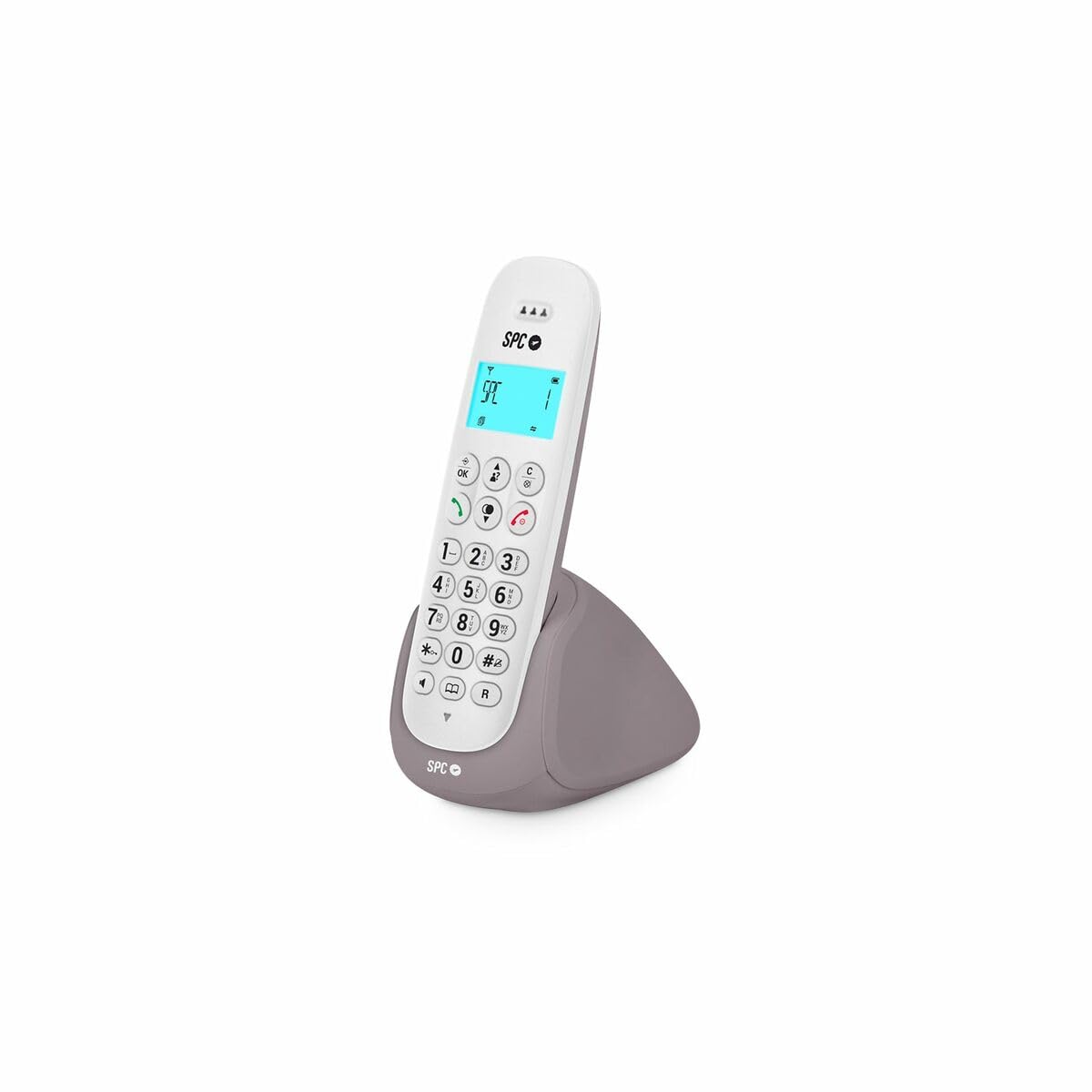
Image: The SPC KEOPS 7310BS cordless phone in white, showing the handset and base station. This image represents the product for which batteries are being installed.
3.2. Base Station Connection
- Connect one end of the telephone line cord to the LINE port on the base station.
- Connect the other end of the telephone line cord to your telephone wall socket.
- Connect the power adapter to the POWER port on the base station.
- Plug the power adapter into a standard electrical outlet.
- Ensure the base station is placed on a flat, stable surface, away from heat sources and other electronic devices that may cause interference.
3.3. Handset Registration (for additional handsets)
The SPC KEOPS 7310BS supports up to 5 handsets with a single base station. If you are adding an additional handset, follow these steps:
- On the base station, press and hold the registration button (usually marked with a symbol like ☎ or PAIR) for approximately 3 seconds until the indicator light flashes.
- On the new handset, access the menu, navigate to the "Register Handset" or "Add Handset" option, and confirm.
- Enter the system PIN (default is usually 0000 or 1234, refer to the handset's display for confirmation).
- Once registered, the handset display will show its assigned number (e.g., HS 1, HS 2).
4. Operating Instructions
4.1. Making a Call
- Press the TALK or GREEN button.
- Dial the desired phone number.
- To end the call, press the END or RED button, or place the handset back on the base station/charger.
4.2. Answering a Call
When the phone rings, press the TALK or GREEN button to answer.
4.3. Hands-Free Function
During a call, press the Hands-Free button (often marked with a speaker icon) to activate the speakerphone. Press it again to switch back to the earpiece.
4.4. Mute Function
To temporarily mute your microphone during a call, press the MUTE button. Your caller will not hear you, but you can still hear them. Press the MUTE button again to unmute.
4.5. Caller ID Display
The 35 x 22 mm backlit display shows the caller's number or name (if available and subscribed to Caller ID service from your telephone provider), along with the date and time of the call, and battery status.
4.6. Intercom and Call Transfer
If you have multiple registered handsets, you can:
- Make Intercom Calls: Call another handset directly without using the external phone line.
- Transfer Calls: Transfer an incoming external call to another handset.
- Conference Calls: Set up a three-way conference call between two internal handsets and one external caller.
Refer to the handset's on-screen menu for specific steps to perform these functions, as they may vary slightly.
5. Maintenance
5.1. Cleaning
Wipe the handset and base station with a soft, damp cloth. Do not use abrasive cleaners or solvents. Ensure the device is unplugged from the power outlet before cleaning.
5.2. Battery Care
The SPC KEOPS 7310BS features ECO technology, which helps optimize battery life and reduce energy consumption. To maintain optimal battery performance:
- Always use the provided rechargeable AAA batteries.
- Place the handset on the base station when not in use to ensure it remains charged.
- Avoid exposing batteries to extreme temperatures.
- If the phone will not be used for an extended period, remove the batteries.
6. Troubleshooting
| Problem | Possible Cause | Solution |
|---|---|---|
| No dial tone | Telephone line cord is disconnected or faulty. | Check the telephone line cord connections. Try a different phone line cord. |
| Handset not charging | Handset not properly seated on the base station; dirty charging contacts; faulty batteries. | Ensure the handset is correctly placed. Clean charging contacts with a dry cloth. Replace batteries if necessary. |
| Cannot make/receive calls | Handset out of range; base station not powered; handset not registered. | Move closer to the base station. Check base station power. Register the handset (see Section 3.3). |
| Poor sound quality/interference | Too far from base station; interference from other electronic devices. | Move closer to the base station. Relocate the base station away from other electronics (Wi-Fi routers, microwaves). |
7. Specifications
- Brand: SPC
- Model: KEOPS 7310BS
- Type: Cordless Phone
- Color: White (Weiß)
- Batteries: 2 x AAA rechargeable (included)
- Material: Plastic
- Power Source: Battery operated (handset), AC adapter (base station)
- Dialer Type: Single Keypad
- Dimensions (L x W x H): 50 x 50 x 28 cm (Base station and handset combined, approximate)
- Answering System: Digital (if applicable)
- Compatible Networks: Traditional Telephone Networks (PSTN)
- Caller ID: Yes (requires subscription from service provider)
- Multi-line Operation: Single line operation
- ECO Technology: Yes, for reduced energy consumption and radiation.
- Display: Backlit 35 x 22 mm display
- Max Handsets: Up to 5 handsets per base station
8. Warranty and Support
For warranty information, please refer to the documentation provided at the time of purchase or contact your retailer. SPC products typically come with a manufacturer's warranty covering defects in materials and workmanship.
For technical support or further assistance, please visit the official SPC website or contact their customer service department. Contact details can usually be found on the manufacturer's website or in the product packaging.