
1. Introduction
Thank you for choosing the MasterPRO BY CARLO CRACCO Food Processor. This appliance is designed to simplify your cooking tasks with its powerful motor, versatile functions, and intuitive controls. To ensure safe operation and optimal performance, please read this instruction manual thoroughly before first use and keep it for future reference.
Important Safety Instructions
- Always unplug the appliance from the power outlet before cleaning, assembling, or disassembling parts.
- Do not immerse the motor base in water or any other liquid.
- Keep hands and utensils away from moving blades during operation to prevent injury.
- Ensure the lid is securely locked before operating the appliance.
- This appliance is for household use only. Do not use outdoors.
- Supervise children when the appliance is in use.
2. Product Overview
The MasterPRO Food Processor is a versatile kitchen tool designed for various culinary tasks. It features a robust 1000W motor, a 3.5-liter capacity bowl, and an intuitive LED touch control panel.
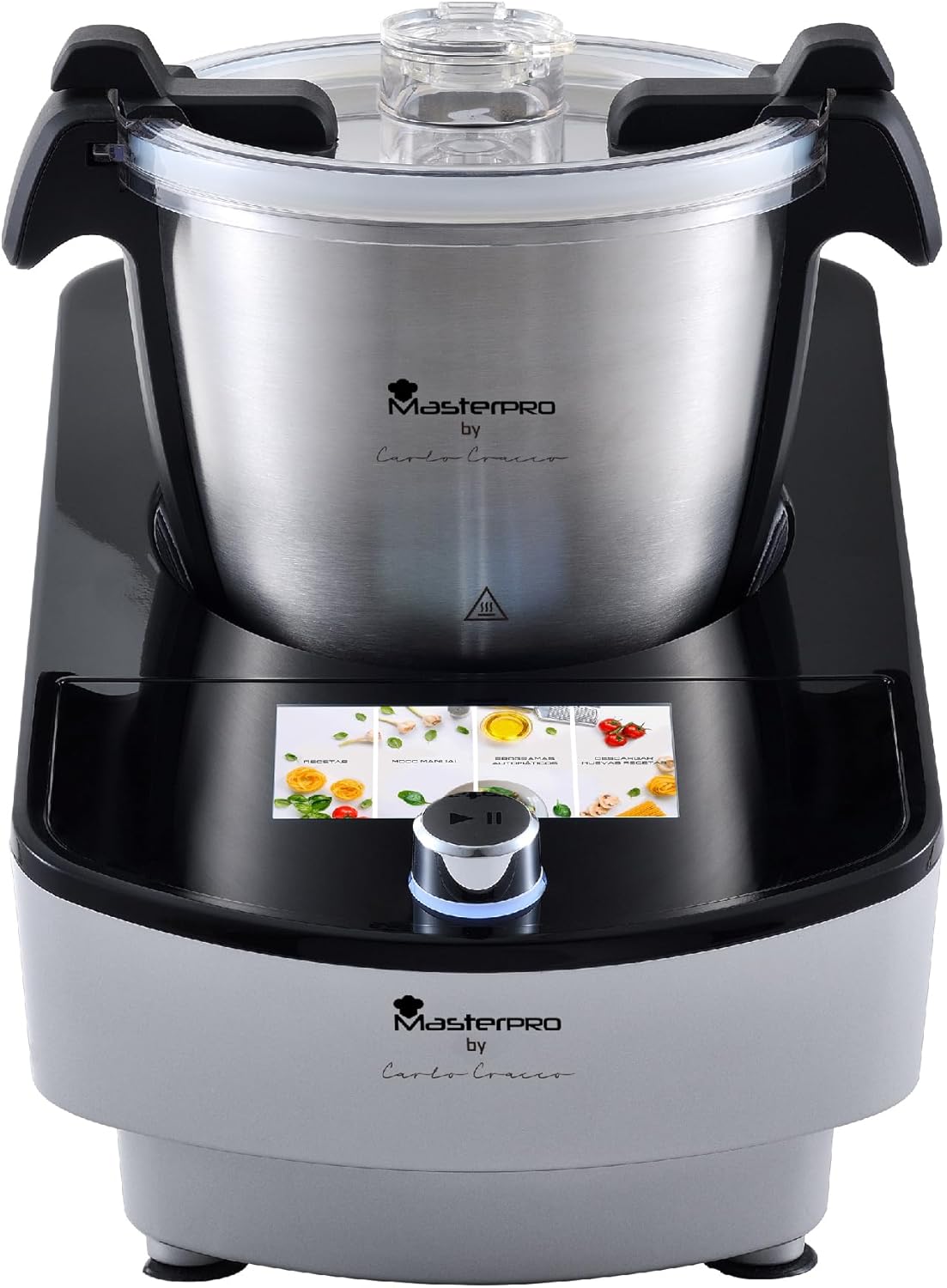
Image 2.1: MasterPRO BY CARLO CRACCO Food Processor main unit with LED touch control.
Components and Accessories
Your food processor comes with a range of accessories to perform various functions:
- Main Unit: Motor base with LED touch control panel.
- Stainless Steel Bowl: 3.5-liter capacity for processing ingredients.
- Lid: With a feeding tube for adding ingredients during operation.
- Chopping Blade: For mincing, chopping, and pureeing.
- Kneading Blade: For mixing and kneading dough.
- Whisk Attachment: For whipping cream or egg whites.
- Spatula: For scraping down the sides of the bowl.
- Steamer Basket: For steaming vegetables, fish, and other foods.
- Measuring Cup: For precise ingredient measurement.
- Disc Attachments: For slicing and shredding.

Image 2.2: The MasterPRO Food Processor displayed with its complete set of accessories, including various blades, a whisk, a spatula, and a steamer basket.

Image 2.3: The MasterPRO Food Processor showcasing its multifunctionality with various accessories laid out, indicating its capability for tasks like beating, mixing, kneading, and steaming.
3. Setup
3.1 Unpacking and Initial Cleaning
- Carefully remove all components from the packaging.
- Wash the stainless steel bowl, lid, and all accessories (blades, whisk, spatula, steamer basket, measuring cup, disc attachments) in warm, soapy water. Rinse thoroughly and dry completely.
- Wipe the motor base with a damp cloth. Do not immerse the motor base in water.
3.2 Assembly
- Place the motor base on a stable, flat, and dry surface.
- Insert the desired accessory (e.g., chopping blade, kneading blade, whisk) into the bottom of the stainless steel bowl. Ensure it is securely seated.
- Place the stainless steel bowl onto the motor base, aligning the base of the bowl with the motor shaft. Turn the bowl clockwise until it locks into place.
- Place the lid onto the bowl, aligning the lid's tab with the handle of the bowl. Turn the lid clockwise until it locks securely. A click sound indicates proper locking.
- Ensure all parts are correctly assembled before plugging the appliance into a power outlet.
4. Operating Instructions
The MasterPRO Food Processor features an intuitive LED touch control panel and 12 automatic programs for ease of use.

Image 4.1: The MasterPRO Food Processor's LED touch control panel provides intuitive and user-friendly operation.
4.1 Powering On/Off
- Plug the power cord into a suitable electrical outlet. The LED screen will illuminate.
- To turn off the appliance, press and hold the power button on the control panel, or simply unplug it from the wall socket.
4.2 Using Automatic Programs
The appliance offers 12 pre-set automatic programs for various recipes.

Image 4.2: The MasterPRO Food Processor features 12 automatic programs, simplifying the preparation of a wide variety of recipes.
- Add ingredients to the bowl according to your recipe.
- Close and lock the lid securely.
- On the LED touch screen, browse through the available programs.
- Select the desired program by tapping its icon. The screen will display the program's default settings (time, temperature, speed).
- Press the Start/Pause button to begin the program.
- The appliance will automatically adjust settings and stop when the program is complete.
4.3 Manual Operation
For custom recipes, you can manually adjust the settings:
- Add ingredients and secure the lid.
- On the LED screen, select the manual mode option.
- Adjust the desired time, temperature, and speed using the touch controls.
- Press the Start/Pause button to begin.
- Monitor the process and press Start/Pause again to stop or adjust settings as needed.
4.4 Specific Functions
- Chopping/Mincing: Use the chopping blade. Ensure ingredients are cut into small pieces before adding to the bowl.
- Kneading: Use the kneading blade. Follow recipe guidelines for ingredient ratios.
- Steaming: Place water in the main bowl, then place ingredients in the steamer basket. Ensure the lid is properly sealed.
- Whisking: Use the whisk attachment for light ingredients like egg whites or cream. Ensure the bowl is clean and dry.
5. Maintenance and Cleaning
Regular cleaning ensures the longevity and hygienic operation of your food processor.
5.1 Daily Cleaning
- Always unplug the appliance before cleaning.
- Remove the bowl and all accessories.
- Wash the stainless steel bowl, lid, and all accessories in warm, soapy water. A soft brush can be used for hard-to-reach areas. Rinse thoroughly and dry immediately to prevent water spots.
- Wipe the motor base with a clean, damp cloth. Do not use abrasive cleaners or immerse the base in water.
- Ensure all parts are completely dry before reassembling or storing.
5.2 Storage
Store the food processor in a dry, cool place, away from direct sunlight and out of reach of children.
6. Troubleshooting
If you encounter any issues with your MasterPRO Food Processor, refer to the following table for common problems and solutions.
| Problem | Possible Cause | Solution |
|---|---|---|
| Appliance does not turn on. | Not plugged in; lid or bowl not properly locked. | Ensure power cord is securely plugged in. Check that the bowl and lid are correctly assembled and locked into place. |
| Motor runs, but ingredients are not processed. | Accessory not properly installed; too much food in the bowl. | Ensure the correct accessory is securely attached to the motor shaft. Reduce the amount of food in the bowl. |
| Appliance stops during operation. | Overload protection activated; power interruption. | Unplug the appliance, remove some ingredients, and let it cool down for 15-20 minutes before restarting. Check power supply. |
| Unusual noise or vibration. | Improper assembly; unstable surface. | Check that all components are correctly assembled and locked. Place the appliance on a stable, flat surface. |
If the problem persists after attempting these solutions, please contact customer support.
7. Specifications
| Feature | Specification |
|---|---|
| Brand | MasterPro |
| Model Number | BGMP-9140 |
| Power | 1000 Watts |
| Capacity | 3.5 Liters |
| Programs | 12 Automatic Programs |
| Control Type | LED Touch Control |
| Material | Stainless Steel |
| Product Weight | 6 kg |
| Dimensions (Approx.) | Height: 32.5 cm, Width: 45.5 cm, Depth: 25.5 cm |
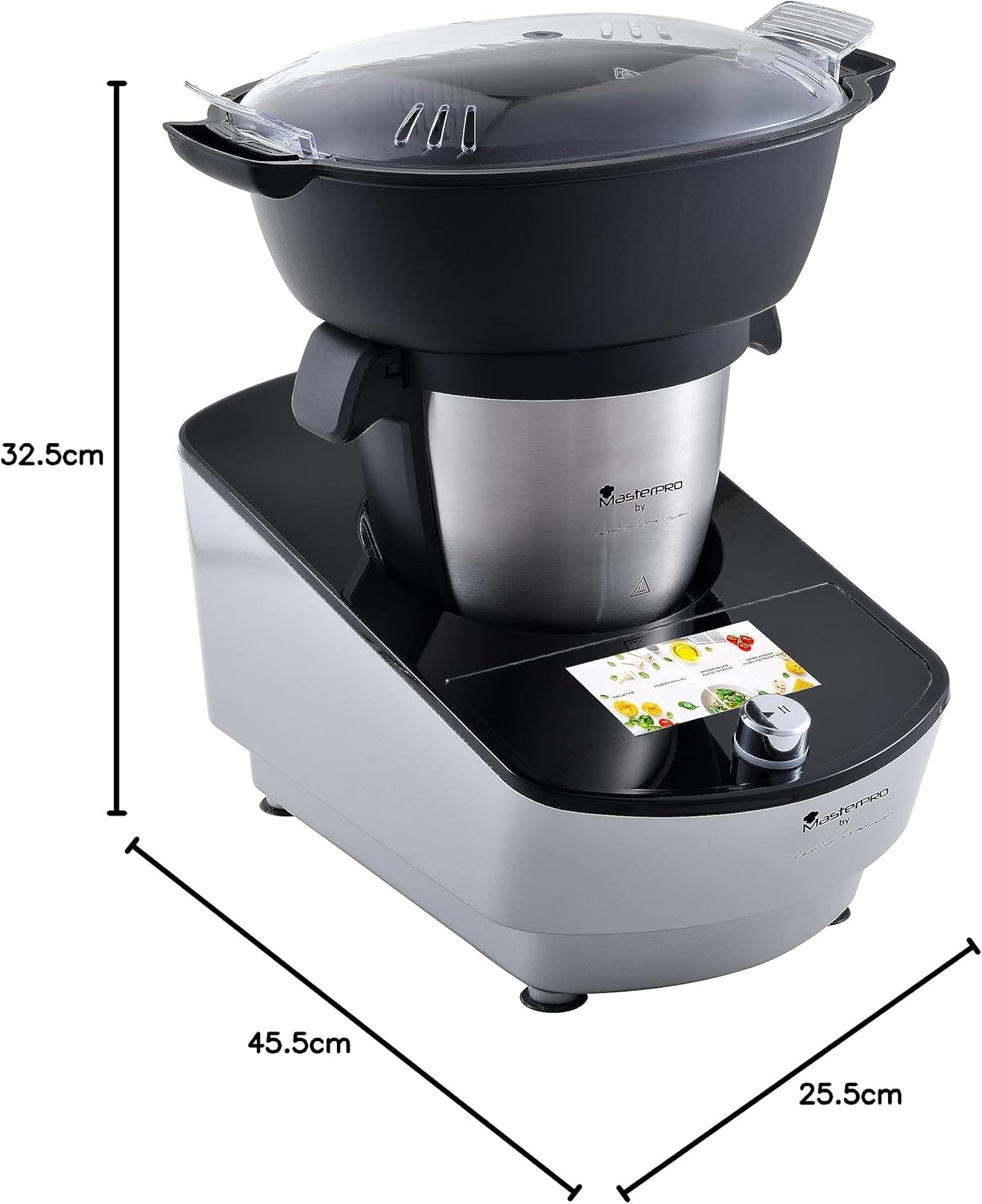
Image 7.1: Diagram illustrating the approximate dimensions of the MasterPRO Food Processor.
8. Warranty and Support
For warranty information and customer support, please refer to the warranty card included with your product or visit the official MasterPRO website. Keep your proof of purchase for any warranty claims.


