
1. Introduction
The Luoran M4B MP3 Player is a versatile and user-friendly device designed for kids and teenagers, offering a comprehensive multimedia experience. It comes pre-installed with popular applications like Spotify Kids, Spotify, Amazon Music, and Audible, and supports a wide range of audio and video formats. Featuring a 4.0-inch IPS touchscreen, Bluetooth, Wi-Fi connectivity, and expandable storage up to 256GB, the M4B is perfect for music, videos, audiobooks, and more. Its robust parental control system ensures a safe and controlled environment for young users.
2. What's in the Box
Your Luoran M4B MP3 Player package includes the following items:
- Luoran M4B MP3 Player
- OTG Adapter
- Wired Earphones
- Instruction Manual
- USB-C Cable
- Silicon Case

Image: Luoran M4B MP3 Player with included accessories.
3. Product Overview & Physical Features
Familiarize yourself with the physical components and controls of your M4B MP3 Player.
3.1. Device Layout

Image: Side view of the MP3 player, highlighting the power and volume buttons.
- Power Button: Located on the side, press and hold to power on/off or restart.
- Volume Buttons: Located on the side, press to adjust volume up or down.
- USB-C Port: Located at the bottom for charging and data transfer.
- 3.5mm Headphone Jack: Located at the bottom for wired earphones.
- Micro SD Card Slot: Located on the side, allows for expandable storage up to 256GB.

Image: Bottom view of the MP3 player, showing the USB-C port and headphone jack.

Image: The MP3 player with a Micro SD card inserted into its expandable memory slot.
4. Initial Setup
4.1. Powering On/Off
To power on the device, press and hold the Power button on the side until the screen lights up. To power off, press and hold the Power button again until a menu appears, then select 'Power off'.
4.2. Connecting to Wi-Fi
Navigate to 'Settings' from the home screen. Select 'Network & Internet' or 'Wi-Fi'. Turn on Wi-Fi and select your desired network from the list. Enter the password if prompted and tap 'Connect'.
4.3. Setting Date and Time
In 'Settings', go to 'System' or 'Date & Time'. You can enable 'Automatic date & time' for network-provided time or set it manually.
5. Operating Instructions
5.1. Navigation
The M4B features a 4.0-inch IPS full touchscreen for intuitive navigation. Swipe left or right to browse through app pages. Tap on app icons to open them. Use the on-screen navigation buttons (Back, Home, Recent Apps) at the bottom of the screen.
5.2. Music Playback
The device supports various music formats including MP3, WAV, FLAC, APE, OGG, M4A, AAC, WMA, MP2. You can organize and play music by Title, Folder, Artist, Album, etc. Use the pre-installed music apps like Spotify, Amazon Music, or HiBy Music.

Image: The MP3 player displaying various music playback options and supported formats.
5.3. Video Playback & E-book Reading
The 4.0-inch IPS display is suitable for watching videos and reading e-books. Use the dedicated Video and E-book applications to access your media files.
5.4. Other Applications
The device includes other useful applications such as FM Radio, a Clock, a Calculator for school or daily use, and a File Manager to browse and organize your stored content.
6. Parental Controls
The M4B features a robust parental control system to manage your child's usage and access to applications.
- Application Blocking: All applications can be blocked or unblocked as needed.
- New Application Installation Approval: New app installations require parental approval.
- Auto ON/OFF Time: Set specific times for the device to automatically turn on or off, controlling screen time.
Video: Kids MP3 player with parental management system.
Important: Please be sure to write down and remember any password or PIN codes you set for parental controls, as you will not be able to access the device without them.
7. Connectivity
7.1. Bluetooth
The player comes with Bluetooth, compatible with a wide variety of Bluetooth devices such as earphones, headphones, speakers, and car stereos. It provides fast pairing and stable connections.
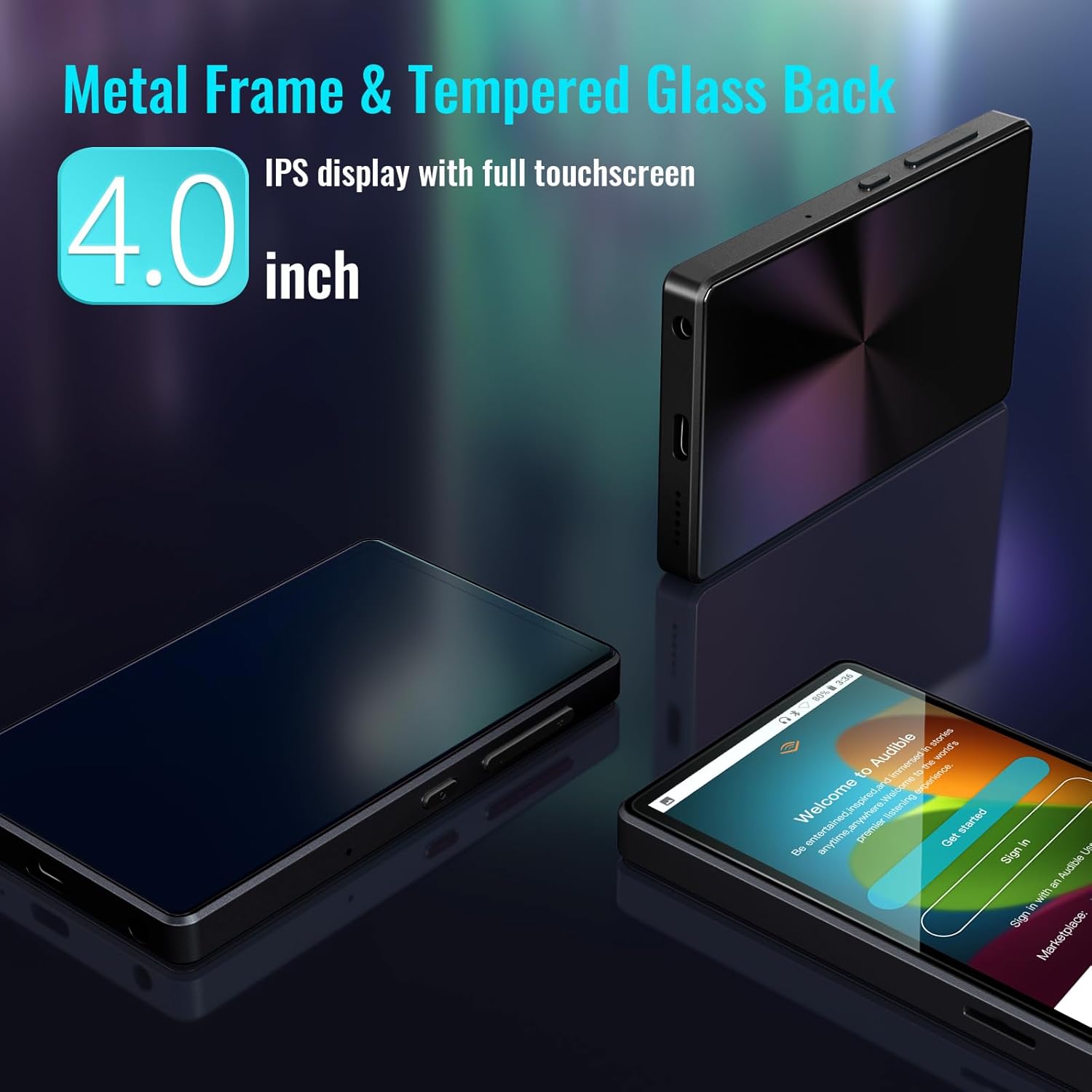
Image: The MP3 player demonstrating its Bluetooth connectivity with wireless headphones.
7.2. Wi-Fi
Built-in Wi-Fi allows for internet access, enabling streaming from pre-installed apps and downloading content.
8. Storage
8.1. Expandable Memory
This digital audio player provides a Micro SD card slot, allowing you to expand external storage up to 256GB. It is compatible with SDXC and SDHC cards, greatly satisfying your need to store more songs, videos, and audiobooks.
Image: The MP3 player with a Micro SD card being inserted into its dedicated slot.
9. Battery Life & Charging
The M4B MP3 Player is equipped with a built-in 1500mAh capacity battery and a USB-C charging port. A full charge takes approximately 2 hours and provides up to 50 hours of music playing time. The device also features a standby power-saving feature to extend battery life.
10. Troubleshooting
10.1. Missing or Upgrading Apps
If you encounter issues with missing applications or need to upgrade existing ones, please contact the Luoran Team. They will provide you with the necessary APK files and easy-to-follow installation steps. Expect a reply within 12 hours.
10.2. Forgotten Password/PIN
It is crucial to write down and remember any password or PIN codes you set for the device, especially for parental controls. If forgotten, you may not be able to access certain features or the device itself.
10.3. Device Not Responding/Freezing
If the device becomes unresponsive, press and hold the Power button for approximately 10-15 seconds to force a restart. If the issue persists, ensure the battery is charged.
10.4. Connectivity Issues
If experiencing issues with Bluetooth or Wi-Fi, try toggling the respective settings off and on. Ensure the device is within range of the network or Bluetooth accessory. For persistent Wi-Fi issues, try restarting your router.
11. Specifications
| Feature | Detail |
|---|---|
| Product Dimensions | 4.06 x 2.4 x 0.39 inches |
| Item Weight | 5.3 ounces |
| Manufacturer | Luoran |
| ASIN | B0BNB85SJV |
| Item Model Number | M4B |
| Batteries | 1 Lithium Metal batteries required (included) |
| Date First Available | August 17, 2021 |
| Model Name | M4B |
| Special Feature | Parental Control System (Control New Installation, Set Auto ON/OFF Time, Block and Unblock Applications) |
| Connectivity Technology | Bluetooth, Wi-Fi, Aux |
| Memory Storage Capacity | 8 GB (Expandable up to 256GB) |
| Color | Black |
| Screen Size | 4 Inches |
| Compatible Devices | Earphone, Speaker |
| Media Type | Micro SDHC, Micro SDXC, Micro SD |
12. Support
For any questions, technical support, or assistance with your Luoran M4B MP3 Player, please contact the Luoran Team directly. They are available to help with app installations, troubleshooting, and general inquiries.
Visit the official Luoran Store for more information and products: Luoran Store on Amazon


