
Introduction
This manual provides detailed instructions for the safe and effective use of your VGR V-077 Professional Digital Display Cordless Hair Clipper and Beard Trimmer. Please read all instructions carefully before using the appliance and retain this manual for future reference.
Safety Information
- Do not immerse the appliance in water or other liquids.
- Keep the appliance away from children.
- Ensure the power cord is not damaged before use. If damaged, contact customer support.
- Do not use the appliance if the blades are damaged, as this may cause injury.
- Only use the provided charging cable and adapter (if included) for charging.
- Unplug the appliance before cleaning.
- This appliance is intended for hair and beard trimming only. Do not use for other purposes.
Package Contents
Verify that all items are present in the package:
- VGR V-077 Hair Clipper/Trimmer
- USB Charging Cable
- 3 Guide Combs (1mm, 2mm, 3mm)
- Cleaning Brush
- Lubricating Oil (may vary by package)
- User Manual

Image: VGR V-077 Hair Clipper with its main components labeled: ON/OFF button, new technology blade, USB charging port, and LED display showing power left.
Product Features
- Professional Ceramic Blades: Designed for precision cutting, these self-sharpening blades ensure a smooth trim without overheating. The R-angle processing protects the skin from irritation.
- Cordless/Corded Operation: Equipped with an 800 mAh Li-ion battery, providing up to 150 minutes of cordless operation after a 2-hour charge. Can also be used while corded.
- Multiple Cutting Lengths: Includes 3 attachment combs (1mm, 2mm, 3mm) for various hair lengths. The trimmer can also be used without a comb for a close trim.
- LED Digital Display: Clearly shows the remaining battery charge percentage, allowing you to monitor power status.
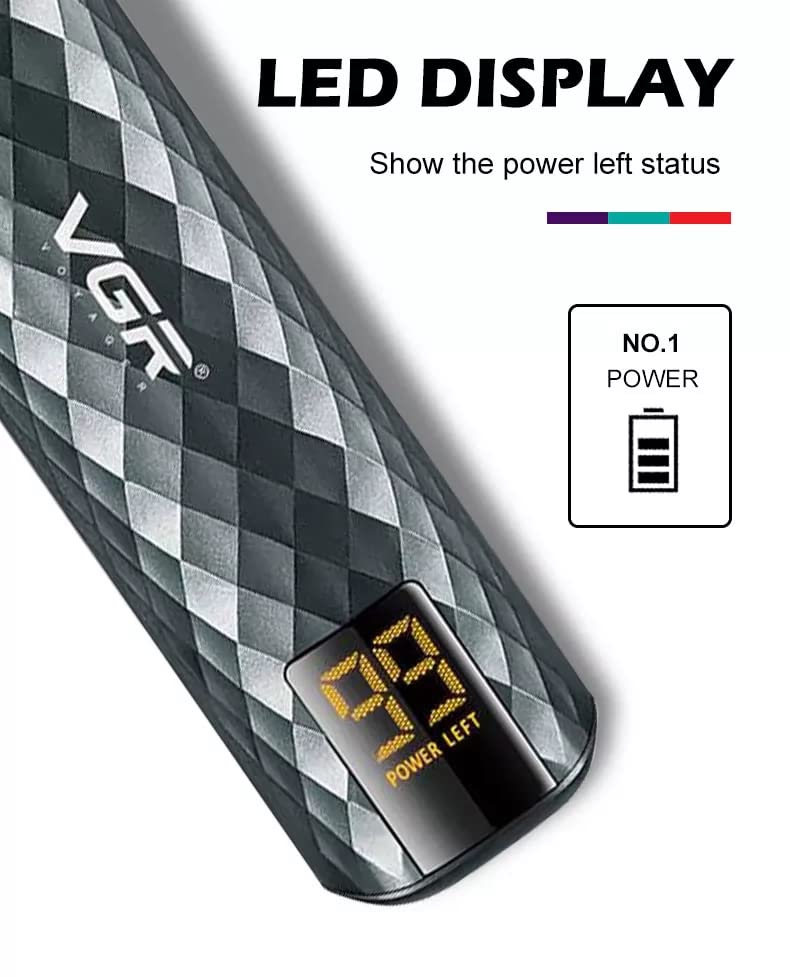
Image: Close-up of the VGR V-077 hair clipper's LED display showing battery charge status.

Image: Detailed view of the VGR V-077 hair clipper's precision ceramic blade with R-angle processing for skin protection.
Setup
1. Charging the Appliance
- Ensure the appliance is switched off.
- Insert the USB charging cable into the charging port at the bottom of the trimmer.
- Connect the other end of the USB cable to a compatible USB power source (e.g., computer, laptop, power bank, or a USB wall adapter).
- The LED display will show the charging progress. A full charge takes approximately 2 hours and provides up to 150 minutes of runtime.
- Disconnect the charger once fully charged or when not charging.

Image: VGR V-077 hair clipper charging process and battery performance details.
2. Attaching Guide Combs
- Select the desired guide comb (1mm, 2mm, or 3mm) based on your preferred cutting length.
- Align the comb with the trimmer blade and push it firmly until it clicks into place.
- To remove a comb, gently pull it away from the blade.

Image: VGR V-077 hair clipper with its three guide combs (1mm, 2mm, 3mm).
Operating Instructions
General Trimming Tips
- Ensure hair is clean and dry before trimming.
- For best results, trim against the direction of hair growth.
- Use slow, controlled movements.
- Start with a longer comb length if unsure, and gradually reduce if needed.
Hair Trimming
- Attach the desired guide comb.
- Turn on the trimmer by pressing the ON/OFF button.
- Hold the trimmer with the blade flat against the head.
- Move the trimmer slowly through the hair, ensuring an even cut.
- For detailing or creating sharp lines, remove the guide comb and use the bare blade carefully.
Beard Trimming
- Attach the appropriate guide comb for your desired beard length.
- Turn on the trimmer.
- Trim your beard by moving the trimmer in the direction of hair growth for a longer cut, or against for a shorter cut.
- Use the bare blade to define necklines, cheek lines, and mustache edges.

Image: Examples of hair and beard styling using the VGR V-077 trimmer.
Maintenance
Cleaning the Blades
- Ensure the trimmer is switched off and unplugged.
- Use the provided cleaning brush to remove any loose hairs from the blades and inside the trimmer head.
- For a more thorough clean, the blades can be carefully detached (refer to specific instructions if provided in the physical manual for blade removal). Rinse the blades under running water if they are washable (check product specifications for water resistance). Caution: Do not rinse the main body of the trimmer unless explicitly stated as waterproof.
- Allow blades to air dry completely before reattaching or storing.
Lubricating the Blades
- After cleaning and drying, apply a small drop of lubricating oil (if provided) to the teeth of the blades.
- Turn on the trimmer for a few seconds to distribute the oil evenly.
- Wipe off any excess oil with a soft cloth. Regular oiling helps maintain blade sharpness and performance.
Storage
Store the trimmer in a cool, dry place, away from direct sunlight and out of reach of children.
Troubleshooting
| Problem | Possible Cause | Solution |
|---|---|---|
| Trimmer does not turn on. | Battery is depleted. | Charge the trimmer for at least 2 hours. |
| Poor cutting performance. | Blades are dull or clogged with hair. | Clean and oil the blades. Ensure hair is dry before trimming. |
| Trimmer pulls hair. | Blades are not properly oiled or are dull. | Clean and lubricate the blades. If the problem persists, blades may need replacement. |
| Trimmer gets hot during use. | Extended use or blades need lubrication. | Allow the trimmer to cool down. Clean and oil the blades. |
Specifications
- Model: V-077
- Power Source: Battery Powered (Cordless/Corded)
- Battery Type: 800 mAh Li-ion Battery
- Charging Time: Approximately 2 hours
- Runtime: Up to 150 minutes
- Blade Material: Ceramic
- Included Combs: 1mm, 2mm, 3mm
- Item Weight: 400 Grams
- Product Dimensions: 20 x 10 x 7 Centimeters
- Special Features: Cordless, Rechargeable, LED Digital Display
Warranty and Support
This VGR V-077 Hair Clipper comes with a 12-month quality warranty from the date of purchase. This warranty covers manufacturing defects under normal use.
For warranty claims, technical support, or any product-related inquiries, please contact VGR customer service. Refer to the contact information provided with your purchase documentation or visit the official VGR website.
Please retain your proof of purchase for warranty validation.


