
1. Important Safety Instructions
Please read all instructions carefully before using this electric fireplace. Failure to follow these instructions may result in electric shock, fire, or personal injury.
- Ensure the power supply voltage matches the rating label on the appliance.
- Do not operate any fireplace with a damaged cord or plug, or if the heater has malfunctioned, been dropped, or damaged in any manner.
- Do not use outdoors. This fireplace is intended for indoor use only.
- Keep combustible materials, such as furniture, pillows, bedding, papers, clothes, and curtains at least 3 feet (0.9 m) from the front of the fireplace and away from the sides and rear.
- To prevent a possible fire, do not block air intakes or exhaust in any manner. Do not use on soft surfaces, like a bed, where openings may become blocked.
- Always plug heaters directly into a wall outlet/receptacle. Never use with an extension cord or relocatable power tap (outlet/power strip).
- Unplug the fireplace when not in use.
- Do not insert or allow foreign objects to enter any ventilation or exhaust opening as this may cause an electric shock or fire, or damage the fireplace.
- This appliance is not intended for use by persons (including children) with reduced physical, sensory or mental capabilities, or lack of experience and knowledge, unless they have been given supervision or instruction concerning use of the appliance by a person responsible for their safety.
- Children should be supervised to ensure that they do not play with the appliance.
Battery Warnings (for Remote Control)

Translation of Battery Warnings:
- Never ignite batteries – risk of explosion.
- Never open, short-circuit, or damage batteries, as this can lead to injuries.
2. Product Overview
The BALDERIA Costas Electric Fireplace offers a realistic 3D flame effect, providing a cozy fireplace experience without the need for real fire. It includes a powerful 2000W electric heater, LED ambient lighting, WiFi connectivity for app control, and a crackling sound feature for enhanced realism. The fireplace is designed for recessed installation and comes with a remote control for convenient operation.
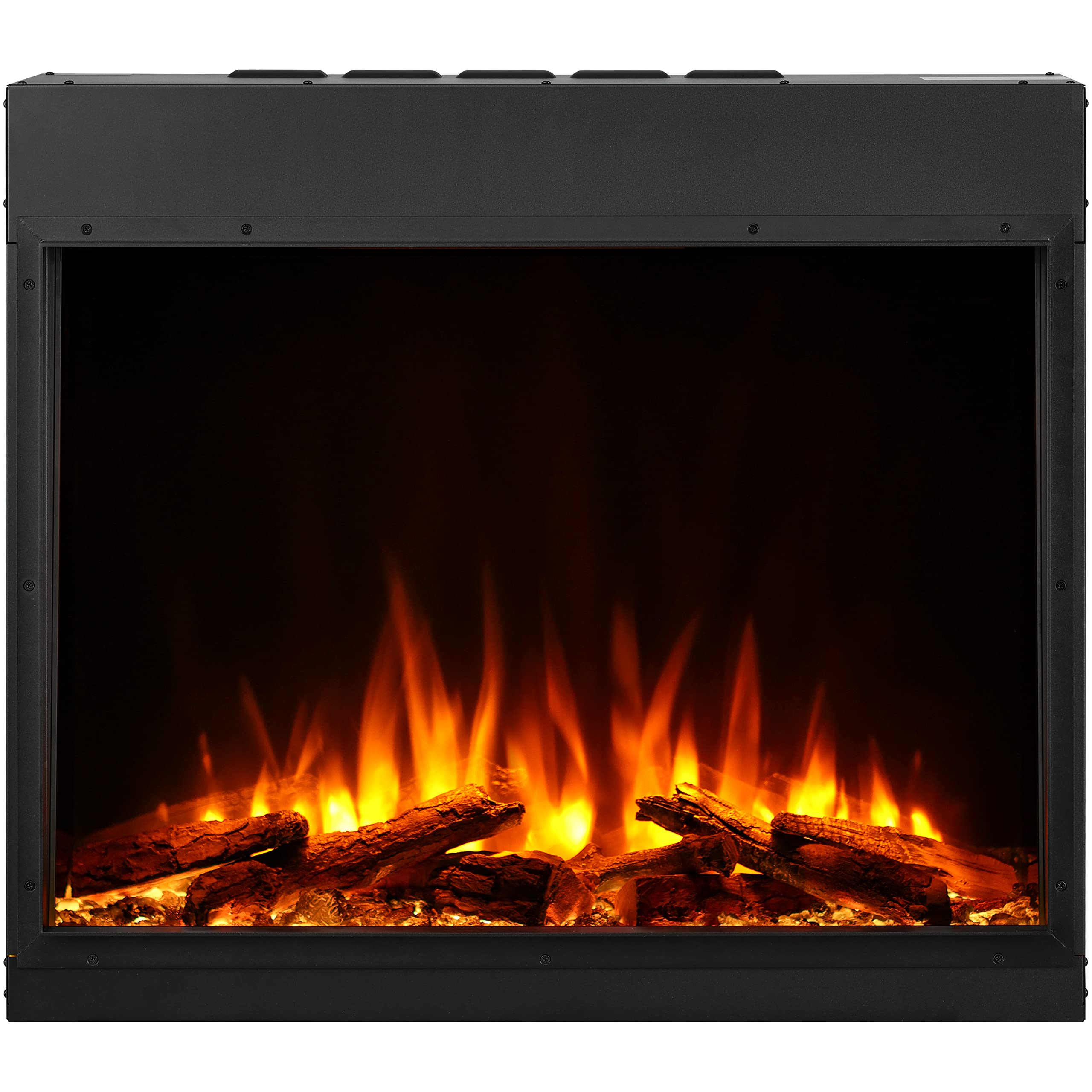
Image: Front view of the BALDERIA Costas Electric Fireplace displaying its realistic 3D flame effect and log set.
3. Package Contents
Please check that all components are present and undamaged. If any items are missing or damaged, contact customer support.
- BALDERIA Costas Electric Fireplace Unit
- Remote Control
- User Manual
- Mounting Hardware (screws, brackets, etc. - specific items may vary)
4. Specifications
| Feature | Specification |
|---|---|
| Brand | BALDERIA |
| Model | Costas |
| Color | Black |
| Material | Metal |
| Product Dimensions (D x W x H) | 25P x 87l x 75H centimeters (25 x 87 x 75 cm) |
| Item Weight | 38 Kilograms (Note: Product details show 80.8 kg in one place, 38 kg in another. 38 kg is used for installation guidance.) |
| Heat Output | 2000 Watts |
| Power Source | Corded Electric |
| Installation Type | Recessed Mount |
| Special Features | 3D Flame Effect, LED Lighting, WiFi, App Control, Crackling Sound, Remote Control |

Image: Technical drawing showing the dimensions of the fireplace (871mm width, 755mm height, 253mm depth, with internal firebox dimensions).
5. Setup & Installation
The BALDERIA Costas Electric Fireplace is designed for recessed mounting. Professional installation is recommended to ensure proper fit and safety.
5.1 Site Selection
- Choose a location that is dry and free from excessive moisture.
- Ensure the wall structure can support the weight of the fireplace (approx. 38 kg).
- Maintain a safe distance from combustible materials as specified in the safety instructions.
- Ensure a grounded 220-240V AC outlet is available within reach of the power cord.
5.2 Recessed Mounting
- Prepare the Opening: Create a wall opening according to the fireplace dimensions (refer to the specifications diagram). Ensure the opening is slightly larger than the fireplace unit for easy insertion.
- Electrical Connection: Route the power cord to the nearest grounded outlet. Do not use extension cords.
- Insert Fireplace: Carefully slide the fireplace unit into the prepared opening.
- Secure the Unit: Use the provided mounting hardware to secure the fireplace to the wall structure. Ensure it is level and stable.
- Final Check: Once installed, plug in the fireplace and perform a test run to ensure all functions operate correctly.

Image: Example of the BALDERIA Costas Electric Fireplace integrated into a modern living room wall.
6. Operating Instructions
The BALDERIA Costas fireplace can be operated via the included remote control, manual buttons on the unit, or a smartphone application.
6.1 Remote Control Operation

Image: Remote control layout with button descriptions and manual control panel on the fireplace.
- Standby: Power ON/OFF the unit.
- Display: Shows current settings (set temperature, room temperature, timer).
- Flame: Adjust flame brightness or cycle through flame colors.
- Fuel Bed: Adjust fuel bed brightness or cycle through fuel bed colors.
- Crackle Sound: Turn the realistic crackling sound effect ON/OFF.
- Heater: Turn the heating function ON/OFF. Use '+' and '-' buttons to adjust temperature.
- Mood Light: Activate or adjust ambient LED mood lighting.
- Flame Speed: Adjust the speed of the flame effect.
- Timer: Set a timer for automatic shutdown.
- Temperature Sensor: Located on the remote, helps maintain accurate room temperature.
6.2 Manual Control Panel
Basic functions can be controlled directly on the fireplace unit using the manual buttons. Refer to the remote control image for the location of these buttons.
- Manual ON/OFF Switch: Located on the side/rear of the unit to completely power off the fireplace.
- WiFi Button: For connecting to the smartphone application.
- Standby Button: Powers the unit ON/OFF.
- Flame Button: Cycles through flame effects.
- Heater Button: Activates or deactivates the heating function.
6.3 Flame and Fuel Bed Customization

Image: Visual representation of the available 8 fuel bed colors and 3 flame colors.
The BALDERIA Costas offers extensive customization for its visual effects:
- 3 Flame Colors: Cycle through different flame colors to match your mood or decor.
- 8 Fuel Bed Colors: Choose from 8 distinct colors for the glowing log and ember bed.
6.4 WiFi and App Control
The fireplace can be controlled via a dedicated smartphone application. Follow these general steps to connect:
- Download App: Search for the "BALDERIA" or "RICHEN" app in your smartphone's app store (iOS/Android).
- Register/Login: Create an account or log in if you already have one.
- Add Device: Follow the in-app instructions to add your BALDERIA Costas fireplace. This usually involves pressing the WiFi button on the unit and connecting to its temporary WiFi network before linking it to your home WiFi.
- Control: Once connected, you can control all fireplace functions (flame, heat, timer, etc.) from your smartphone.
7. Maintenance
Regular maintenance ensures the longevity and optimal performance of your electric fireplace.
- Cleaning:
- Always unplug the fireplace before cleaning.
- Wipe the exterior surfaces with a soft, damp cloth. Do not use abrasive cleaners or sprays.
- Gently clean the glass panel with a soft cloth and glass cleaner.
- Ensure air vents are clear of dust and debris. Use a vacuum cleaner with a brush attachment if necessary.
- Light Bulbs: The LED lighting system is designed for long life and typically does not require replacement. If issues occur, contact customer support.
- Remote Control Batteries: Replace batteries in the remote control when the range decreases or it stops responding. Use the specified battery type (e.g., AAA).
8. Troubleshooting
If you encounter problems with your fireplace, refer to the following common issues and solutions:
| Problem | Possible Cause | Solution |
|---|---|---|
| Fireplace does not turn ON. | No power, main switch OFF, remote batteries dead. | Check power cord connection, ensure wall outlet is functional, turn main ON/OFF switch to ON, replace remote batteries. |
| No heat output. | Heater function OFF, thermostat set too low, overheat protection activated. | Activate heater via remote/manual button, increase thermostat setting, unplug unit for 15 minutes to reset overheat protection. |
| Flame effect not working. | Flame function OFF, LED issue. | Activate flame effect via remote/manual button. If problem persists, contact customer support. |
| Remote control not responding. | Dead batteries, obstruction, out of range. | Replace batteries, ensure clear line of sight to fireplace sensor, move closer to the unit. |
| WiFi connection issues. | Incorrect password, router issues, fireplace not in pairing mode. | Verify WiFi password, restart router, ensure fireplace is in pairing mode (refer to app instructions). |
If the problem persists after trying these solutions, please contact customer support.
9. Warranty Information
Specific warranty information for the BALDERIA Costas Electric Fireplace is not provided in the product details. Please refer to your purchase documentation or contact the seller (IN OUT HOUSE GmbH) or BALDERIA directly for warranty terms and conditions.
Seller: IN OUT HOUSE GmbH
10. Customer Support
For further assistance, technical support, or inquiries regarding your BALDERIA Costas Electric Fireplace, please contact:
- Seller: IN OUT HOUSE GmbH (via Amazon's messaging system or their direct contact information if available on their seller page).
- Manufacturer: BALDERIA (check their official website for contact details).
When contacting support, please have your product model (Costas) and ASIN (B0BMLMH78T) ready.