
NIPELL A66
NIPELL A66 Wireless Earbuds User Manual
Model: A66
Brand: NIPELL
1. Introduction
This manual provides detailed instructions for the NIPELL A66 Wireless Earbuds. Please read this manual thoroughly before using the product to ensure proper operation and to maximize your listening experience. These earbuds feature Bluetooth 5.2 connectivity, an 1800mAh charging case with phone charging function, and IPX5 water resistance.
2. Package Contents
Ensure all items are present in the package:
- Bluetooth Headphones (2x)
- Charging Case (1x)
- Mini USB Type-C Cable (1x)
- Earcaps (8x: XS, S, M, L sizes)
- User Manual (1x)
3. Product Overview

Figure 3.1: NIPELL A66 Wireless Earbuds and Charging Case.

Figure 3.2: Earbud Touch Control Area, Indicator Light, Earbuds Microphone, Eartip, Charging Case Power Display, Earbuds Power Display, and USB C & A Port.
The NIPELL A66 earbuds are designed for comfort and high-quality audio. The charging case features an LED digital display to show battery levels for both earbuds and the case itself. Each earbud has a touch control area for easy operation.
4. Setup and Pairing
4.1 Initial Charging
Before first use, fully charge the earbuds and the charging case. Connect the provided USB Type-C cable to the charging case and a power source. The LED digital display on the case will indicate the charging status.

Figure 4.1: LED Digital Display showing individual earbud and case battery levels.
4.2 Pairing with Your Device
The earbuds feature one-step reconnection. After the first successful connection, simply open the lid of the charging case to automatically reconnect to your device. No need to remove the earbuds from the case for reconnection.
- Ensure the earbuds are in the charging case and the case is charged.
- Open the lid of the charging case. The earbuds will automatically enter pairing mode.
- On your device (smartphone, tablet, etc.), enable Bluetooth and search for available devices.
- Select "A66" from the list of devices to connect.
- Once connected, a voice prompt will confirm successful pairing.

Figure 4.2: Auto-reconnect feature upon opening the charging case lid.
5. Operating Instructions
The NIPELL A66 earbuds feature intuitive touch controls for various functions:
| Function | Action |
|---|---|
| Power On/Off | Long tap (either earbud) |
| Play/Pause Music | One tap (either earbud) |
| Next Track | Double tap Right earbud |
| Previous Track | Double tap Left earbud |
| Answer/Hang Up Call | Double tap (either earbud) |
| Reject Call | Long tap (either earbud) |
| Volume Up | Long tap Right earbud |
| Volume Down | Long tap Left earbud |
| Activate Voice Assistant (Siri) | Quick triple tap (either earbud) |
Video 5.1: Overview of NIPELL Wireless Headphones features and controls.
6. Charging
6.1 Earbud and Case Charging
The 1800mAh charging case provides up to 11 full charges for the earbuds, offering 6-8 hours of continuous playback per charge. This allows for up to 88-132 hours of total playtime by alternating earbud use.

Figure 6.1: 1800mAh strong battery case providing extended playtime.
6.2 Cell Phone Charging Function
The charging case is equipped with a USB-A port, allowing it to function as a portable power bank for your cell phone or other electronic devices in emergencies. This feature helps prevent your phone from running out of power unexpectedly.
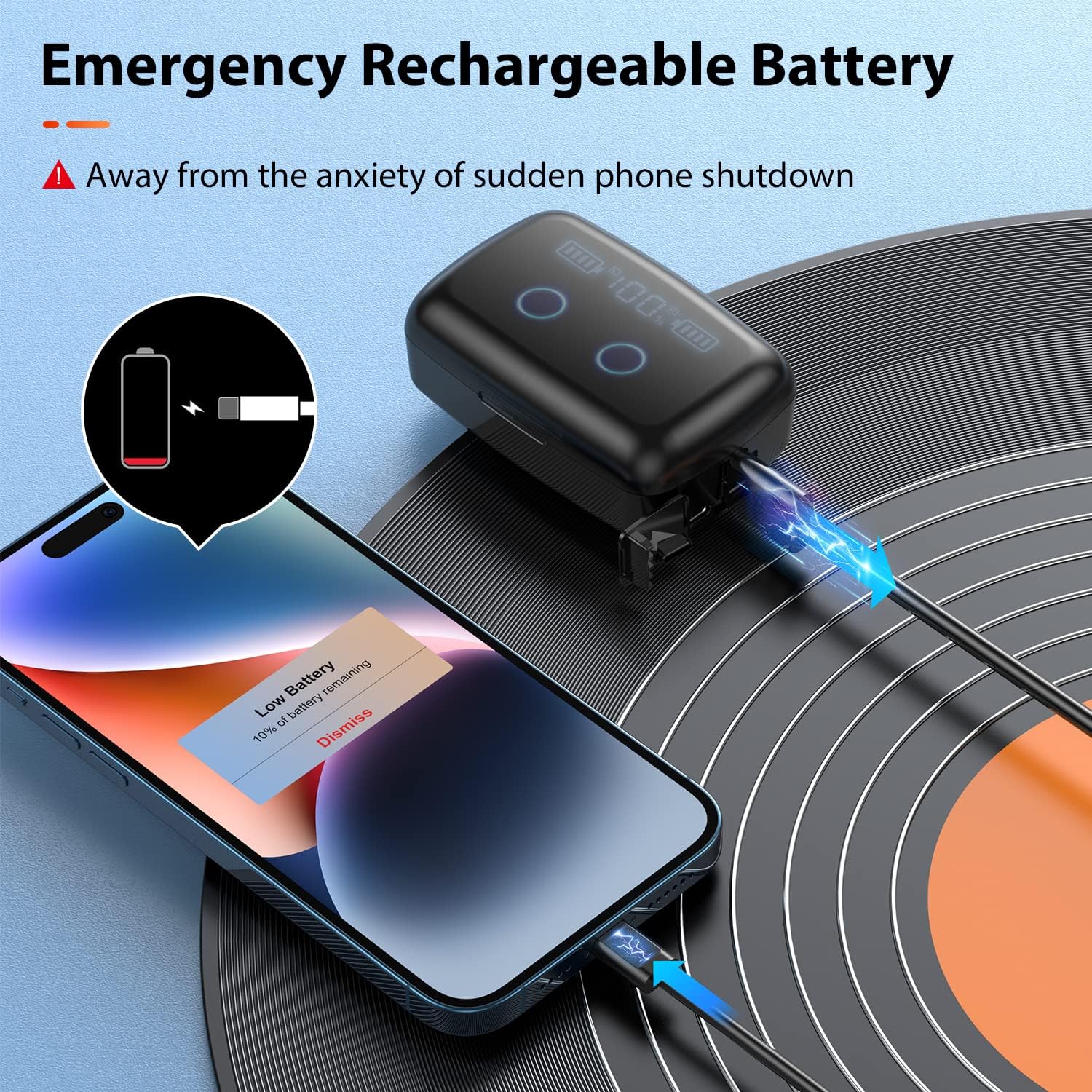
Figure 6.2: Emergency rechargeable battery function for cell phones.
7. Water Resistance (IPX5)
The NIPELL A66 earbuds are rated IPX5 water-resistant, meaning they can withstand sweat and light splashes of water. This makes them suitable for use during sports or walking in light rain.
Important Note:
- Do not use the earbuds in the shower or while swimming.
- The charging case is NOT water-resistant.
8. Comfort and Fit
The earbuds are designed for a comfortable in-ear fit, dispersing pressure in the ear canal while remaining stable. Four sizes of ear tips (XS, S, M, L) are provided to ensure the best fit for your ears.

Figure 8.1: Comfortable in-ear design with various ear tip sizes for optimal fit.

Figure 8.2: Proper earbud insertion and examples of suitable activities.
9. Maintenance
To ensure the longevity and optimal performance of your NIPELL A66 Wireless Earbuds, follow these maintenance guidelines:
- Cleaning: Regularly clean the earbuds and charging case with a soft, dry, lint-free cloth. Do not use harsh chemicals or abrasive materials.
- Drying Wet Earbuds: If the earbuds get wet, gently shake out any excess water. Tap-dry each earbud with a soft towel and allow them to air dry completely before placing them back into the charging case. This prevents damage to the charging contacts and internal components.
- Storage: Store the earbuds in their charging case when not in use to protect them from dust and damage. Store in a cool, dry place away from extreme temperatures.
10. Troubleshooting
If you encounter issues with your NIPELL A66 Wireless Earbuds, refer to the solutions below:
10.1 Connection Issues (Earbuds not pairing or connecting to device)
- First, delete any existing Bluetooth pairing name "A66" for the headset on your mobile phone.
- Then, turn off your phone's Bluetooth function and place both earbuds back into the charging box.
- After 10 seconds, open the charging case. The left earbud should flash green and blue rapidly, indicating it is ready to pair.
- Turn on your phone's Bluetooth to search for and pair with "A66".
10.2 Only One Earbud Has Sound
Please check if both earbuds are turned on. Long tap both the Right and Left touch control areas to ensure both earbuds are powered on.
11. Specifications
| Feature | Detail |
|---|---|
| Model Name | Wireless Earbuds (A66) |
| Connectivity Technology | Wireless (Bluetooth 5.2) |
| Bluetooth Range | 10 Meters / 33 Feet |
| Battery Life (Earbuds) | 6-8 hours per charge |
| Total Playtime (with case) | Up to 88-132 hours |
| Charging Case Battery | 1800mAh |
| Charging Time (Earbuds) | 1 Hour |
| Charging Time (Case) | 2.5 Hours |
| Water Resistance Level | IPX5 (Earbuds only) |
| Frequency Response | 20 Hz - 20,000 Hz |
| Sensitivity | 114 dB |
| Control Type | Touch Control |
| Item Weight (Earbuds) | 0.212 ounces (approx. 6g per earbud) |
| Material | Polycarbonate (PC), Silicone, Plastic, Acrylonitrile Butadiene Styrene (ABS) |
12. Warranty and Support
For warranty information and customer support, please refer to the contact details provided with your purchase or visit the official NIPELL website. Keep your purchase receipt as proof of purchase for any warranty claims.
Related Documents - A66
 |
A66 Wireless Earbuds User Manual User manual for the A66 Wireless Earbuds, covering packing list, product overview, pairing, wear instructions, power on/off, call and music controls, Siri activation, charging, specifications, safety instructions, and troubleshooting tips. |
 |
Freightliner Powernet Distribution Box (PNDB) Functional Changes and Replacement Guide Service bulletin detailing functional changes to Freightliner Powernet Distribution Boxes (PNDBs), addressing fuse retention issues, and providing step-by-step replacement instructions and updated part numbers. |
 |
Axema A66 Compact Reader Terminal Installation and Programming Guide This guide provides instructions for the installation and programming of the Axema A66 Compact Reader Terminal, a standalone access control device. It covers wiring, initial setup, user code and card registration, and system settings. |
 |
TENMIYA A66 Portable Boombox Speaker User Manual User manual for the TENMIYA A66 Portable Boombox Speaker, detailing its features, specifications, operation, and troubleshooting. |
 |
Shantou Youcheng A66 User Manual and Compliance Information User manual and regulatory compliance information for the Shantou Youcheng A66 toy, including EU Declaration of Conformity and FCC statements. |
Ask a question about this manual
Ask about setup, troubleshooting, compatibility, parts, safety, or missing instructions. Manuals+ will review the question and use this page’s manual context to help answer it.